How To Import Csv File In Outlook 2016
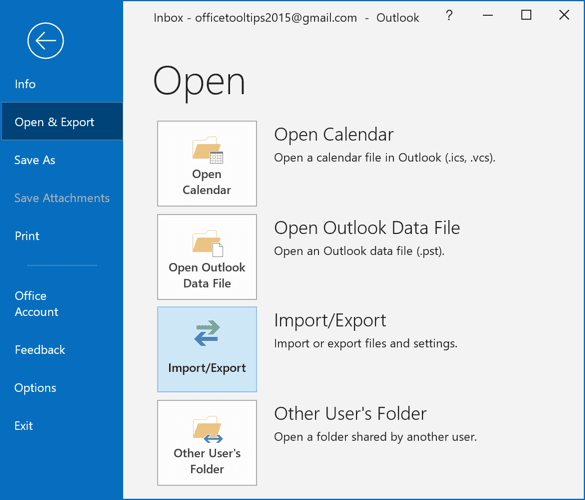
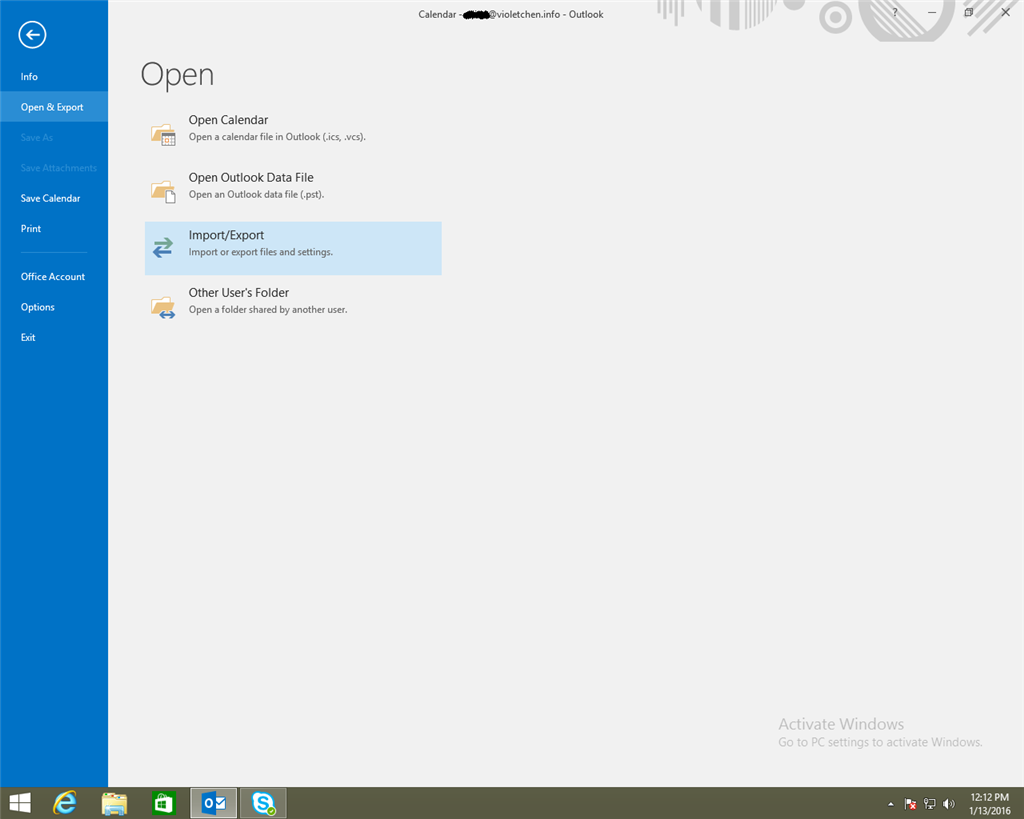
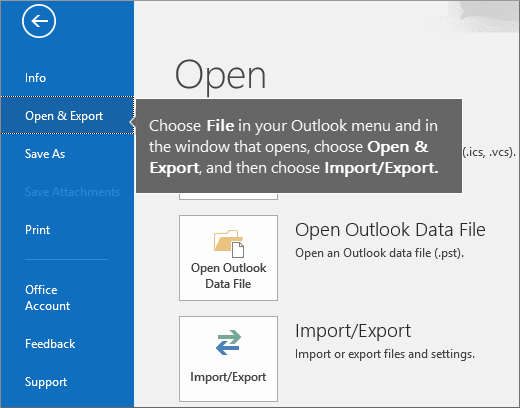
Select a destination location to save the resultant file. Go to Open Export and choose ImportExport.
Import Contacts To Outlook 2016 From Csv File Microsoft Community

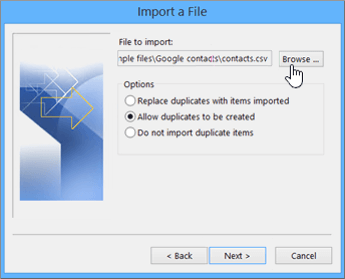
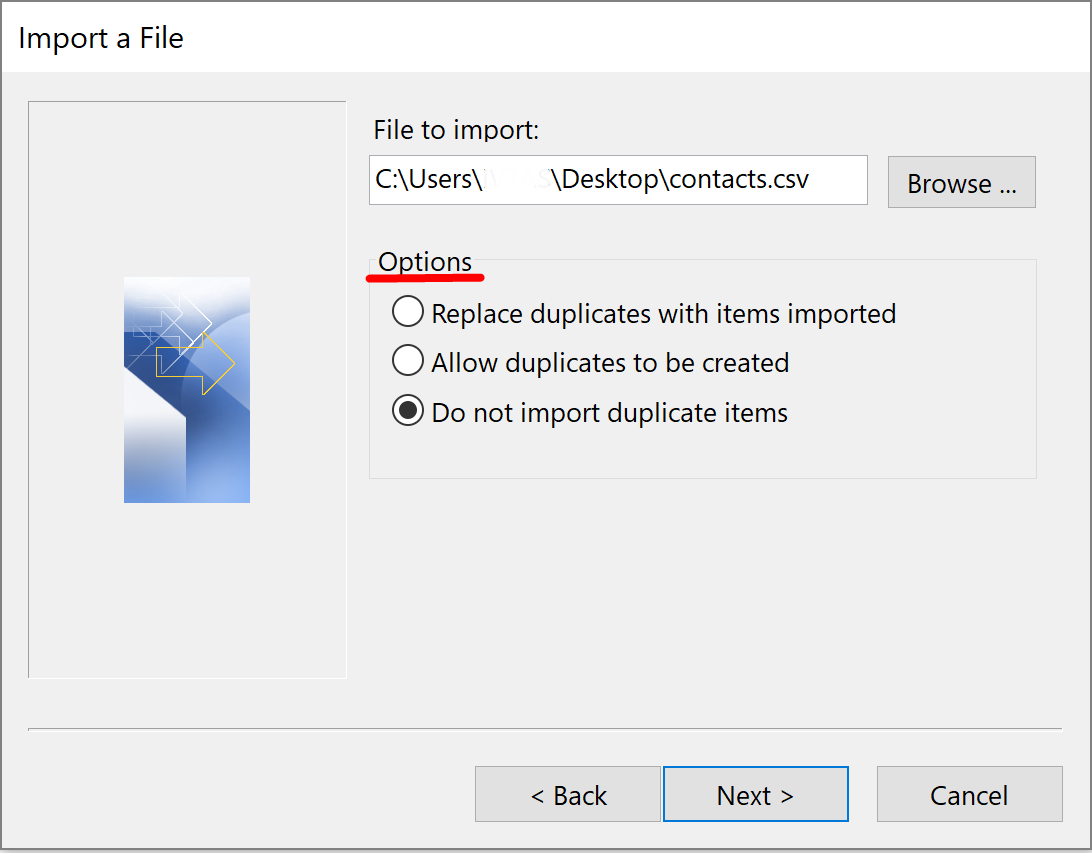
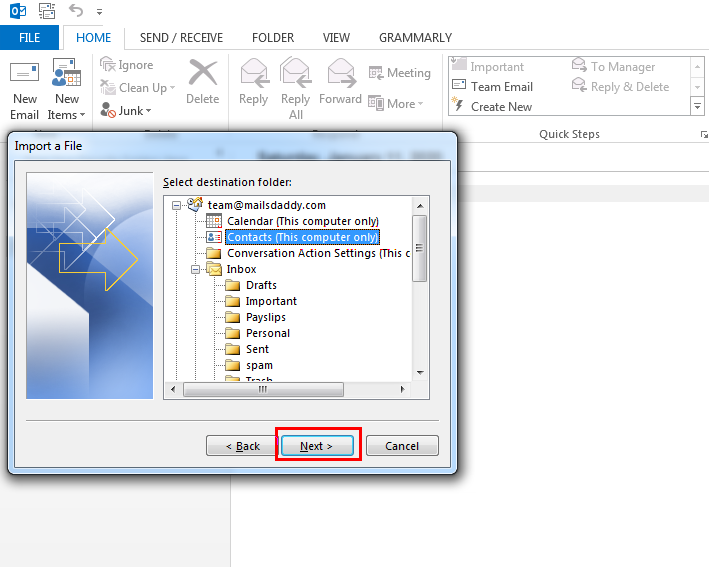
Under Options choose how you want to deal with emails and contacts then choose Next.
How to import csv file in outlook 2016. To import CSV contacts to. Learn How to import contacts to outlook using CSV file. If you complete the import process but no contacts appear in Outlook do the following.
Export email contacts and calendar to a PST file. Import contacts to Outlook. It may take several seconds to load depending on size 2 Choose Save As.
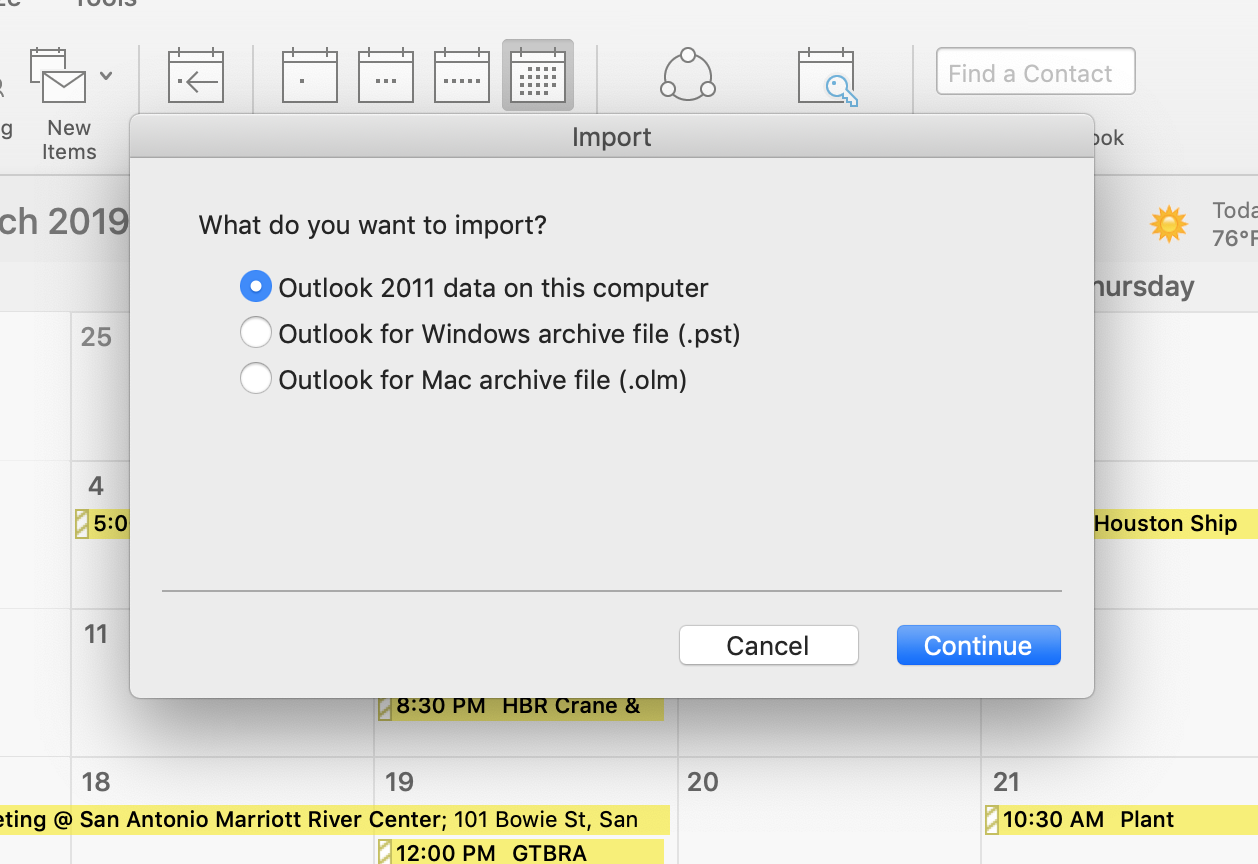
Export from Outlook app. The ImportExport wizard will open asking how you wish to import. Import email and contacts to Outlook 2016 for Mac.
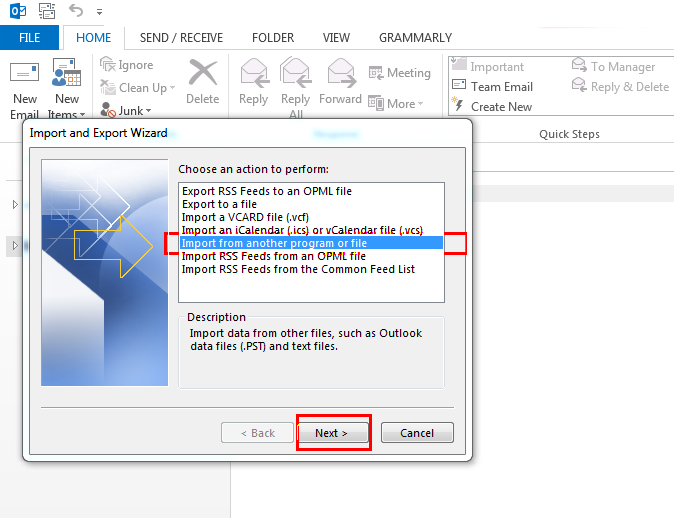
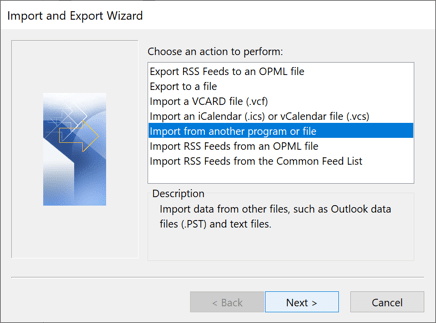
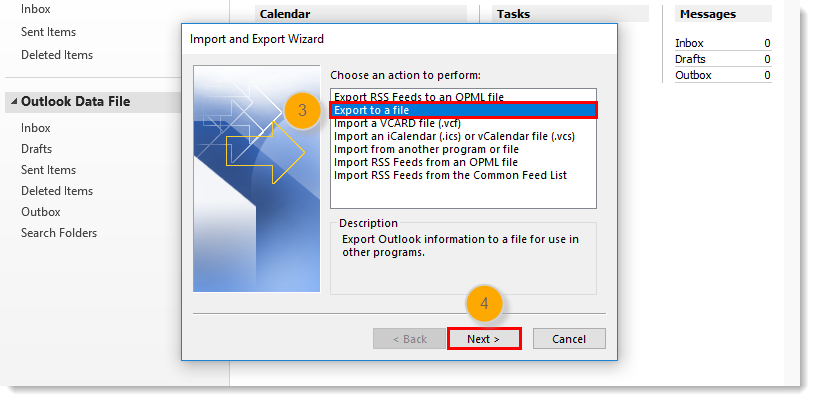
Select Import from another program or file and then click Next. In the Browse dialog box choose the CSV file that contains the contacts that you want to import. To do so launch Outlook on your Windows machine and click on File Open Export ImportExport.
Import contacts in CSV file to Outlook Web App-. Import the csv file into the System Contact app it should be fairly straightforward especially if all fields are properly labeled. If youre importing the contents of your pst file into your Microsoft 365.
Use Excel to open the CSV file you exported from the source email system. When prompted choose to Save the file to your computer as a CSV file. At the top of your Outlook ribbon choose File.
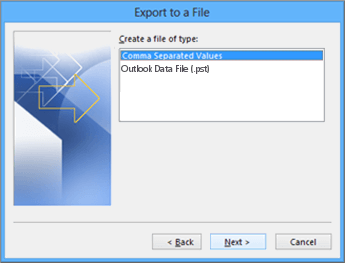
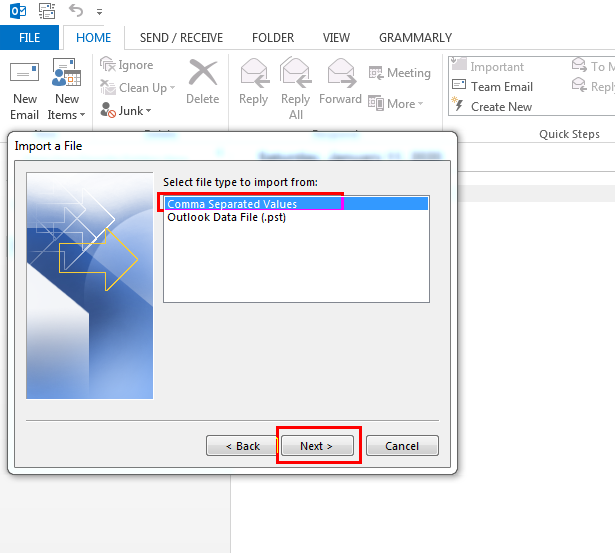
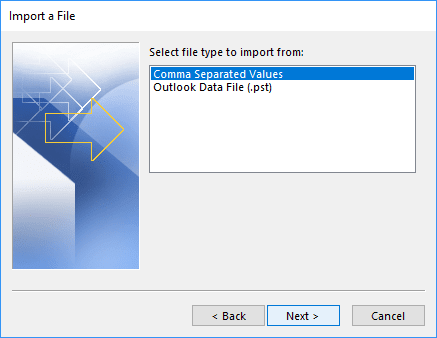
1 Open the CSV in a plain text editor such as Notepad. If youre importing a CSV file go to Import from another program or file. Choose Comma Separated Values and then choose Next.
You choose Import from another program or file and click Next. In the Import a File box browse to your. Here we discussing about how to import CSV file into Ou.
Import to Outlook app. Choose Comma Separated Values and then choose Next. Export items to an archive file in Outlook for Mac.
Locate the csv file you exported from your source email system for example from Google. If a password was assigned to the Outlook Data File pst enter the password and then click OK. This is because the formatting is incorrect for MS Outlook.
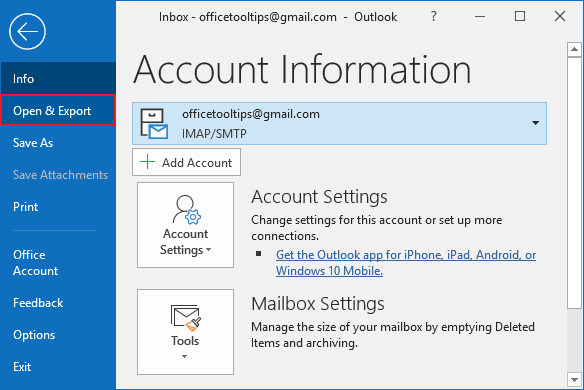
Choose Open Export ImportExport. To import contacts from a CSV file into Outlook 2019 Outlook 2016 or Outlook 2013 carry out these steps. Choose one of the options.
Download a template CSV file. On the menu bar at the top select file. In Excel go to File Open and then navigate to the csv file you just downloaded to.
Export contacts from Outlook to a CSV file or Excel. Select Browse choose your CSV file and then select Open. On the far right of the toolbar select Manage Import contacts.
The software will start converting CSV file to vCard and once conversion process gets done its time to import CSV contacts to Outlook. Replace duplicates with items imported select this option only if you are sure that imported data is more recent or more. In Microsoft Outlook click File Open Export ImportExport.
This starts the wizard. On your computer open Excel. How to Import CSV Contacts in MS Outlook 2013 2016 and 2019.
If you save it as an Excel. Export from Excel to a csv file. Choose Import from another program or file and then choose Next.
At the top of your Outlook 2013 or 2016 ribbon choose File. Download this sample csv file to your computer. Choose Open Export ImportExport.
Import contacts into outlook 201020132016. Instead use Data New Query From File From CSV and select the file to import from. Browse to the pst file you want to import.
Import a Windows PST file into Outlook 2016 for Mac. Open Outlook in your system Click on file option at the top left corner. How to import Contacts from a CSV file into Outlook.
I still had to adjust the encoding to UTF-8 while other settings are correctly detected delimited by comma. Change the encoding from Unicode big endian to ANSI. The Import and Export wizard starts.
Select Outlook Data File pst and click Next. Select the open and export button. I still had to adjust the encoding to UTF-8 while other settings are correctly detected delimited by comma.
Select all contacts there and drag them to the desktop to create a vcf. Choose Import from another program or file and then choose Next. In this video i will tell you how you can add your CSV file to your outlook Or how you and import CSV contacts file to outlook 2016.
You cant import it straight into Outlook but there is a way around this. If youre migrating to Outlook 2016 from another mail server or setting up your mail client this is the simple way to import your contacts. Notepad displays the encoding of the CSV file as Unicode big endian.
If you exported contacts from Google the default file name is contactscsv.
How To Import Contacts To Outlook 2016 Covve
Import Contacts To Outlook 2016 From Csv File Microsoft Community


Microsoft Outlook Import Contacts From Excel Or Csv Syntax Byte
Import Excel Xlsx Or Csv Into Outlook Calendar Microsoft Community
How To Import Contacts Into Outlook Quick 6 Steps Guide With Images
Import Contacts To Outlook 2016 From Csv File Microsoft Community
How To Import Contacts From A Csv File Into Outlook Microsoft Outlook 2016
Import Contacts To Outlook 2016 From Csv File Microsoft Community

How To Import Contacts To Outlook 2016 Covve
How To Import Csv Contacts In Ms Outlook 2013 2016 2019

How To Import Csv File Into Excel Excel Learn Programming Programing Language
How To Import Contacts From A Csv File Into Outlook Microsoft Outlook 2016
How To Import Csv Contacts In Ms Outlook 2013 2016 2019
How To Import Csv Contacts In Ms Outlook 2013 2016 2019

How To Export Contacts From Outlook For Office 365 Outlook 2019 Or Outlook 2016 Wise Tech Labs Outlook 2019 Outlook Lab Tech
How To Import Contacts From A Csv File Into Outlook Microsoft Outlook 365
How To Import Contacts From A Csv File Into Outlook Microsoft Outlook 365
How To Import Contacts To Outlook 2016 Covve
Manually Export Contacts Out Of Microsoft Outlook


Posting Komentar untuk "How To Import Csv File In Outlook 2016"