Can T Unhide Columns In Excel
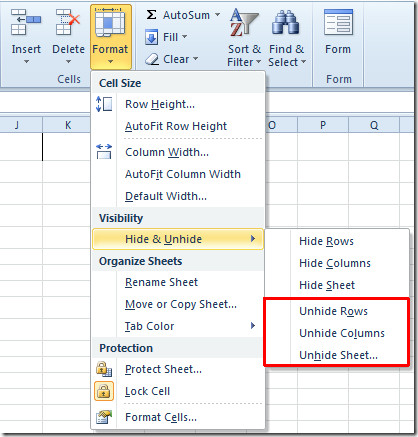
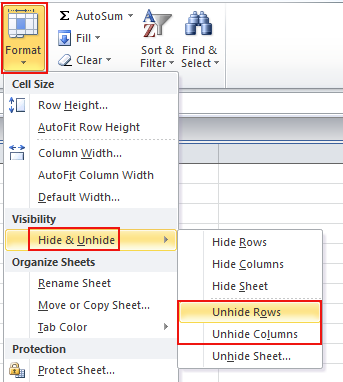
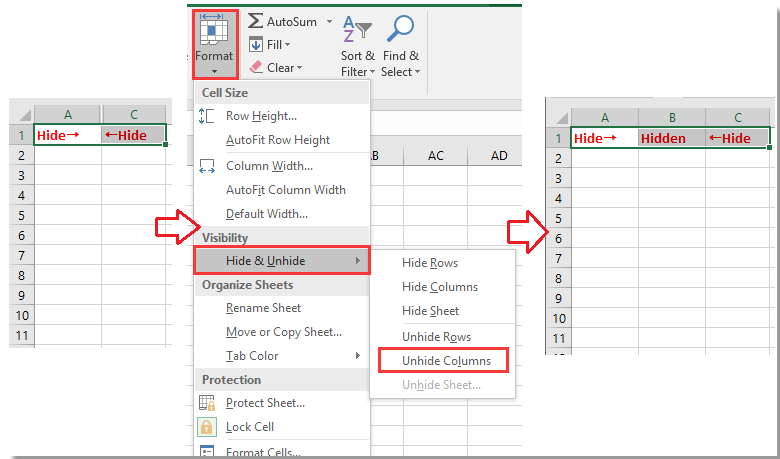
For rows for example everything works fine. Select Cells Format Hide Unhide Unhide Columns.
Is There A Way To Unhide Columns In Multiple Excel Workbooks Not Sheets At One Time Quora
Click the first column or row hold the Shift key and click the last column or row.
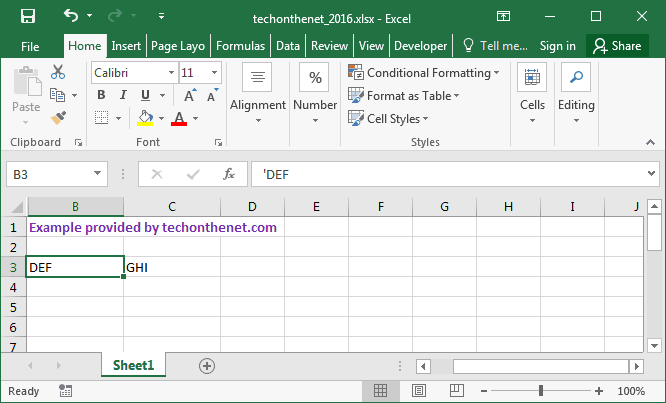
Can t unhide columns in excel. Then select Unhide and Excel will expose the hidden row or column. Below are the steps. Then right click and choose Format Cells from the context menu and in the popping out Format Cells dialog box click.
It depends where you are when you set your Freeze Panes. To use the function click on Hidden Rows and Columns in the Professor Excel ribbon. For anyone else who this might not have worked for chances are that the missing columns may have been minimized.
Now you should be able to see column A in your. Click column Bs header cell and drag the mouse pointer to the left. Unhiding first row or column is as said earlier is not easy.
Start by selecting the columns or rows you want to hide. On the Home tab in the Editing group click Find Select. Then choose Row or Column from the Format menu and select Unhide.
On the Home ribbon click the Format icon drop down far right side Select Hide Unhide Choose Unhide rows or Unhide columns. If rows are hidden from row 1 it is important to correctly highlight the rows and right click on the correct row. Click on a small triangle in the upper-left corner of your table to select the entire worksheet.
Select the Home tab from the toolbar at the top of the screen. Jan 02 2018 T here are certain situations when you cant unhide columns on the left andor rows at the top and it is not a sheet protection issue. Select multiple non-adjacent columns or rows.
I indeed used during my work for the last few days protection of worksheets but now hideunhide just does not work in any of the files. For doing so simplest method is to select whole sheet and right click and select Unhide. For example if Column C is hidden then hover the mouse between Column B and D at the top of the worksheet.
Now just right-click the selection and pick the Unhide option from the context menu. In the Name Box next to the formula. If a excel worksheet has freezed row or columns then also you will not be able to access some rows and column.
If you right click in the top left corner it highlights everything again adn you cant find the UNHIDE option. The obvious doesnt seem to work. Been here done that before but got them back somehow.
Even when I open new blank Excel file hideunhide for columns does not work in any of the worksheets inside the file. Freeze Pane is in the View ribbon. However if you hide Row 1 or Column A in an Excel worksheet.
Click the first column or row hold the Control key Command on Mac and click the. The Excel add-in Professor Excel Tools provide a function for unhiding all hidden rows and columns on all sheets with one click. In the Name Box next to the formula bar type A1 and then press ENTER.
One quick and easy way to unhide a column is to use the mouse. Hold down the right mouse button you will see a double arrow pop up and drag it to the right. When the GoTo window appears enter A1 in the Reference field and click on the OK button.
You can also press the keyboard shortcut CtrlA. When you hide the column the only what Excel does is set the width of such column to zero. Just select the columns or rows on either side of the hidden ones then right-click and click Unhide Trouble Unhiding.
Click the Unhide button. Its that easy theres a feature to unhide columns built right into the first layer of. Hover your mouse in between the columns alphabets that have the hidden column s.
Click the Select All button the button at the intersection of row numbers and column letters. Two vertical lines shall indicate such column was it hide or manually set to zero width. Hiding Rows and Columns Usually its easy to unhide rows or columns that have been temporarily hidden.
Select Hide Unhide 6. Unhide the first column or row in a worksheet To select the first hidden row or column on the worksheet do one of the following. Select multiple adjacent columns or rows.
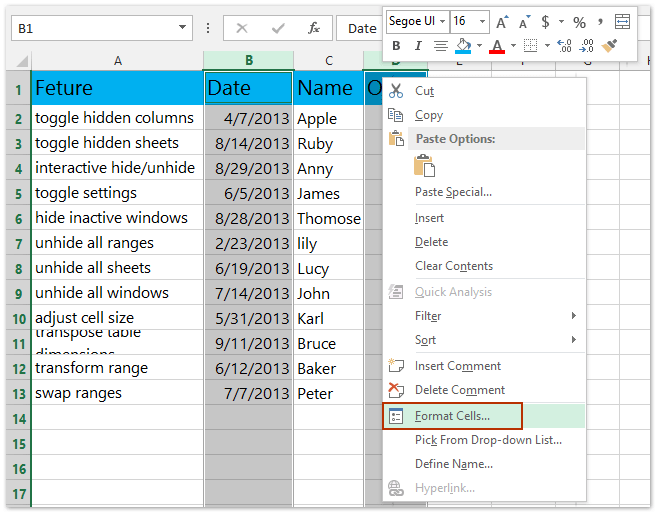
Select the columns on both sides of the hidden column. In Excel the following steps can help you prevent the hidden columns from seeing please do as this. You can do this a few different ways.
How to unhide all columns in Excel. Its a three-step process to unhide every column in Excel at once. Open your Excel document.
This selects the whole sheet. Dont click any borders just drag the. Dont panic column A isnt gone forever and theres more than one way to unhide it.
Another possibility is freezed columns or rows. Select Cells Format Hide Unhide Unhide Columns. In Excel 2003 use the Name Box to select cell A1.
It is also not an unhiding issue. Guess its time I found out the right way to do it. Click the icon where the rows and columns meet top left corner.
Now column A should be unhidden in your Excel spreadsheet. It is caused by Freeze Panes. Alternatively only unhide the rows or columns on the selected or current sheet.
Use your mouse to right-click within the worksheet. Unhide shall work in both cases. The row or column is hidden.
How to Hide Columns and Rows in Excel. The missing columns should show up. Select every cell in your worksheet by clicking on the small triangle located to the top left of the sheet.
Most of the time we might have hidden that row or column. The worksheet is not protected. You do this by left clicking on the number 9 and dragging up BUT then you right click while hovering over the 9 again.
In the example below you need to highlight all the rows above 9. With your mouse try grabbing the bar along the left edge of the last column that is visible. Hide Columns A B and now I cant figure out how to Unhide them.
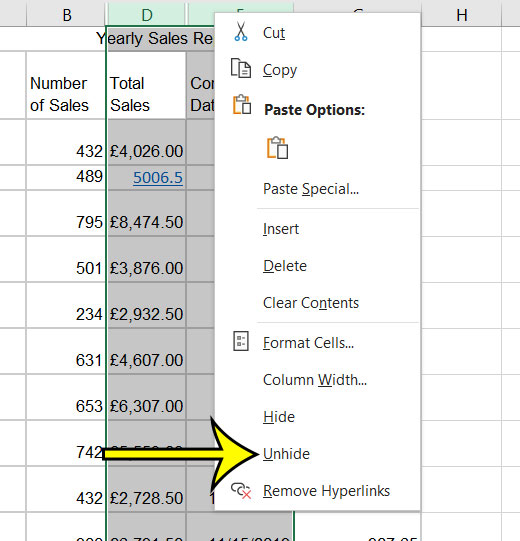
How To Unhide Columns In Excel 2016 Live2tech
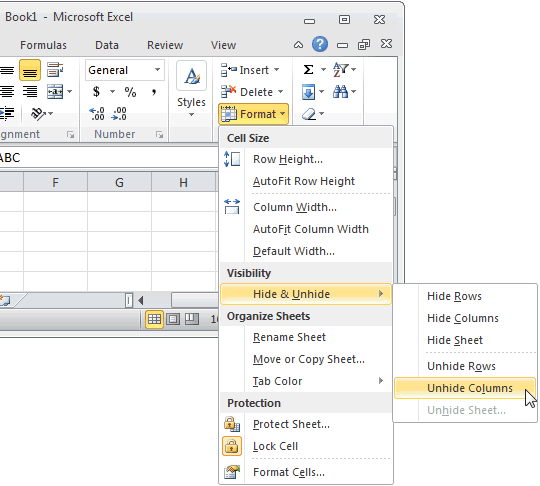
Ms Excel 2010 Unhide Column A
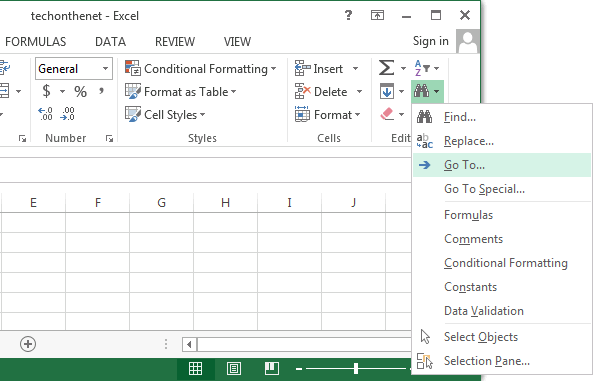
Ms Excel 2013 Unhide Column A

How To Hide And Unhide Rows In Excel
Ms Excel 2016 Unhide Column A
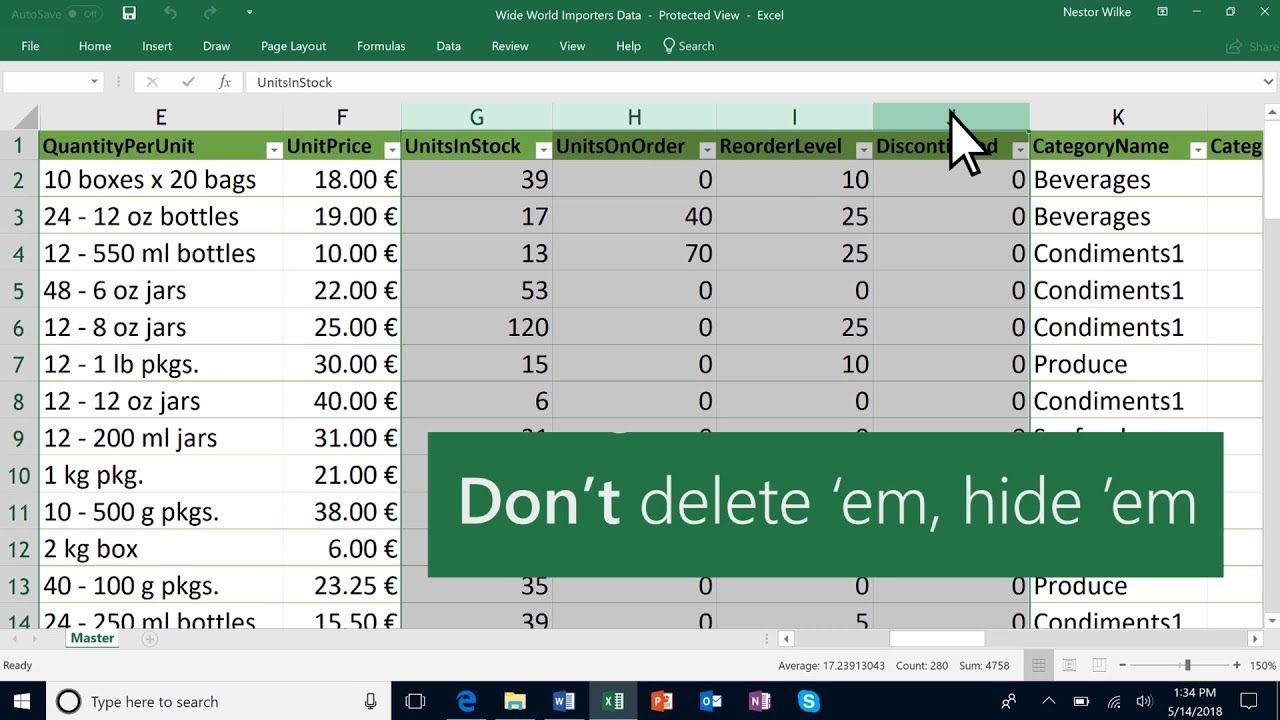
Hide And Unhide Columns In Microsoft Excel Youtube
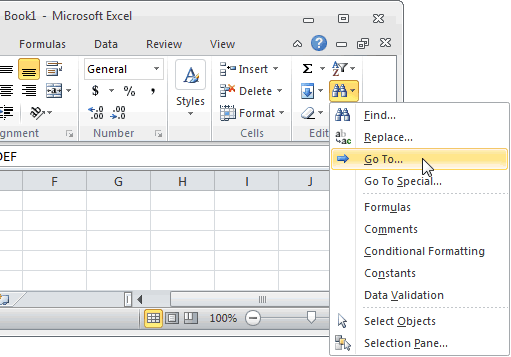
Ms Excel 2010 Unhide Column A
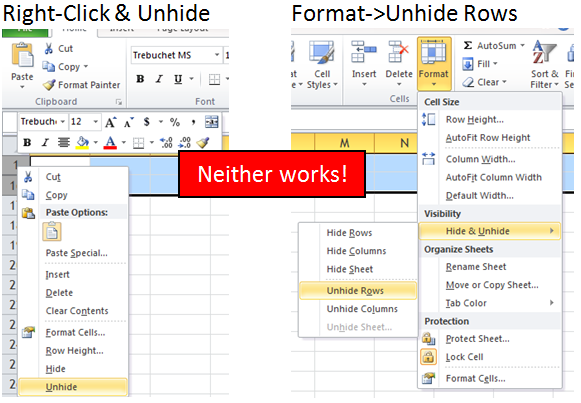
When Unhide Row Doesn T Work Wmfexcel
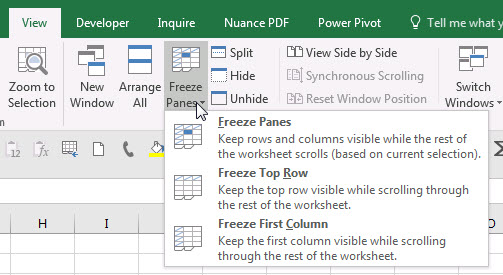
Unable To Unhide Columns Or Rows In Excel A4 Accounting
Excel 2010 Hide Unhide Columns Rows Sheets

How To Hide And Unhide Rows And Columns In Excel 2013
How To Protect Lock Hidden Columns In Excel
How To Unhide Or Show Columns Rows In Excel

Unhide Column In Excel Top 7 Quick Useful Methods

How To Protect Lock Hidden Columns In Excel

How To Hide And Unhide Columns And Rows In Google Sheets And Excel Excelchat

How To Unhide Column A In Excel 2010 Solve Your Tech
How To Show Hidden First Column Or Row In Excel
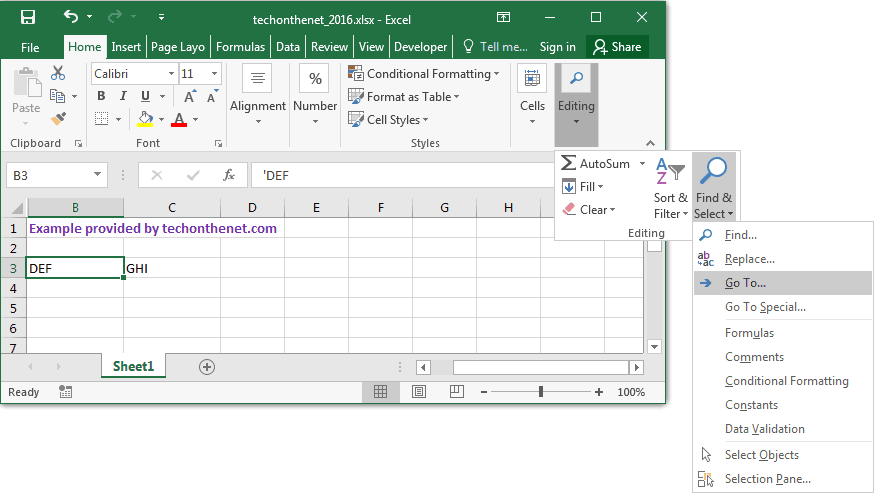
Ms Excel 2016 Unhide Column A


Posting Komentar untuk "Can T Unhide Columns In Excel"