My Iphone Messages Keep Deleting
Therefore you can go to Settings on your iPhone scroll down to find Messages and turn on Keep Messages feature as Forever under Message History. If you have created backups for.
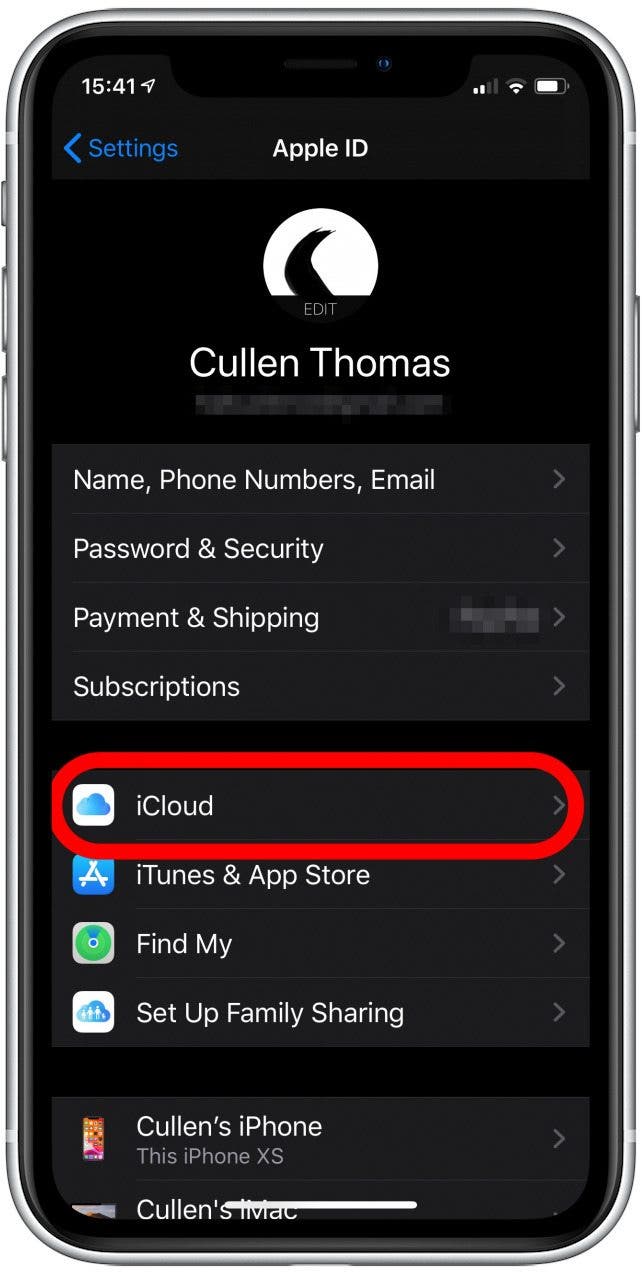
How To Retrieve Deleted Text Messages On Iphone Ios 15 Update
The deleted text messages should resurface on your iPhone within a few minutes.

My iphone messages keep deleting. Youll see a pop-up. Wait after youve tapped Merge. Check to see if you set message expiration to 30 days or 1 year.
Use a third-party app. Tap Merge and wait. Preview and recover the deleted lost data.
Keep On My iPhone is the option to choose. 30 days 1 year or Never. If you cannot recall deleting your messages this does not mean that deletion is not the reason your messages disappeared.
If iOS determines you dont have enough room internally it begins deleting that content from your device. You cant recover a deleted conversation. I would recommend changing back to Forever which keeps all your text message conversations on the iPhone permanently.
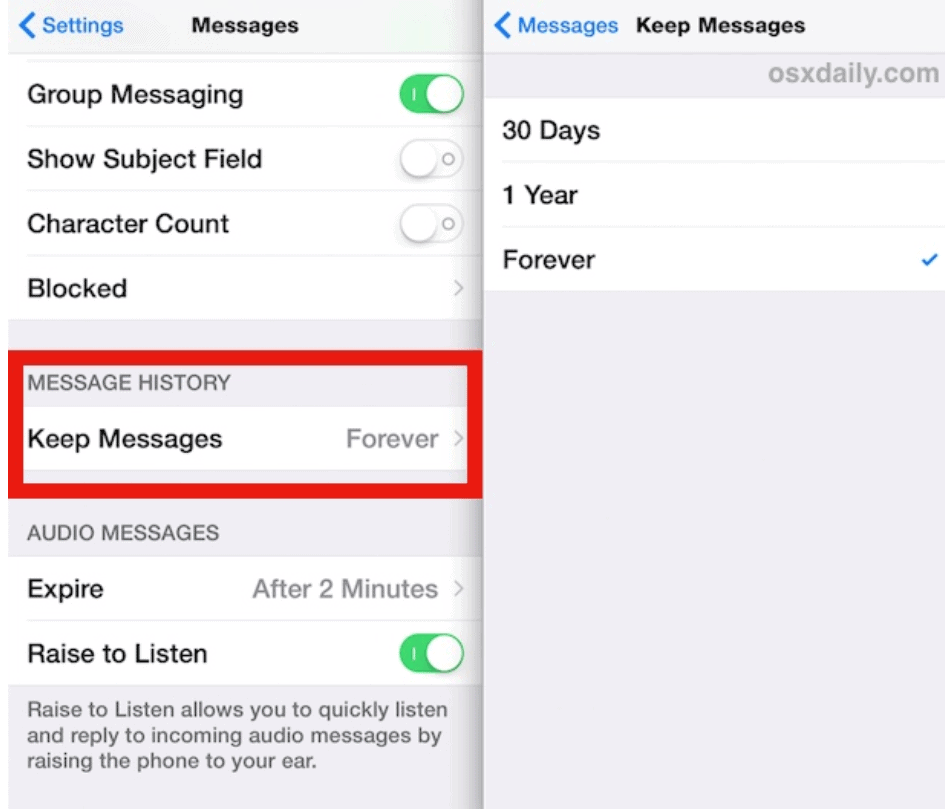
Keep on My iPhone. Go to Settings and scroll down to Messages tap Keep Messages under MESSAGE HISTORY. Restore iPhone Messages Contacts from an iCloud backup.
First it helps to understand the problem. How to recover deleted iMessages from iPhone. Im not sure if its what youre looking for but there is a Message History setting that prevents messages from being auto-deleted after a certain amount of time.
Thats why you can end up having way more Messages data in iCloud than you do on your actual iPhone. When doing the steps above failed all you need is to perform a hard reboot to fix iPhone messages disappeared. If you turn off Messages in iCloud on an iPhone or iPad your message history is.
This method is now the top method to solve the iPhone keeps deleting messages problem. 2 days agoNow navigate to Settings your name iCloud on your iPhone. Your messages could have been deleted by your kid or someone else like what would happen to many peoples previous photos on iPhone Camera Roll.
In response to Kaylee901. So we have discussed how to fix iPhone keeps deleting messages contacts and recover lost data. Turn off Text Messages or double-check that its already off.
For iPhone X 8 and 8 Plus. Sign into your iCloud account and you will get iCloud backup file. Re-enable text messaging now.
The Quickest Way to Recover Deleted Messages from iPhone Recommend. Quickly press and release the volumes Up and Down. You might need to rule out those possible causes and see if you can recover those lose messages.
If your iPhone is set to backup to iCloud you may be able to recover a deleted text message from a recent backup by doing a full restore. Text messages hang around after you delete them because of how the iPhone deletes data. Interestingly deleting these attachments works the same whether youre using Messages on iCloud or not.
Under Keep Messages Choose your option on when to delete messages. With Messages in iCloud anything you delete from iPhone is also deleted from your other Apple devices where Messages. Now select the Keep Messages option and change it.
There are several reasons may lead to iMessages lost like iMessage saving settings insufficient memory and so on. If you dont need to keep your conversations up to date across your devices you can turn off the Messages in iCloud feature. Method 3- Retrieve deleted texts on iPhone.
Actually the deleted files are still. A popup will appear. Then keep the device in airplane mode for a while and then turn it off.
Honestly it would be a little hard to recover your iMessages without any backup but there are still some little tips you can refer. Go to Settings Messages Keep Messages. Open the Settings app on your iPhone and click Messages.
IPhone Delete Messages by Itself FAQ Unlock your iPhone. That is one of the major causes to this problem. 3 Solutions to Fix iPhone Keeps Deleting Messages Issue Solution 1.
Now check your messages app to see if the deleted messages have been restored or not. You can find it in Settings - Messages - Keep Messages. The problem of the zombie text messages reappearing from the dead after being deleted is related to how much text message data you have the speed of your iPhones processor and relatedly how old your phone is.
After a few minutes the deleted text messages should appear back on your iPhone. Make sure its set to Forever instead of 30 Days or 1 Year. Select Recover Data from iCloud Backup File mode.
Free Recover Lost Messages from iCloud Backup. Once you delete a message you cant get it back. In most cases deleted text messages from iPhone appear in search results and in the message app.
Find and tap Messages. Now turn back on text messages.
How To Retrieve Deleted Text Messages On An Iphone Digital Trends
How To Swipe To Delete Messages In Iphone Mail App
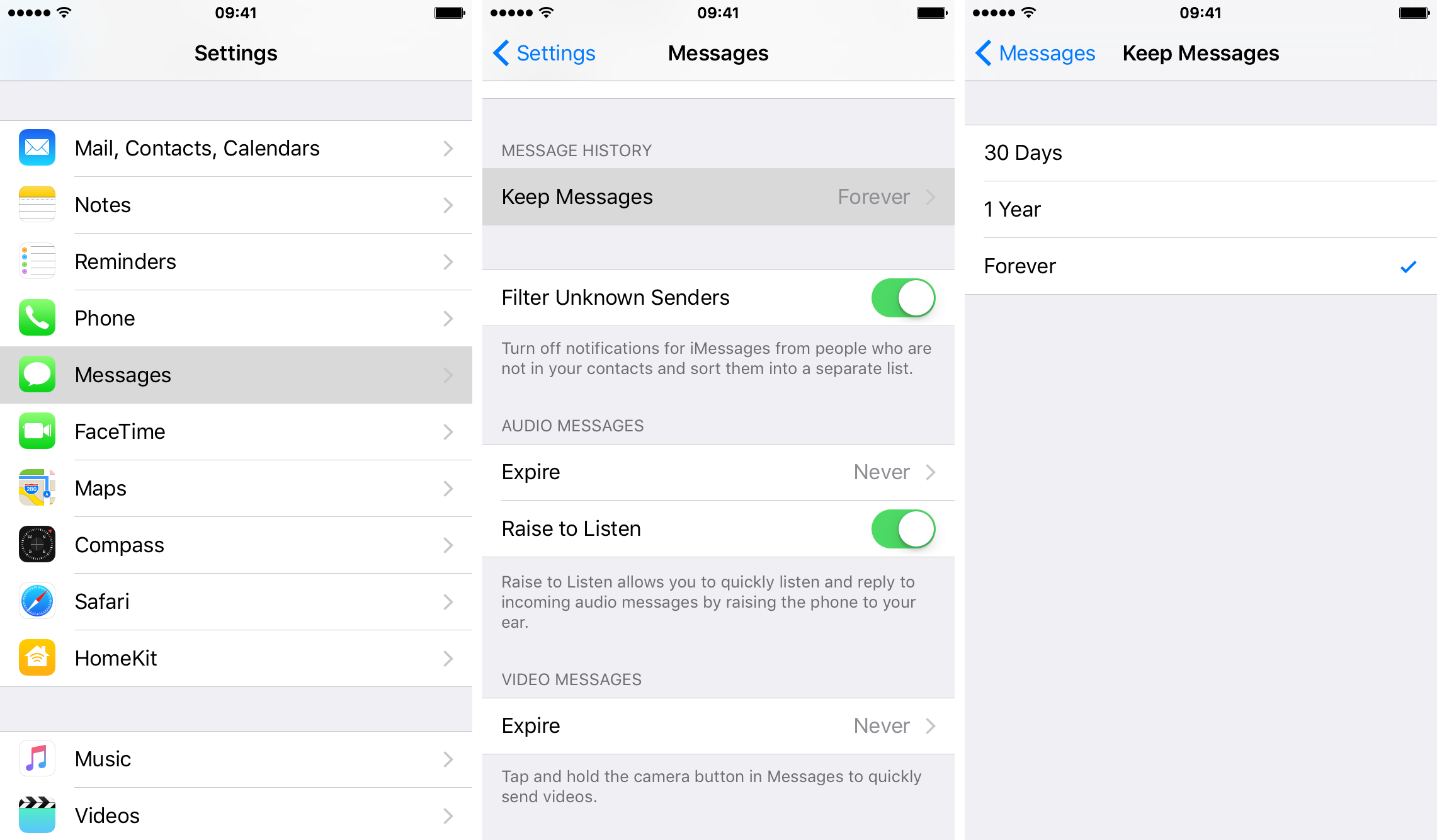
How To Set Text Messages To Be Kept For 30 Days Or 1 Year Not Forever

Ios 15 How To Auto Delete Old Messages On Iphone Or Ipad Igeeksblog
How To Delete Text Messages On Iphones And Androids
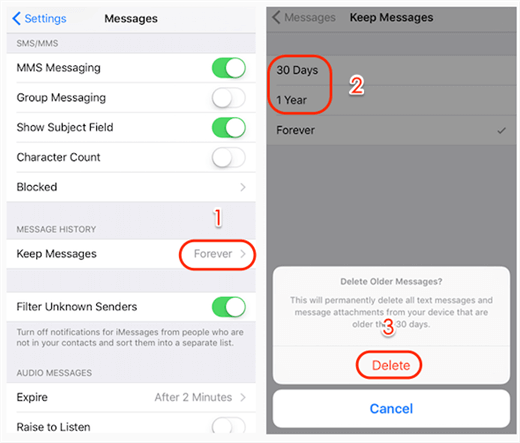
Text Messages Imessages Disappeared On Ios 14 Get Solutions Causes
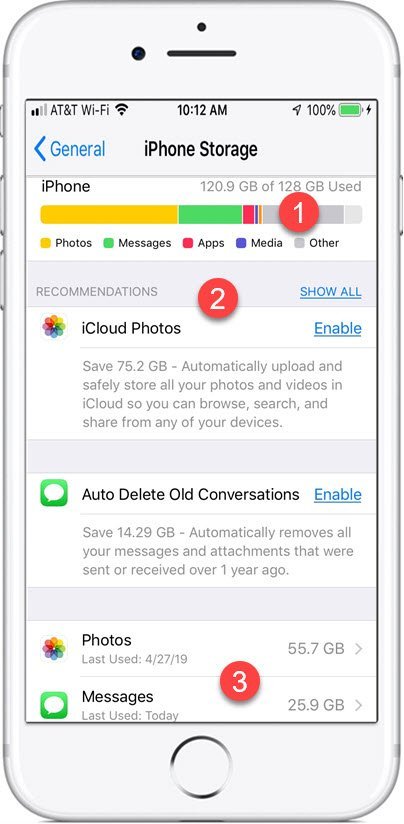
How To Reduce The Storage Consumed By Text Messages Senior Tech Club
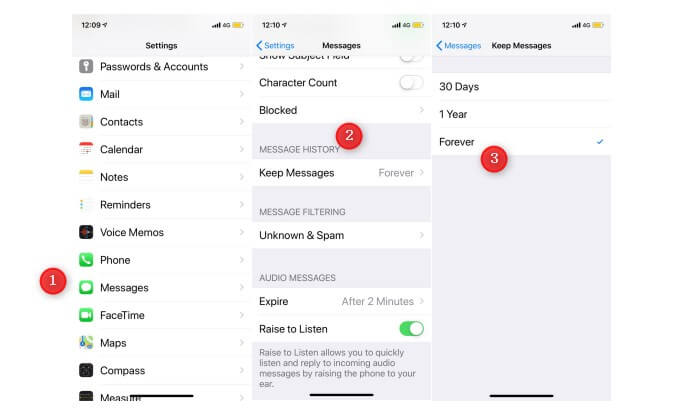
Why Iphone Deleted All My Messages How To Get Them Back

Ios 15 How To Auto Delete Old Messages On Iphone Or Ipad Igeeksblog

I Accidentally Deleted Text Messages From My Iphone How Do I Get Them Back Appletoolbox
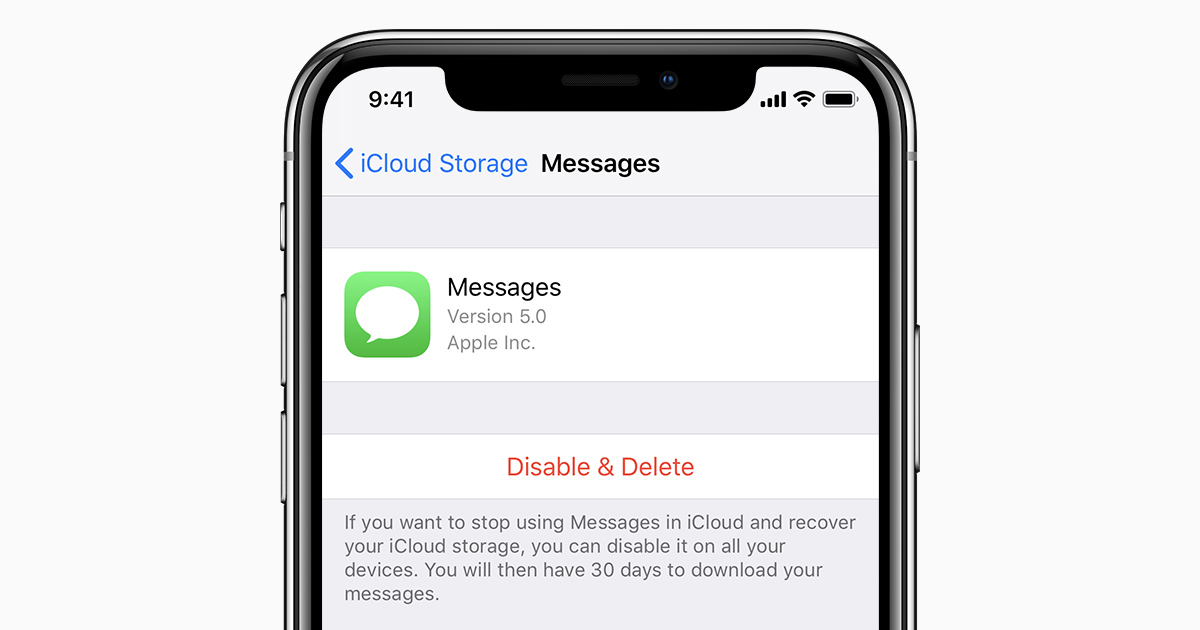
How To Delete Messages In Icloud Apple Support
Retrieve Deleted Text Messages On Iphone Without Backup 6 Ways

Text Messages Are Disappearing Fix Macreports

Text Messages Are Disappearing Fix Macreports
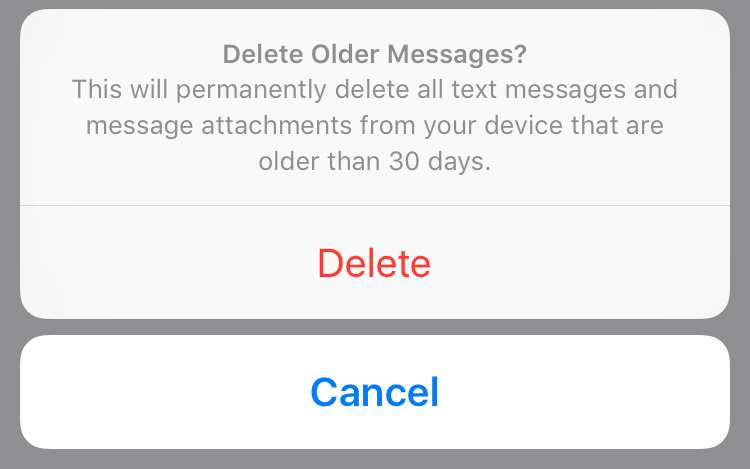
How To Set Text Messages To Be Kept For 30 Days Or 1 Year Not Forever
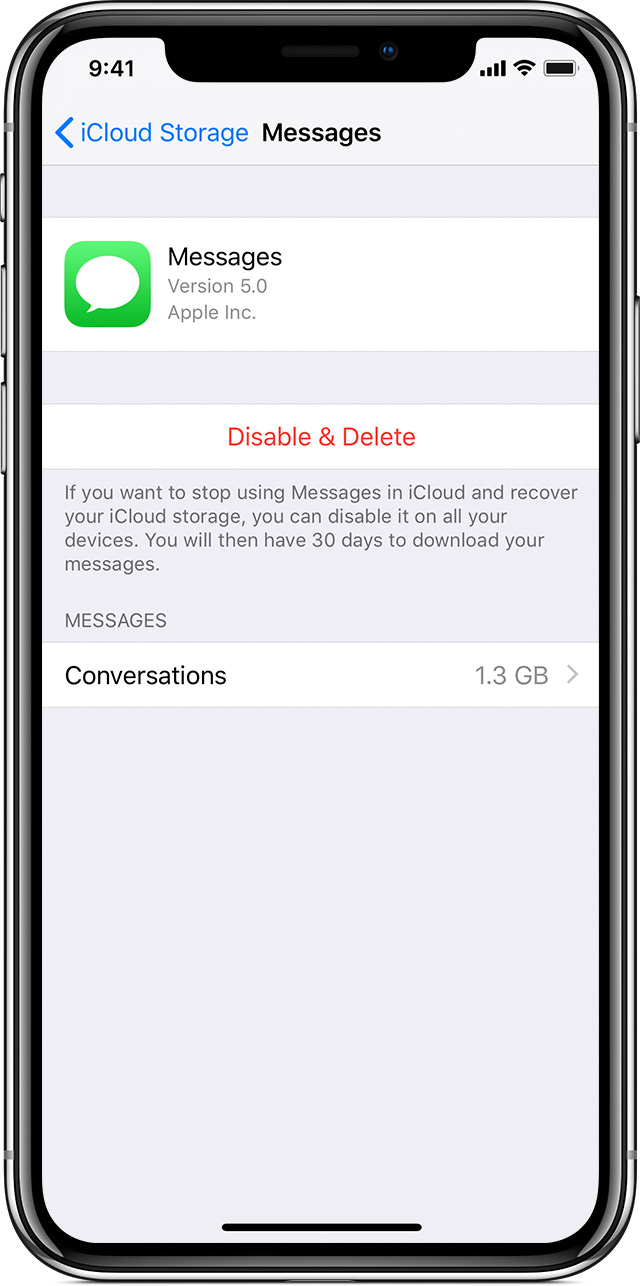
How To Delete Messages In Icloud Apple Support

How To Stop The Iphone From Automatically Deleting Text Messages Solve Your Tech

How To Stop The Iphone From Automatically Deleting Text Messages Solve Your Tech
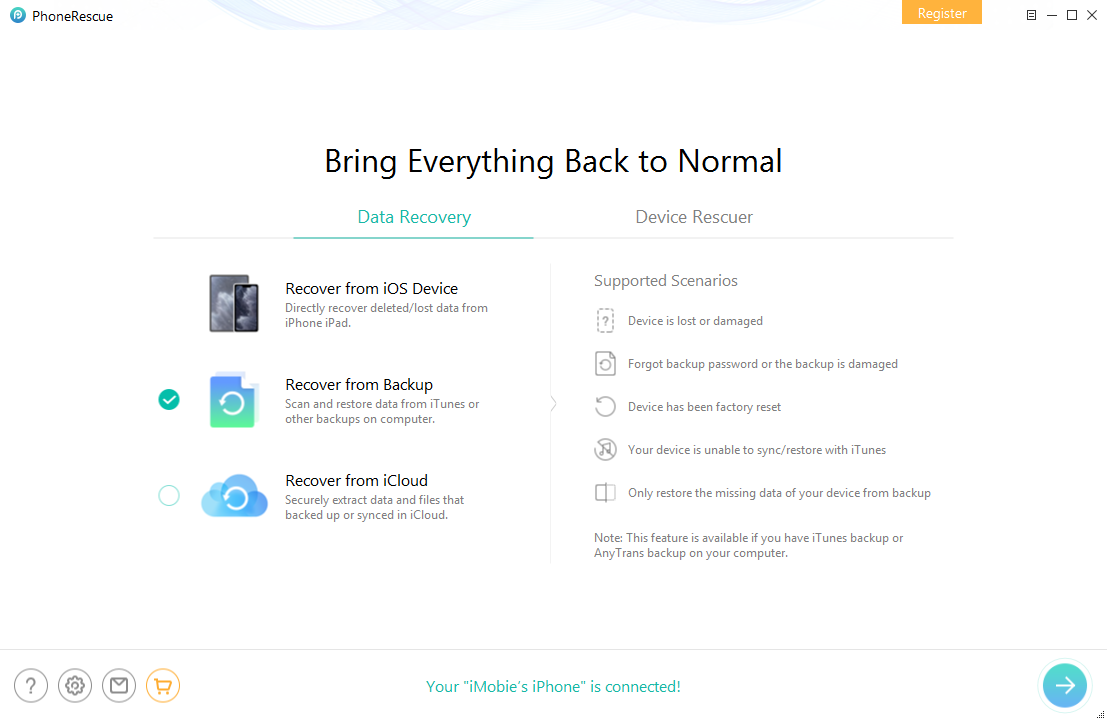
Iphone Deleted Messages By Itself Find Solutions Here


Posting Komentar untuk "My Iphone Messages Keep Deleting"