How To Delete Cookies On Samsung S9
Clear Cache History Cookies On Samsung Ly. If you want you can also delete the passwords Auto-fill.

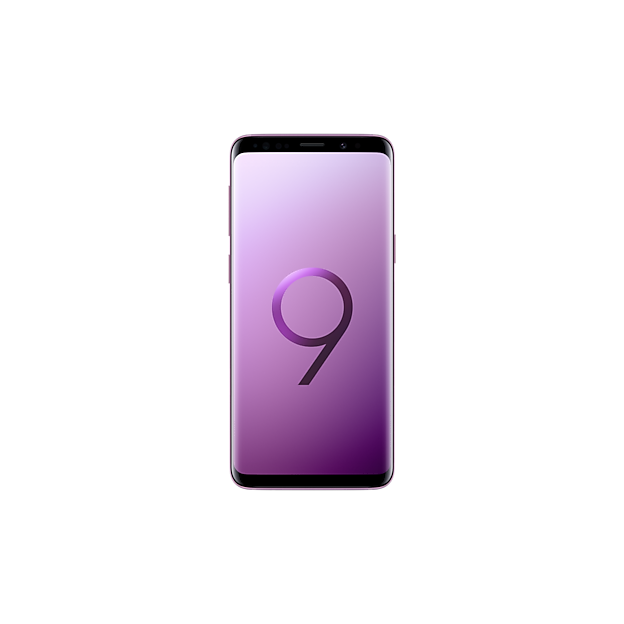
Samsung Galaxy S9 Plus Review The Galaxy S9 Plus Is Terrific But Wait A Month Until After The Galaxy S10 Arrives Cnet
Delete History On Phone Chrome Browsing And More.

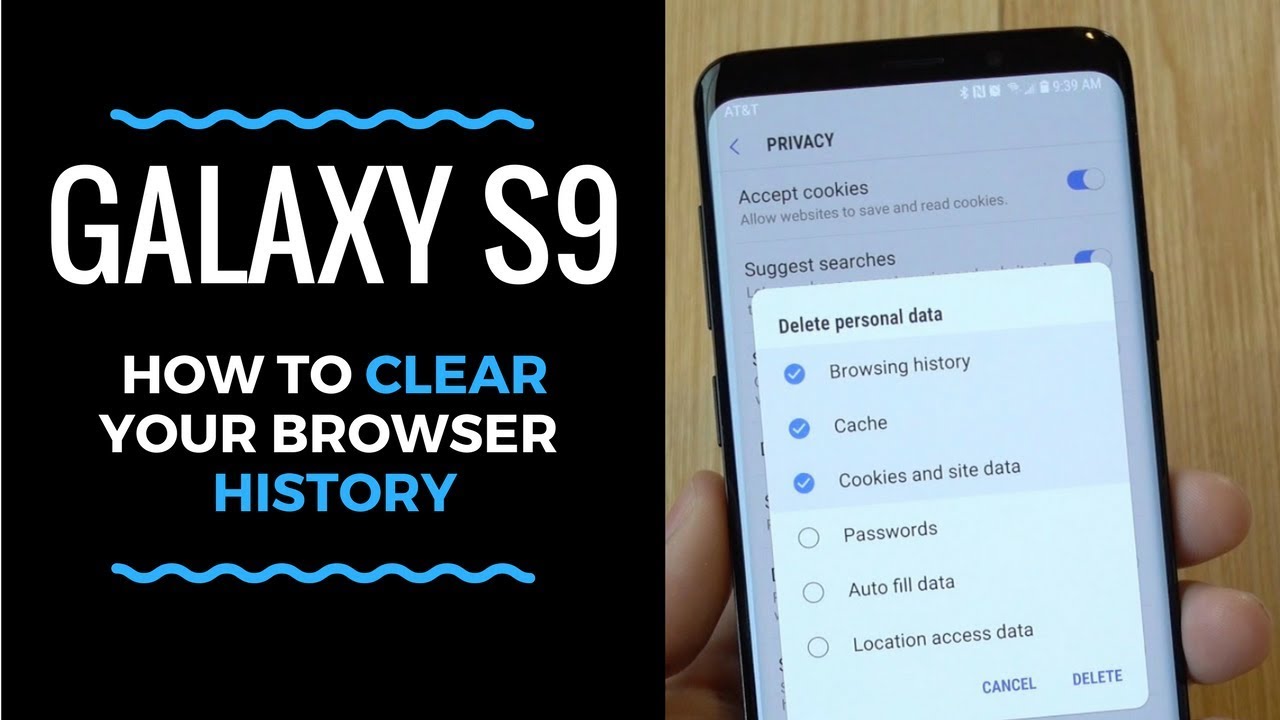
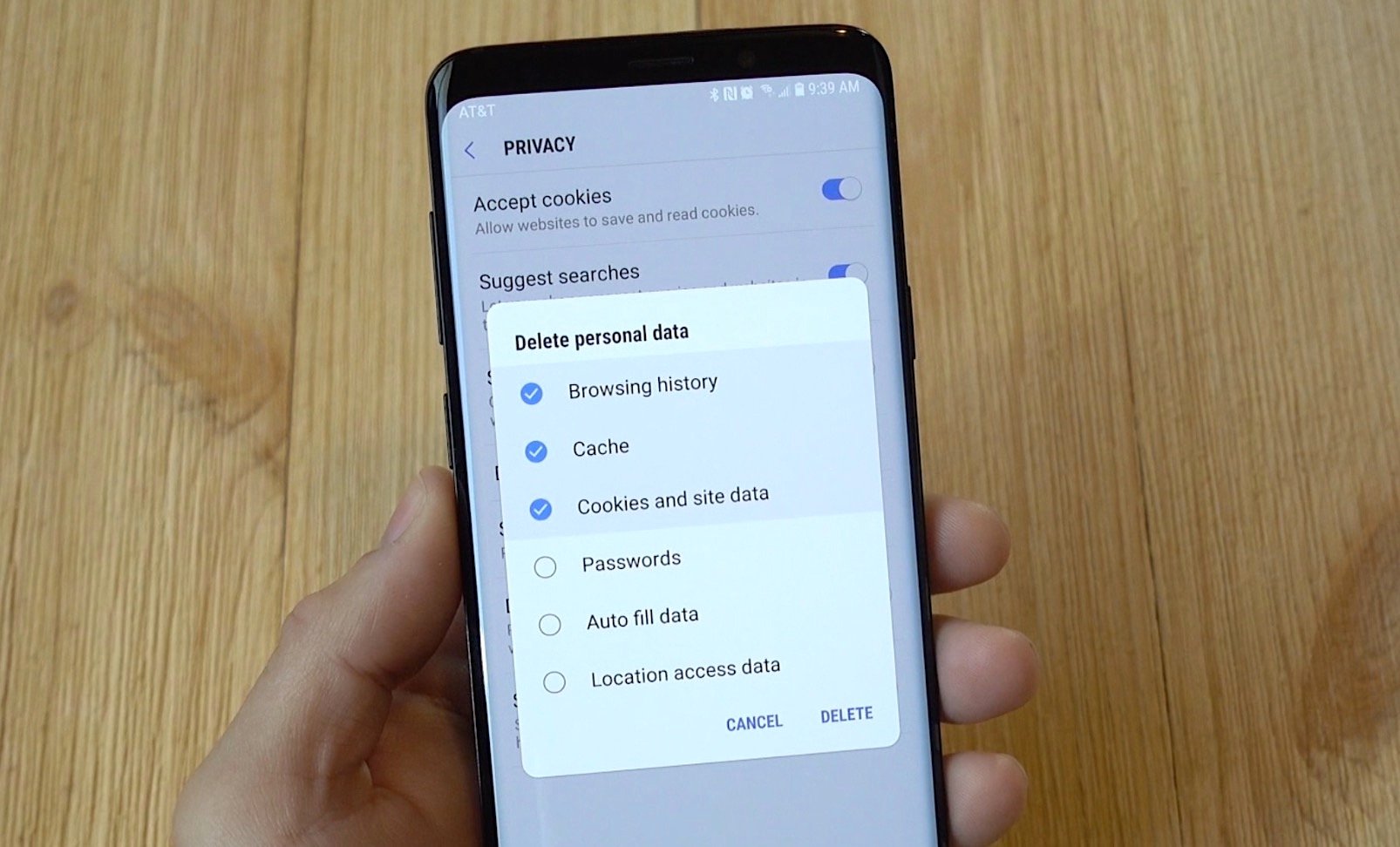
How to delete cookies on samsung s9. Tap the menu button which is the 3 vertical dots button at the top right corner. Select the Browsing history Cache and cookies and site data. Now tap the Settings.
Go to Apps on your Samsung smart phone open Internet app the stock browser on Samsung mobile phone. Delete Browser History Cache Cookies on Samsung mobile phone. Instructions on How To Clear Cache Cookies History For Browser Samsung Galaxy S20 S20 S20 Ultra.
Tap Clear browsing data. See how to clean your Samsung phone. Underneath Well Get Into A Portion Of Arrangements on How To Delete Temporary Internet Files and Cookies Safari Samsung Galaxy S9 S9.
When the Android logo displays release all three keys. Some websites require the use of cookies. Manage media files documents and apps on Android phone.
Download Samsung Cleaner App -. Now navigate to delete personal data and you will see the various options. Clear cache cookies history.
This action will delete all the cache filesdata associated with the application installed on your phone. Cookies are files that store information and allow websites to remember your preferences. Then press the menu button on your handset to reveal the browser menu on your Samsung phones screen.
5 Tap on Clear Cache to delete the browsing cache. Family History Uk Records. Tap the following checkbox as applicable.
Start the Settings app. 1 Head into your Settings and tap on Apps. Your App cache stores bits of information which your phone uses to help run a single app at a time.
2 Tap on Samsung Internet. 8 Tap the On switch to turn all cookies off. From any Home screen tap the Chrome icon.
Open Samsungs web browser app. Remove Cache Data for Google Chrome. Locate then select the appropriate app.
This may stop you from being able to access some websites. Easily how to clear cache on a samsung s9 how to delete call history on android samsung messages backup how to delete call history samsung galaxy s9 krispitech. If system apps arent visible tap the Menu icon upper-right Show system apps.
Tap the Menu icon. Recover deleted text messages on samsung how to reset or clear keyboard history how to permanently delete text messages browser history on your galaxy device how to delete text messages from. Samsung Galaxy phones From 349 at Best Buy How to clear the entire cache on a Samsung Galaxy.
Press and hold the Volume Up key and the Bixby key then press and hold the Power key. T he new Samsung Galaxy S9 device has not had any outline upgrades from its predecessors. An Installing system update message will show for 30 - 60 seconds before the Android system recovery menu options appear.
This option may not be available for some apps. Tap Settings Privacy. Easy ways to clear Samsung Galaxy S9S9 Plus cache.
6 Tap Accept cookies. Tap on Cached Data and confirm your action to clear all cache data on the Samsung Galaxy S9 and S9 Plus. Confirm by tapping on Delete to finalise the process.
4 Tap on Clear Data to clear all temporary files. If you wish to delete cache memory of all the applications at once follow the below steps. To fix the problem with your Samsung Galaxy S9S9 Plus you will have to clear the app cache for each app individually that you feel may be making your smart device run slowly.
Free up space speed up your Android phone with one click. 1The Default Internet Browser 1Launch the default Internet Browser. On the Device care page tap Storage.
How to Delete Clear Cache History and Cookies on Samsung Galaxy S9 Internet Browser Switch on your Samsung Galaxy S9 Launch your favorite Internet browser or the default one Once the app is launched tap on More Then select Settings from the menu Choose Privacy from the option Then click on Delete. With a Wi-Fi scanner in it you can connect your Android phone to PC wirelessly. The cache stores files for faster web browsing.
Clearing the cache can help resolve some issues and also save space on your Samsung Galaxy S9. How To Clear History Cache And Cookies Firefox. Tap Device care 3.
3Next go to settings and Privacy. 4Finally toggle Accept Cookies off which should disable the ability of websites to store or read cookies on your device. Browsing history Cookies and site data Cached images and files Tap Clear data Clear.
Turn off the device. The Browser Settings can be found from the bottom of above pop-up menu on your. 7 Tap the switch next to Allow third-party cookies to prevent third-parties from saving and reading cookies on your phone.
2Click on the three dots in the upper right of the screen. By Alex Posted on July 30 2021. Tap Clear cache bottom-right.
The Samsung Galaxy S9 makes it one stride further. How To Delete Text History On Samsung S9.

21 Hidden Galaxy S9 And S9 Plus Features Cnet

Updated Samsung Galaxy S9 Camera Review

Opinions From The Samsung Galaxy S9 User Reviews
How To Clear Your Galaxy S9 Browser History Youtube

Samsung Galaxy S9 64gb Unlocked Sm G960uzkaxaa Samsung Us
How To Clear Your Galaxy S9 Browser History

Galaxy S9 Camera How A Variable Aperture Works Cnet

Galaxy S9 S9 How To Wipe Cache Partition Youtube

Galaxy S9 S9 How Do I Restore My Device Data From External Storage Samsung Support Levant

Pin On Smart Phone

Samsung Galaxy S9 Galaxy S9 Plus Clear Cover Ef Qg965ttegww Gennemsigtig Samsung S9 Samsung Galaxy S9 Samsung
60 Samsung Galaxy S9 And Galaxy S9 Plus Tips Tricks Phandroid
How To Clear Cookies On Iphone To Protect Your Privacy Gotechtor Iphone Life Hacks Iphone Hacks Ipad Hacks

Invisible Details Make The Galaxy S9 More Powerful Samsung Semiconductor

Galaxy S9 S View Cover Violet Mobile Accessories Ef Zg960cvegus Samsung Us

Samsung Galaxy S9 Cell Phone Service Consumer Reports
Galaxy S9 S9 How To Delete Browsing History Remove All Evidence Youtube

Samsung Galaxy S9 S9 How To Clear App Cache Youtube
Galaxy S9 Samsung Support Ca


Posting Komentar untuk "How To Delete Cookies On Samsung S9"