Where Are Voicemails Stored On Android
To delete multiple items touch and hold the first conversation call or voicemail then tap more items. Open your Voicemail app.

Where Are Voicemails Stored On Android Os Today
Save voicemails from iPhone Android cell phones.
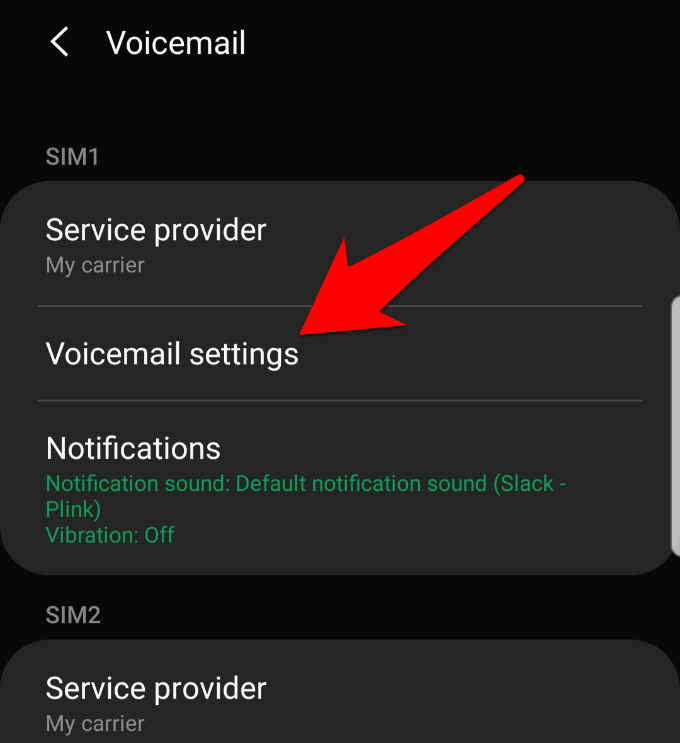
Where are voicemails stored on android. I plan to tether to my computer and transfer that way. After you set up your voicemail system test if its working properly by calling yourself. In the menu that appears tap the one that says save export or archive.
Where is voicemail stored on my Android. An easy way to check if youve set your voicemail system up properly is with a do-it-yourself test call. How do I get to my voicemail on my Android.
Tap Delete Tap the box next to I understand Delete. Follow the prompts to enter your password and retrieve your messages. From the bottom click on Voicemail.
I have saved these voice messages from my daughter since 2008. Itll come to your email as an audio file. In your voicemail app find and select the voicemail you want to.
Press 86 VM then the Send key. Simply borrow a friend or family members phone call your Android phones number and then let the call go through to your voicemail system. In general Android SMS are stored in a database in the data folder located in the internal memory of the Android phone.
For further saving you only have to access the storage of the medias application. Launch the voicemail app. Voice mailboxes fill up at which point some services and apps will auto-delete old.
Glad to know that now I can have them stored safely. If calling from another number. On the bottom tap Messages Calls or Voicemail.
Select the storage location. Depending on the phones setting it. The voice messages are downloaded in the device itself.
I hate it when I have to call the carrier all the time to listen to the voice mails and it will only save them for seven day or so. You can technically keep a voicemail saved in your voice mail box but this isnt a viable long-term option. The voicemails arent permanently stored by Google and are stored on your phone.
Voicemail stored on Android phone and not on the server of the phone network carrier. Open the voicemail you want to export and tap the 3 vertical dots at the top right of the screen. Youre on the right track.
Call the Voicemail box. If you turn off voicemail transcription the recordings and transcriptions from your Phone app are deleted. Plug your phone into your computer.
Press and hold number 1 to use the voicemail speed dial. Tap or tap and hold the message you want to save. There are many users who want to know where actually voicemails are stored on Android phone.
The Visual Voicemail messages are saved to either your device storage or your SD card. Open the Voice app. Unlock your phone and swipe down from the top of your screen.
Hit forward and use an email address instead of phone number. Hi Where are voicemails stored on Android is by using the off-site server. Select a voicemail then the three-dotted menu.
Not sure where they are stored but I get them by going to the voicemail itself. However it also depends on your phone settings as well like on internal storage or in SD card. Tap Export to file.
THIS is a great service VOICEMAILS FOREVER was prompt in filling my order and the audio quality is very good. Check out the storage of media applications. Tap a conversation call or voicemail to select it More options.
The example here is for a Google Pixel but this method will work with most Android phones. The same thing happened to me but with the voice to text voicemails. To delete a voicemail or multiple voicemails on your phone.
Android 43 or older. My phone was saying it needed to free up space so I went to my voicemail thinking that I could move them to the SD card in my phone but when I tapped on the wordlabel part of the button for save deleted voicemail rather than open a screen to change my storage it flipped that option to OFF. I am getting rid of my LG G8 and want to save all the voicemail that is still on the phone.
Anyone have suggestions where to look. You know where it is and the file name. ScorpDX Android Expert.
However the location of database might vary from phone to phone. The voice message simply downloaded into the device. Tap the menu item that says something like Android System -Charging.
Basically I want to save the incoming voicemails directly to my phone. When you choose to export it it will usually ask where you want to save it but storage is your device storage. I just cannot find which file folder has all my voicemail.
You can find the texts in the following locations according to your Android version.

Apple Iphone 3g S 16gb Black 334 19 Iphone Apps Apple Iphone Iphone

Solved Where Are Voicemails Stored On Android
How To Save Voicemails On Android In 2 Different Ways

Where Is The Voicemail App On My Android Phone Easy To Find Ways Fixguider
How To Set Up Voicemail On Your Smartphone Access Messages

How To Use Call Logs Samsung Galaxy Note 3 P I Samsung Galaxy Note Galaxy Note Galaxy Note 3
How To Save Voicemails On Android In 2 Different Ways

Where Are Voicemails Stored On Android Here The Answer

How To Create Edit Delete Whatsapp Status Updates Syncios Manager For Ios Amp Android Voicemail Fix It Ios
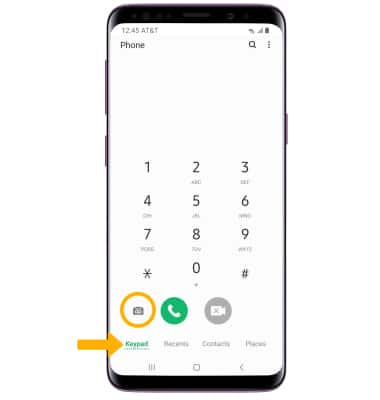
Samsung Galaxy S9 S9 G960u G965u Set Up Voicemail At T

Where Are Voicemails Stored On Android Here The Answer

How To Get Old Voicemails Back On Android Easily Fast Fixwill

Answer Where Are Voicemails Stored On Android Rachel Klein
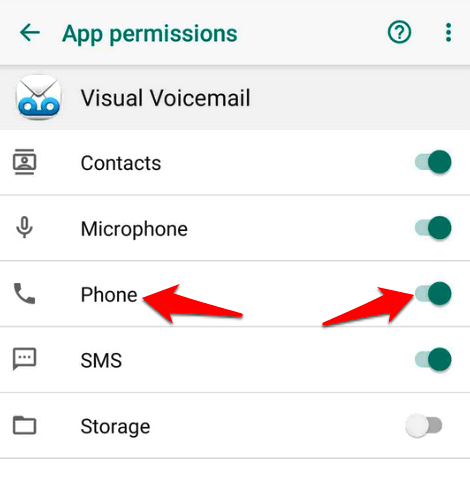
How To Set Up Voicemail On Your Smartphone Access Messages

How To Get Old Voicemails Back On Android Easily Fast Fixwill

How To Setup Voicemail Voicemail Answering Machines Memo App

How To Setup Voicemail On Galaxy S21 In Very Simple Steps

Gihosoft Iphone Data Recovery Review 2020 Data Recovery Photo Recovery Software Data

How To Check Your Voicemail Messages On An Android Phone


Posting Komentar untuk "Where Are Voicemails Stored On Android"