Quickbooks Duplicate Journal Entry Numbers
Choose Delete if its a duplicate invoice. Now select the option named View Register that you can find in the column of Action.

Quickbooks Balance Sheet Out Of Balance Balance Sheet Quickbooks Fix It
I Am Unable To See The Update to My Journal Entry.

Quickbooks duplicate journal entry numbers. For example you enter the first entry number as J160801 and QuickBooks will automatically assign the next number as J160802 and so on. One way duplicates can arise is by not properly matching downloaded transactions in QuickBooks Online QBO to transactions that are already created in the software. Delete BOTH of the duplicate journal entries in QuickBooks.
Intuit QuickBooks accounting software. Click on View under history to see the details and any revisions made to the journal entry. QuickBooks Shortcuts and Tweaks.
Select Save and close. The duplicate entry will of course never clear the bank and will simply sit there forever until someone cleans it up. Then delete the transactions.
Now go to the payment that is duplicate and needs to be deleted and click on the customers name to open the transaction. Then create a journal entry restoring the balances per the trial balance for each year I usually date it 1231. This will result in duplicate transactions in Accounting CS.
And on the part you think is a duplicate you will see period 0 2016. If you need same amount then not change it and then save. If youre already using QuickBooks Online and you have employees consider adding QuickBooks Payroll to your plan.
This includes Social Security Numbers that were not imported due to the application certificate settings. I Am Not Receiving Any Updates to My QuickBooks Online File. This error can happen several ways.
Click the Plus icon and select Journal Entry. To turn on custom invoice numbers log in to your account and click the Gear icon followed by Settings Company Settings Sales Customer transactions numbers Done. Doing this will make it so every journal entry created after this one will begin sequencing based on the number.
Assign the first number of your new sequence in the Journal no. Scroll down at the bottom and click More. Then reverse the journal entries and date it this year I usually date it 11.
As you can see below the journal entry form in QuickBooks Online is fairly simple. QuickBooks will automatically number subsequent journal entries sequentially. This does not prevent duplicates in QuickBooks Desktop.
A specific setting was enabled in Quickbooks Online resulting in Trust Transaction sync error 6140. Steps to Reverse a Journal Entry in QuickBooks. Initially open your QuickBooks and go to Settings just by making a click on the Gear icon.
Now go to the bottom of the payment screen and click on More and then select delete to clear the entry. Once this feature is enabled youll see an invoice number window on the right of newly created invoice which you can use to create custom numbers. Press CTRLD from the Journal Entry window.
Enter a number for your journal entry in the Entry No. If its not related to the third party product what I believe you will find is on the original entry for 2015 period XX whatever period you posted to and year 2015. The general journal entry number has to be unique.
Quickbooks will warn you about duplicate bill numbers. You can also select the first account from a drop-down menu in the Account column. Then you can click on the link in the spreadsheet to bring up the Journal Entry in QuickBooks Online.
How can I verify the status of my sales accounting. You just need to set the first entry number and QuickBooks will automatically keep the running number in sequential order. How to duplicate journal entry in quickbooks online This article is part of a larger series on Payroll Services.
Various aspects of your QuickBooks company file can display duplicate entries because of inconsistent methods used to enter data or in some cases. Open the invoice. If you manually enter a transaction in both QuickBooks and Accounting CS the application will not see them as the same transaction so it will import the QuickBooks transaction.
Now change the date. Set Warn if duplicate journal number is used to No. Add in the PeriodID and OpenYear columns and on one of those entries look to see if you see different periods and years on the duplicate part of the entry.
This help article is for QuickBooks Online. If you are certain of your data entry skills turn off the warning that indicates a transaction is more than 90 days in the past. Verify that only ONE of the journals was properly re-created.
If for any reason an invoice or check payment is sent from ME to QuickBooks and the invoice or check is already in QuickBooks there is a handy configuration setting provided by QuickBooks that will stop the information from creating a duplicate in QuickBooks. Duplicate Document Number Error. Before starting print your trial balance for the years in question.
This will become new copy of a past journal entry in Quickbooks. Synchronize with QuickBooks again. Edit the Invoice no.
Save and sync again. Theres no way to have QuickBooks Online sort by Event at the time of this article though this may be available later. Alternatively you can change your QuickBooks Online preferences to allow use of duplicate journal entry reference numbers.
Once youve brought up this form youll want to first edit the journal date. QuickBooks will automatically pull in the current date so if youre recording a journal entry from a previous month or day youll. Begin by enabling the setting from the Gear icon Account and Settings Sales tab Sales Form Content section set Custom Transaction Numbers to On click Save and then Done.
If you find that the Journal continues to be duplicated contact Acctivate Support to. Field enter the correct sequence number youd like for the entry to have. Fill in the date and journal number.
First of all click open QuickBooks Online and click on the Plus icon and after that click on Bank deposit. The following tweaks to QuickBooks can save you several seconds per transaction equating to a significant amount of time when you have hundreds if not thousands of entries. In the Journal no.
It could also be caused if a Manual Journal entry was made in Quickbooks and now Clio is trying to make a new Journal entry with that same number. Enter the general ledger account number In the Account column. Next go to Chart of Accounts tab and choose the appropriate account for transactions.
Click the Plus icon and select Journal Entry. This can be tricky. It will not warn you however about duplicate invoice numbers.
If you entered a default number of work hours for an employee during the setup the total will automatically. Once finished click Save and close. Matching Transactions in QBO.
How Do I Reset Or Clear The Auto Numbering In The Journal Entry Screen Qb Keeps Auto Populating With My Last Journal Name Every Time

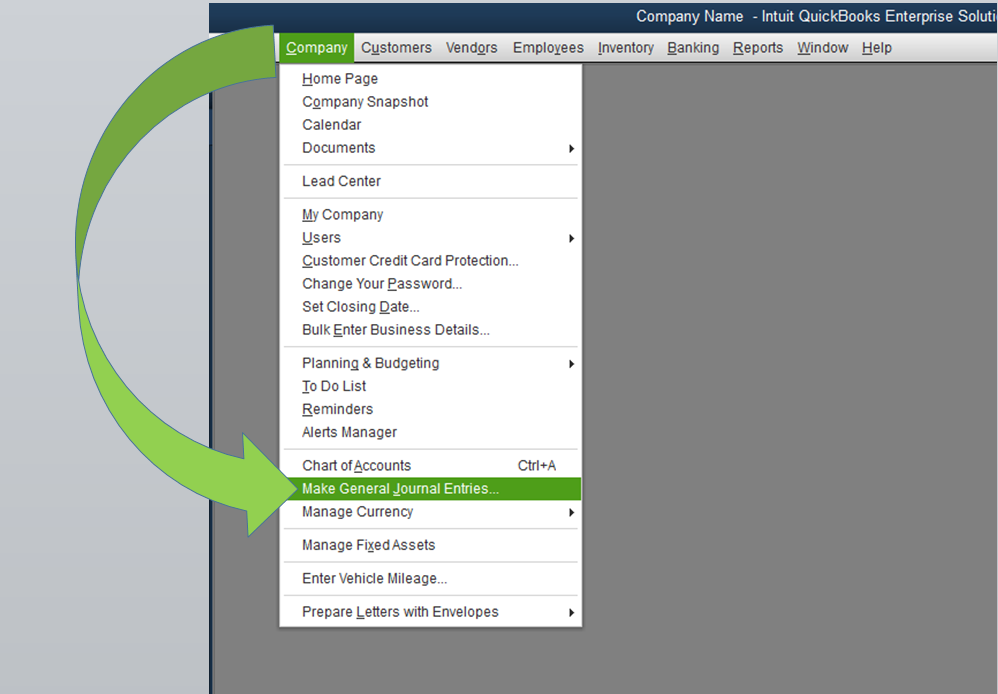
How To Create And Import Journal Entries
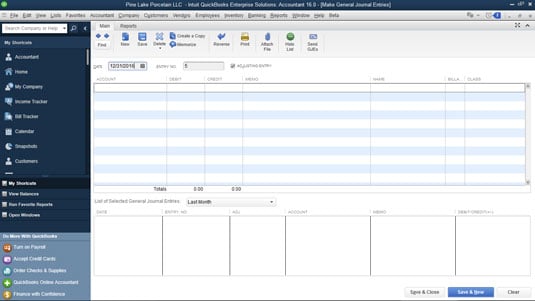
How To Reverse And Edit Quickbooks Journal Entries Dummies
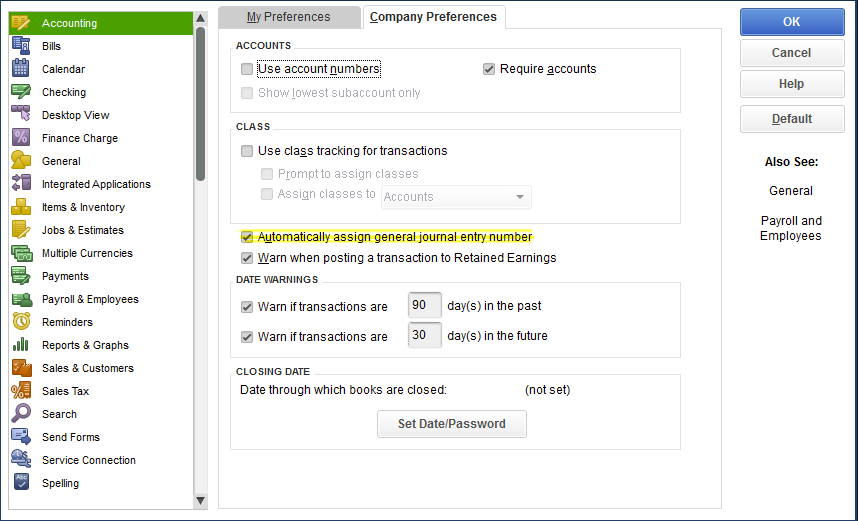
Quickbooks Desktop Turn Off Automatic Journal Entry Numbering Support

Steps To Import Chart Of Accounts Into Quickbooks With Dancing Numbers In 2021 Quickbooks Dance Numbers Accounting
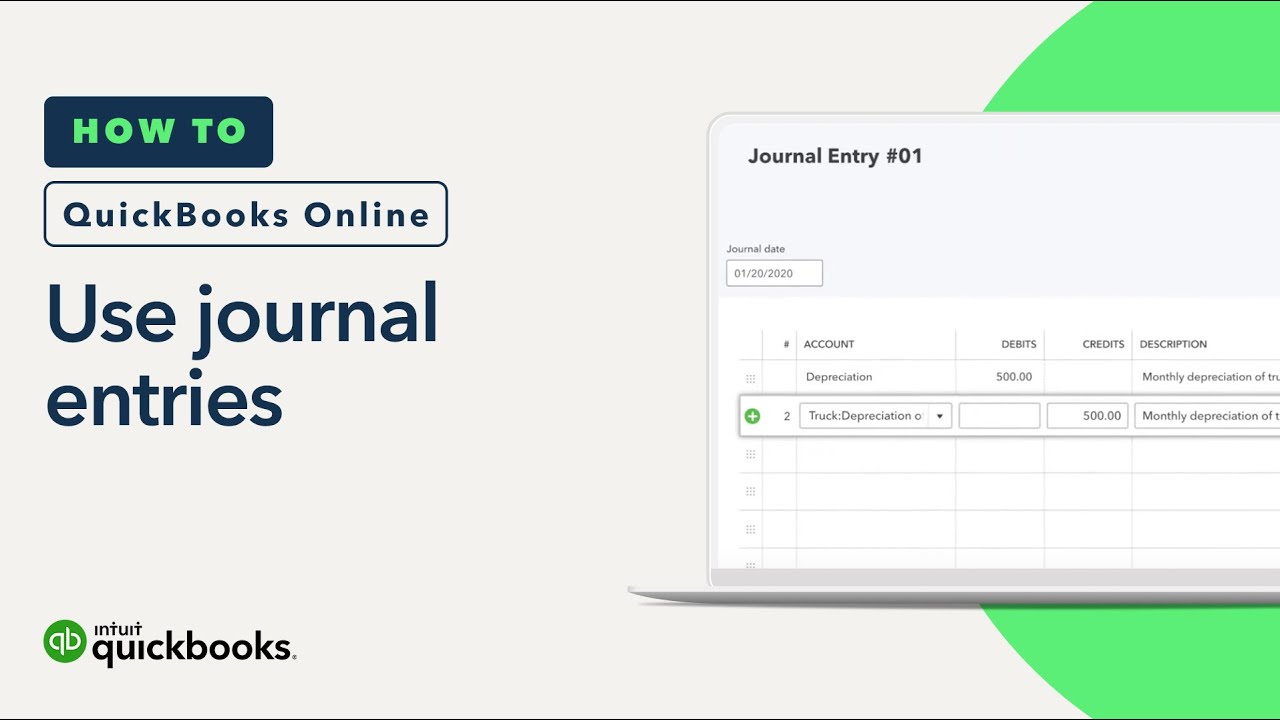
How To Use Journal Entries In Quickbooks Online Youtube

Easy Quick Solutions Quickbooks Error 6094 Quickbooks Web Security Solutions

Duplicate An Estimate In Quickbooks Desktop Pro Instructions
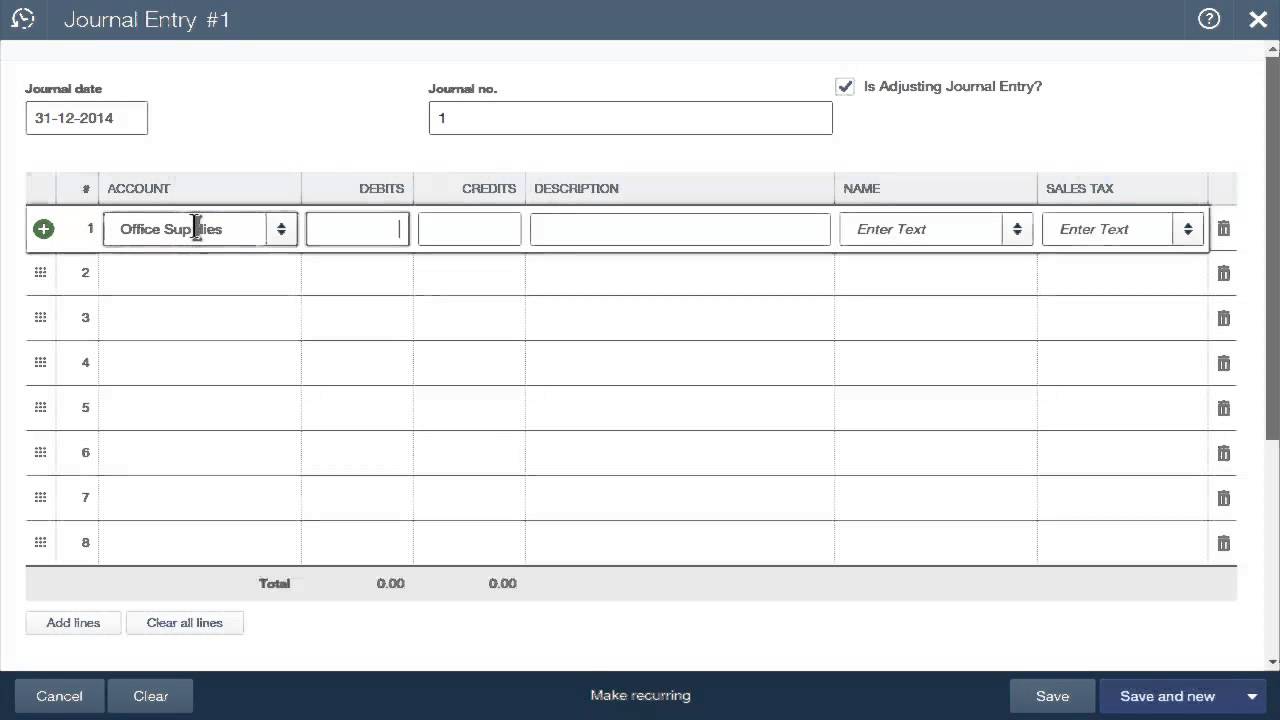
Journal Entries In Quickbooks Online As An Accountant Youtube
Solved Journal Entries


How To Copy And Paste General Journal Entries From
Solved Does Anyone Have Issues Or Automatically Double Entries When You Transfer Funds From The Checking Account To Credit Card Pay Down And How Do I Fix That Thank You


How To Copy A Journal Entry In Quickbooks Accounting Education
How Do I Export All My Details Mostly Journal Tra


Pin On Quickbooks

Quickbooks Error Code 6073 Quickbooks Coding Error Code
How To Copy A Journal Entry In Quickbooks Accounting Education
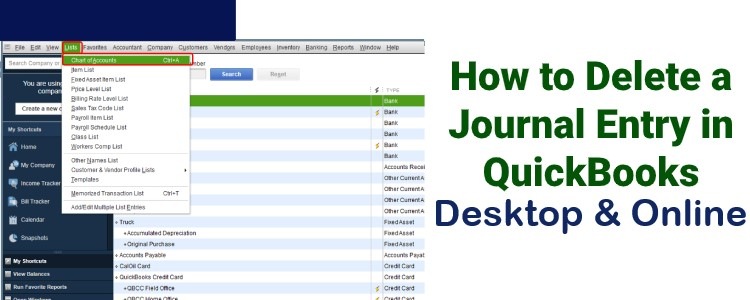
How To Delete A Journal Entry In Quickbooks Desktop Online
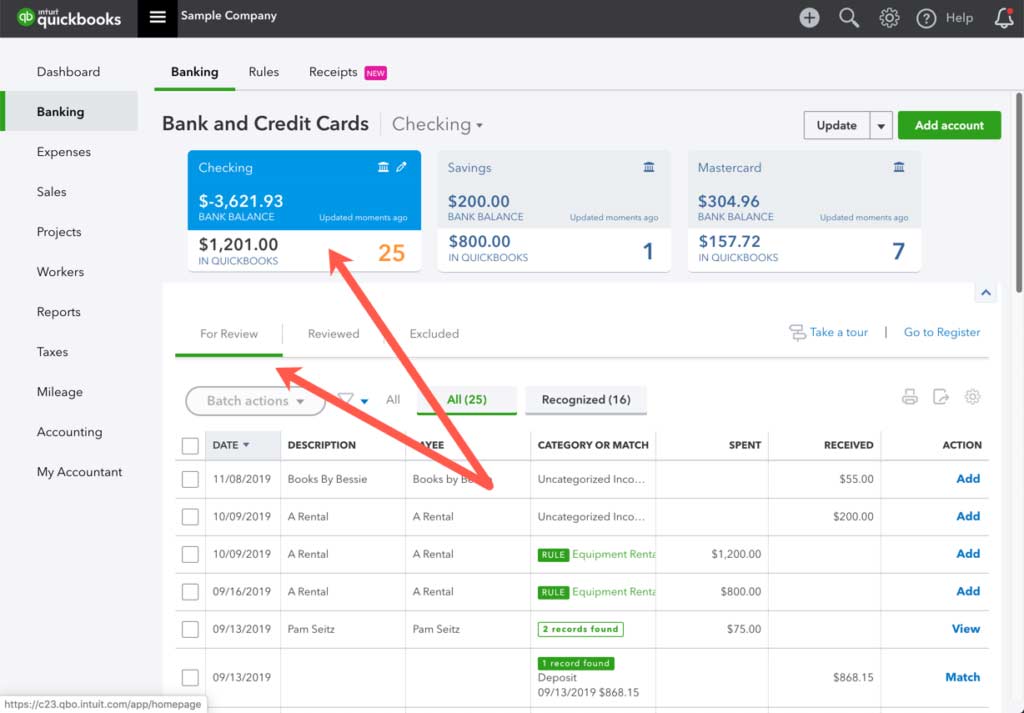
Qzgmgsqdyt9qvm


Posting Komentar untuk "Quickbooks Duplicate Journal Entry Numbers"