Google Sheets Multi Line Text
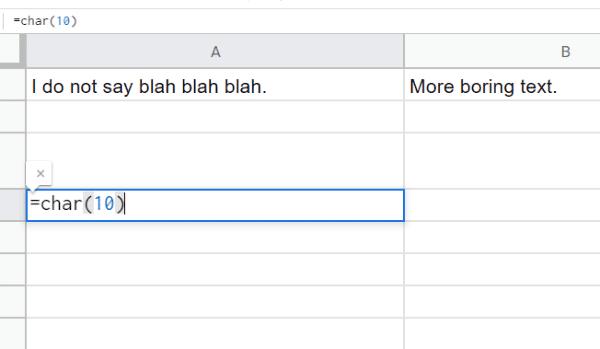
How to split cell contents into columns or rows based on newline in Google sheet. So there are two quick ways to add a new line in the same cell in Google Sheets.

How To Get A New Line In Same Cell In Google Sheets 5 Steps
Google sheets - Treat n as a newline character for multiline formulas - Web Applications Stack Exchange.
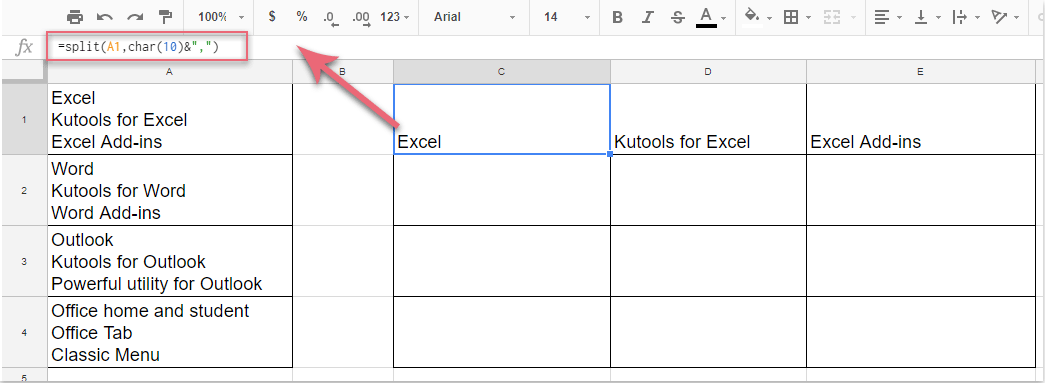
Google sheets multi line text. In some cells there are multiple email addresses. Select the column of data you want to split. To enable Wrap text click the Formatting option in the menu and click on Text wrapping Wrap.
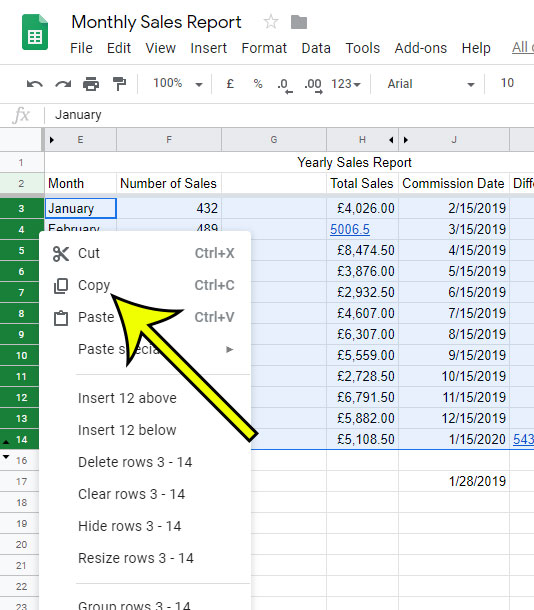
Text can be copied to clipboard through ctrlc or the right-click copy option. Google Spreadsheets allows you to have multiple lines in the same cell. Whatever the reason getting all of your text to fit into a single cell while still keeping your spreadsheet looking professional and appealing to others.
If you only have a few cells where you need to do this you can use the Control. Built-in formulas pivot tables and conditional formatting options save time and simplify common spreadsheet tasks. Google Sheets Script - Send to email in multiple cells on sheet.
To link data from the current sheet. To combine text from two or more cells into a single cell use the CONCATENATE function which you may enter in Google Sheets on the web. Use curly brackets for this argument.
Undo the most recent selection with ctrlz. Open a sheet in Google Sheets. VLOOKUP can only be used when the lookup value is to the left of the desired attribute to return.
Split multi-line cells into different rows. It is simply incorrectly functioning. About Press Copyright Contact us Creators Advertise Developers Terms Privacy Policy Safety How YouTube works Test new features Press Copyright Contact us Creators.
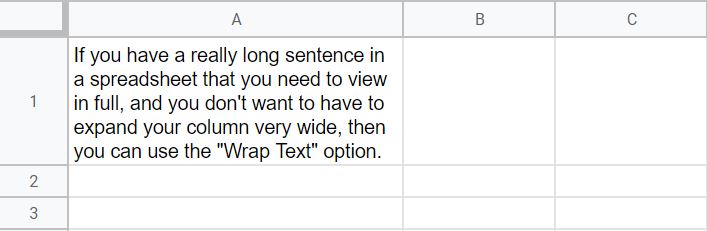
How to Split Text in Google Sheets. Given some sheet at cell A1 if I write foonbar. The Wrap Text option is also available in the toolbar which is just below the menu options.
Note that some browers require the use of CtrlEnter. The above steps would instantly wrap the text in the selected cells in Google Sheets. This also poses a problem for copyingpasting cells that are supposed to have quotes around them.
To pull Google Sheets data from another sheet use. There are many different scenarios in which you would want to add multiple lines of text within a single cell in Google Sheets. Google Sheet Split Text To Column automation.
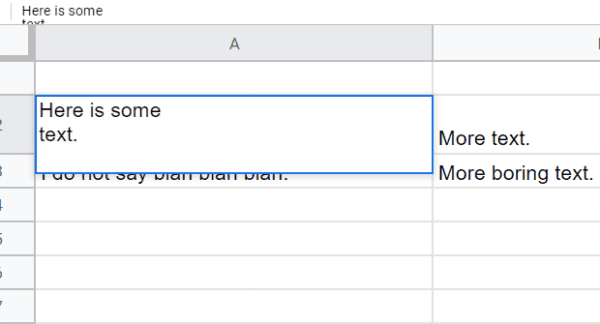
Next click Data Split Text Into Columns. Then press Alt Enter on your keyboard or Option Enter if you use a Mac to get to a new line. Open Google Sheets on any web browser and load up the data set onto the spreadsheet.
1 To repeat a text string in B1 cell 3 times just using the following formula. Type your info into the second line as well and either use Alt Enter again or click somewhere else to go to a different cell. Make sure the cells to the right dont already have data in themThis feature overwrites those cells without any warning.
For instance you may need to describe the calculations you are making. Google Sheets makes your data pop with colorful charts and graphs. Then foonbar will be rendered as shownIf I manually add a newline using the shortcut cmd opt enter then the expected output as s.
INDEX A1D6 MATCH 2 D1D6 0 MATCH Guest Name A1D1 0 Mary. You can also search your text on Google YouTube and Wikipedia through the right click selection menu. Here are two Time-related Text formulas to make you understand how to format time in Google Sheets.
All for free. Here also you can take the help of the Data Split text to columns or the Split function in Google Sheets. When you have a comma-delimited SIF file or a SIF file created using Google Sheets for WPS the Split function will be handy for you to organize make tabular form such data in Google Sheets.
REPT g5 it. This is useful for items such as addresses. About Press Copyright Contact us Creators Advertise Developers Terms Privacy Policy Safety How YouTube works Test new features Press Copyright Contact us Creators.
Setvalues is Adding Rows. The below examples will show you how to use google sheets REPT function to repeat a text string a given number of times. REPT B13 it returns googlegooglegoogle.
Usage Make additional text selections while holding down ctrl. Fire up your browser open up a Google Sheets document and select all the cells you want to split up. A1A3 Where A1A3 is the range of cells from your current active sheet.
Clear all selections by clicking without holding ctrl. Perhaps you wish to detail line items on a budget. The below text formula converts a 24 hours time format to 12 hours AMPM format.
Find who is at table number 2. Use one of the formulas below. I have a Google sheet that is very messy.
If you have a list of text strings which are separated with a carriage return and now you want to split the cell contents into columns or rows by the newline in Google sheet. Thankfully you can to type information into more than one line in a Google Sheets cell click on the cell in question and type the first line of your content in. Type in your data and use AltEnter OptionEnter if you are using a Mac to add a new line in the same cell.
Google Sheets unexpectedly strips off the quotes. Google Sheets is assuming some kind of textCSV format for pasted cells when in reality it should be honoring the source format. To wrap text from the toolbar select the cells that you want to wrap and then click on the wrap text icon its one of the three available options when you click on the Text Wrapping icon.
INDEX and MATCH can be used regardless of where the lookup value. How to Use Date Criteria in Query Function in Google Sheets. 2 Repeat g letter 5 times just using the following formula.
Access Google Sheets with a free Google account for personal use or Google Workspace account for business use. Place your cursor in the cell where you want the referenced data to show up.
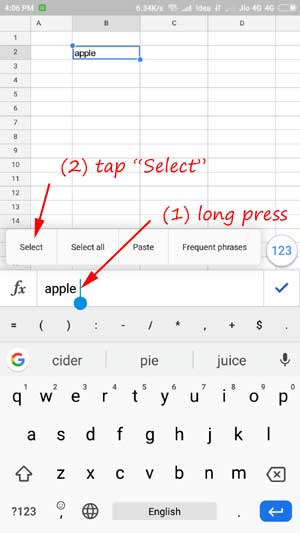
Start New Lines Within A Cell In Google Sheets Desktop And Mobile
How To Split Cell Contents Into Columns Or Rows Based On Newline In Google Sheet
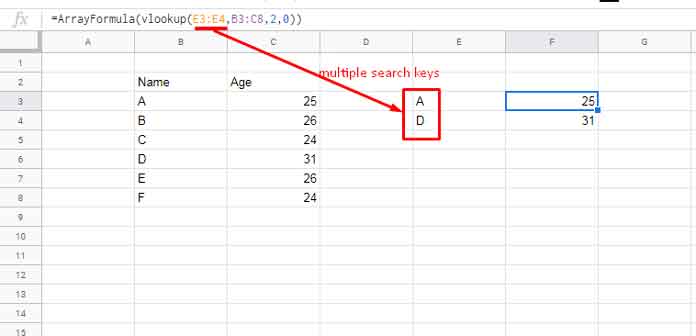
Multiple Values Using Vlookup In Google Sheets Is Possible How To

How To Split A Cell Vertically In Google Sheet

How To Split A Cell Vertically In Google Sheet

How To Wrap Text In Google Sheets With A Single Click Spreadsheet Point

How To Concatenate Multiple Cells With Line Break In Google Sheet

Google Sheets How To Break A Line Of Text Within Cell Youtube

How To Get A New Line In Same Cell In Google Sheets 5 Steps

How To Wrap Text In Google Sheets With A Single Click Spreadsheet Point
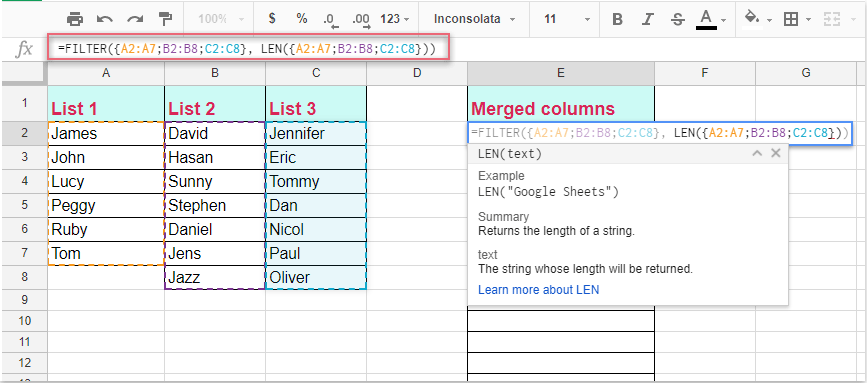
How To Combine Multiple Columns Into One Single Column In Google Sheet
Google Sheets Add Multiple Lines Of Text In Single Cell Technipages

How To Split Cell Contents Into Columns Or Rows Based On Newline In Google Sheet
Google Sheets Add Multiple Lines Of Text In Single Cell Technipages

How To Get A New Line In Same Cell In Google Sheets 5 Steps
How To Wrap Clip Or Overflow Unwrap Text In Google Sheets

How To Get A New Line In Same Cell In Google Sheets 5 Steps
How To Copy Multiple Rows In Google Sheets Live2tech

How To Wrap Text In Google Sheets With A Single Click Spreadsheet Point


Posting Komentar untuk "Google Sheets Multi Line Text"