Usb Headset Not Working Windows 10
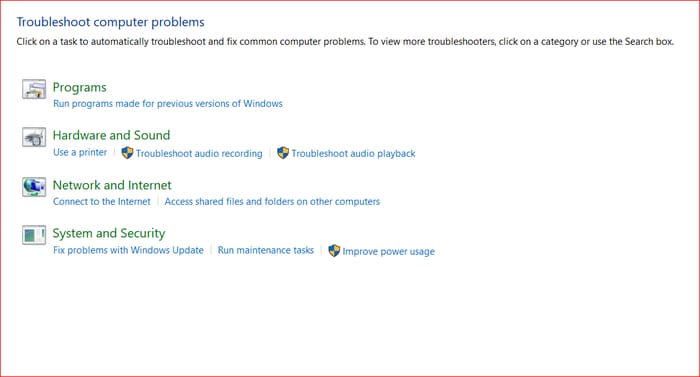
03 Oct 2018 2. If that did not work Update your computers audio drivers Connect to the Internet.
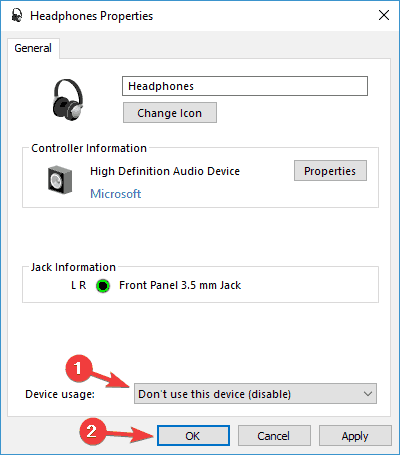
Full Fix Usb Headset Issues On Windows 10 7
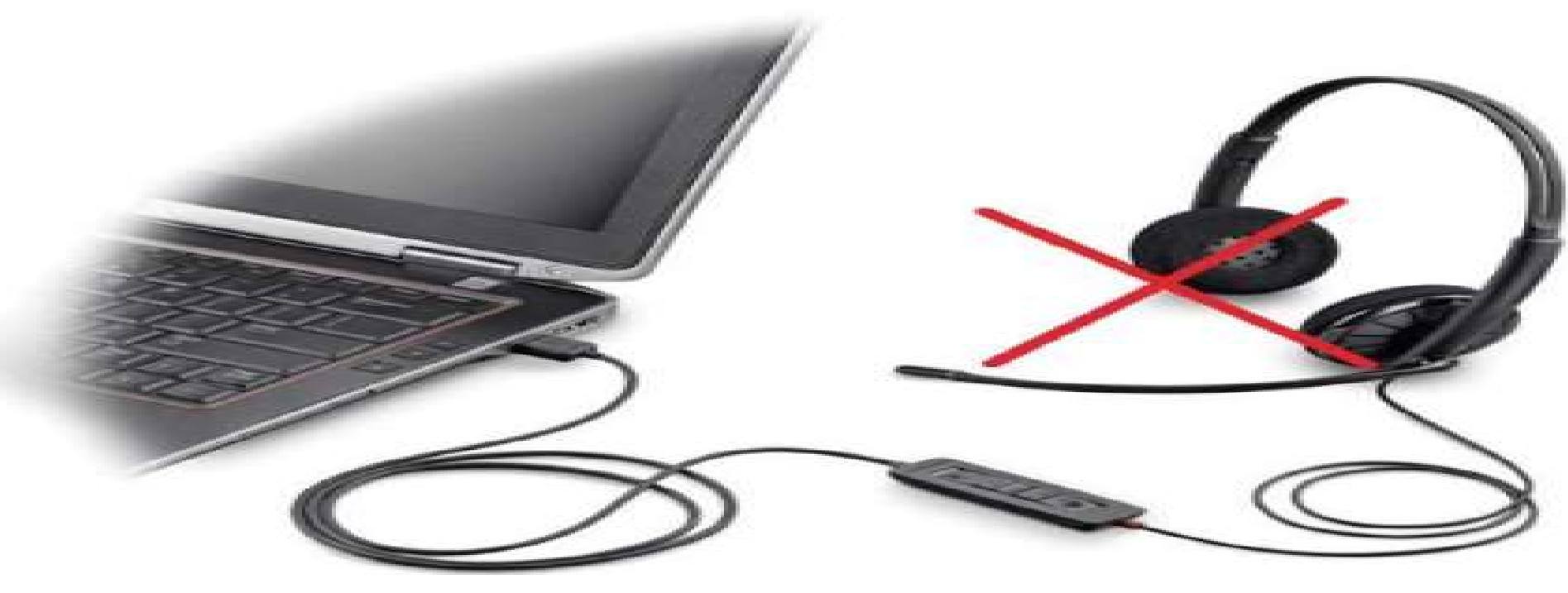
Some conflicts could exist between your USB headset and other USB devices.
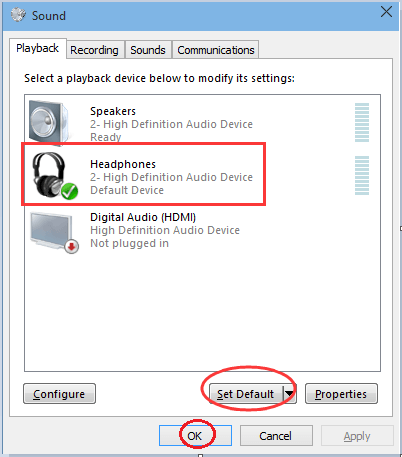
Usb headset not working windows 10. Both the Windows Audio and the Windows Audio End Point Builder services must be running for audio to work correctly. Why is my headset not working on laptop. If so the issue may be caused by the latest iCUE software update coming into conflict with your Windows build.
The first basic thing to do here is to ensure that you have a solid connection between your PC. Make Sure Your USB Headset Is Unplugged When Windows is Booting. The problem is with the driver within your Windows 10 operating system and we do not troubleshoot issues outside of Corsair to avoid tampering.
If playback doesnt begin shortly try restarting your device. If your Windows build number is 1903 or later it could be causing issues for the Corsair audio device drivers. One of the major reasons why you are facing the USB headset not working Windows 10 issue on your PC is due to an outdated missing or corrupted audio driver.
In order to avoid this conflict occur please be sure to plug your USB headset after your computer gets into Windows 10. When you insert your USB Headset it becomes the Default audio playback and Mic for the computer disabling the 35mm jacks. There are two types of updating processes one is manually and the other is automatic.
Try another application so that we can check if it is only happening on a certain app or not. Make sure that the headset microphone is not set to Mute. Windows 10 version 1703 Original KB number.
In this case you can unplug your USB headset first and reboot your Windows 10. If your headphones do not switch over from the speakers when plugging them into the jack of the computer this tutorial. Know that a faulty driver stops the system and devices to work up to their functionalities and thus you need to make sure it is updated.
The reason why theres no sound coming out of your USB headset could be because it is conflicting with other USB devices eg keyboard mouse webcams etc connected to your computer. On your windows 10 taskbar find the speaker icon on the lower. If the headset is working fine with Windows 81 and its not working with Windows 10 then the headset is not at fault here.
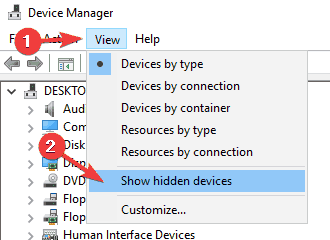
Head to Device Manager and uninstall the drivers for the connected headset. Press the Windows button on the screen or keyboard and type in Device Manager. 10-15-2020 1249 PM in.
From the Start screen type device manager to open the Search charm then select Device Manager from the. USB Headset Problem On Windows 10. This audio not playing problem occurs because the default USB audio 20 driver usbaudio2sys uses the WaveRT port for operation but the device-specific driver does not.
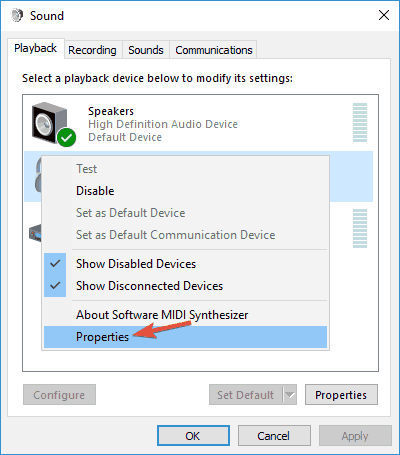
Try turning on the Spatial sound format Windows Sonic for Headphones with right click in the sound icon in the windows bar located in the low right corner. Right-click on the sound icon on the lower-right of your computer screen then click Sounds. In the Device Manager window find the Sound Video and Game Controllers option and expand it.
5 Best Fixes for Microsoft Teams Microphone Not Working on The laptop can recognise the headset on windows 10 but it cannot play anything through the headphones or the microphone does not work in. Click the Playback tab unplug and then re-plug your headphone into the headphone jack to make sure Headphones or SpeakersHeadphones same as below is checked then click OK. In order to fix this issue.
Logitech Headset Windows 10 Not Working. Do not plug your USB headset while Windows 10 is booting. Check the connectionrepair the headset.
I dont think you can have two different audio devices at the same time. Headphones not working on Windows 10. Your headset mac will not be able to work Windows 10 if it is out of date or incorrect.
If your headset isnt working the problem might be in the drivers. Audio services not responding. When you connect a USB audio device to a Windows 10 Version 1703-based computer the first time the operating system detects the device but loads the standard USB audio 20 driver usbaudio2sys instead of the specific device driver.
With the headphones in you can go go SettingsDevicesAudioAdvanced Audio and you can re-enable the mini jack ports. Microphone USB-c microphone from S20 Ultra earphones not working on laptop running Windows 10. The Corsair headset microphone doesnt pick up any sound.
How can I fix this. For this you need to update your headset Mac so that it can work on Windows 10 without any problems. It is likely that the headsets drivers are still optimized for the previous version of Windows rather than Windows 10.
Make sure that the headset microphone is set as default device in the Sound settings - Right click the Speaker icon on the taskbar and select Recording device - Right click the headset under Recording device and set as default device 6. It works fine on the phone though.
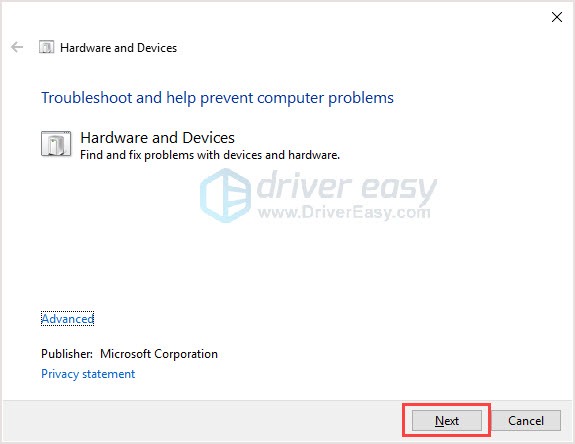
Usb Headset Not Working On Windows 10 Solved Driver Easy
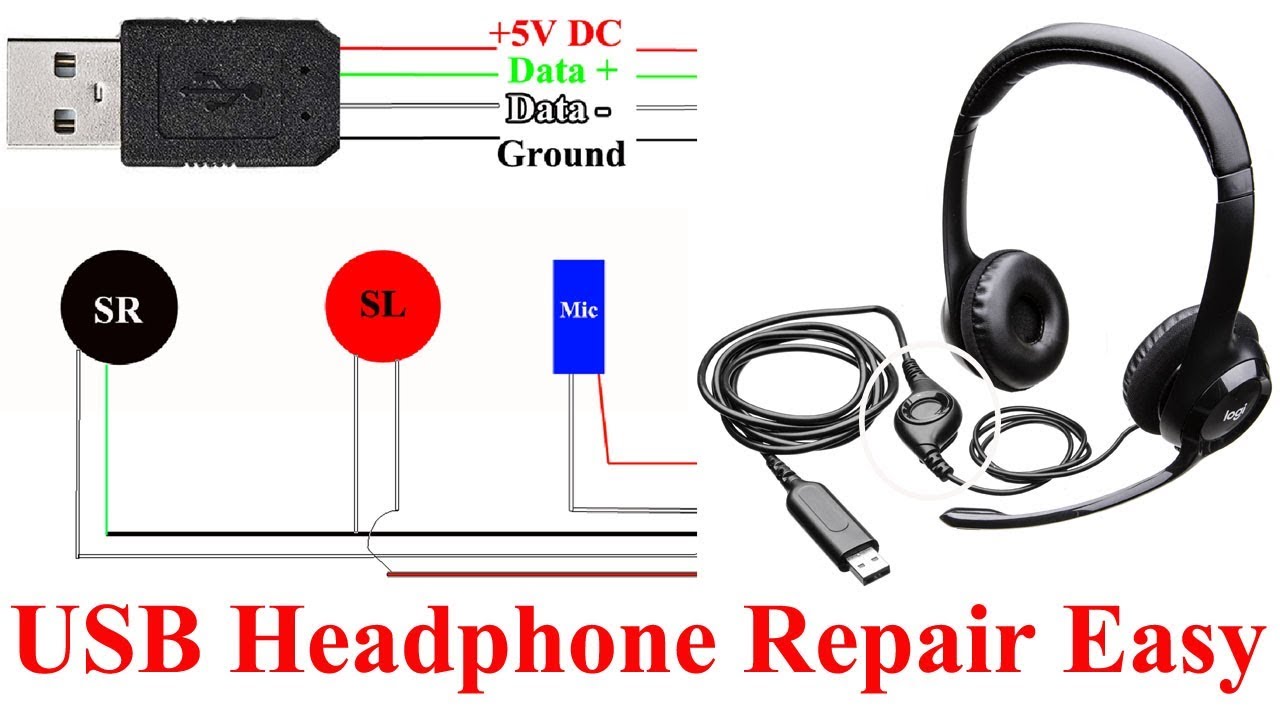
How To Repair Usb Headphones Usb Headphone Circuit Understand Easy Youtube

Amazon Com Mpow 071 Usb Headset 3 5mm Computer Headset With Microphone Noise Cancelling Lightweight Pc Headset Wi Wireless Headset Headset Bluetooth Headset
Usb Headset Not Working On Windows 10 Solved Driver Easy

Logitech H390 Usb Clearchat Headset With Noise Cancelling Microphone Headset Headphones Logitech

Solved Headphones Not Recognized Not Working On Windows 10 Wired Headphones Headphones Gaming Headset
Usb Headset Not Working On Windows 10 Solved Driver Easy

Pc Gaming Headset Razer Kraken Kitty Edition Gaming Headset Headset Razer
Full Fix Usb Headset Issues On Windows 10 7
Tips To Solve Usb Headset Not Working On Windows 10

Usb Headset With Noise Cancelling Microphone Computer Phone Headset For Dragon Voice Recognition Speech Dictation Pc Headphone For Call Center Skype Chat With M In 2021 Noise Cancelling Pc Headphones Headset
How To Troubleshoot Usb Headset Not Working On Windows 10 Auslogics Blog
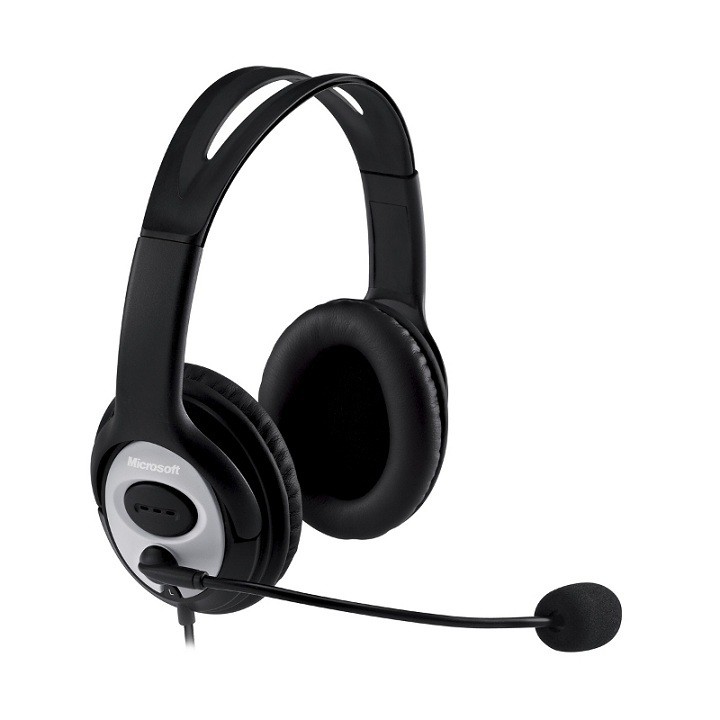
Full Fix Usb Headset Issues On Windows 10 7
Tips To Solve Usb Headset Not Working On Windows 10

Mpow Single Sided Usb Headset With Microphone Over The Head Computer Headphone For Pc 270 Degree Usb Microphone Computer Headphones Computer Headsets

Hp Usb Pc Gaming Headset With Microphone Gaming Headset Microphone Laptop Computers
Microsoft Modern Usb Headset Rjn 00061 Electronics Amazon Com
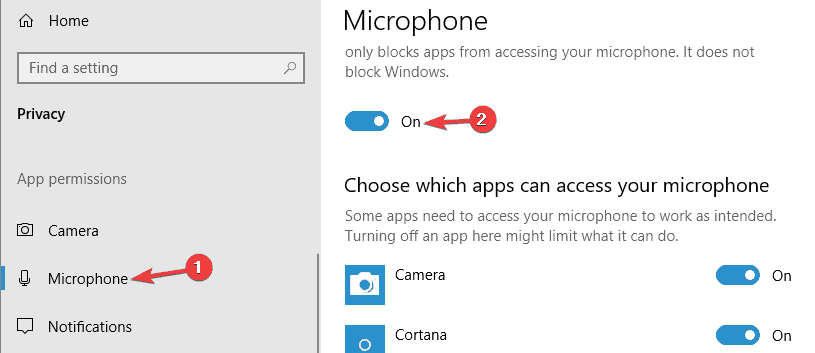
Full Fix Usb Headset Issues On Windows 10 7
Full Fix Usb Headset Issues On Windows 10 7


Posting Komentar untuk "Usb Headset Not Working Windows 10"