Thinkpad Turn On Backlit Keyboard
Pin 25 - PWM input in the kbd LOW off. The keyboard backlight has three modes.

How To Turn On The Keyboard Light On An Hp Laptop
To activate the backlit keyboard on Lenovo laptops using the key combination simply press and hold the fn function key usually located next to the left Ctrl button and then press the key marked with the backlight icon.

Thinkpad turn on backlit keyboard. If you keep your laptop on your lap you actually see the underside of the keys. It seems like all pins necessary for the keyboard backlight are connected in the L430. The Yoga 900 looks like a stellar laptop a very nice upgrade over the Yoga 3 Pro.
Or is it just fine rendering out the stupid excuse they mentioned when they introduced the. Select ThinkPad R T X and Z-series laptops have the ThinkLight as shown below. Cannot turn on backlight keyboard in Windows 10 - ideapad ThinkPad.
Use Fn Spacebar to change the modes of the keyboard backlight. Trying to enable your keyboard backlight at boot for your lenovo laptop. By key combination.
How to turn on and off Keyboard Backlight Lenovo computerThe backlit keyboard enables users to work comfortably even in a low light environment. Depending on the model you have this button could correspond to Esc or space bar. So the lockout of keyboards with BL in the L430 seems to be inside the embedded controller firmware alone.
How to turn on lenovo yoga keyboard light you how to turn on backlight keyboard lenovo laptop you lenovo laptop how to turn on back lit keyboard you how to enable lenovo thinkpad yoga backlit keyboard solved. ThinkPad T400T410T420 and T500T510T520 Series ThinkPad X200X201X220 and X300X301 Series ThinkPad W500W510W520 and W700W701 Series ThinkPad R400R500 Series ThinkPad SL and L Series until L420L520 ThinkPad T60T61 Series ThinkPad T40T41T42T43 Series ThinkPad T20-T23 T30 Series. When i boot Windows 10 i can turn on and off the keyboard backlight either with the fn space key or the Vantage quick settings bar however when the PC sleeps and wakes up i cant turn the keyboard backlight on again using the fn space keys and the backlight.
Hi for lenovo the shortcut for keyboard backlight is fnspacebar. The keyboard backlight has three modes. ThinkPad 25 backlit keyboard.
ThinkPad E14 keyboard backlight issues. How To Make Your Keyboard Light Up On Lenovo illuminated keyboard Backlit Back lit Modtek Slim Acrylic - Like its being published every time your thinkpad wakes up. 4 years ago somebody asked about it but few people responded and one person even had a basic unhelpful non-response dont look at keyboard.
The thing is if I turn on my keyboard backlight it turns off whenever I shut the lid put to sleep restart or shut. In this video we will show you how to turn on the keyboard back light on your Lenovo PC. The lenovo thinkpad yoga is available with a backlit keyboard here are photos of mine press fnspacebar to turn on the keyboard backlight however lenovo.
You should review and read through the guide how-to do so first. Yes it is fully possible to replace the keyboard and upgrade it with a backlit keyboard if you so desire. Lenovo ThinkPad T440p CS13TBL.
Here is how you turn on the back-lit keyboard on your Lenovo laptopThings I use every dayhttpsamznto3dIm9xohttpsamznto2Um5uYOhttpsamznto30iR. Use Fn Spacebar to change the modes of the keyboard backlight. Whats people lookup in this blog.
Enjoy that awesome laptop and thanks again for commenting. Select ThinkPad R T X and Z-series laptops have the ThinkLight as shown below. Hi ive recently purchased a ThinkPad E14 with the Keyboard Backlight option.
Glad to hear the tip also works to turn the keyboard backlight on for the Yoga 900. Pin 21 - output from the kbd LOW if BL available. Too bad my T460p has no option for non-backlit.
I was just wondering how does the ThinkPad 25 look with the keyboard backlight turned on. To turn on or off the backlight press Fn Spacebar on the keyboard. To turn on or off the backlight press Fn Spacebar on the keyboard.
ThinkPad 25 backlit keyboard. At least my T480s has and I went for it. There are two 2 ribbon cables you will need to pull after you remove the keyboard utilizing the proper methodology.
If there is a light icon on the Space or Esc button refer to the image below it. Is the light leak as bad as on chiclet keyboards. How To Turn On Keyboard Light Lenovo Yoga 6.
Press Fn Space bar on the keyboard to turn onoff backlight on laptop. The keyboard backlight has three modes. Its been 4 years and I cannot continue on that thread anymore perhaps 4 years after that missing feature some smart person might know of a way to turn on the keyboard backlight through software or some hack to have it always on regardless of power state.
Tekan Fn Spasi pada keyboard. In this video we will show you how to turn on the keyboard back light on your Lenovo PC. Pin 29 - 5V Vcc for BL fused with 15A.
Cannot turn on backlight keyboard in Windows 10 - ideapad ThinkPad. How To Turn On Keyboard Light Lenovo Yoga. So personally I prefer the non-backlit keyboard over the backlit ones.
Backlit keyboards only look nice in pictures taken directly above or at small angles from the normal. I previously had ideapad and had not had similar issue. Hello I have recently dived into thinkpad world and there is this one issue which drives me nuts.
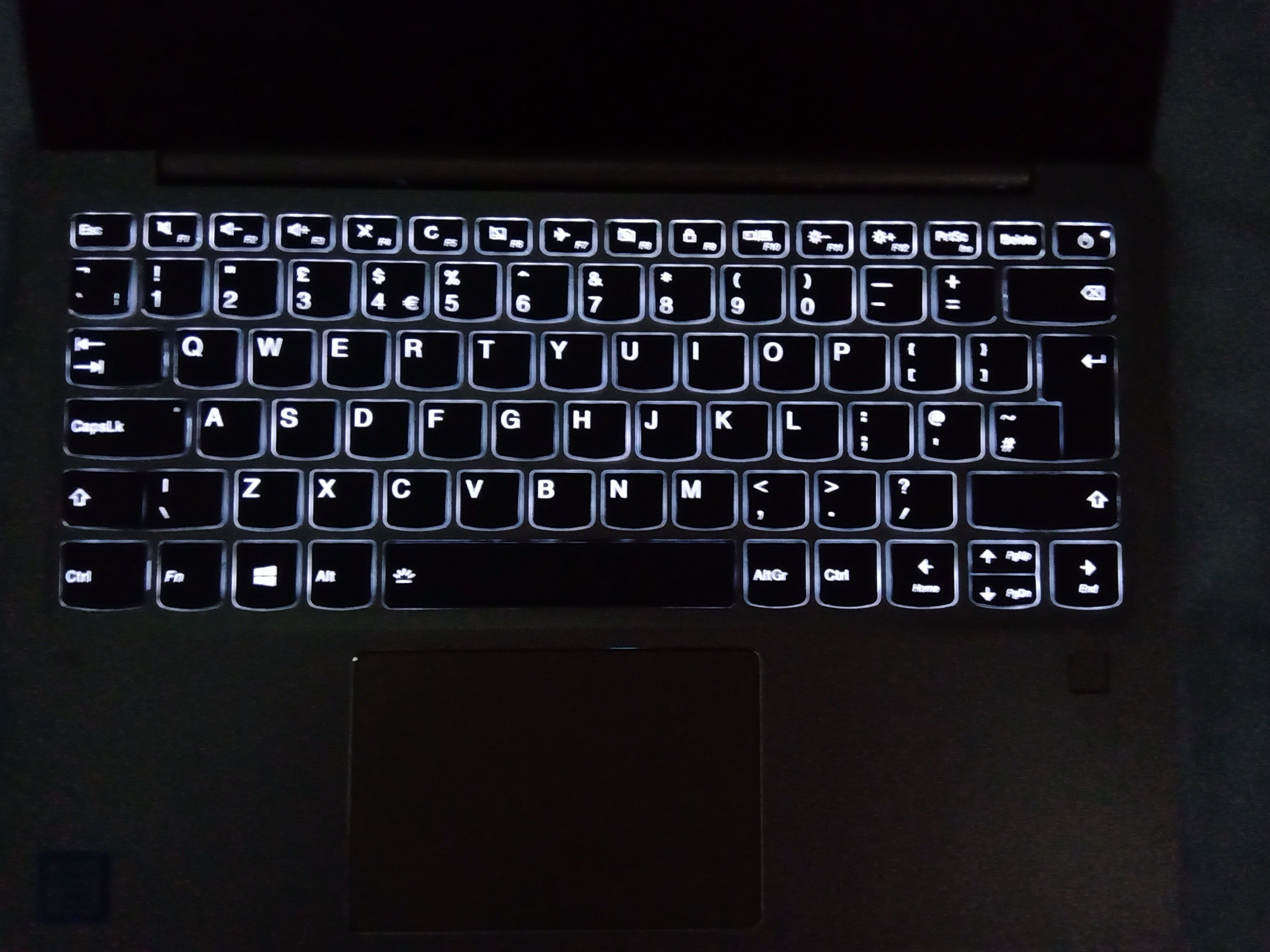
Lenovo Community

How To Turn On Keyboard Light On Lenovo Laptop Bestsoltips

Lenovo T430 Keyboard Backlight Youtube
How To Enable Lenovo Thinkpad Yoga Backlit Keyboard Solved How To Enable Lenovo Thinkpad Yoga Backlit Keyboard Solved
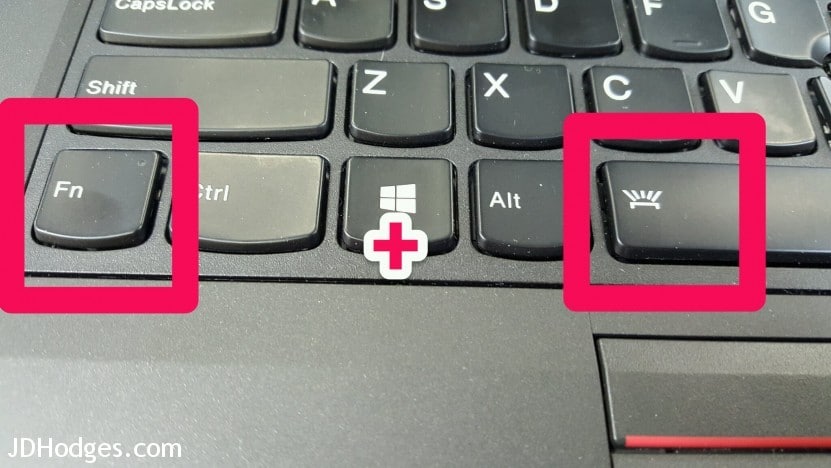

How To Turn On Lenovo Yoga Keyboard Light
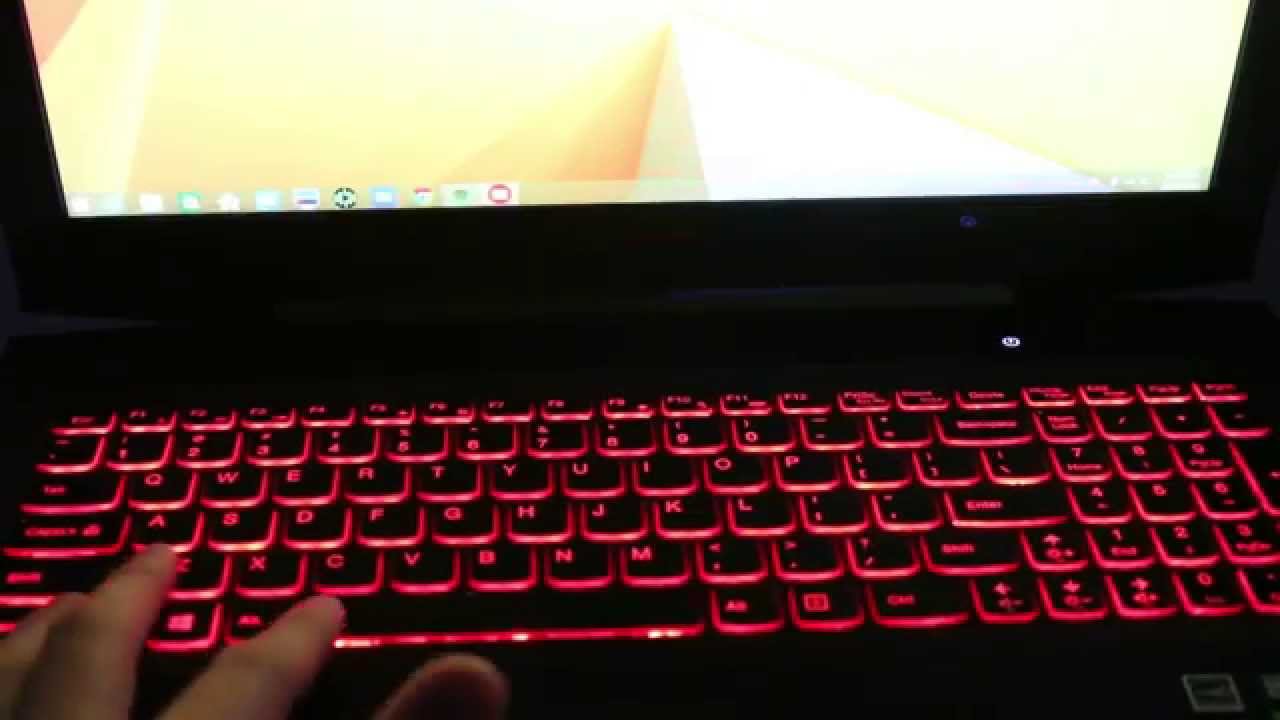
How To Switch Your Keyboard Backlight On And Off Lenovo Y50 Youtube

How To Turn On The Keyboard Light On A Lenovo Laptop

Fixed Lenovo Keyboard Backlight Not Working Driver Easy

Lenovo Laptop How To Turn On Back Lit Keyboard Youtube
How To Enable Lenovo Thinkpad Yoga Backlit Keyboard Solved How To Enable Lenovo Thinkpad Yoga Backlit Keyboard Solved
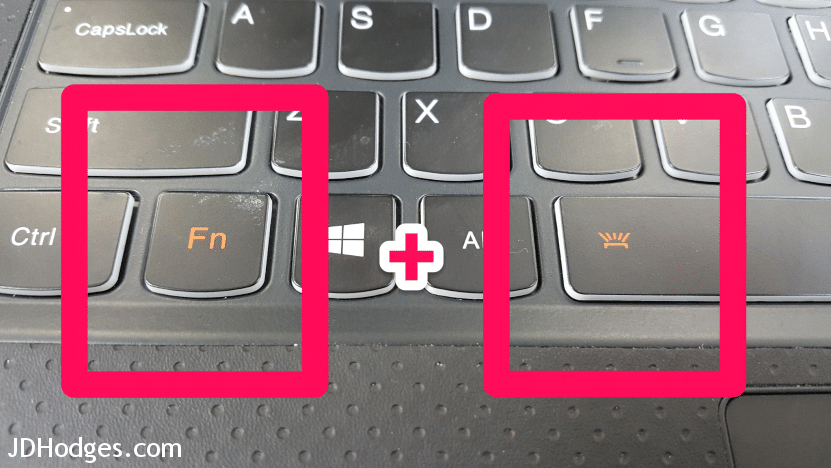
Lenovo Keyboard Backlight Not Working All Steps Upgrades And Options
Lenovo Keyboard Backlight Not Working All Steps Upgrades And Options

How To Turn On The Keyboard Light On An Hp Laptop

How To Turn On The Keyboard Light On A Lenovo Laptop
How To Enable Lenovo Thinkpad Yoga Backlit Keyboard Solved How To Enable Lenovo Thinkpad Yoga Backlit Keyboard Solved


Www Ireview In Th Test Lenovo Thinkpad X250 Led Backlit Keyboard Youtube

How To Adjust Backlit Keyboard Brightness In Windows 10

Enabling E480 Backlit Keyboard On A Thinkpad E485
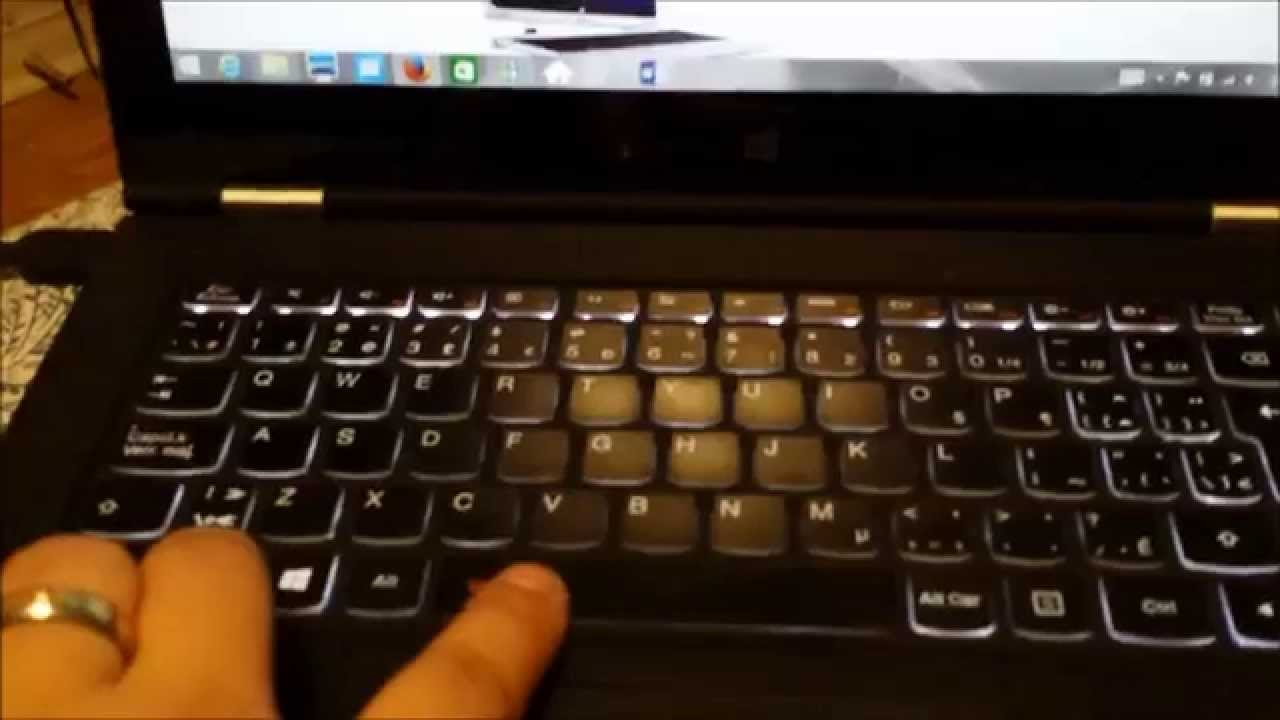
How To Turn On Backlight Keyboard On Lenovo Laptop Youtube


Posting Komentar untuk "Thinkpad Turn On Backlit Keyboard"