Customize Outlook Contact Form
Outlook doesnt have a built-in option to format phone numbers automatically but. What is displayed makes no sense.
Using Microsoft Outlook S Forms Designer Outlook Tips
Is there a way to customize the default contact form in Outlook 2010.

Customize outlook contact form. Create a Form Region. This custom form has 2 command buttons with simple vba code behind them. Customizing with form pages.
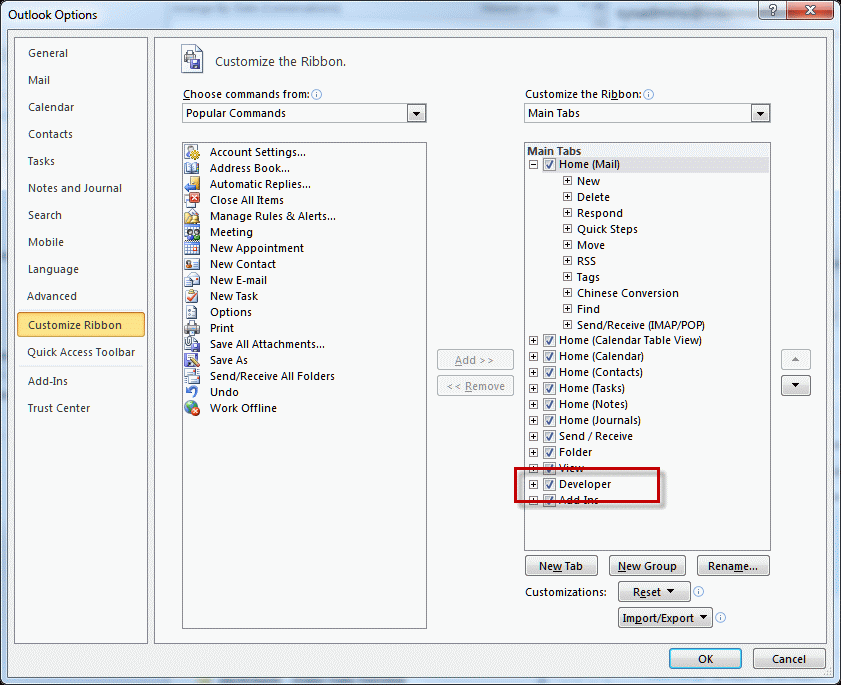
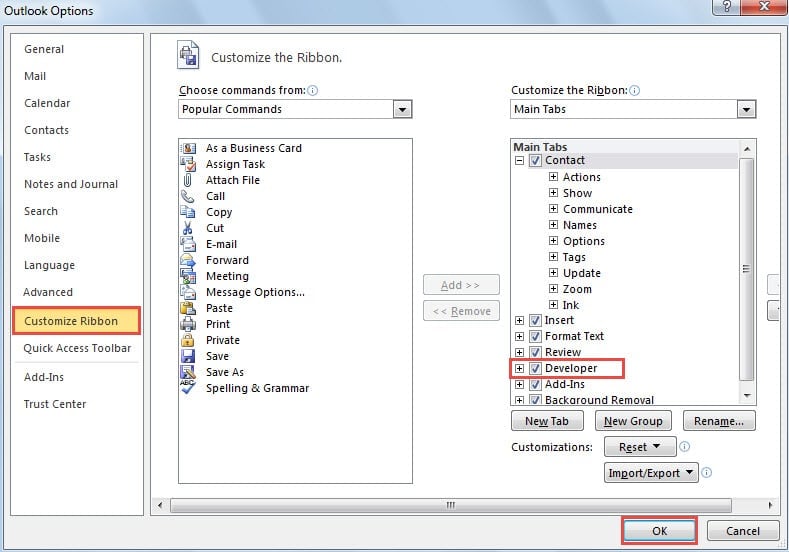
Outlook Custom Contact Form Attach Files in new notes fields. On the People page on the toolbar select the arrow next to New contact and then select New contact list. Go to File Options Customize Ribbon and add a check to Developer.
In the Custom Form button group click the Design a Form button. In the People or Contacts view click View Change View Phone to show the contact folder in list view. Set form attributes for the custom form.
Sub ChangeMessageClass Set olNS ApplicationGetNamespaceMAPI Set ContactsFolder olNSGetDefaultFolderolFolderContacts Set ContactItems ContactsFolderItems. The buttons send an email back to a shared. There are a few pages on the web talking about this but most of them are out-of-date.
Outlook 2007 - opening a contact from the search results doesnt use the custom form. Using the form Your custom form is now ready to use. Enter a name for the list and then add names or email addresses.
Right click the Outlook ribbon and select Customize the Ribbon. This is by design that Outlook import wizard does not support Custom forms. How Do I Customize the Default Outlook 2016 Contact Form.
In Outlook 2007 you need to enable the Developer ribbon for Outlook items mail calendar contact forms etc from the Office Icon Editor options dialog. The idea is to send the form to recipients internal to my company and allow them to click either of the buttons. If your contact list already includes the same name you can update the existing contact or create a new one.
I added the Developer tab to the ribbon opened a new contact and clicked Design This Form. Double click to open the contact that you will add a custom field for and then click Contact All Fields. If you want to group contacts for other reasons than sending email you can create a folder instead.
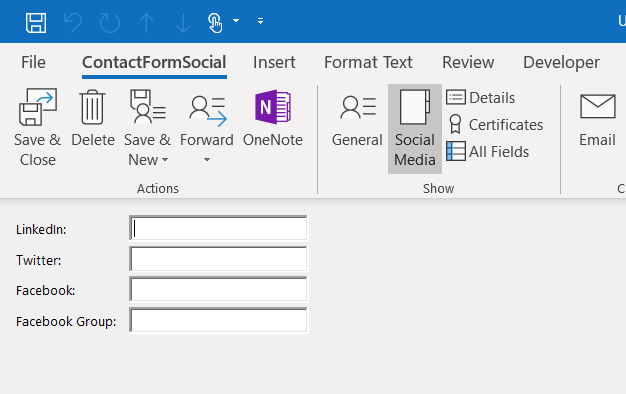
Open your Outlook Contacts folder and you should see a blank contact as the first entry see Figure K. I would appreciate to be able to edit the original since all the people in our small company already have their contacts in the default forms they would just like to add details. For more information see Using Fields with Controls Using Visual Basic with Outlook and How to.
You can right-click the card or the attached vcf file and then choose options. Outlook VBA and Custom Forms. Hello Ive created a custom form in Outlook 2013 Office 365.
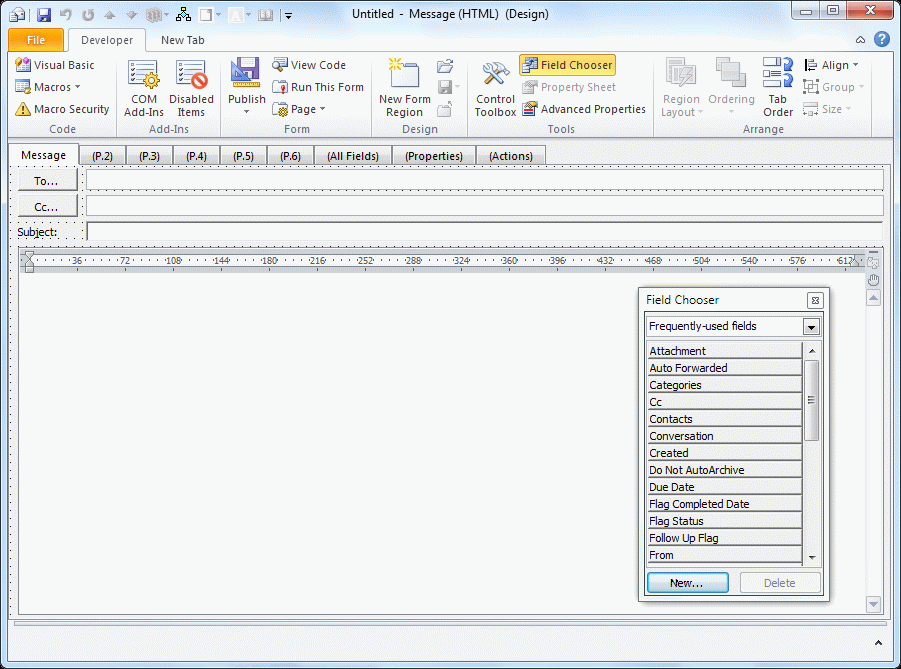
Before you can design forms in Microsoft Outlook 2010 and up you need to enable the Developer ribbon. My latest form does a little calculation to create a default greeting field for Christmas cards - The Last Name Family - so every time I create a contact it does this and if I want to change it to Ann and Bob I can of course. Now Im on 2013 32 bit.
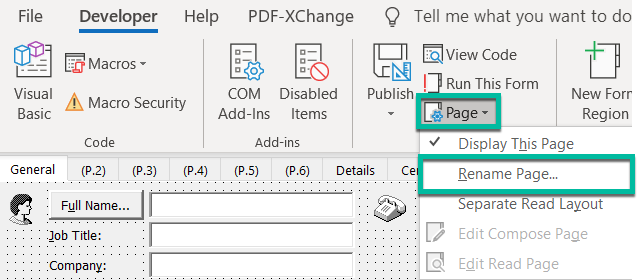
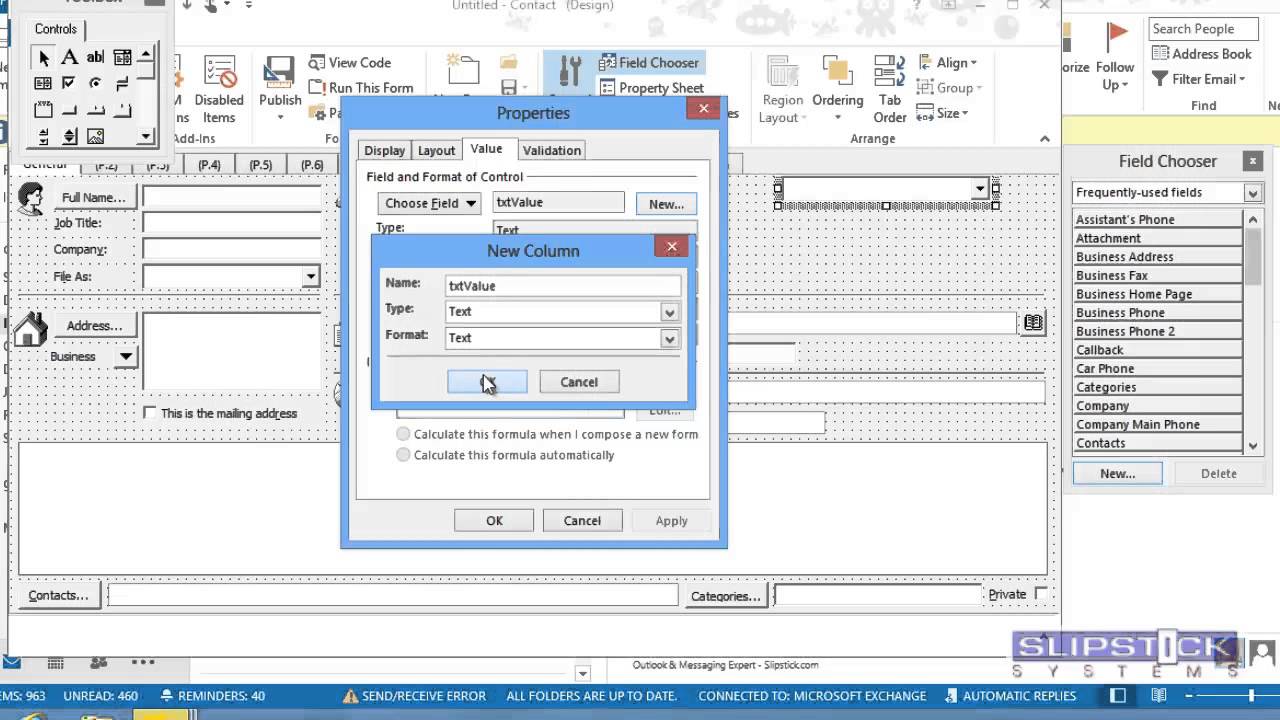
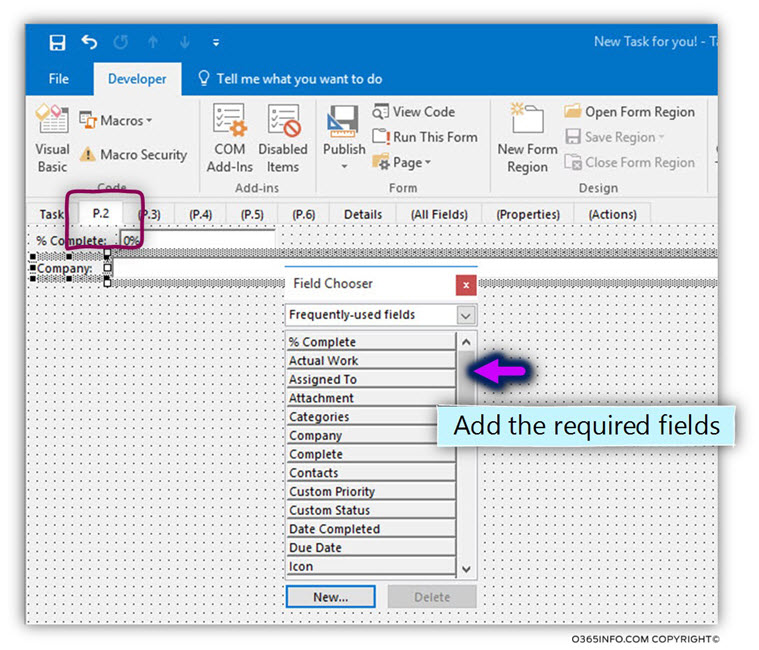
On the Developer tab in the Custom Forms group click Design a Form and then select the standard form on which to base your custom form. Outlook Custom Contact Form Attach Files in new notes fields. Hi Rawuman If you are using the outlook in client the.
Its the contact form from a long ago version of Outlook not the form I. Open the item on which you want to base the form. Click the Developer ribbon tab.
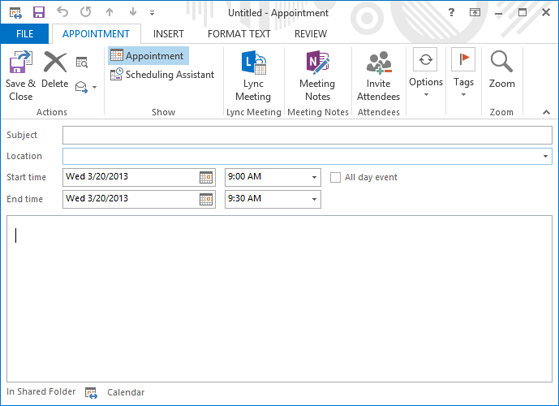
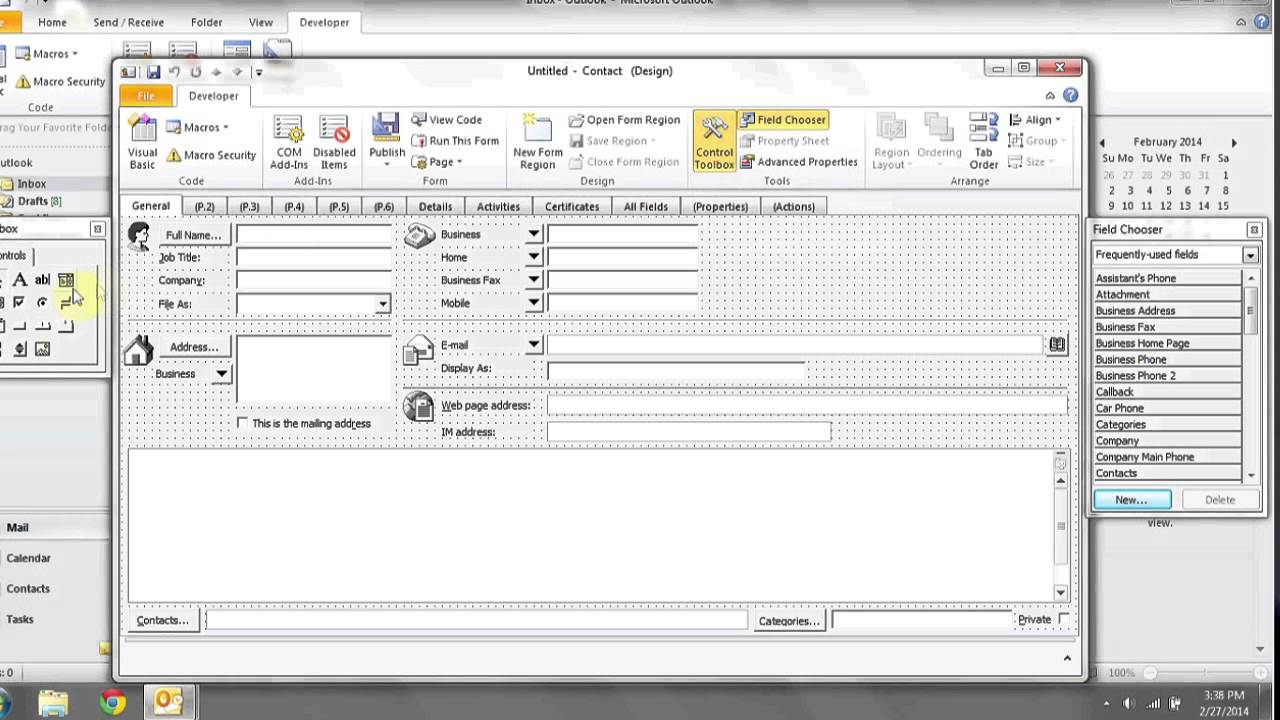
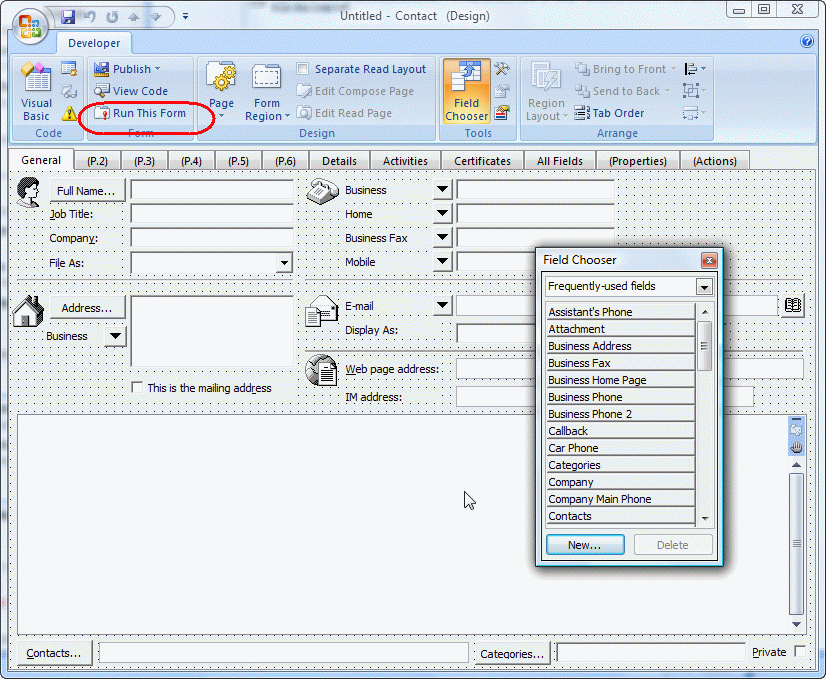
In the item on the Developer tab in the Form group click Design This Form to open the item in design. For example if you want your form to organize and collect information about a person or. Correct youll use this code on the default contacts folder using the name of your form and when its finished when you open a contact it will use your custom form.
Outlook 2007 - opening a contact from the search results doesnt use the custom form. Outlook VBA and Custom Forms. When I double click on a contact in the Contacts folder it opens a contact card which only list a few of the details which I can edit and a Notes section.
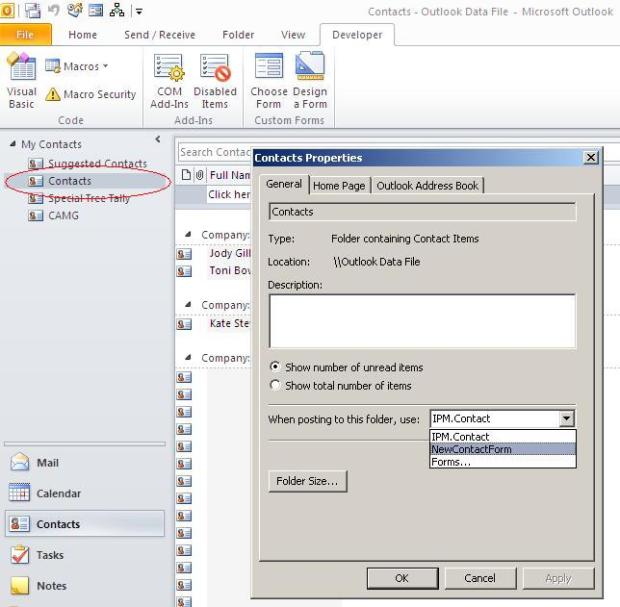
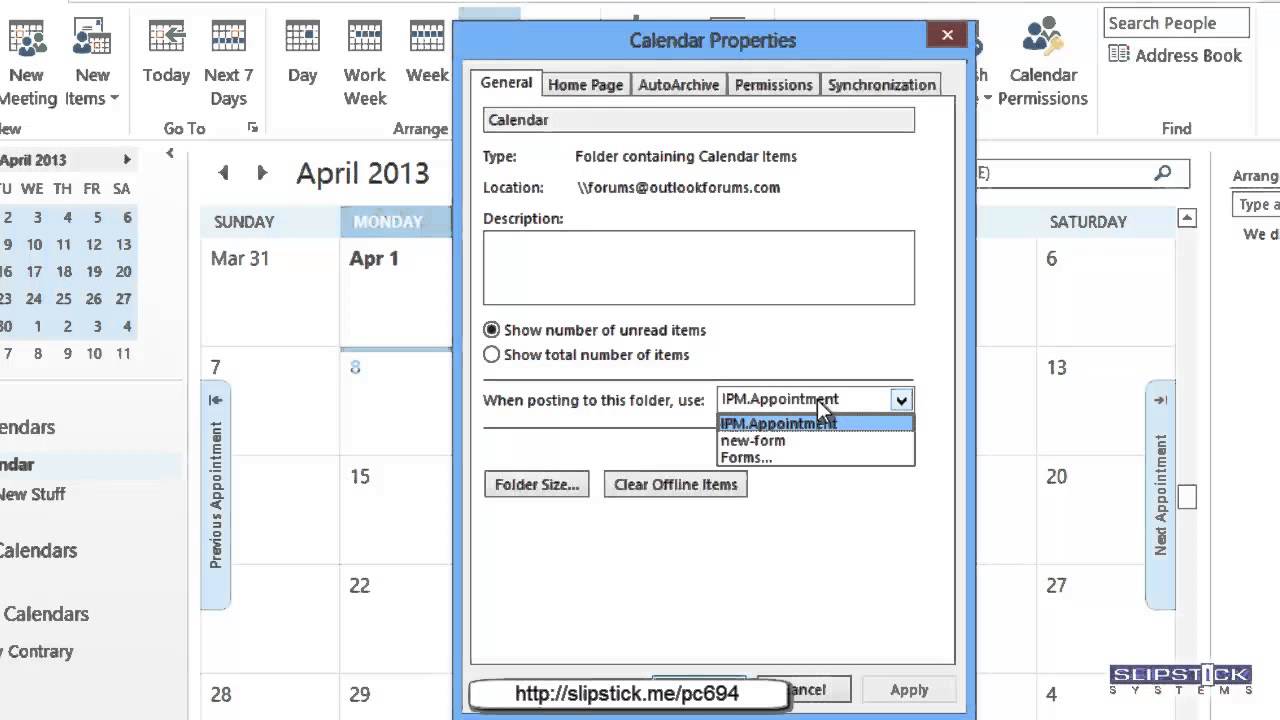
Right-click on folder -- properties -- When Posting to the folder use form Open a new contact item which should be using the new form if it doesnt open using your new form then you havent set the form as the default With the new contact item open. When you receive contact information as an Electronic Business Card or a contact form as a virtual contact file vcf in an email message. In the Design Form dialog select the Contact form and click Open to open the form in the Outlook Form Designer.
However once Ive saved an closed this form I cant seem to get back to it anymore. When I try to edit it a very different form opens up. I have created a couple of custom forms over the years to add contacts to Outlook.
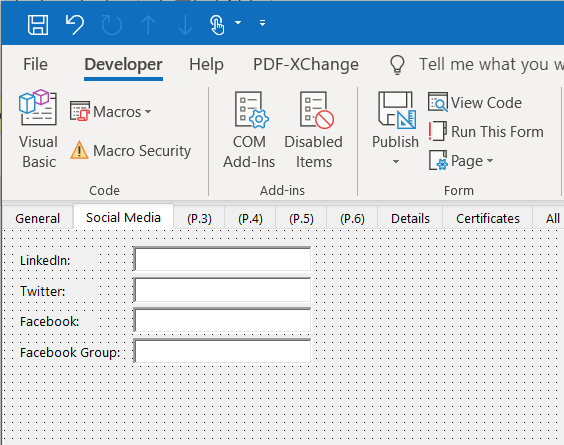
Make the custom form the default for the folder. Add the fields controls and code that you want to your new form. When I create a new Contact in Outlook I get the traditional Contact form which I also got in previous versions of Outlook.
Create Forms For Outlook 2016 2019 365 Easytweaks Com
Create Forms For Outlook 2016 2019 365 Easytweaks Com
Designing And Using Custom Forms In Microsoft Outlook 2013 Microsoft Press Store
10 Easy Steps To Customizing An Outlook 2010 Form Comtech Computer Services Inc

Designing Custom Outlook Forms
How To Add A Drop Down List In An Outlook Contact Form Pc Know How Youtube

Tips For Customizing Outlook Appointment Forms

Designing Custom Outlook Forms
Using Microsoft Outlook S Forms Designer Outlook Tips
Using Microsoft Outlook S Forms Designer Outlook Tips
How To Customize The New Contact Form In Your Outlook Data Recovery Blog
Create Forms For Outlook 2016 2019 365 Easytweaks Com

Designing Custom Outlook Forms
Using Microsoft Outlook S Forms Designer Outlook Tips
Add Controls To A Custom Outlook Form Youtube
How To Create Publish Organizational Forms In Office 365 O365info Com

How To Load Import Outlook Custom Form Programatically Using Outlook Plugin Stack Overflow
The Custom Form Cannot Be Opened Outlook Will Use An Outlook Form Instead The Form Required To View This Message Cannot Be Displayed Contact Your Administrator
Publish Custom Forms In Outlook Youtube


Posting Komentar untuk "Customize Outlook Contact Form"