How To Put Comma In Arabic Keyboard
Traditionally Arabic did not use punctuation marks the أدوات الربط the connectors of which و is one largely serving the purpose of separating out ideas. For example to insert the euro currency symbol press 20AC and then hold down the ALT key and press X.

How To Get Samsung Keyboard Back To Normal Make Tech Easier
First of all it should be noted that some punctuation marks in Arabic look different from the English counterparts eg.

How to put comma in arabic keyboard. Look at the Preview of the Spanish keyboard at the top the symbols etc. One work-around would be to assign ALT as next-sheet and CTRL as previous-sheet. Both unassigned by default That would give you the same visual cue for the direction of sheet movement although with the modifier key and the same trigger rather than via different trigger keys with the same modifier.
The comma used for text is Shiftk in the same layout. There are a lot of similarities between the use of punctuation marks in Arabic and in English. Comment 2 ace_dent 2008-05-17 211149 UTC.
Type on the keyboard. Punctuation marks علامات الترقيم are not always used correctly in Arabic. The Unicode character for the specified Unicode hexadecimal character code.
In this post I explain some of the rules related to the use of punctuation marks. The English comma is while the Arabic comma الفاصلة points the opposite way and it is written on top of the line. The Issue you raised has been marked as Resolved and not updated within the last 1 year.
Unprecedented statistics and studies on the Arabic alphabet are presented. Intellark is a new intuitive keyboard layout for typing in Arabic. They do appear in Arabic keyboards its just Windows Keyboard preview Vista Previa that doesnt show them.
It is designed for keyboard typists who type using Latin-based keyboards to start typing in Arabic right away after finishing 9 short interactive tutorials. CTRL o or O ALTCTRLSHIFT. Go to input sources and click on the checkbox that corresponds with the language you want to have available.
If you want to write across the mouse move your cursor over the keyboard layout and click the demand letter. Western users should know that the letter be written differently. P or b Algeria Tunisia.
Yet it is helpful for elementary intermediate to avoid any confusions in Correct Arabic Pronunciation. Therefore commas are unnecessary although now they are commonly used as are other punctuation marks. Wont appear but just the numbers.
The comma which on the standard Arabic keyboard layout is Shift is the comma you need for typing numbers as a decimal point. Short Vowels Anti-vowels and Signs. 92 rows Heavy Left Single Turned Comma Quotation Mark.
Under Personal go to Language and Text where you will see four bars at the top Language Text Formats and Input Sources. CTRL COMMA c or C. However later when one is used to the Language such vowels surprisingly enough are not used that much.
After getting a question about punctuation marks علامات الترقيم I write about the topic again. You can also use your computer keyboard click the button letter transliteration so and do Status Indicator mouse inside the text area and type any letter and becomes an Arab letter converted. The character code ALTX.
In this case it would be either Arabic Arabic PC or Arabic QWERTY. Full stop النقطة. We use the full stop at the end of complete sentences eg.
CTRL APOSTROPHE d or D. Vowels in Arabic look like dashes and symbols above or below the Arabic Letters to pronounce Arabic correctly. Ive noticed that many Arabic texts use as quotation marks rather than.
How to use this keyboard layout.
Where Do I Find The Less Than Or Greater Than Symbols On A Keyboard That Does Not Have Them Displayed Anywhere Quora
Solved How Do I Change The Physical Keyboard For Samsung Dex Samsung Community


Hp Pcs Typing Alternate Characters From Your Keyboard Hp Customer Support
Solved How Do I Change The Physical Keyboard For Samsung Dex Samsung Community


Urdu Phonetic Keyboard Layout Urdu Words Office Word Book Wallpaper

How To Get Samsung Keyboard Back To Normal Make Tech Easier
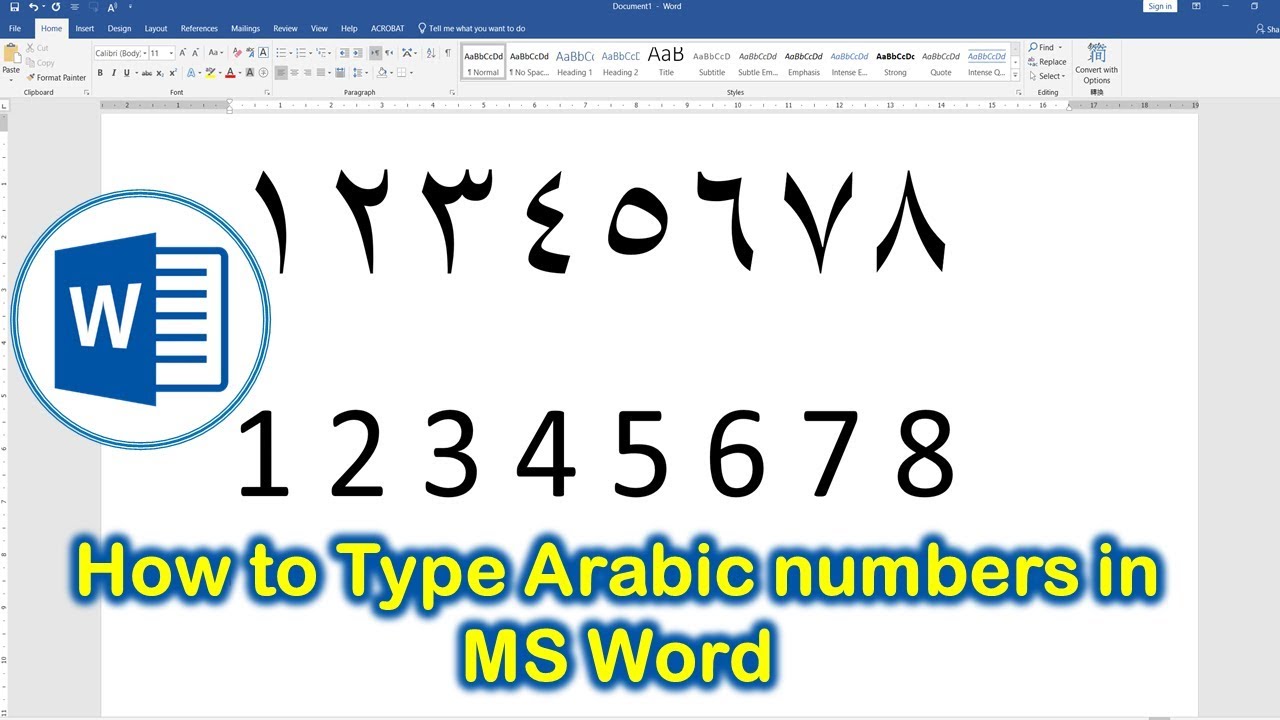
How To Type Arabic Numbers In Ms Word 2019 Youtube

Extension Create Custom Keyboard Beta Extensions Mit App Inventor Community
Dot Becomes Comma Between Two Numbers In Word Microsoft Community


Phonetic Keyboard Layout

Arvon Arvonfoundation On Twitter Writing Quotes Writing Motivation Writer Quotes
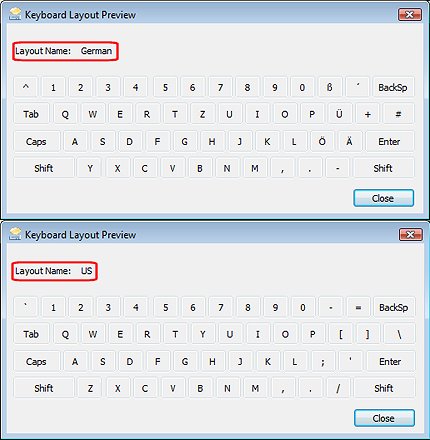
Hp Notebook Pcs Incorrect Characters Are Displayed When Using Keyboard Hp Customer Support

Aieach Wireless Bluetooth Keyboard For Ipad Keyboard With Touchpad Tablet Keyboard For Ipad Pro 11 12 9 Air 4 10 2 2019 2020 Tablet Keyboards Aliexpress

How To Get Samsung Keyboard Back To Normal Make Tech Easier

Urdu Language Keyboard In Windows 10 In 2021 Typing Master Keyboard Keyboard Language

Urdu Phonetic Keyboard Layout Urdu Words Office Word Book Wallpaper

How To Get Samsung Keyboard Back To Normal Make Tech Easier

How To Get Samsung Keyboard Back To Normal Make Tech Easier
Russian The Alphabet And The Keyboard Duolingo


Posting Komentar untuk "How To Put Comma In Arabic Keyboard"