How To Forward Email Without Previous Addresses On Ipad
Now type in the address of the recipient. Here this article will introduce two solutions to forward an email without its original attachments in.

Do You Want To Delete Archived Emails In Gmail Gmail Sign Gmail App One
Select the Keep a copy of forwarded messages check box if you want to keep copies of the forwarded messages in your Outlook account.

How to forward email without previous addresses on ipad. Select the Enable forwarding check box. Forward an email from an iPad with help from a columnist from Nerds on Ca. Tap in the message body and enter a message.
On your iPhone iPad or iPod touch go to Settings Messages Send Receive. Cleaning up an email can involve several steps but in general you should highlight email addresses and other unnecessary information then use the Delete key to remove them. There go to the Mailboxes tab and select your mailbox.
Some of the addresses that show up will have a blue circle with the letter i inside next to them. Enter the email address you want to forward to. Open the message you want to forward.
When you reply to a message you dont have to mess. Click the verification link in that message. Click the 3 dots next to Reply in the top-right corner of the message and select Forward.
Open the email that you want to forward Tap the arrow that points to the right - at the top of the mail app - and then select Forward. On the Mail tab select Manage email forwarding. After opening the email click on the three vertical dots menu on the right side and select Forward from it.
Select the name of the user whose email you want to forward then open the properties page. The Reply message form appears. Tap the button to compose a new email message and begin typing an email address into the To.
If you have set up two-factor authentication you need to insert a six-digit code sent on. A compose window will open below with a Forwarded message section at the top. Click Message then enter any text you want to include with the forwarded message.
Use the backspace key to remove all information in this section including the Forwarded. Forward messages. Your iPhone or iPad.
Select See all settings Accounts and Import and then Add a mail account Enter your email address and leave the box Treat as an alias checked so when you reply to email. Or open the email scroll down click forward. How to Set up iCloud Email Forwarding to Another Account.
Click the Forwarding and POPIMAP tab. Make sure that youre signed in to iMessage with the same Apple ID on all your devices. Finally enter your forwarding address and click Verify.
You must log in or register to reply here. Open the Mail app on your iOS device aka. But in some cases you may just need to forward the email content only.
You can set up forwarding to another address quite simply using Gmails auto Forwarding feature - Gmails Settings Forwarding and POPIMAP page. Click on Forward button a new Write window opens with the forwarding email displayed as part of the content. Highlight the section in the content which you want to remove - the email addresses.
When forwarding an email containing attachments in Outlook these attachments will be attached in the forwarding email automatically. You can configure automatic email forwarding of your entire inbox to another address from the Settings menu. Enter the email address where you want the forwarded email messages to be sent.
If you forward the message as an attachment you might need to take extra steps to move addressees information. The mail message window will open. By employing a simple method you can automatically forward emails in iCloud.
Sign in with your Apple ID and password. Go back to the settings page for the Gmail account you want to forward messages from and refresh your browser. Select Mail Forwarding in the Settings dialog box.
How to Remove Email Addresses When You Forward a Message. Reply All addresses the response to everyone who received the original message including the sender. Select Inline click on OK Select email so it shows in Message Pane.
Reply addresses your response to the sender. On your iPhone go to Settings Messages Text Message Forwarding. 2 To respond to the sender of the message tap Reply or Reply All.
You can forward an email from your iPad the same way you can on a regular computer. On the email forwarding page select Forward all emails sent to this mailbox enter the forwarding address and choose whether you want to keep a copy of forwarded emails. When you have the e-mail opened to forward set the cursor on the end of the line s that contain all the e-mail addresses.
Choose Forward Message from the first pop-up menu then enter the email addresses where you want to receive the forwarded messages. A single account can be a window of multiple email communications. Then press the Delete key until you e erased all those unwanted addresses currently showing in the body of your e-mail.
I dont understand what you are describing here. On your Mac open Messages choose Messages Preferences then click iMessage.
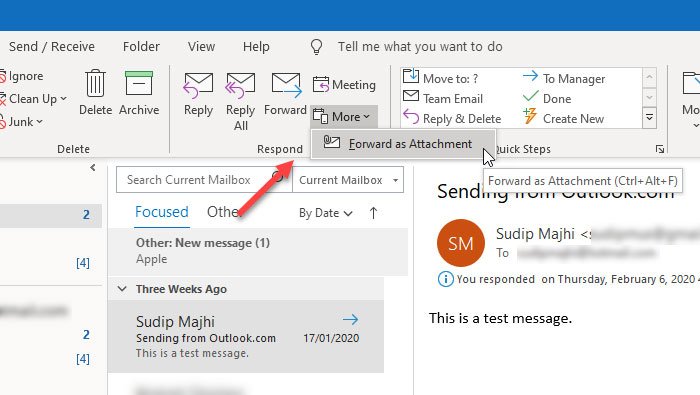
How To Forward Email As Attachment From Outlook

Pin On Misc
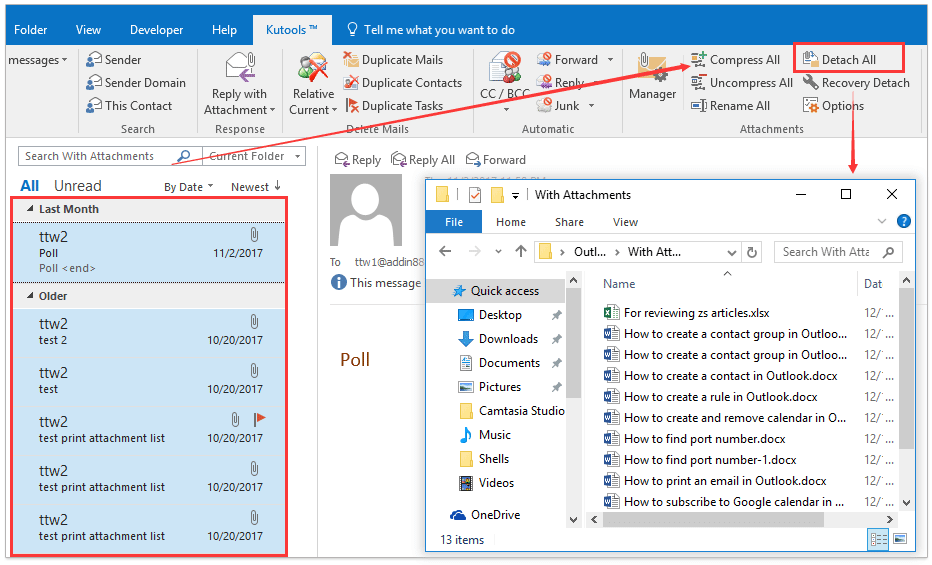
How To Forward An Email Without Original Attachments In Outlook
How To Forward Email In Yahoo Mail In 2 Simple Ways
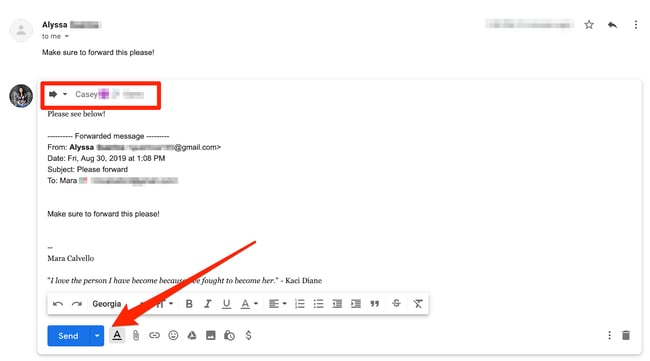
How To Forward In Gmail 4 Easy Ways
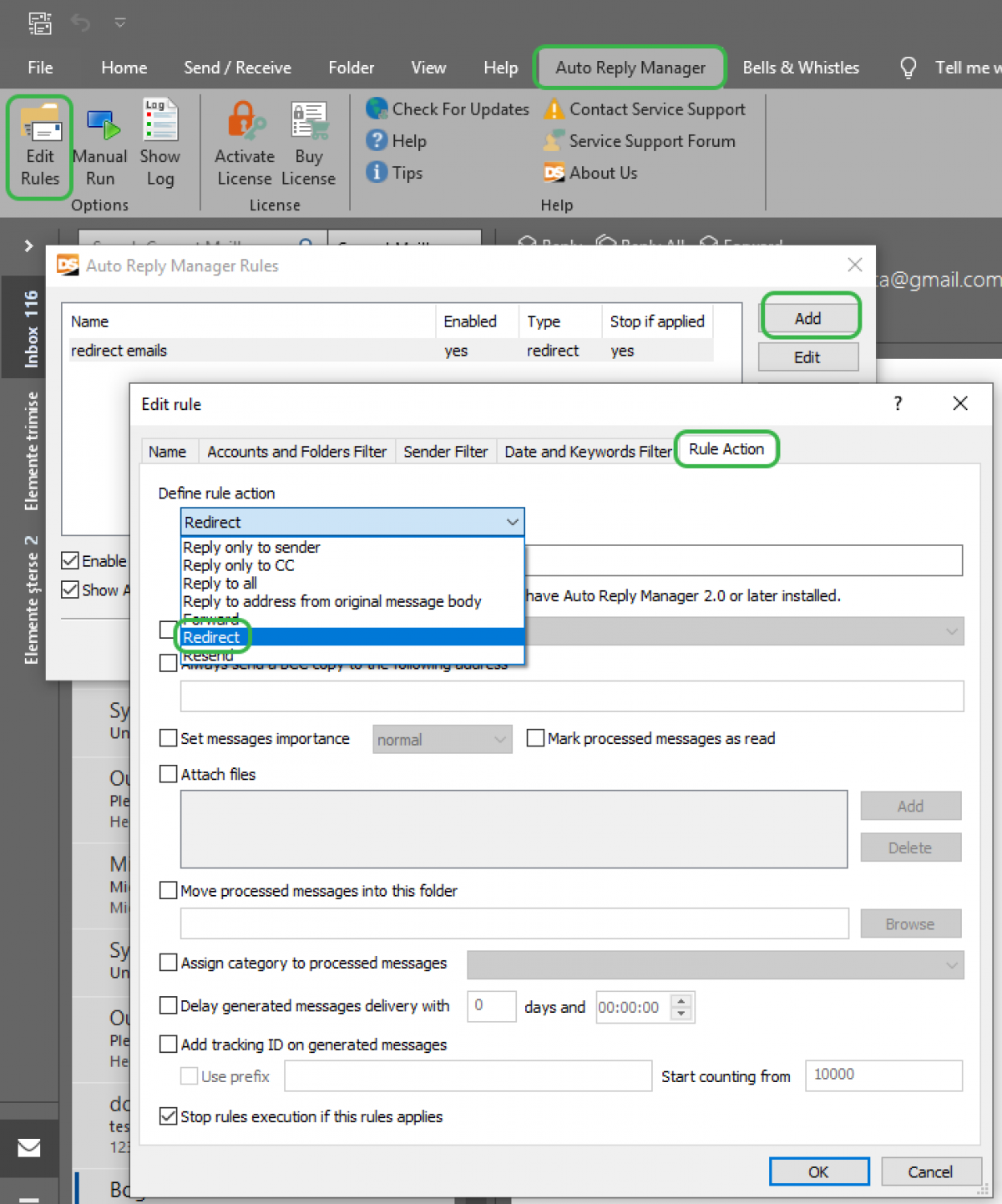
How To Redirect Emails In Outlook
How To Forward Emails From Outlook By Creating A Rule
How To Forward Yahoo Mail To Gmail Or Other Services
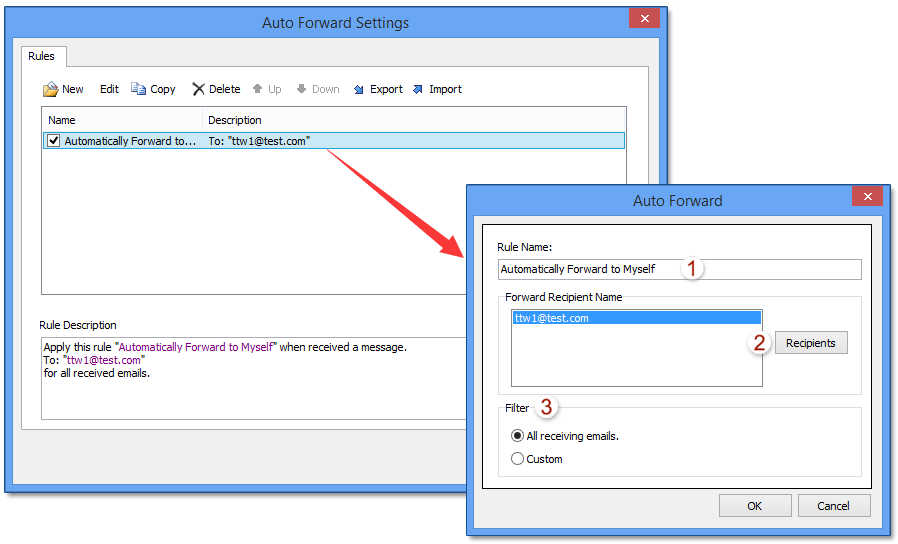
How To Turn Off Meeting Forward Notifications In Outlook

4 Ways To Block An Email Address On Iphone Email Address Iphone Email

How To Forward Email To Your Phone As A Text Message
Forward Gmail To Another Email Address Software Review Rt
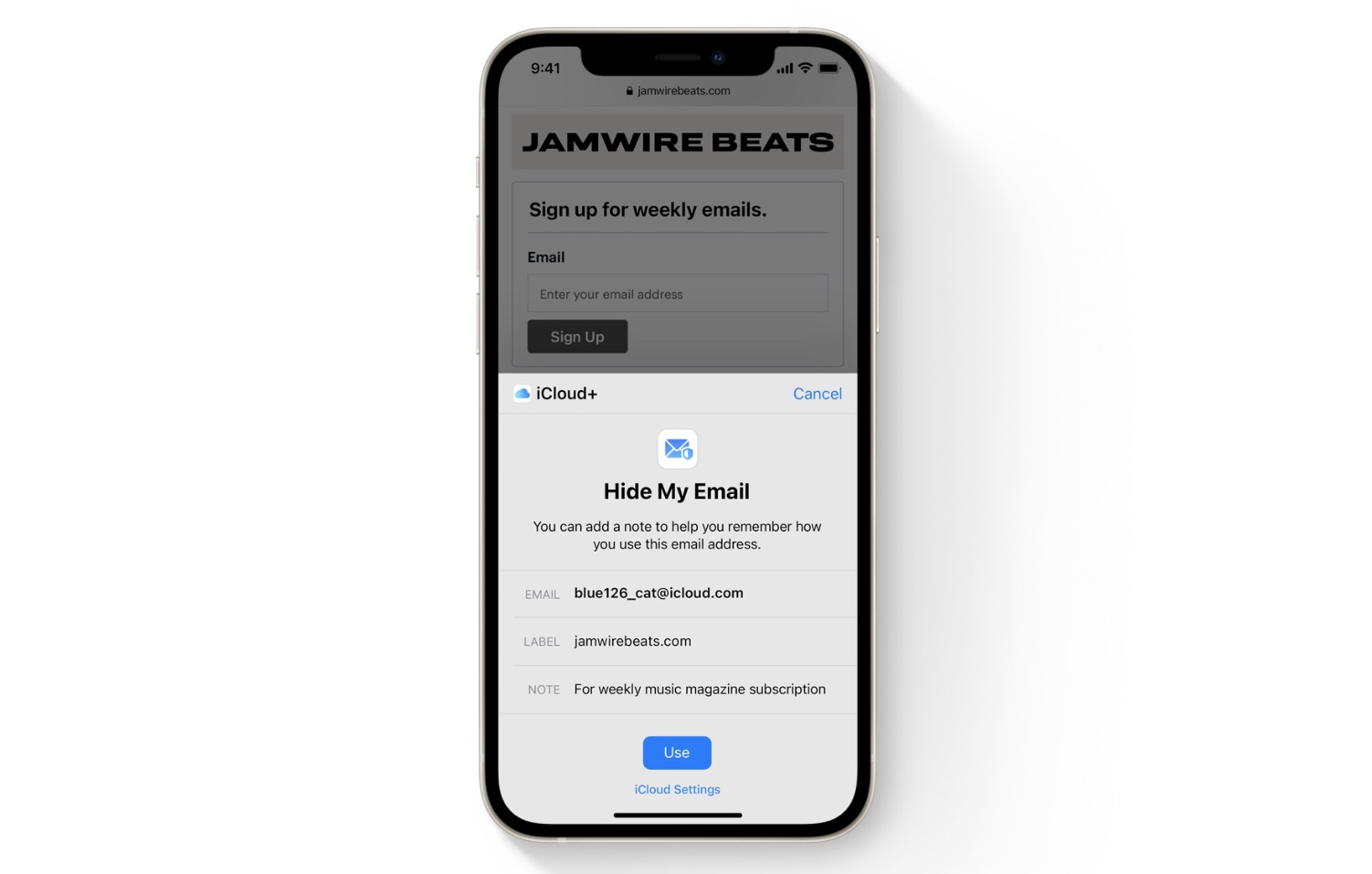
Ios 15 How To Change Where Hide My Email Addresses Forward Macrumors
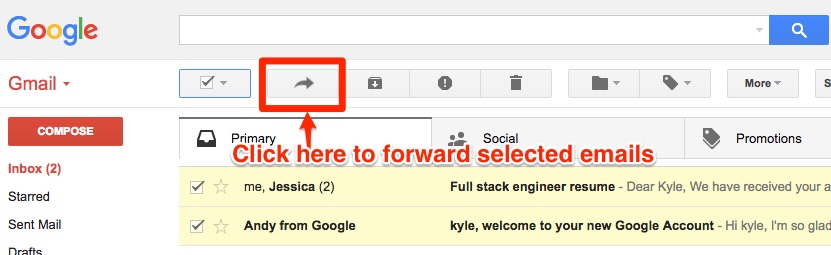
How To Forward Multiple Emails At Once In Gmail Cloudhq Blog
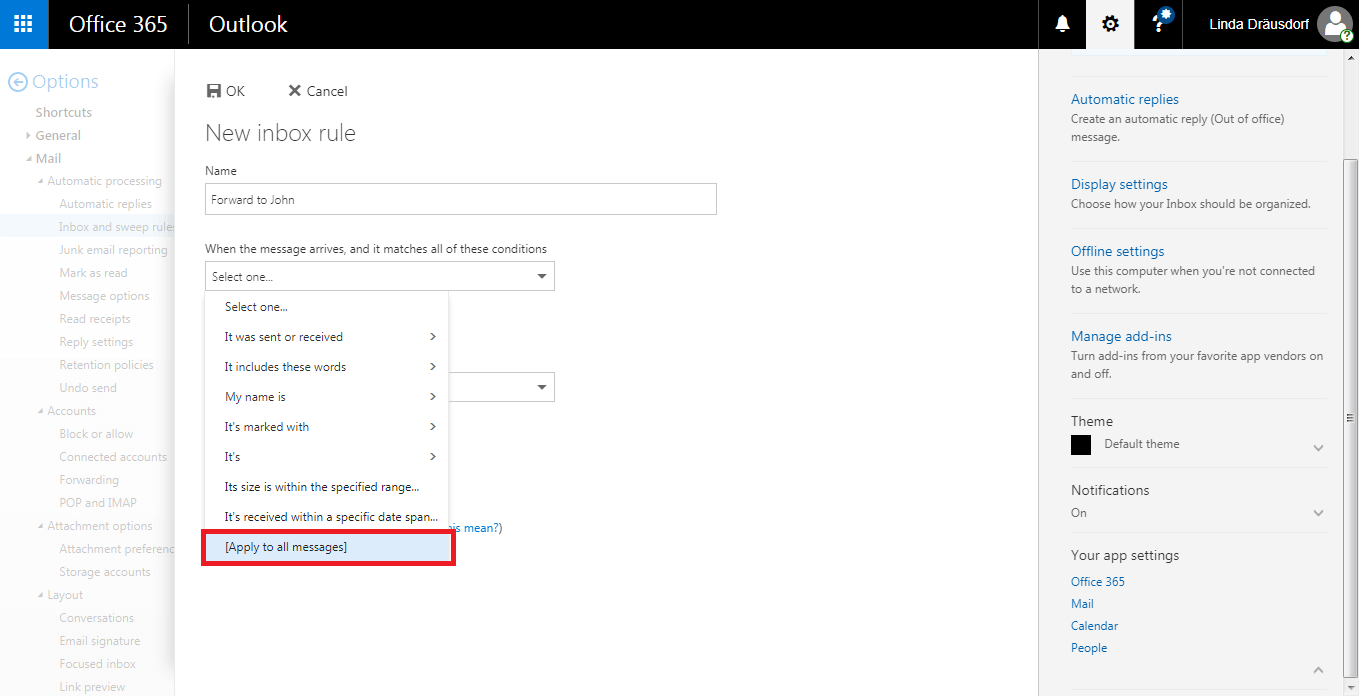
Outlook Auto Forward How To Automatically Forward Emails Ionos

Iphone Tip How To Forward Text Messages To Your Email Account Phone Info Ipad Hacks Text Messages
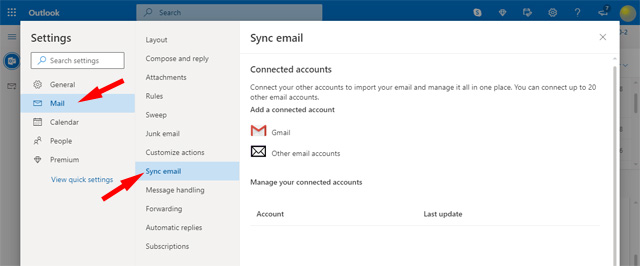
How To Switch Email Accounts Without Losing Emails Techlicious
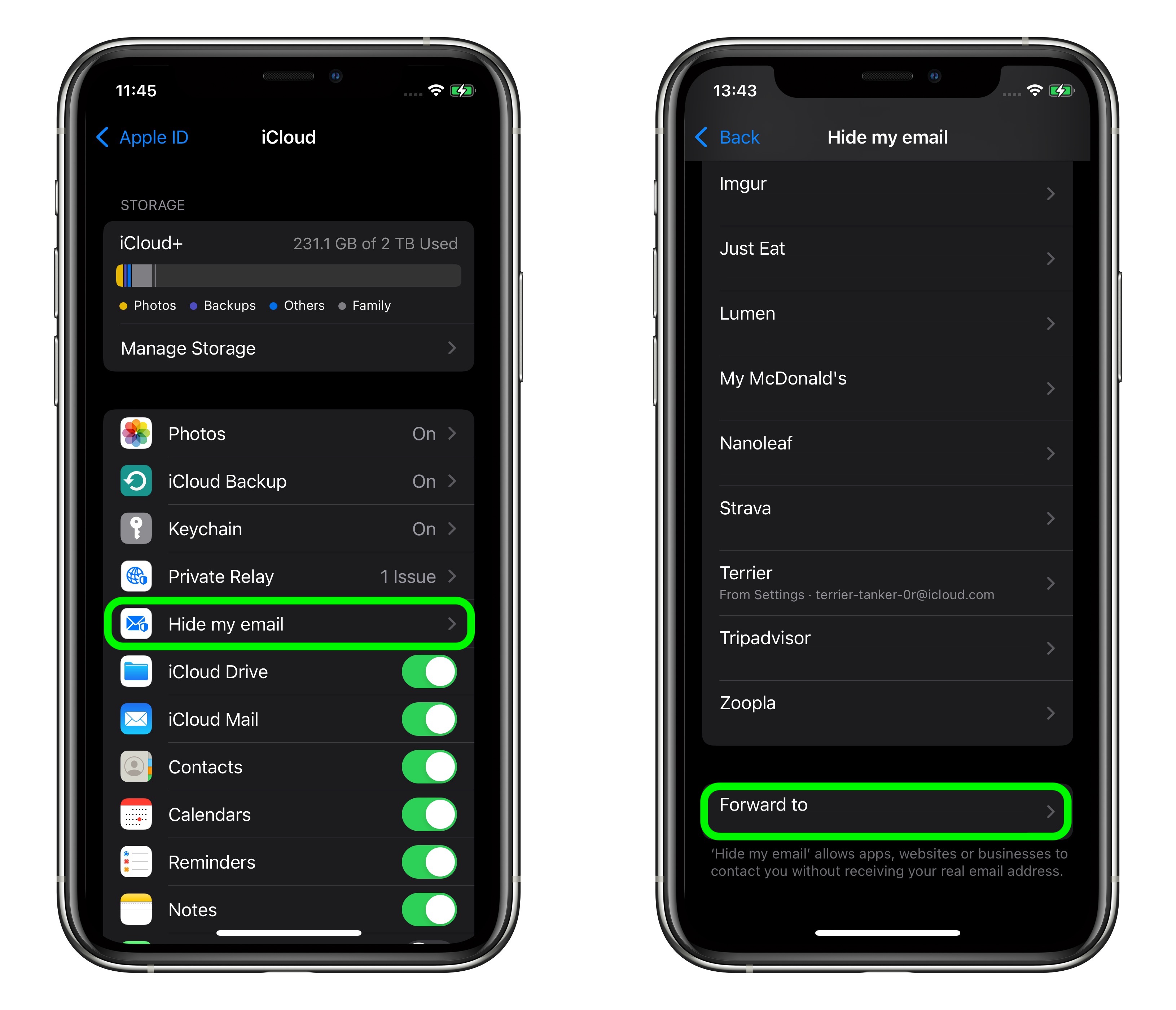
Ios 15 How To Change Where Hide My Email Addresses Forward Macrumors

How To Forward Email And Remove The Original Sender Email Youtube


Posting Komentar untuk "How To Forward Email Without Previous Addresses On Ipad"