How To Export As Pdf From Photoshop
Unfortunately you cannot save a vector-based PDF in Photoshop. After fixing the Save as type proceed to change the File name.

How To Create A Custom Keyboard Shortcut To Export To Pdf In Os X Tekrevue Keyboard Shortcuts Keyboard Custom
Not sure how your file is set up but you can try.

How to export as pdf from photoshop. Choose the destinationlocation where you want to save the generated PDF documents. Image Save as. As far as being slow.
In the menu that opens click on the save as type box to open this list of format. Btw This is only for one image pdf. In the window that appears click add open files to turn your opened photoshop projects into pdf pages.
In the Save Adobe PDF dialog set the compatibility to the highest version you can. Creating print-ready pdfs Adobe Photoshop CC. This is because Photoshop is primarily a raster program.
Set the output option to New Multi-Page Document and click Save to export your PDF. In the Save PDF File As window select after save actions and click OK to convert the file. I know that PS is exporting at 96 dpi because when I open the exported image with PS the resolution is.
I can save that file aspsb. Confirm that the Save as type is Photoshop PDF and confirm the location chosen to save the file. They must have applied the effects that you have considered necessary.
Answer 1 of 2. Make sure the file is in CMYK mode. After finishing your editing or desiging go to file save as and then you will see a lot of file versions you can save such as psdpsbeps etc.
Copy link to clipboard. You can edit or modify your file if you like. Once you complete that click on Save and your file saves to your system.
Upon printing the image will appear the same on paper as it did in the program. Set format to Photoshop PDF. Save aspdf to see the result.
Export Photoshop as PDF Select File from the menu bar at the top. In the layers palette drop down menu img. Start with the High Quality Print Adobe PDF Preset.
Its easy to miss since its the option just above PSD. Heres how to quickly save a PDF in Photoshop. Click Browse on the new pop-up.
Click on Open File. In the General tab select Preserve Photoshop Editing Capabilities. Choose Edit Adobe PDF Presets.
Specify a file name prefix for the generated PDF documents. Navigate to the target PSD file. Another way to try to export to a PDF is to export each layer to a PDF.
Either exporting your layers to files - File ExportLayers to Files so you can export each layer into a page in a PDF. Image Mode CMYK color. In the Compression tab select Do Not Downsample from the options.
For easy management save each page as Page_1 Page_2 etc. Open your Photoshop program and add all the images which you have previously saved as a JPG image in the same document. To save a multi-page PDF document in Photoshop go to File Automate PDF Presentation.
Choose the PSD file that you want to convert. Dont know how big your image is or how many layers there are but on an old 2008 MacBook Pro it exported a 2848x4288 pixel. Once you have created each page at the right resolution you can follow the steps below to create a multi-page PDF.
In Photoshop select File Export Artboards To PDF. In the window that appears click Add Open Files to turn your opened Photoshop projects into PDF pages. Click Convert to convert your PSD file.
This will open the SFW window. For this step-by-step illustration the name of the file saved here is Logo. In the Artboards To PDF dialog do the following.
This is the default format for Photoshop files - this would be the best program to use to open PSD files. Next go to File then Automate then PDF Presentation. Save eachpsd file in the same folder.
Photoshop PDF supports vector images which means the image will not lose its quality when scaled up or down. If youre saving a Photoshop PDF document click the Save Preset button in the Save Adobe PDF dialog box after you specify your PDF settings. In Photoshop simply uncheck Preserve Photoshop Editing Capabilities and in Illustrator uncheck Preserve Illustrator Editing Capabilities in the Save Adobe PDF dialogue box under options.
Select the Automate option and go to PDF Presentation. If you plan to use your image on the web export your photo by going to FileExportSave for Web May appear as SFW. There you will find one version called Photoshop PDF select that and save your project.
Choose File Save As and select Photoshop PDF. In Photoshop CC 20151 I have made sure that my image is at 300dpi by going to Image Image Size and setting the resolution to 300 pixels per inch. Feb 21 2016 Feb 21 2016.
Follow these steps. Does seem weird it should say Photoshop PDF in that drop down menu. In this video about the how to reduce pdf size without loss quality on Photoshop in HindiThis channel will provide one-minute know.
Select the file and then click Open. Deselecting this check box could reduce a 40Mb file to just 2Mb. In the format list select photoshop pdf pdfpdp.
You can however export the file to Illustrator preserve the vector data and still use the image for your printing or publishing needs. After that a menu will appear on the left hand side of the document that says AdobeExport PDF and below that. However when I go to File Export Export As JPG the image is exported at 96 dpi.
Once you open it in Adobe Reader X you go under File Save As Word or Excel Online option. Choose PDFunder File typein the Export Layers to Filesdialog box. I took the Photoshop file and converted it into a PDF.
How to convert PSD to PDF in Adobe Photoshop. Save each PSD file in the same folder. Open the Photoshop application on your computer and after that take the following steps to complete the PDF conversion.
How to convert a PSD to a PDF file. Select PDF as the the format you want to convert your PSD file to.

Indesign Export To Pdf Settings Explained Photoshop Tutorial Design Indesign Indesign Tutorials

Pin On Photoshop

Indesign Export To Pdf Settings Explained Indesign Pdf Desktop Publishing

Cover File Setup Using Adobe Photoshop Tutorial Adobe Photoshop Tutorial Photoshop Photoshop Tutorial

Web Designing And Graphic Tutorials How To Export A Multipage Pdf From Adobe Photoshop Cs5 Photoshop Cs5 Web Design Photoshop

How To Save Photoshop File As Pdf Photoshop Save Optimization

How To Add Fonts To Photoshop Ads Photoshop Etsy Marketing
How To Convert Photoshop Psd File To Illustrator Ai 2019 Photoshop Tutorial Illustrator Tutorials Photoshop

Screeshot Of The Save Adobe Pdf Panel In Illustrator Cs6 Tool Design Adobe Creative Suite Pdf

Exporting From Indesign To Issuu Ready Pdfs Issuu Help Center Photoshop Lightroom Indesign Adobe Photoshop Lightroom

How To Make A Gif In Photoshop Fallon Gerst Photoshop Photo Editing Photoshop Frame By Frame Animation

How To Save Picture In Adobe Photoshop What Is Png What Is Psd File Photoshop Psd Adobe Photoshop

How To Save A Note As Pdf Good Notes Notes Pdf

How To Create A Print Ready Pdf File Using Adobe Illustrator Adobe Illustrator Print Adobe

Multiexporter Box Export Illustrator Layers And Or Artboards As Pngs Pdf Jpg Etc Thank You So Much Easier To Export 20 P Illustration Layers Export

Export To Pdf Lose Bleed Every Time Indesign Instructional Design Project List
Blurb Adobe Indesign Plug In Blurb Graphic Design Photoshop Indesign Photo Book

41 Export Multi Page Pdf Portfolio In Adobe Photoshop Youtube Photoshop Youtube Photoshop Photoshop Tutorial
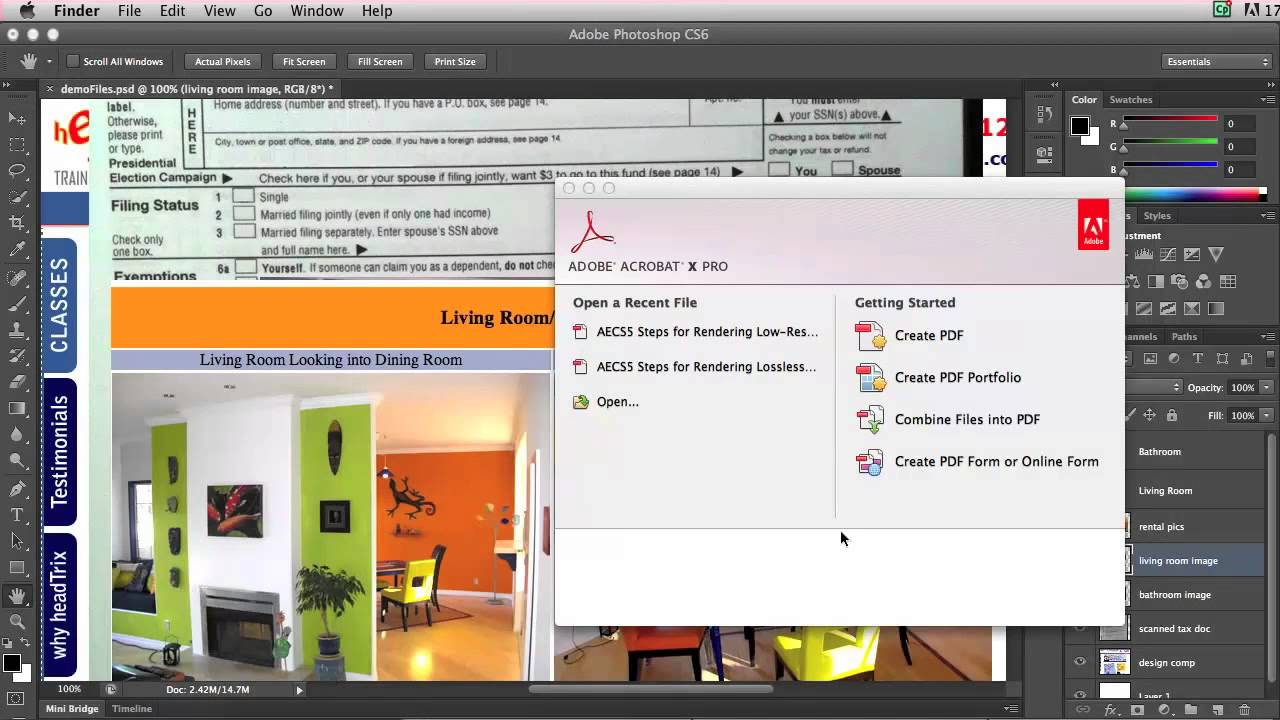
Photoshop Training Tutorial Exporting Layers To A Pdf Exporting Layer Comps To Pdf Photoshop Training Training Tutorial Photoshop


Posting Komentar untuk "How To Export As Pdf From Photoshop"