Replace Part Of Formula In Excel
If your question is resolved mark it SOLVED using the thread tools. Press i while in normal mode in vim.
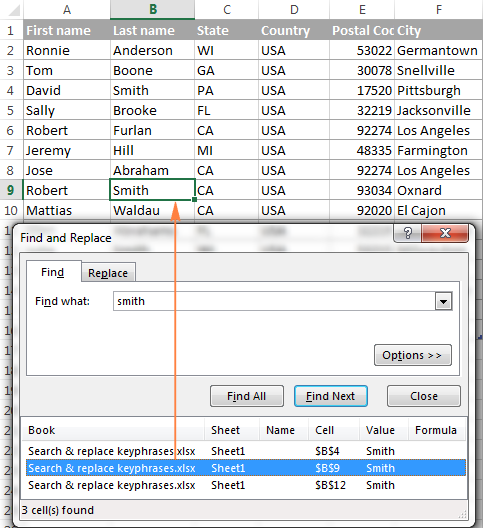
Using Excel Find And Replace In The Most Efficient Way Ablebits Com
The way I have done this in the past is to text the formulas make the changes then untext them.
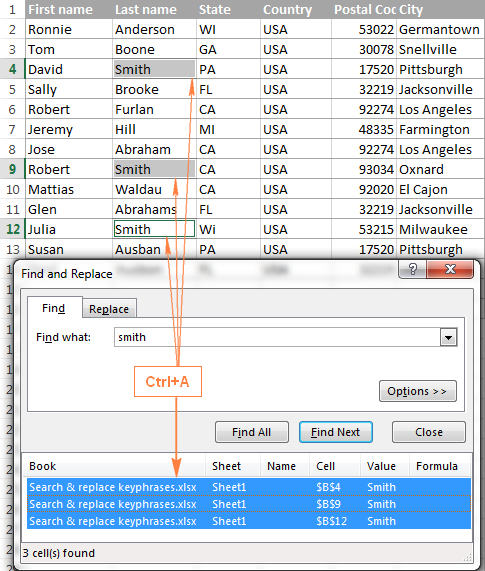
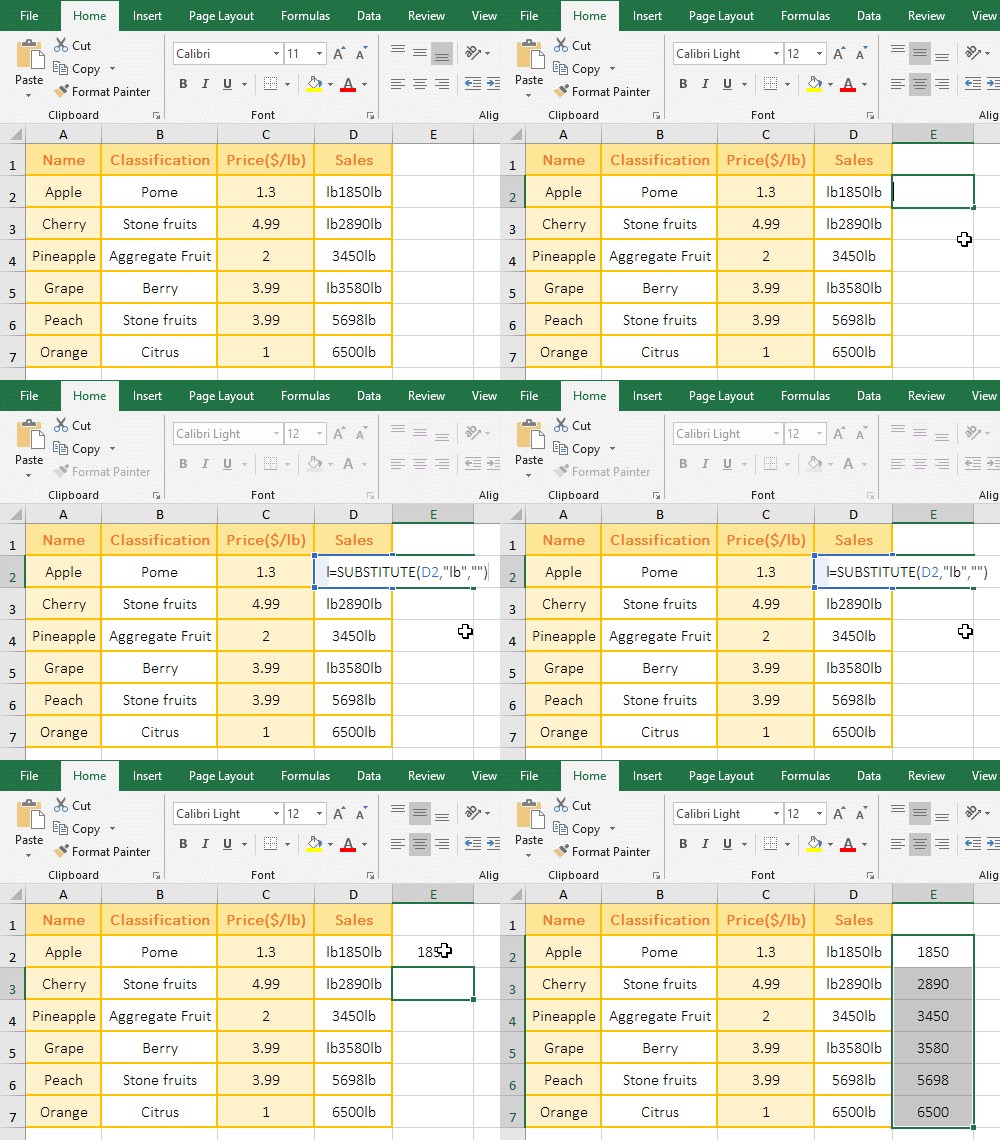
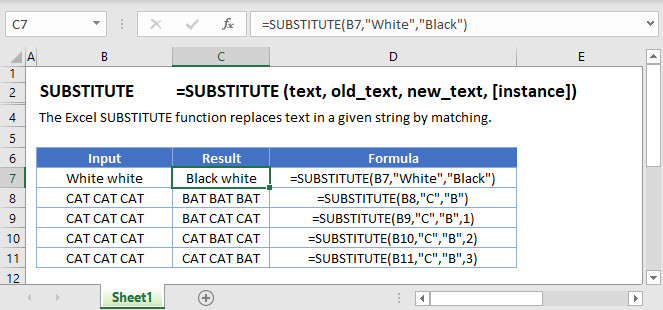
Replace part of formula in excel. Replace part of formula hershel13 The use of the symbol before a column letter or row number will lock it make it absolute reference without that it is a relative reference. Replace one value with another. The Excel SUBSTITUTE function replace the specific text in a text string that occurs in a specific location.
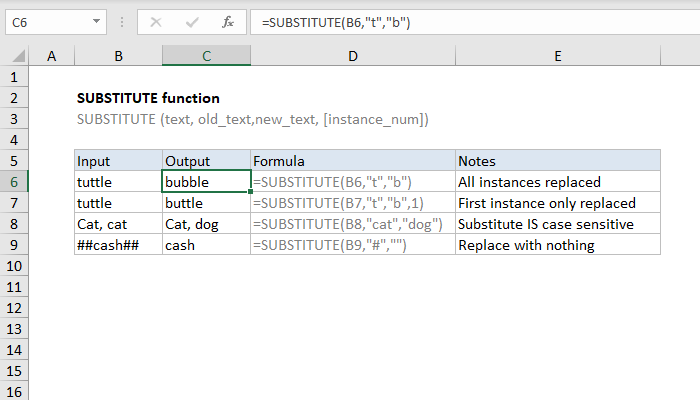
Text in which you want to replace some characters. For example REPLACE XYZ12343456 returns XYZ456. For example SUBSTITUTE Buttertl2 return Butler substitute 2nd instance t occurrence.
Now as you see all the formulas select the range that you want to replace. SUBSTITUTE text old_text new_text instance_num The SUBSTITUTE function syntax has the following arguments. There is no built-in formula for running a series of find and replace operations in Excel so this a concept formula to show one approach.
When the user inputs Feb inside the prompt box all the cells that contain this formula will be replaced with this formula. The Find and Replace action will now be applied to cell range B3B4. Hi THis is a simple question however I cant replace part of a formula string with Replace function in Excel.
Simply select the cell range press CTRL H to open the Find and Replace dialog box. So you might replace four characters starting with the sixth character in the string. REPLACE A2 2 1 o Note.
Ive searched this site I cant find a simple answer to my question. Press Shift-Insert and Escape. The detailed steps follow below.
But in many cases the Find and Replace function cannot satisfy your request. Here old is the part of the expression you want to substitute and new is the new formula you want to substitute with. Replace part of formula in a specific cell range.
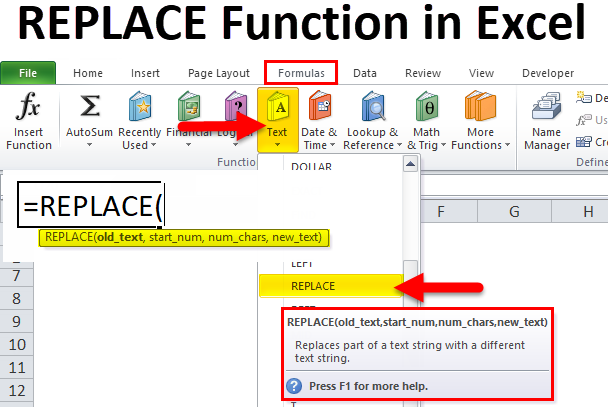
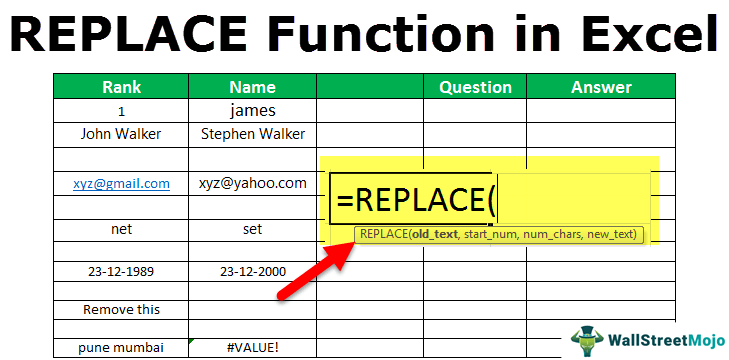
The text you want to replace. The REPLACE function is a built-in function in Excel that is categorized as a StringText Function. REPLACEold_text start_num num_chars new_text REPLACEBold_text start_num num_bytes new_text The REPLACE and REPLACEB function syntax has the following arguments.
Here I introduce how to use the Replace function to solve some problems in Excel. 1 select the range of cells that you have applied this formula. New_text - the replacement text.
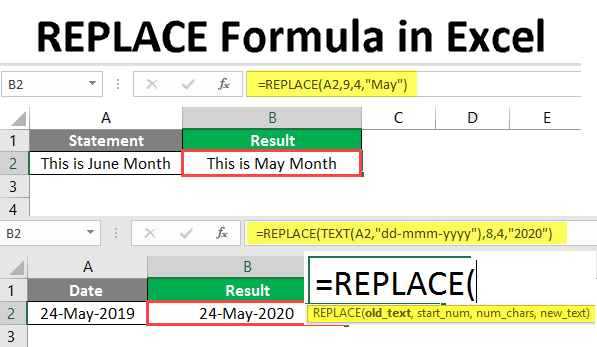
For example REPLACE Michael Jackson96Jorda returns Michael Jordan. Select the range of cells where you want to replace text or numbers. The position of the character in old_text that you want to replace with new_text.
For Each cell In Range X27X37 If cellFormula D3 Then _. Just do the following steps. The Excel REPLACE function replaces characters specified by location in a given text string with another text string.
See below for info on how to make this formula easier to read. Use ex mode search and replace with Regular expressions to do search and replace by pressing soldnewgc. The function replaces by selecting one or more instances of the occurrence of a text string.
If you want to change part of formula for all copied formula for example changing one cell reference B1 to A1 you can use the Find and Replace feature to achieve it. As a worksheet function the REPLACE function can be entered as part of a formula in a cell of a worksheet. SUBSTITUTE selects based on whether the string matches a predefined search.
Array formula in cell B3 Sheet1. FR as you did. To replace certain characters text or numbers in an Excel sheet make use of the Replace tab of the Excel Find Replace dialog.
FR -. For example to change the word sun to son you can use the following formula. Where find is the named range E5E8 and replace is the named range F5F8.
In Excel we may use the Find and Replace function to find a string then replace with another one. Use code tags for VBA. Press Ctrl back quote in the sheet.
This will make all the formulas visible. Find Replace. REPLACE sun 2 1 o And if you put the original word in some cell say A2 you can supply the corresponding cell reference in the old_text argument.
But I want to replace D3 in formula itself. Code Your Code code or use the button 2. Copy the formulae into VIM.
The text or the reference to a cell containing text for which you want to substitute characters. The Excel REPLACE function substitute part of a text string based on the specified starting position and number of characters with a new text string. Select the range or the worksheet you use press Ctrl G to enable Go To dialog click Special.
Find and replace string within formulas. You might tell Excel to replace any instance of 2016 with 2017 for example. REPLACE selects the first string based on the position.
School_Maintenance_Resource_Allocations_FullviewxlsmFebC9 The worksheet that contains this formula is consisting of Column A. Copy the formulas from excel. As I understand macro will now replace only if formula is D3.
It can be used as a worksheet function WS in Excel. Supposing you want to find C1 in formulas and replace it with C2 how can you do. Dim cell As Range.
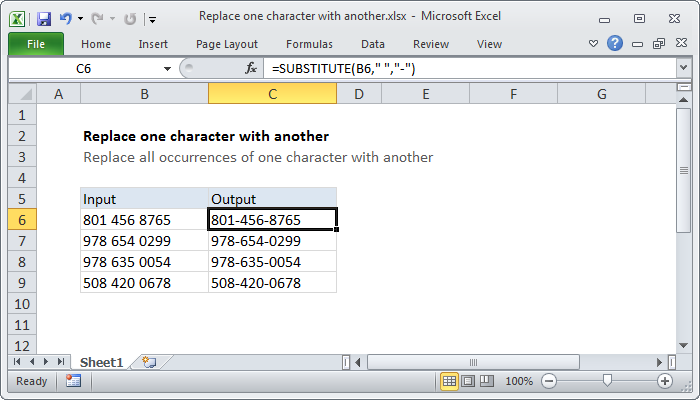
Excel Formula Replace One Character With Another Exceljet
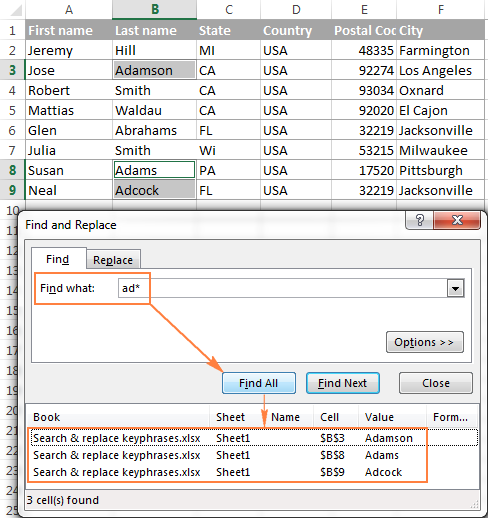
Using Excel Find And Replace In The Most Efficient Way Ablebits Com
Replace In Excel Formula Examples How To Use Replace Function
Using Excel Find And Replace In The Most Efficient Way Ablebits Com
Replace Formula In Excel How To Use Replace Formula In Excel
Excel Substitute Function Usage 8 Examples With Multiple Characters Nest Vba Quantity In Formula Lionsure
How To Use The Excel Substitute Function Exceljet
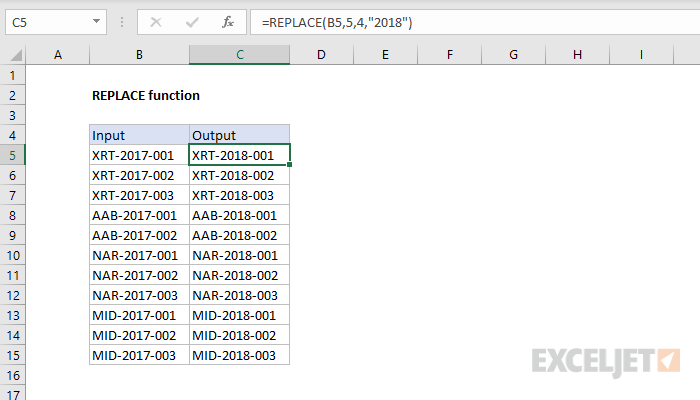
How To Use The Excel Replace Function Exceljet
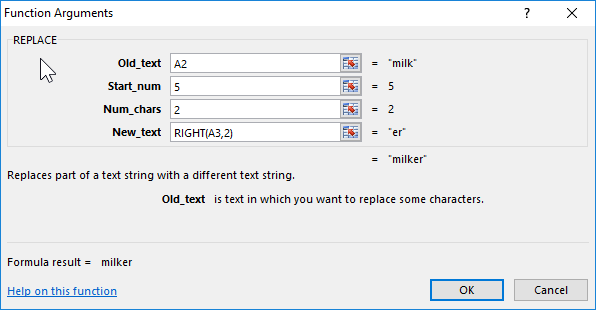
Examples Of Working With Text Function Replace In Excel
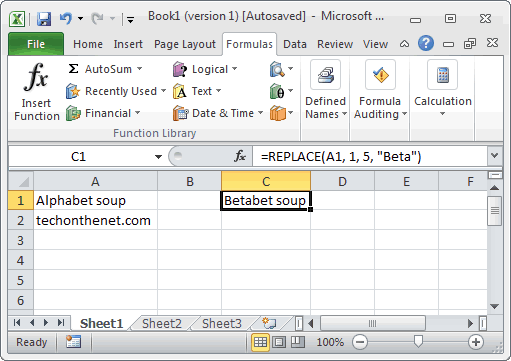
Ms Excel How To Use The Replace Function Ws
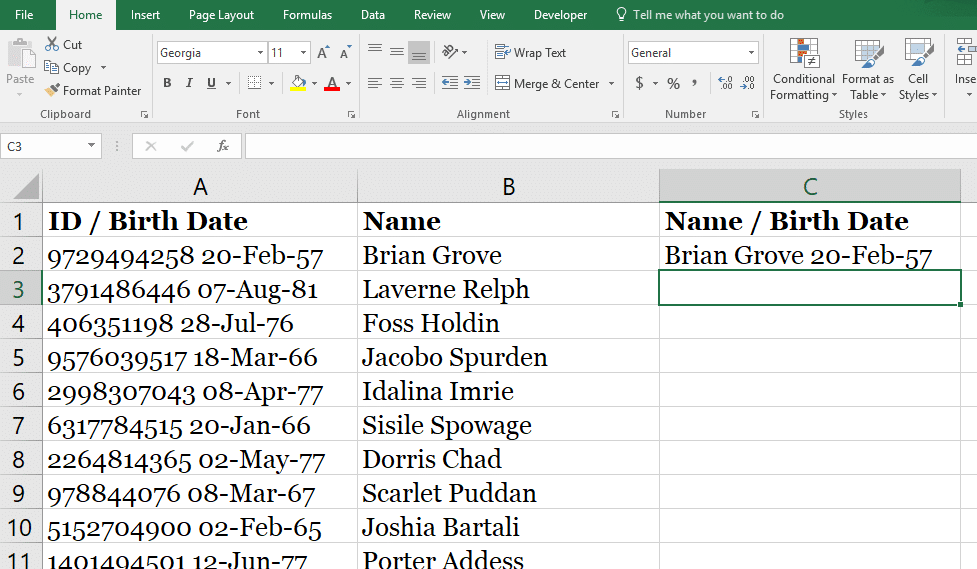
How To Use The Replace Function In Excel Replace Text Easily

Simple Excel Find And Replace For Formulas Stack Overflow
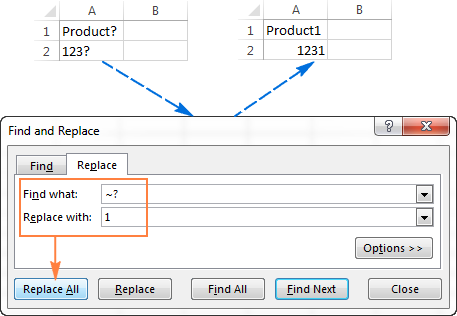
Using Excel Find And Replace In The Most Efficient Way Ablebits Com
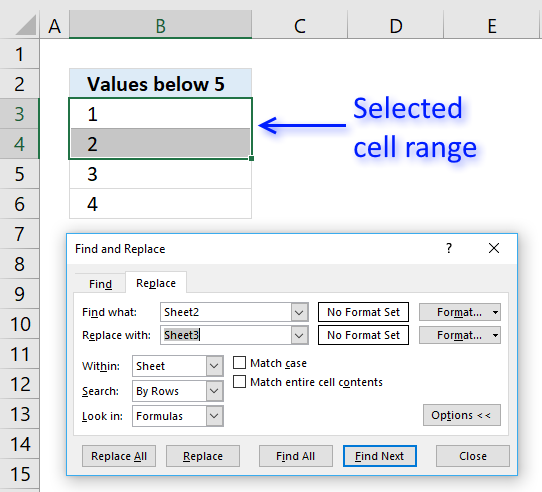
How To Replace Part Of Formula In All Cells
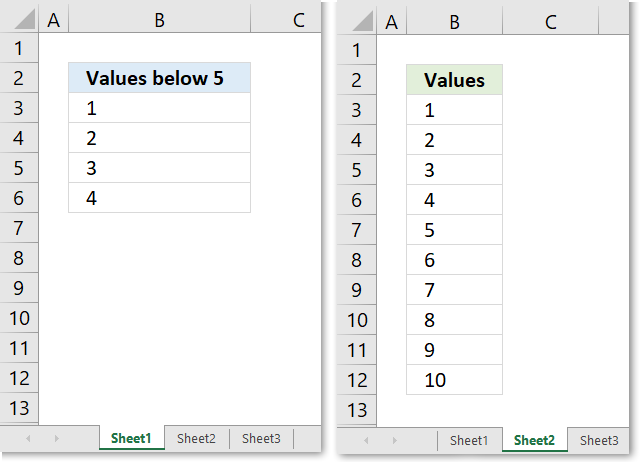
How To Replace Part Of Formula In All Cells
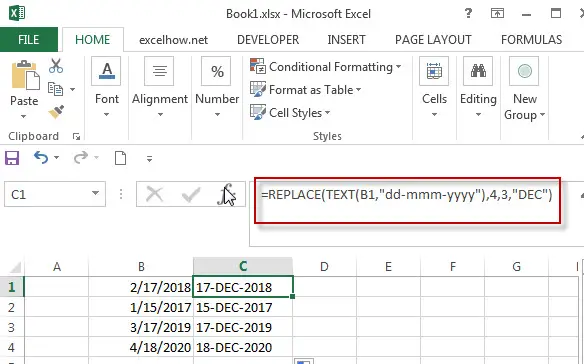
Combining The Replace Function With Text Function In Excel Free Excel Tutorial

Excel Formula Find And Replace Multiple Values Exceljet
How To Use Replace Function In Excel With Examples
Substitute Function Excel Find And Replace Text


Posting Komentar untuk "Replace Part Of Formula In Excel"