How To Remove Page 1 In Excel Background
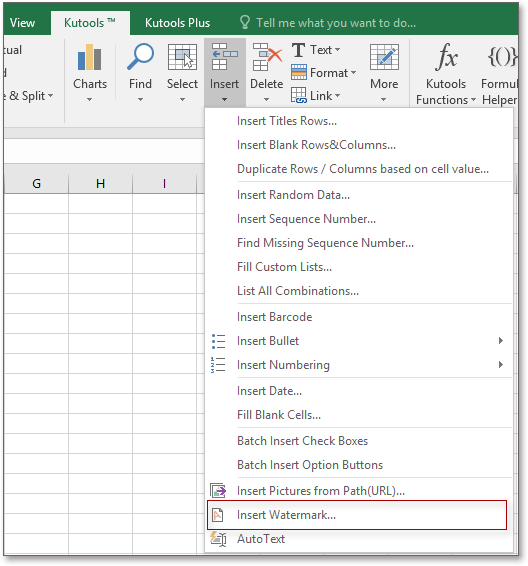
In the Insert Watermark dialog you can specify insert picture watermark from a folder or text watermark with formatting you need. To use a pattern with two colors pick a color in the Pattern Color box and then pick a pattern in the Pattern Style box.
How To Remove Page Breaks In Excel Excelchat
Click the Page Layout tab at the top of the window.
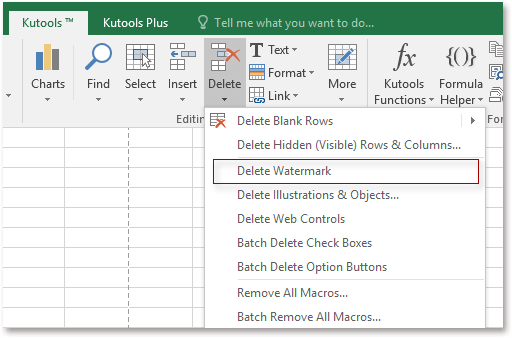
How to remove page 1 in excel background. Open your file in Excel. Click Kutools Insert Insert Watermark. If you dont see the Delete Background button in the final step above and you are specifically trying to remove a watermark that says Page 1 or.
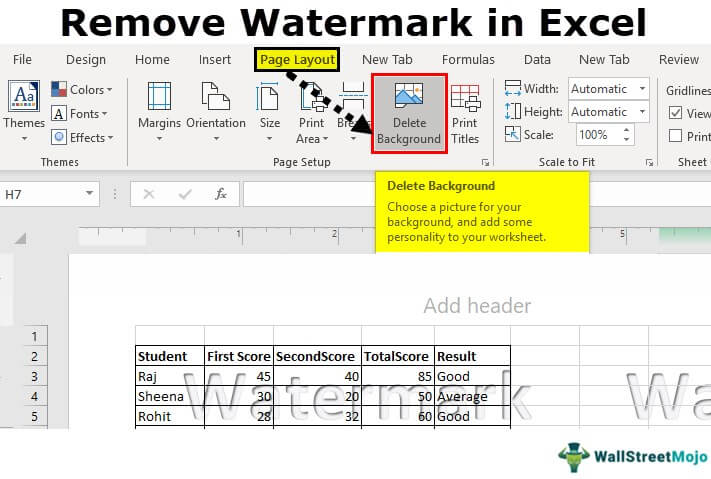
In this tutorial i will show you how to add or remove excel page number in excel sheet. Click the Delete Background button in the Page Setup section of the ribbon. Open your spreadsheet in Excel 2013.
Im working with a very large spreadsheet which has somehow divided itself into print areas. Click the worksheet that is displayed with a sheet background. Start date Feb 21 2005.
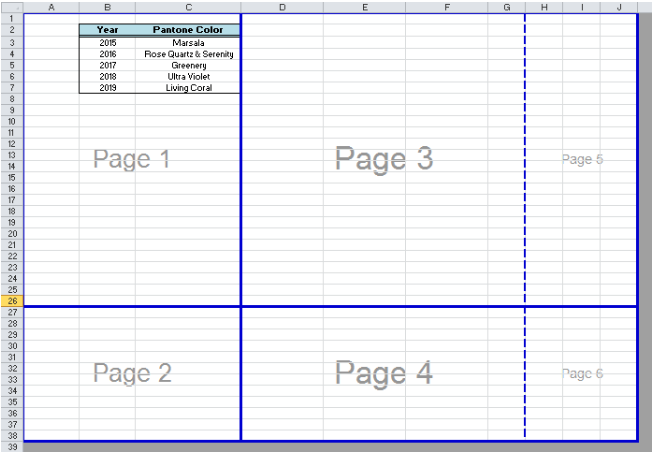
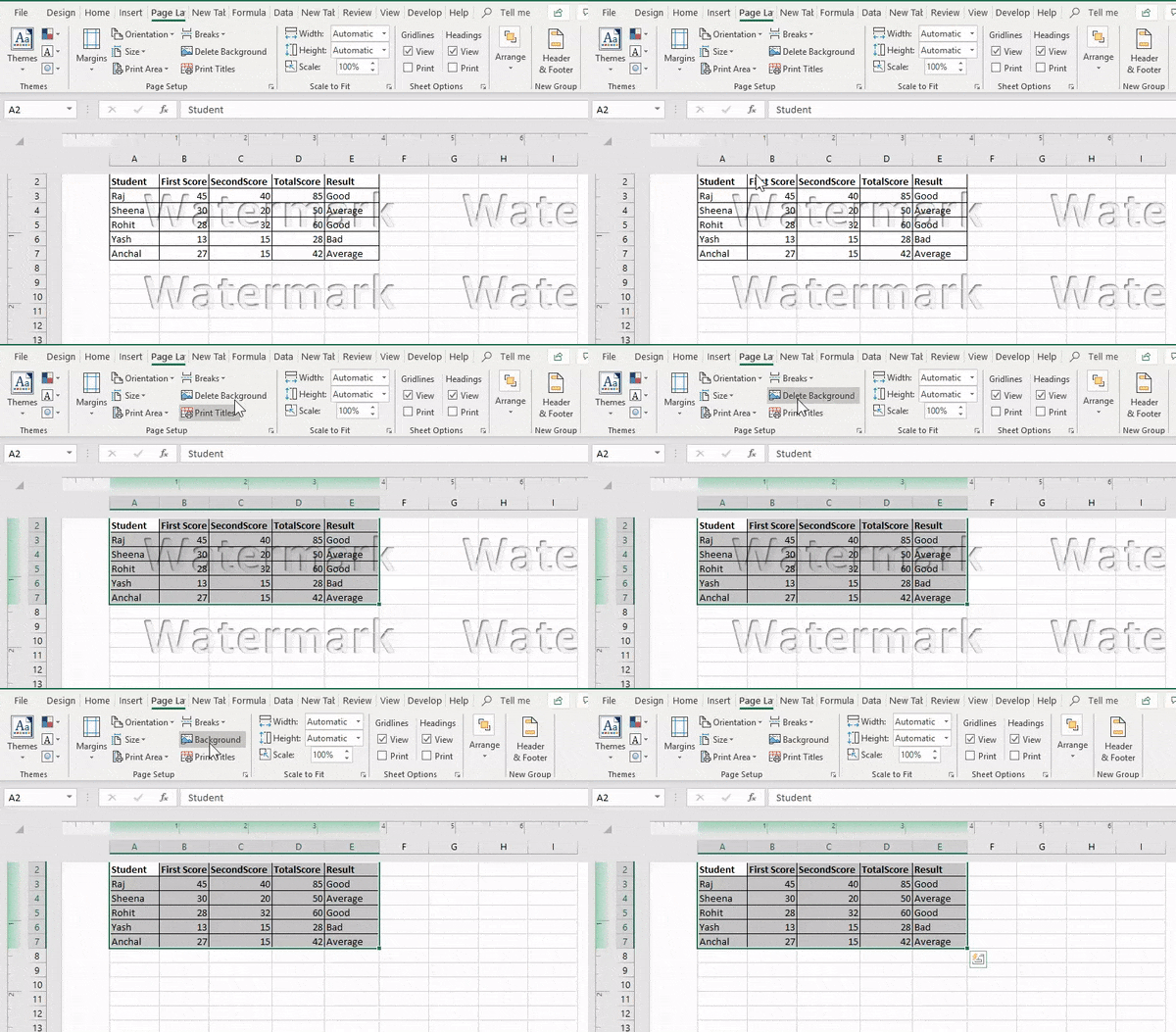
Each section has Page 1 or the equivalent as a background behind the data itself. Click the Delete Background button. If the watermark wasnt added a background image it.
Removing Page 1 etc from sheet background. On the Layout tab under Page Setup click Header Footer. Now the image in the background of your worksheet will be deleted.
Removing Page 1 etc from sheet background. If you want to show lines in Excel pick the No Fill option. Remove a Watermark From a Header or Footer.
I thought it would be simple to remove this but for the life of me I cant see how. On the Fill tab under Background Color pick the color you want. If the watermark is inserted as headerfooter you need to do as below steps.
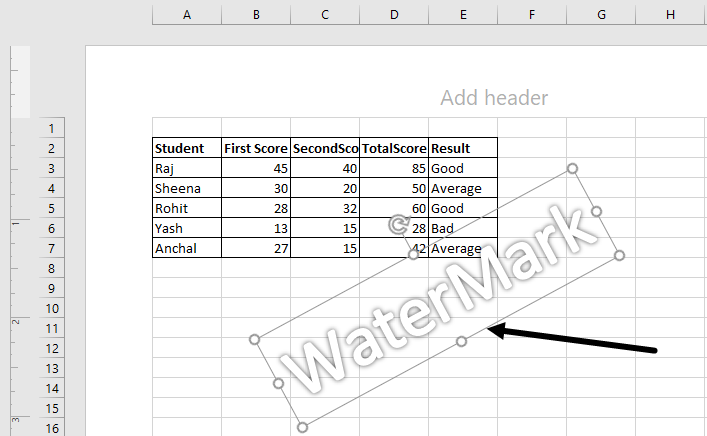
Click Customize Header and then click the section of the sheet header in which the watermark appears. After this navigate to the Page Layout tab in the ribbon and click the Delete Background option. If you just only want to remove water mark it is not possible in print preview option.
Select the Page Layout tab at the top of the window. You can recognize that the image is inserted as a background as its repeating on the sheet on each page and you also have the option to delete a background in the Page Layout tab. Feb 21 2005 1 How do you or can you remove the background page number that is always on the Excel worksheet.
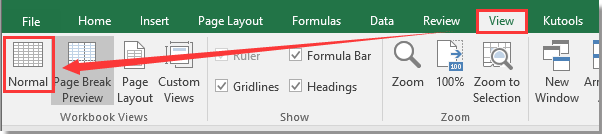
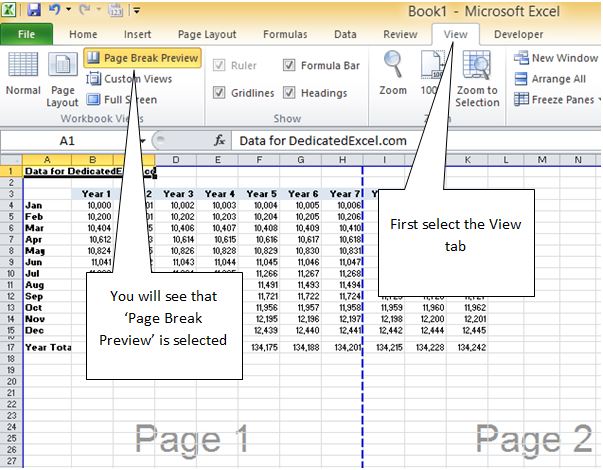
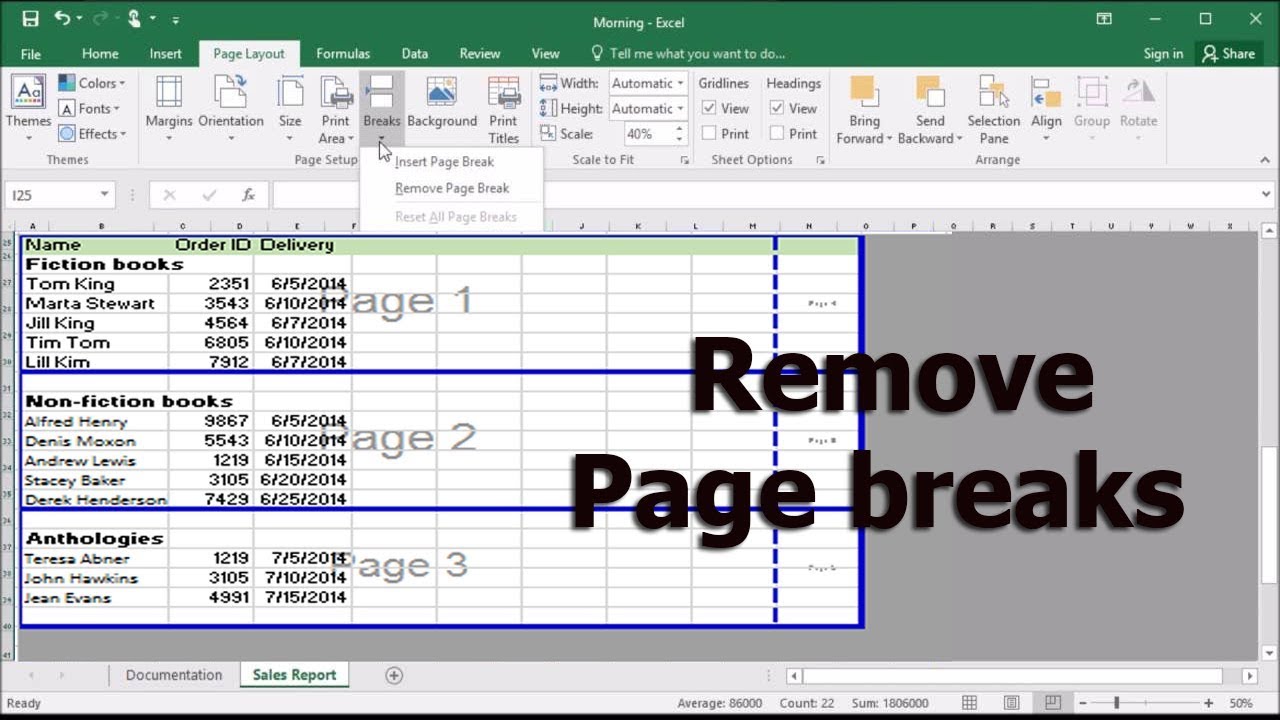
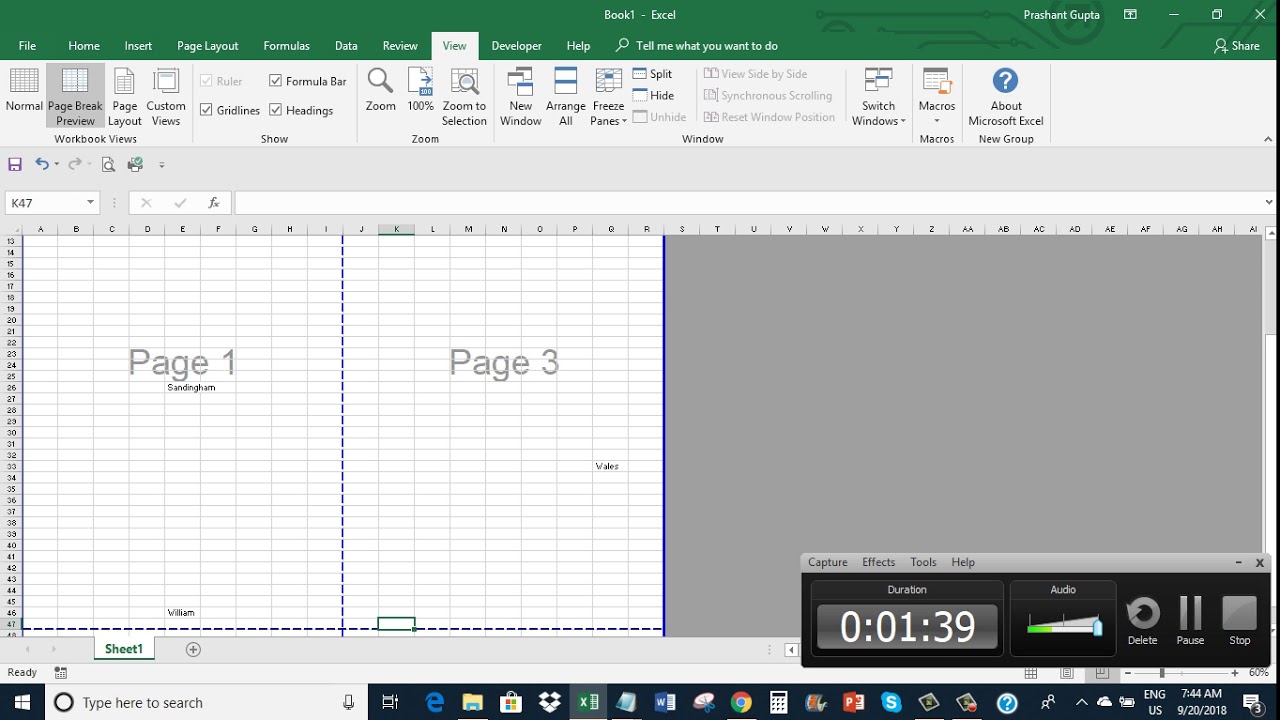
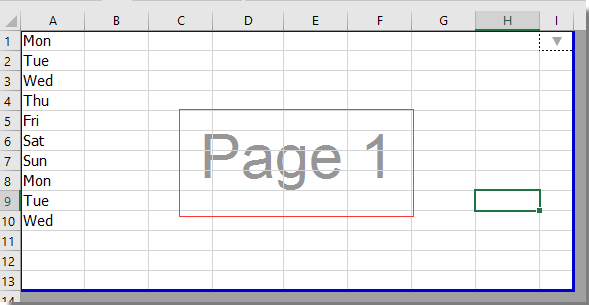
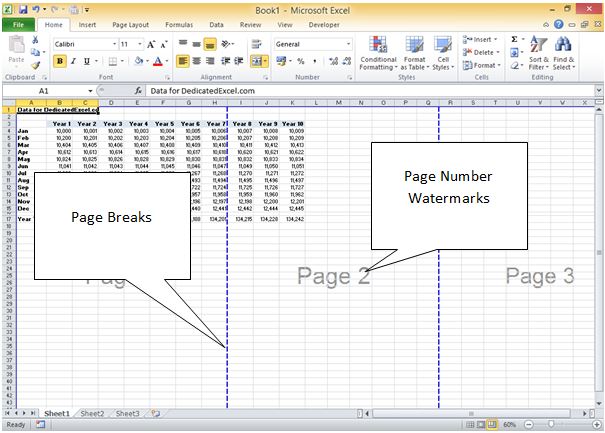
Actually as the name indicates page breaking view it shows your print preview of page and number of page as a water mark. On the Page Layout tab in the Page Setup group click Delete Background. Remove a sheet background.
As you can see in the screenshot above applying the white background will give an effect of hidden gridlines in your worksheet. Fri 29 Oct 2021 145822 -0700 PDT Message-ID. You can make the background of your cells the same color gray as the watermark.
Go to the Font group on the HOME tab and open the Fill Color drop-down list. The watermark is now removed. How do we start a formula in Excel.
Removing Page 1 etc from sheet background. Make sure that only one worksheet is selected. Insert or remove watermark with Kutools for Excel.
Set your page print area in print preview. Delete Background is available only when a worksheet has a sheet background. Click Home Format Cells dialog launcher or press CtrlShiftF.
Click Ok or Apply the watermark. Remove page 1 from excel Verified 1 days ago excel 2016 remove watermark. Excel Remove Page 1 Watermark Details.
Choose the white color from the list to remove gridlines. Select the watermark and then press DELETE. Adding a Printable image to your worksheet.
The video offers a short tutorial on how to remove Page breaks and Page number watermark from any Excel sheet. It makes viewing the worksheet difficult a lot of the time. Remove watermark with Header Footer function.
In this tutorial i will show you how to add or remove excel page number in excel sheet background. Then click Insert Header Footer to show headers and footers. Select the cell or range of cells you want to format.
Now turn back to Normal view. You can insert a picture or logo into the background of the pages in your Excel workbook using an option on the Page Layout tab. To delete the watermark in the Ribbon go to Page Layout Delete Background.
But what you can do is I am explaining in simple steps. Im using Excel 2007. On the worksheet click the cell in which you want to enter the formula.
Type the equal sign followed by the constants and operators up to 8192 characters that you want to use in the calculation. Im working with a very large spreadsheet which has somehow divided itself into print areas. For our example type.
Each section has Page 1 or the equivalent as a background behind the data itself. Removing Page number from background of Excel. Another option to get the same look as the print preview without the watermark is to hide all the cells outside of the area of the print preview.
Firstly you need to go the Page Layout view by clicking View Page Layout. Joined Feb 21 2005 Messages 4. Exported From Confluence MIME-Version.
Remove Watermark In Excel Step By Step How To Delete Watermark
Remove Watermark In Excel Step By Step How To Delete Watermark

How To Remove Hide Page Number Watermark In Excel

How To Remove Hide Page Number Watermark In Excel
How To Remove Hide Page Number Watermark In Excel

How To Remove Hide Page Number Watermark In Excel
How To Remove Hide Page Number Watermark In Excel
How To Remove Hide Page Number Watermark In Excel
Remove Watermark In Excel Step By Step How To Delete Watermark
Remove Page Breaks And Page Number Watermark In Excel Dedicated Excel
How To Remove Page Breaks In Microsoft Excel Document Youtube
Remove Page Breaks And Page Number Watermark In Excel Dedicated Excel
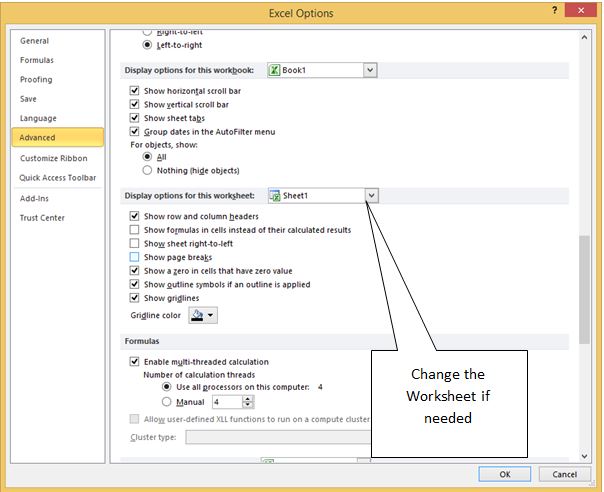
Remove Page Breaks And Page Number Watermark In Excel Dedicated Excel
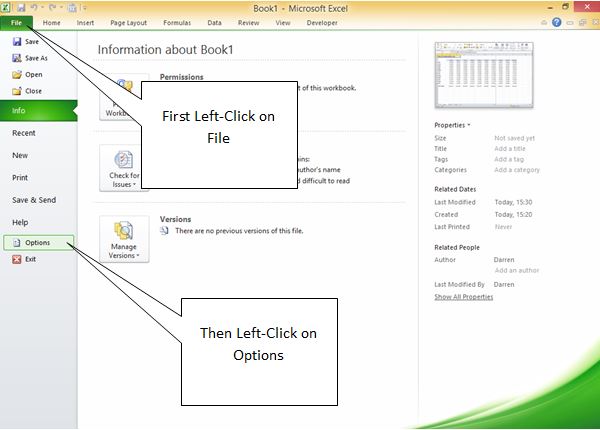

How To Remove A Watermark In Excel 2010 Solve Your Tech
Remove Page Breaks And Page Number Watermark In Excel Dedicated Excel

Excel Remove Page Breaks And Page Number Watermark From A Sheet Youtube
How To Remove Hide Page Number Watermark In Excel
What Is The Page 1 Watermark On Excel Worksheet Youtube
Remove Page Breaks And Page Number Watermark In Excel Dedicated Excel


Posting Komentar untuk "How To Remove Page 1 In Excel Background"