How Do I Find The Serial Number On My Kindle
Tap Device Options on the Settings screen. How To Find Serial Number On Amazon Fire Tablet.

Which Kindle Do I Have Serial Number Guide Kindle Fire Tablet
The easiest way to find it is in the Settings pagemenu on your Kindle.

How do i find the serial number on my kindle. A 10 digit serial number will appear on the radios display. We use cookies to give you the best possible experience on our website. When the radio is turned on Code should display on the radios display.
Of course this presupposes that your tablet is still actually working. I didnt know the Amazon Kindle App on a PC had a serial number. Under the Device Model section you can read the exact model of your Kindle Fire.
There is no serial number for kindle pc you cannot use it. Find your specific generation or type based on the first 4 four characters. Or when you click on Settings and go to Device Info.
Find Your Kindle Serial Number in the Device Menu. Up to 20 cash back How can I tell when my Kindle Fire was purchased and registered. You can find your serial number by.
On that page you should find either an entry or a menu called Device Info which will give you the serial number. The easiest way to find it is in the Settings pagemenu on your Kindle. To confirm which Kindle model you have well use the serial number of your device.
Then you will see the Kindle Serial Number. The device Serial Number will be displayed. Go to your Kindle devices Setting menu.
Up to 6 cash back To view the device Serial Number from any screen swipe down from the notification bar. Presumably the serial numbers are for Amazon devices if so Kindle for PC will not have one. Find Kindle Serial Number on Your Kindle Device.
By far the simplest method for checking exactly which device you have is to essentially ask the device itself to tell you. If you are looking for How To Find Serial Number On Amazon Fire Tablet youve come to the right place. The Serial Number is also shown on the Manage Your Kindle page of your Amazon account in the Manage Your Devices section.
In Your Orders find the gift card order and compare the 16-digit serial number located beside the gift card amount in the order details to the serial number on the back of the gift card. Check the Serial Number. Tablet for Kids Reviews reviews a wide range of tablet for kids and other related items from kids tablet electronic accessories to all another products.
FW 25 only. This is article about how to find your Kindle model from the serial number of your device. Check the Serial Number You can find this sixteen digit code in the box your Kindle came in or when you click on Settings and go to Device Info.
Going into your devices Settings menu. This can be a bit tricky to find you have to click on device info first and then click on the burger menu three lines again to see the Device Info menu item. Jan 7 2020.
Find Kindle Serial Number on Amazon Website. On Kindle Fire tablets open the Settings menu by tapping on the gear icon or by swiping down from the top of the screen then tap More Device. You can find this sixteen digit code in the box your Kindle came in.
If you dont have the device on hand at the time it is also shown on the Manage Your Kindle page of your Amazon account in the. Tap Settings in the menu. Go to the Device Options menu.
Tap the Settings icon. Find your specific generation or type based on the first four characters. I thought OP meant version number of the Kindle for PC program as I said in my.
A pop-up box should appear that has your devices Serial Number on it. To check the serial number on the device itself go to your Kindles home page and tap the three little dots in the top right to open the menu. Up to 20 cash back Just press the Home key and then the Menu key and then type 411 and that will give you an info screen about the Kindle which will include the serial number.
Tap Device Info Under Serial Number youll see the serial number of the Kindle. Hold the preset buttons 1 6 whilst turning on your radio. How do I find the serial number on my car radio.
If you have the Kindle device on hand at the time you can open your Kindle go to the home screen and click HomeSettingsDevice OptionsDevice Info. I have the Serial Number on the box but have - Answered by a verified Electronics Technician. Find the Device Info option and tap it.
Note the first four to six characters of the serial number and reference it with the chart below to determine the Kindle device you have. You should notice the Serial Number. 2y Keyboard 3G - PW2 - Voyage.
You can discover this 16 digit code in the box your Kindle came in or when you click on Settings and go to Device Info. On that page you should find either an entry or a menu called Device Info which will give you everything you need. Find your specific generation or type based on the first four characters.
The model number should appear along with things like the. Turn OFF the radio. Kindle Serial Numbers.

How To Find Kindle Serial Number Video Guide
What Generation Of Kindle Do I Have 5 Ways To Find Out
Which Kindle Device Do I Have Here S How To Find Out Glyde Blog


Which Kindle Do I Have Identify Kindle Model Now
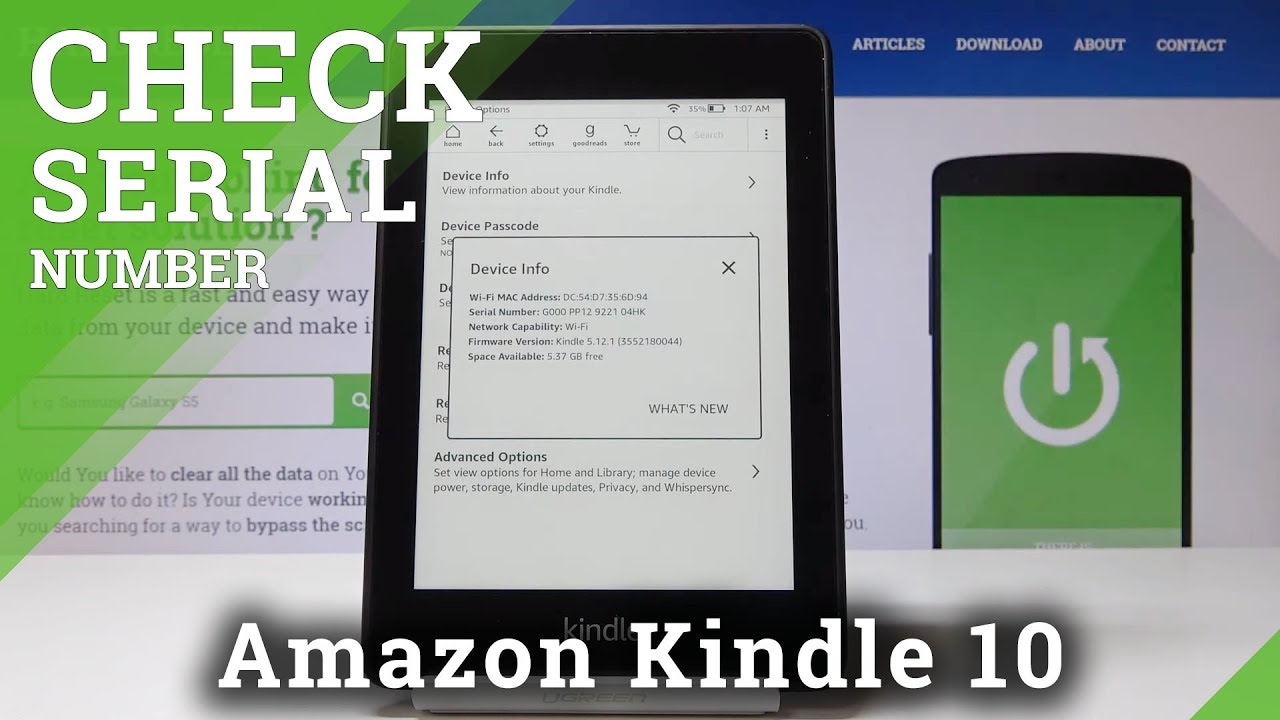
How To Check Serial Number In Amazon Kindle 10 Locate Sn Youtube

How To Tell Kindle Fire Generations
Which Kindle Device Do I Have Here S How To Find Out Glyde Blog

How To Find Your Kindle Model Iristech

How To Find Your Kindle Model Iristech

How To Find Your Kindle Model Iristech

How To Find Kindle Serial Number Video Guide

How To Find Kindle Serial Number Video Guide

How To Find Kindle Serial Number Video Guide

How To Manually Install New Software Updates On Kindle
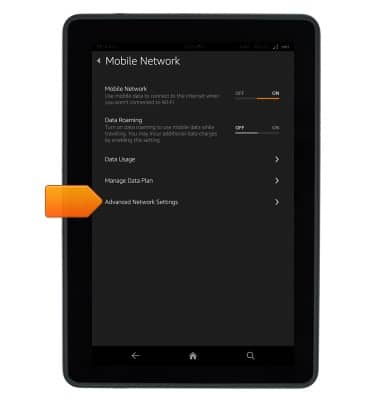
Amazon Kindle Fire Hdx 7 Find Imei Serial Number At T
What Generation Of Kindle Do I Have 5 Ways To Find Out

Which Kindle Do I Have Serial Number Guide Kindle Fire Tablet

Which Kindle Do I Have Identify Kindle Model Now
What Generation Of Kindle Do I Have 5 Ways To Find Out


Posting Komentar untuk "How Do I Find The Serial Number On My Kindle"