How To Copy And Paste In Quickbooks
Go to Respected Journal Entry. Heres how to duplicate an invoice or estimate.
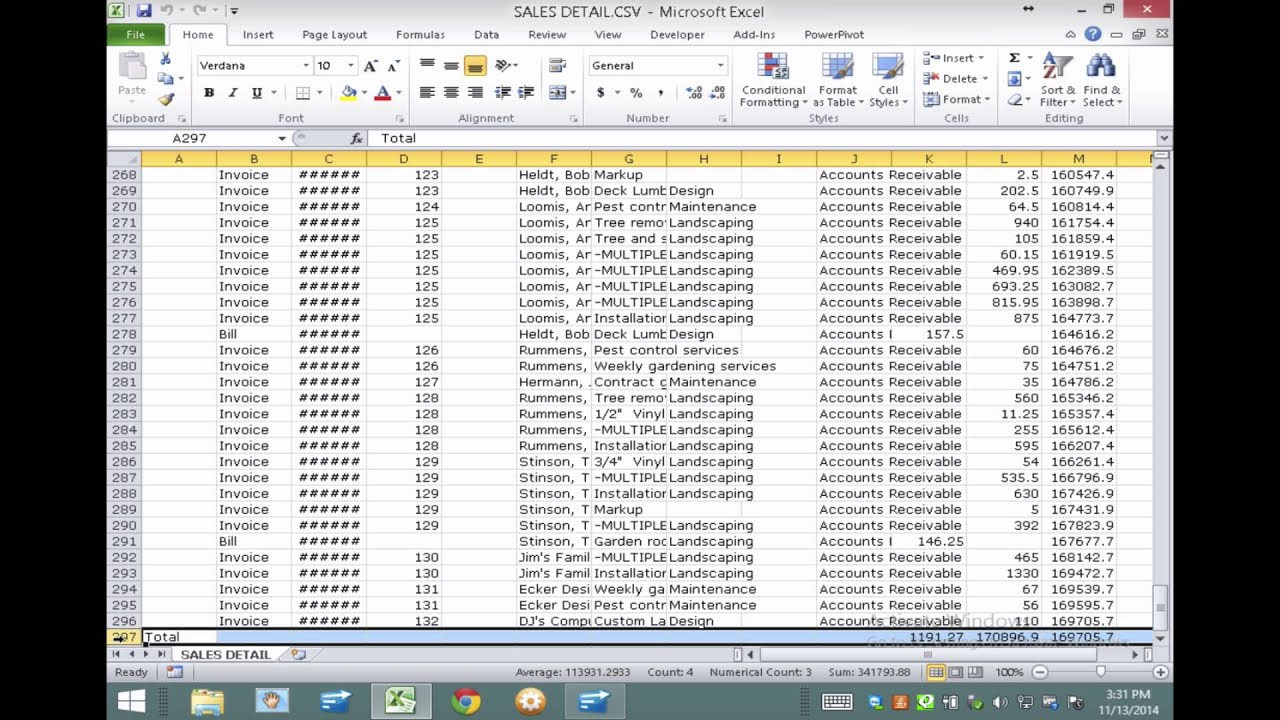
Quickbooks Reports Exported To Excel Plus Pivot Tables Quickbooks Pivot Table Excel
Making a copy saves you time because you dont need to reenter a lot of information.

How to copy and paste in quickbooks. Remember to save your changes before closing the window. When I am paying a ton of bills and supplier credits and need to copy that info into the memo its incredibly tedious. Go to the Help menu at the top.
1 Choose File Open or Restore Company Open a Company File. 000858 Go to accountant menu click on batch enter transactions and start with checks or bank debits copypaste checksdebits. Select More then select Copy.
First of all you need to find previous journal entries in QuickBooks. 001255 Copypaste deposits or credits from excel to QuickBooks. Thanks for your time.
When you open and use a data file that is the only file that is being updated. Enter a few words describing your request in the. CTRL C and V work but I need to select drag to highlight then CTRL CV to the memo.
Paste text from clipboard. Go to your Windows Desktop then select Save. Display list for a field.
Click Save Close. Then at the bottom of the window click the More button and from the menu that appears click Copy. QuickBooks 30-day free trial 30 off for 12 months.
Create an invoice in QuickBooks Desktop. In the Quantity column copy or add the information manually. The CtrlAltY shortcut makes it easy to copy an entire row of data.
Click Product Suggestion. 001210 Create an account and copy down to put every single transaction to an expense account in this case example. To do this heres how.
Go back to Chronicle and while still on the same highlighted job on the toolbar above select Tools and now copy Quickbooks customer job to clipboard. The CtrlAltY shortcut makes it easy to copy an entire row of data. On the Sales Transactions list double-click the estimate you want to copy to open it in the Estimate window.
Use Excel to read write and update QuickBooks Customers Transactions Invoices Sales Receipts etc. Undo last change or drill down report. In the Excel file copy the grid CTRL C and paste into the bottom of your Add Multiple Customer Jobs entries CTRL V.
The improved Batch Enter Transactions feature in QuickBooks Accountant 2014 is designed for accounting professionals who want to work more efficiently and profitably when providing write-up services for their clients. Double-click QuickBooks_Import_Excel_and_CSVexe on your Windows desktop to. Copy and pasting a company file in quickbooks.
One of great option is copy of old journal entries. It also is good for companies using QuickBooks Enterprise Solutions 140 and want to quickly add data to their QuickBooks file. Open the file download window for the toolkit then select Save.
It will look like this. Paste the entire row to a new line using the CtrlAltV shortcut. Paste the entire row to a new line using the CtrlAltV shortcut.
Instructions To copy and paste list data from Excel into QuickBooks Pro select Lists AddEdit Multiple List Entries from the Menu. Alt Down Arrow. This feature is included with QuickBooks.
Then use the List drop-down at the top of this window to select the list into which to copy data from. Select add job then right click and paste. Now in your QuickBooks Customers tab to the left youll see your entries have been added.
The QuickBooks Excel Add-In is a powerful tool that allows you to connect with live data from QuickBooks directly from Microsoft Excel. QBO opens a new estimate that already contains. Select Send Feedback Online.
Copy and Paste List Data from Excel into QuickBooks Pro. 2 In the Open A Company dialog right click a company file and choose Copy. How to copy and paste General Journal entries from MS Excel to Quick Books.
You just added all customer jobs simultaneously. Delete transaction - item. Open the invoice or estimate you need to copy.
Ive added here a related article to guide you with the steps. Instead of creating new journal entry you can use old entered copy of journal entry in QuickBooks and make new after some changes like date amount and party. That should get you on the right track Yoyo000.
Go to QuickBooks and right click on the customers name. Then right click again in an empty area and choose Paste. Ctrl c to copy ctrl v to paste.
Cut text to clipboard. After the invoice or estimate is copied it has a note saying it is a copy Edit the invoice or estimate as needed then. You should never have duplicate copies of active company file on the same computer - for exactly this reason.
You can create a copy of your QuickBooks file for testing directly from within QuickBooks. Copy text to clipboard. Perfect for mass imports exports updates data cleansing de-duplication Excel based data analysis.
In the Item column copy the item from Excel or click the drop-down to choose one. 134 - Job -. Your old files are.
The new feature works with Invoices Estimates Sales Receipts Sales Orders Credit Memos Purchase Orders and Timesheets in QuickBooks. You can also search your need journal entry. Go to the Sales menu and select All Sales.

Professional Business Budget Template Free Download Excel And G Suite Quickbooks Bookkeeping Business Quickbooks Online
Pin On Print Design Inspiration Brochures

Pin On Quickbooks Pro 2018 Training And Tutorials

Void A Check In Quickbooks Desktop Pro Instructions And Video Lesson How To Memorize Things Quickbooks Video Lessons

Create An Invoice In Quickbooks Desktop Pro Instructions Quickbooks Quickbooks Pro Instruction

Copy And Paste List Data From Excel Into Quickbooks Pro Quickbooks Pro Quickbooks Quickbooks Tutorial

Copy And Paste List Data From Excel Into Quickbooks Pro Quickbooks Quickbooks Pro Quickbooks Tutorial

In Quickbooks You Can Void A Check If Necessary That You Have Created If Need To A Check Firstly Open The Check I E Display It In T Quickbooks Page Layout Text

Change Item Prices In Quickbooks Desktop Pro Instructions Quickbooks Quickbooks Pro Instruction

Duplicate An Estimate In Quickbooks Desktop Pro Instructions Quickbooks Quickbooks Tutorial Instruction

Download Quickbooks Pos Update Quickbooks Microsoft Surface Pro Pos

How Quickbooks On Cloud Works Beginner S Guide Quickbooks Quickbooks Online Benefits Of Cloud Computing

Importing Copy Paste From Excel Bank Data Into Quickbooks Quickbooks Invoice Template Create Invoice

Copy And Paste List Data From Excel Into Quickbooks Pro Quickbooks Pro Quickbooks Microsoft Excel

How To Void A Check In Quickbooks Quickbooks Told You So Void

Woocommerce Quickbooks Connector Quickbooks Quickbooks Tutorial Woocommerce

Intuit Complete Financial Confidence Quickbooks Online Tax Software Quickbooks

Computer Checks Top Of Page Premium Payroll Template Business Checks Check Tops

Virtual Assistant Social Media Seo Data Entry Just 5 Hr In 2021 Data Entry How To Find Out Data


Posting Komentar untuk "How To Copy And Paste In Quickbooks"