Ssd Connected But Not Showing
Right-click the My Computer icon Select Manage Select Storage Click Disk Management Make sure that the disk is set up properly. Then reconnect SSD.
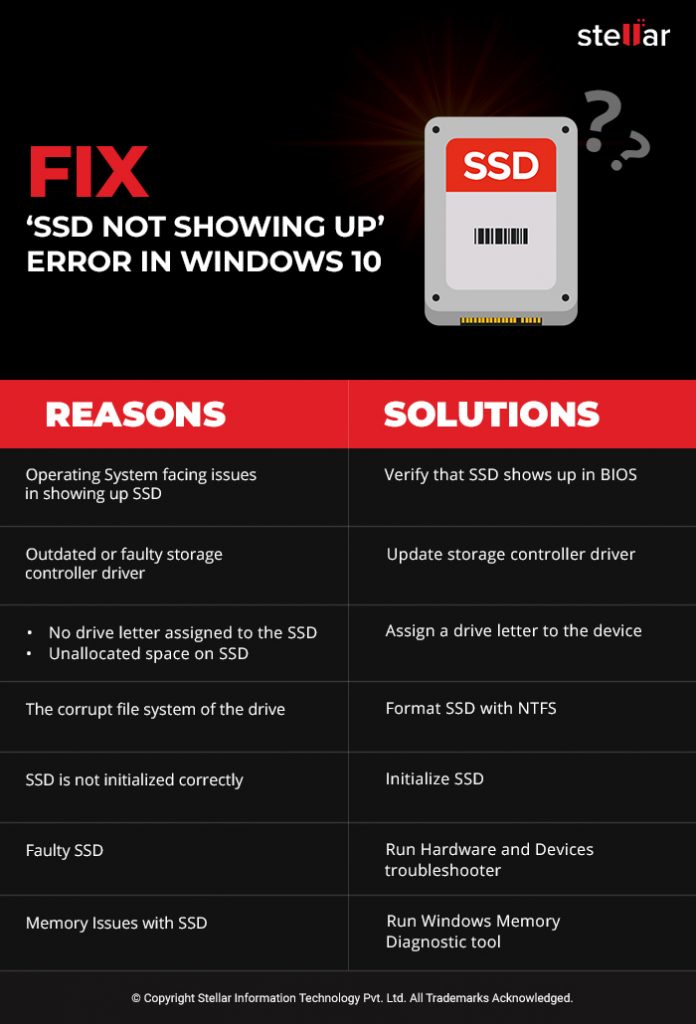
Question Solved Ssd Not Showing Up In Windows 10
Check if the SATA port to which the SanDisk SSD is connected is turned OFF in System Setup.

Ssd connected but not showing. There are many possible reasons for this to occur such as a faulty data cable or a faulty SSD. If the SSD is properly connected but is not shown in the Drive Selection try the following steps. Reboot the PC.
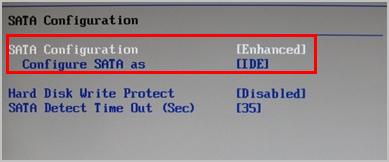
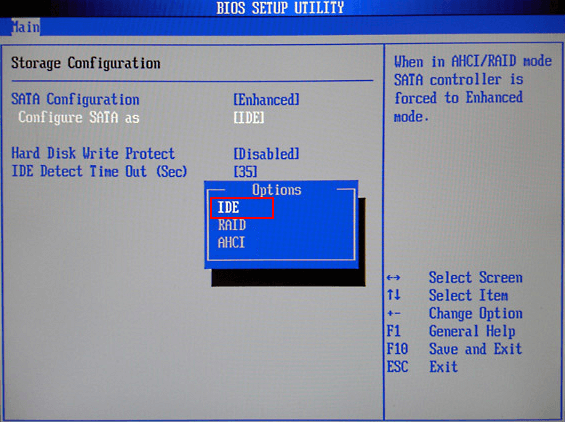
Disk Management should show System Reserved partition on HDD as SystemActivePrimary partition. That is to say you dont know if there are. Restart your computer and press the F2 key or any key according to your PC to enter BIOS interface.
Unhide SSD Partitions to Resolve SSD Not Detected Windows 10. Hit Enter button to open the Disk Management. Press Windows R keys to open the Run box and type diskmgmtmsc.
The reason you are not seeing the Drive letter is most probably the disk is not initialized yet. If it is OFF turn it ON. I got a Samsung 870 EVO as an additional drive to my PNY CS900 500 GB.
I was looking for the driver but it doesnt seem to exist anywhere and I. Below is how to do this. Because the thing is when both are connected there is no way to boot onto the SSD.
The first question is will the computer boot from the SSD with the HDD disconnected. An SSD or new SSD not recognized in Windows is a common and intricate problem. If the SSD still not showing up after fixing the interface and data cable issues you should consider if the SSD has any physical issue and try to repair or replace it.
Consider a situation where you enter the system BIOS to change the boot sequence. Hi genti agastra i suppose it is a new SSD yes if you see in disk management on the SSD device means your SSD is detected on the computer. If the answer to that is yes then what you will need to do is.
Reconnect the hard drive. Make sure that the disk is enabled and set as a Dynamic Disk. Upon entering BIOS you realize that the internal SSD is not showing up.
If partitions on SSD drive are not displaying then users need to unhide them. Only then you can clean SSD and perform cloning. Then launch the Toolbox.
New SSD not showing up - posted in Internal Hardware. Make sure in BIOS boot priority - HDD is first boot option. Some users followed these instructions but the SSD Toolbox still doesnt see the drive.
Try EaseUS Data Recovery Wizard when its necessary to recover data from an inaccessible SSD-httpsbitly3cX868a Fix your SSD drive not showing in Windows. Once the Kingston SSD Toolbox is not working you cant know the status of the SSD. Restart your computer and enter BIOS again to see if.

Seagate 960gb Ssd Nytro 1551 Series Ultra Fast Sata 6gb S 2 5 Inch Xa960me10063 Seagate Seagate Driving Ssd
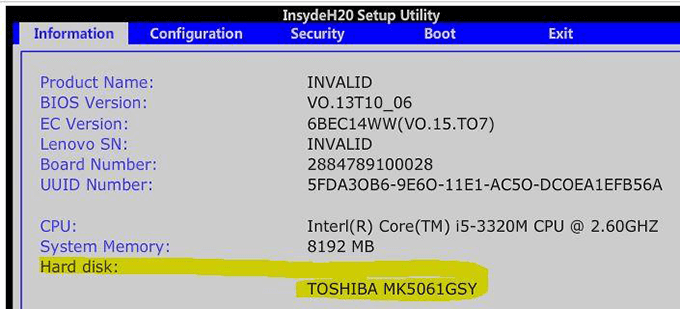
How To Fix When Ssd Not Showing Up

Windows 10 How To Activate New Hard Drives And Ssd S Not Showing Up Youtube

Fix For Old New Ssd Not Recognized Or Showing Up By Computer Or Laptop Deskdecode Com
If You Did Not Know Ssd Z We Will Show You How To Get The Most Out Of It In 2021 Graphic Card Ssd D I D
Ssd Not Showing Up Not Detected Solved

Sata Hard Drive Caddy Tray Ssd Hdd Hard Disk Internal For Apple Macbook Pro Unibody 13 15 17 Hard Drive Caddy Hdd Hard Disk
6 Ways To Fix The Ssd Not Recognized Error In Windows 10

Easy Fix To Ssd Not Showing Up In Windows 10 2020 Guide

Ssd Not Showing Up Not Detected Solved

How To Fix When Ssd Not Showing Up
Fixed Bios Not Detecting Ssd In Computer Easily Driver Easy

How To Fix When Ssd Not Showing Up
Are Solid State Drives Ssds More Reliable Than Hdds

Samsung Portable Ssd X5 Samsung Ssd Portable
How To Fix M 2 Ssd Not Detected In Windows 10 Bios Disk Management Easeus

Ssd Not Showing Up Not Detected Solved

Solved Ssd Not Detected In Bios 2021 Guide

Question Solved Ssd Not Showing Up In Windows 10


Posting Komentar untuk "Ssd Connected But Not Showing"