How To Scan Qr Code On Lg G6
Search for Related Content. Open your mobile app store App Store Google Play Windows Marketplace etc Search for QR code readers.

Plating Acrylic Mirror Smart Sleep Case For Samsung Galaxy J3 J5 J7 Eu Version 2017 In 2021 Galaxy J3 Galaxy Samsung Galaxy
That said this one makes it easy as can be to scan QR codes and barcodes with it essentially being an instantaneous recognition.
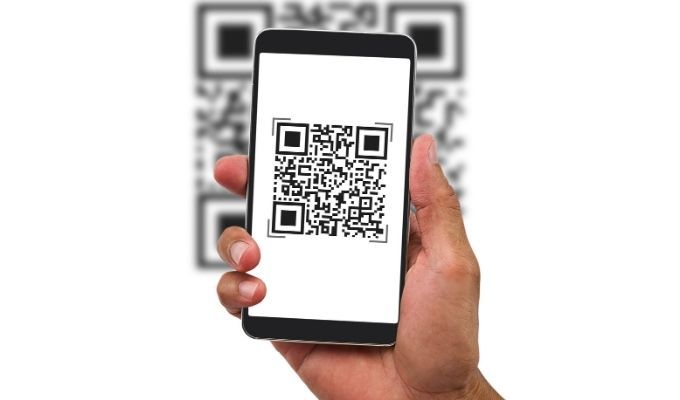
How to scan qr code on lg g6. Scan QR Code on iPhone or iPad. Tap the screen to initiate the visual search shopping or scan. At the top of the Play Store application store there is a search engine click on it and type QR or QR scanner.
Here are some best practices for both creating and scanning Flowcodes by device type. If you are farther away from the code you may need to zoom in a bit to focus on the code. Point the camera at the object you are interested in.
Is there a way to scan QR Codes from the LG G6 out of box or do I need to install an app. The first option is by using Google Lens by opening it with Assistant and the second option is by opening the Google Lens app. If you are using Android 6 then you can simply scan the QR codes with the in-built feature Now on Tap that directly scans the QR code.
In order to scan a QR Code with the Google Lepagi App download it from the Google permainan Store and follow the same directions as above beginninew york with point 2. Hold the camera over the QR code without shaking it. Point the lens 20-30 cm towards the QR code and then center the QR code on the screen Normally Google Lens is activated and will offer you a series of.
Visit these links so you can try it yourself. To scan a code open your camera and focus on the code. This has a great sharing capability too.
Open the camera application on your phone. Read the following steps to open your QR code reader. Firstly install the Google app.
To view the QR code you. Simply download the QR code reader to your phone open it and you are. Make sure the code sits in full view of the camera so everything is clear and visible.
Select an option from. Visual Search from Pinterest. Anyone can scan a Flowcode using just the camera on their smartphone.
Once the device recognizes the QR code it will immediately pop a notification on your phone screen. In general Google Lens is activated and will offer you a series of actions. As the name suggests this one is a free download for your LG G8 ThinQ allowing you to easily scan barcodes and QR codes.
The QR code is a quick response code or quick response code. It corresponds to a 2-dimensional barcode but containing more data than a classic barcode. Google Lens in the Assistant.
Point the lens 20-30 cm towards the QR code and then center the QR code on the screen In general Google Lens is activated and will offer you a series of actions. The QR code will be a quick response code or quick response code. It forms a square mixing black squares on a white background.
It is a 2-dimensional barcode but contains more data than a basic barcode. It is the easiest way to scan QR codes without using any app. Point the lens 20-30 cm towards the QR code and center the QR code on your screen.
Aim your camera at the code and tap the notification banner when it appears. And I found it amazing how I can simply make notes on my scanned and saved results. Further go to SettingsScreen search.
You can follow the steps below for scanning with Now on tap. To read or capture a QR code on your G6 you have several options if your LG G6 has the Play Store application store look for its icon and click on it. The first method is using the QR Scanner app Link.
IPhones are the most. It forms a square mixing black squares on a white background. In this video I show you 2 different methods on how to scan QR code on ANY Android device.
Usually there will be a link to press. You may not realize this but if your phone has Google Assistant you have a fast easy and native way to scan QR codes baked right into your handset. To download qr code software for your mobile phone simply follow these steps.
Maybe I am not looking in correct spot or maybe I am spoiled because my previous Motos and Nokias all had this feature built into camera. Check out our list of QR code readers for mobile phones to find the right one for you. Then open it and choose enable now option.
The Easiest Way. Now hold the home button to open Google search. The QR code should fit in the scan box that is visible through the camera.
Open the Camera app. And 2nd method is using Google Lens app which can scan multiple QR codes in real-time Link. Second on our countdown we have Free QR Scanner.
5 Best QR Code Scanner For LG G8 ThinQS. Use Google Lens in the Assistant. Visual Shopping from Amazon.
To browse the QR code you will need a barcode reader such as your LG G6. Tap on the notification that you received. Depending on which version of Assistant you have you might have the Lens button right there as soon as Assistant pops up.
This is a great QR code scanner app that is capable of scanning codes from photos save scan result generating codes and etc. For Android versiopagi 80 or higher your phone may include an update that allows you to scan QR Codpita directly with your camera without havingi to use the. Holding the button while the camera is focused on the code will trigger Google search to unlock the information in the code.
Open the application Camera of your LG Q Stylus. Of course with Google Lens you can also identify things by photos which is great for doing stuff like identifying poisonous spiders and flowers. Free QR Scanner.
First long-press the home button to bring up Assistant. I highly recommend YeeScan. You can use two different options to scan QR codes with your LG G6 smartphone.

Yunmi Smart Dishwasher Smart Dishwasher From Xiaomi Technology News World Xiaomi New Technology Technology
Lg Stylo 6 Forgot Password Can T Factory Reset Let S Bypass Password Youtube

Stylo 6 Frp Bypass Google Bypass All Lg 2020 Youtube
How To Scan A Qr Code On Android Krispitech
How To See The Qr Code In My Phone Quora


Lg K31 Screen Lock Bypass Forgot Password Pin Pattern Locked Out

Lg G7 Thinq Camera Tips Best Features Explored Youtube

Mao De Mulher Tocando A Tela Do Celular Ao Ar Livre Celular Maos Telas

Updated Toolsmachineryindustrial Pcb Prototyping Machine Th Smd Pcbmate 300w Generators For Sale Vaccum Cleaner Internet Shop

Movie Hd With Google Drive Google Drive Driving Movies

Deal Get 250 From Verizon When You Switch And Bring Your Own Phone Us Cellular Mobile Network Operator Samsung Galaxy Note

Lg K31 Screen Lock Bypass Forgot Password Pin Pattern Locked Out
Sz0y9xs0kg Ecm

How To Use The Lg Tv Plus App On An Android Phone Like Google Pixel As A Remote For The Lg B6 Oled 4k Hdr Smart Tv Smartphone Apps Magic Mobile

Best Google Pixel 3 Cases Leather Wallet Case Smartphone Case Pu Leather Wallet

Ultra Thin Slim Pu Leather Case For Kobo Aura Non Hd 6 0 Inche Reader Magnetic Smart Case Shell And Cover Affiliat Tablet Accessories Smart Case Leather Case

So You Got Your Hands On Google S Latest Smartphone Here Are Some Tips And Tricks That Might Be Worth Checking Out If You D In 2021 Pixel Suggested App Light Sensors

How To Play Youtube Videos In The Background In Android Ios Youtube Videos Youtube Play The Video


Posting Komentar untuk "How To Scan Qr Code On Lg G6"