Connect Bose Soundlink Macbook Pro
Keep your headphones up-to-date with the latest software. This is where youll find your Bluetooth.

Bose Soundlink Mini Bluetooth Speaker Verizon Wireless Mini Bluetooth Speaker Bluetooth Speaker Wireless Speakers Bluetooth
Turn on the Bose speaker and push the pairBluetooth button.

Connect bose soundlink macbook pro. Make sure you select Bose Color SoundLink in you devices pairing list and that the connection is confirmed by your device. In the Bluetooth menu click on the Setup New Device option or the icon in the left corner to search for new Bluetooth devices. Learn how easy it is to pair your Mac to the Bose SoundLink Bluetooth speaker III.
Your Bluetooth device may be out of range. This was on the latest firmware. Below the Internet and Wireless option click on the Bluetooth option.
Simply click on Set up new device. Message 1 of 1 For the last couple of months Ive been facing an issue where the SoundLink revolve would connect to my phone and my MacBook Pro and play music at a very low volume. Subsequent to the update to 143 the app works flawlessly the very first time I started it up.
Your headphones would then be connected successfully to your Mac computer. It should take a few seconds to appear. Easily pair your mobile device with your headphones.
Bose Connect works with Bose Frames QC35 SoundSport wireless SoundSport Pulse wireless SoundSport Free wireless QuietControl 30 SoundLink wireless II ProFlight headphones SoundWear Companion speaker SoundLink Color II SoundLink Revolve SoundLink Revolve SoundLink Micro and S1 Pro speakers. Click the Pair button once you see them and the profile will be created automatically. Soundlink Revolve ConnectDisconnect from Mac.
From now and on youll be able to connect them directly from your upper taskbar in the Bluetooth and audio settings or they will connect. Click your Bose headphones under the Output pane then adjust the volume to your comfortable level. Click on the Apple icon up in the left corner and go to System Preferences.
Connect your Bose headphones to your Mac. Then you have to click on Bose SoundLink Wireless mobile speaker after which the connection will be complete. Easily connect and switch between multiple mobile devices.
Bose SoundLink Revolve connection issue with MacBook 12-20-2019 0929 PM. Now that youve entered the Bluetooth menu you have to find your device and connect with it. Soundlink Revolve ConnectDisconnect from Mac.
I had to reconnect every time to make it work normally. Free app compatible with most Apple and Android systems. UPDATE to previous 1 star review Upgrading my Apple devices to iOS 143 resolved ALL of my previously issues with Bose Connect.
On the Mac click the bluetooth icon or go to the settings find the soundlink and click on use as audio device. You can also click CMD space and enter System Preferences then click enter. If it wont connect Mac reports something like cannot connect to audio device try this.
Its only when connecting to my macbook. Try moving it closer to the speaker. When the Bluetooth setup assistant screen pop out select Bose SoundLink Wireless mobile speaker.
Hold the bluetooth button on the Bose for 3 seconds the bluetooth icon will start flashing. Make sure Bluetooth is turned ON or enabled on your device. Then you can play music from your Mac and enjoy powerful full-range.
Click the back icon on the Bluetooth window. When I try to pair my Bose Soundlink Mini II firmware version - latest - 114 or Bose AE II Soundlink headphones with a 15 MacBook Pro Early 2017 they connect briefly and then disconnect. Go to Bluetooth settings.
Unlock the full potential of your product. When your Bose headphones shows up click the Connect button. Once your Bluetooth headphones are in pairing mode youll be able to see them in your Bluetooth settings in your Mac.
It immediately paired with my first Bose Soundlink Resolve effortlessly found and paired with my second Soundlink Revolve to enter Party Mode and even the stereo mode. Works fine on my phone. Download and install Bose Connect App.
They pair perfectly and work flawlessly with my iPhone7 another iPhone7 my iPad Air3 and my 13.

Pin On Products

Bose Soundlink Flex A Portable Speaker That Knows What S Up Digital Trends

Apple Macbook Pro 2019 13 Silver 256 Gb Ssd Touchbar For Sale In El Cajon Ca Offerup Apple Macbook Pro Macbook Pro For Sale Macbook

Best Portable Bluetooth Speaker Will S Best Five List Best Wireless Speakers Mini Bluetooth Speaker Bose Soundlink Mini

Bose Soundlink Color Ii Fix Not Powering On Not Charging Youtube Bose Soundlink Color Power

Buy Now 99 95 Crisp Balanced Sound And Unmatched Bas Waterproof Bluetooth Speaker Bluetooth Speaker Bluetooth Speakers Portable
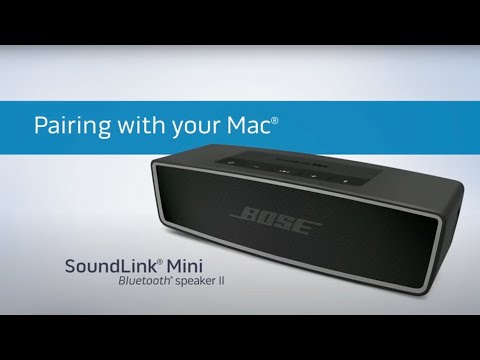
Bose Soundlink Mini Ii Pairing With Your Mac Youtube

Bose Soundlink Around Ear Wireless Headphone Black Headphones Wireless Headphones Black Headphones

Workspace By Joeycariano Apple Iphone Iphone7 Jetblack Iphone7plus Macbook Macbookpro Touchbar Macbook Macbook Pro Accessories Iphone Price

Bose Soundlink Color Altavoz Portatil Tuexperto Com Bose Bluetooth Speaker Wireless Speakers Portable Wireless Speakers

Bose Soundlink Ii Around Ear Bluetooth Headphones Nordstrom Headphones Wireless Headphones Bluetooth Headphones

Soundlink Mini Bluetooth Speaker Ii Bose Product Support

How To Use A Bose Soundlink Color Speaker Ii Support Com Techsolutions

Bose Soundlink Micro Bluetooth Speaker Black Waterproof Portable Bluetooth Speaker At Crutchfield

Bose Soundlink Color Ii Bluetooth Speaker Qvc Com Bluetooth Speakers Portable Wireless Speakers Bose Soundlink

How To Pair Bose Soundlink
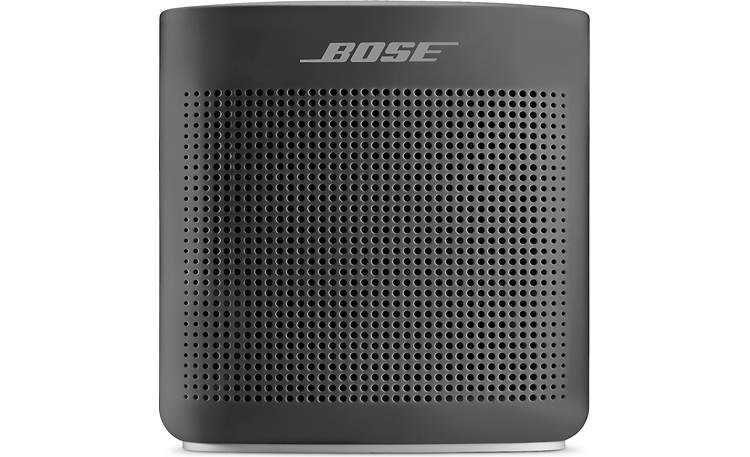
Bose Soundlink Color Bluetooth Speaker Ii Soft Black At Crutchfield
Pin By Derek Au Yeung On Techknowledgey Bose Soundlink Mini Ii Bose Soundlink Mini Bluetooth Speaker

Easy To Connect Usb Peripherals In 2020 Usb Bose Soundlink Mini Mini Speaker


Posting Komentar untuk "Connect Bose Soundlink Macbook Pro"