Sharepoint Generate Pdf From List
Connect your Sharepoint site that hosts your Sharepoint List. The flow is triggered by When an item is created in a SharePoint list.
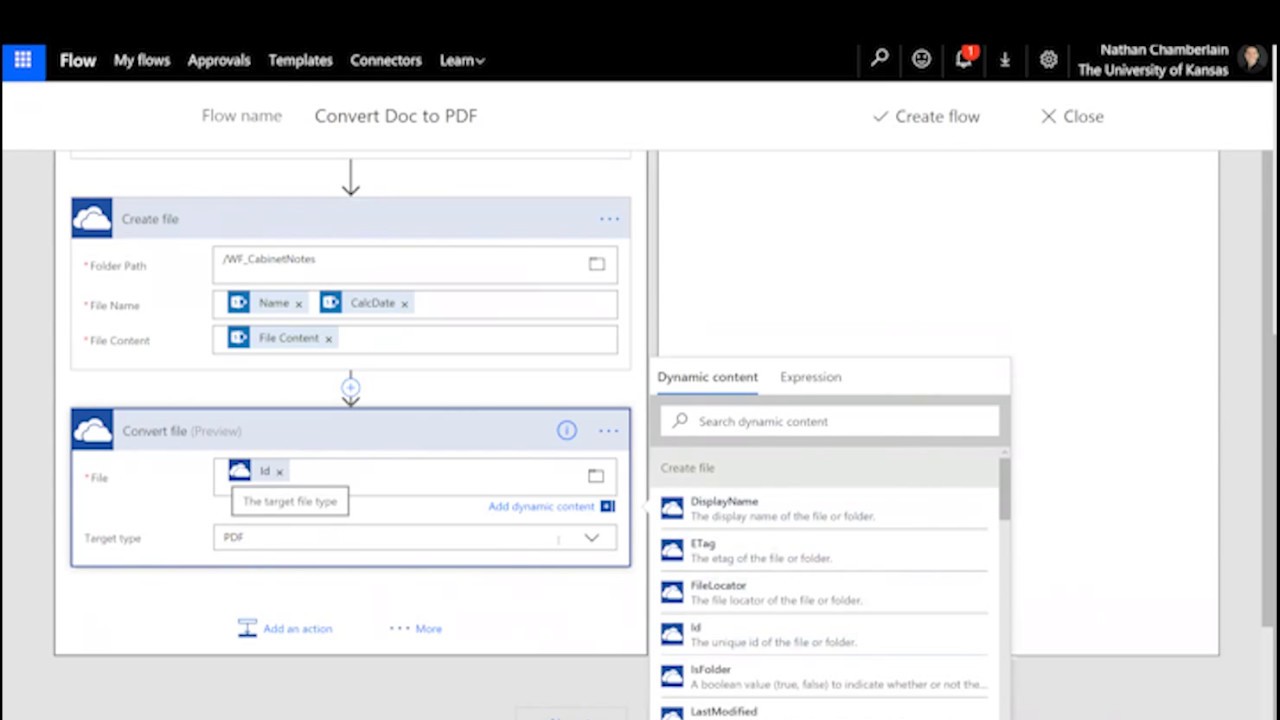
Convert Sharepoint Documents To Pdf Automatically Using Microsoft Flow Youtube
Email Addresssingle line of text.

Sharepoint generate pdf from list. PDF form can be sent to the external user he then fills it and sends back. All the logic for a static map generation is located in the MapServicets file. User selects the SharePoint list item.
Get items from the list. The map is a static image that shows a route between the source and destination points defined in a selected SharePoint item. The Travel List action generates a pdf file with a Bing map inside.
Set its File name as ListBhtm. Once it is started on order list item it collects all necessary information and generates a PDF file. We will create a custom HTML.
Is it possible to generate PDF from a SharePoint list item with all the form data when an item is saved into SharePoint. So I will use Microsoft flow and create a document newly created record in my AllProduct List. The list Invoice positions is required to store information about invoice positions.
Imagine that you have a list of employees on the SharePoint site. Convert a single SharePoint List Item to PDF. There are two steps.
Start flow from List or Library and pass selected items. For this example well configure a Flow to automatically convert every new order SharePoint List Item to PDF upon creation. Generate PDF from DOCX template with Word Online Business Integration with Power Automate.
Send e-mail notification after submitting SharePoint form. Choose the Sharepoint Site the hosts your Sharepoint List. Click New Step.
Preferably saving it to a document library on the site or at least sending it back to the user to open it in a client program like FoxIt or Adobe. Here are the bits and pieces I have collected around the internet how to accomplish this. So lets create a Microsoft Flow step by step-1.
Setup a Get action to collect data from our Sharepoint List. Click on My flows and then Click on create from the blank. Automatically generate documents from SharePoint list and send them for signature in DocuSign using Power Automate Flow From this article you will learn how to create an eSign document from data in the SharePoint list.
Generate PDF from SharePoint list item 12-21-2018 0320 AM. It was created list level workflow for Orders list. Title Column renamed as ProductName single line of text.
Create a new Automated flow 3. Refer the screen below. ConvertPDFToggleYesNo and Default value No.
Create the PDF form. Add the action Convert file to convert the file to pdf. Type in Get Item for the action and select the Get Item option.
Ive looked into the option RenderListDataAsStream. Start flow after submitting SharePoint form and wait for results. This video is about how you can create custom PDF from SharePoint List item using Power Automate or MS Flow Previously called.
Last create a pdf file with a new name. Add the action Create file to create an htm file in OneDrive for Business. Type in Sharepoint and select the Sharepoint connector.
Select your Sharepoint List that you want to generate a. Select SharePoint and Select a Trigger When an item is created. I need a solution for generating or converting a SharePoint list document library or web page HTML to a PDF.
Choose the Sharepoint List. Provide the following information. Create an HTML table from the list.
Create a HttpHandler for SharePoint. I used it to generate table in the middle of an invoice. On a SharePoint Online site create or navigate to a list make sure Modern View is enabled for that list and then add these columns.
Finally the form is saved to the SharePoint site and submitted to the list. Download as PDF button appears and when clicked it opens the PDF version of the selected list item with some custom branding. Generate PDF from a list in SharePoint Online Modern Site.
Customise the SharePoint Online Form in PowerApps.
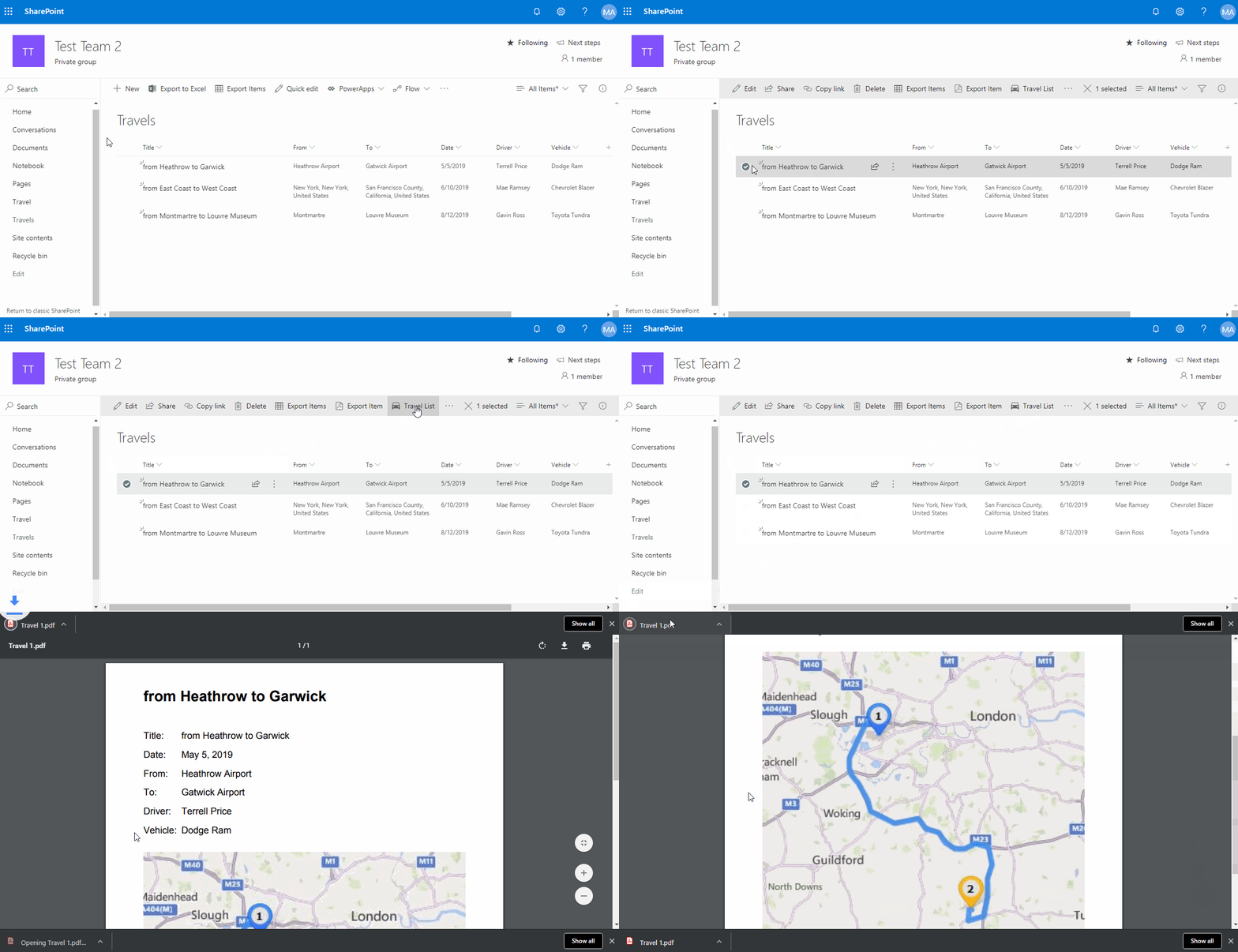
Generate Pdf Files From Sharepoint List Items With Spfx Dmitry Rogozhny Dzmitry Rahozhny

Commercial Packing List Template Sample In 2021 Packing List Template Packing List List Template
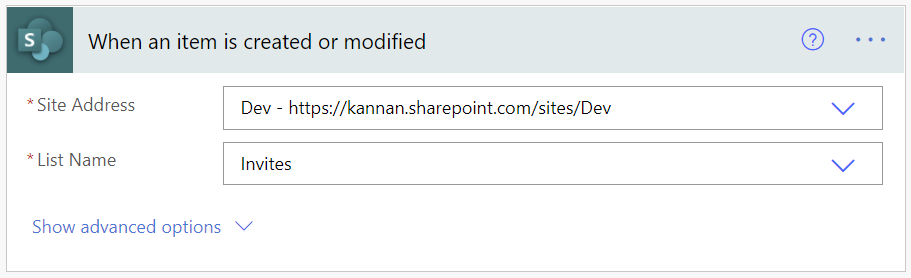
Generate Pdf From Sharepoint Online List Item Using Power Automate Binary Bits

Convert Sharepoint List Item To Pdf Using Flow Or Power Automate Enjoysharepoint

How To Generate Customized Pdf From Sharepoint List Item Using Power Automate Youtube

Using Site Columns To Create Searchable Metadata In Sharepoint Online Office 365 Sharepoint Online Define Data

Mail Merge To A Pdf Document Using Microsoft Word Pdf Merge Merge To In 2021 Mail Merge Words Microsoft Word
Sharepoint List Item To Pdf Power Platform Community

Generate A Pdf Out Of A Sharepoint List Powerapps Power Platform Community


Sharepoint Online O365 How To Edit Pdf File In Sharepoint Online Library Global Sharepoint Diary

Enjoysharepoint Com Sharepoint Interview Questions Tutorial

How To Convert Word To Pdf In Sharepoint Online Sharepoint Diary
Understanding How To Package And Deploy Workflow In Sharepoint 2013 Sharepoint And Word Online Templates
Solved Generate Pdf From Sharepoint List Item Power Platform Community


Taking Pdf Snapshot Of Any Sharepoint List Item For Approvals With Flow John Liu Net
Solved Generate Pdf From Sharepoint List Item Power Platform Community


Convert A List Item To Pdf Using A Button For A Sharepoint Form Customized In Powerapps Clavin S Blog

Enable Pdf Files In Sharepoint To Open Up In The Browser
Sharepoint List Item To Pdf Power Platform Community


Posting Komentar untuk "Sharepoint Generate Pdf From List"