How To Use Scale In Sketchup
Take your Scale skills to the next level with Aaron. Notice that the view of your SketchUp model changes slightly.

Sketchup Scale Tool Tools Autocad Learning
This video offers step-by-step guidelines to print directly to any scale with Sketchup Make.
How to use scale in sketchup. Use the Tape Measure Tool. SketchUp Beginner Tips Series. You can also specify the length and the.
Watch as Aaron models the Millennium Falcon. Follow along as he shows you the different ways you can change the Scale Tool depending on your project requirements including locking of axis grouping and modifying. Besides you will learns various sketchup tips to modify the output as well as fit your sketchup model on the printed page.
Taper scaling allows you to scale just one edge of the scaling box rather than only the whole box that the standard SketchUp scale does. Click the Print Mode drop-down menu to the right of the canvas select Scenes and then choose the orthographic scene you just made. An awful lot of the stuff in the universe fits squarely in this category just about everything that wasnt made by a machine can be modeled using.
You can continue entering different dimensions to resize the model as shown below. If you measure a distance by picking 2 points and then type the desired length you will be prompted if you want to resize the model. This allows you to scale objects to that they taper without having to have raw geometry selected.
How much ram does sketchup use. You draw a random length or size then you enter the new values and the first lengthsizes are changed. Most of us use the scale tool on groups and components but you can also scale anything in Sketchup including any number of entities in a selection4 mai 2013.
Although there isnt an actual mirror tool in SketchUp it is easy to mirror anything with the scale tool. Actually you can just click pull click enter value hit Enter and youre done. To mirror an object with the Scale Tool you will need to select the object first.
How to use sketchup make to print to scale. Triple click on one of the faces of your cube to select the entire shape. How do I export to scale in SketchUp.
Select the part of your model that you want to scale. You can use the tape measure tool to re-scale your entire model or to just adjust the scale of individual groups and components. This exclusive sketchup video is the part of sketchup skill builder series.
This tutorial covers how to scale in 2d and 3d accuracy when scaling how to use modifier keys for more options and paying attention to the axis when scaling. Scale in Sketchup the Easy Way. Please note this was previously recorded on Twitch.
From here simply right-click on the SketchUp window and select Scenes. Then right-click and go to Scale 1mm50mm. This tutorial covers how to mirror objects using the scale tool how to use modifier keys and mirroring symmetrical components or shapes for efficiency.
If you look in the bottom right corner in the length box you will see that your line is 5 feet long. Take a look at this instructional video and learn how to use the scale tool for mirroring purposes in SketchUp. Select the tape measure tool and measure the edge you want to change the dimensions of by clicking once at the starting point and once at the end.
This method is the most common approach. You can also make Scale active by clicking its button on the toolbar or by pressing the S key on your keyboard. Planar shear allows you to shear an object by moving one plane of the scaling.
The scale works also as the pencil or the rectangle tool. Click and drag over the line you just drew. Previous Photorealistic Renderings from Your SketchUp Models with Twilight Render Plugin of the Week 42.
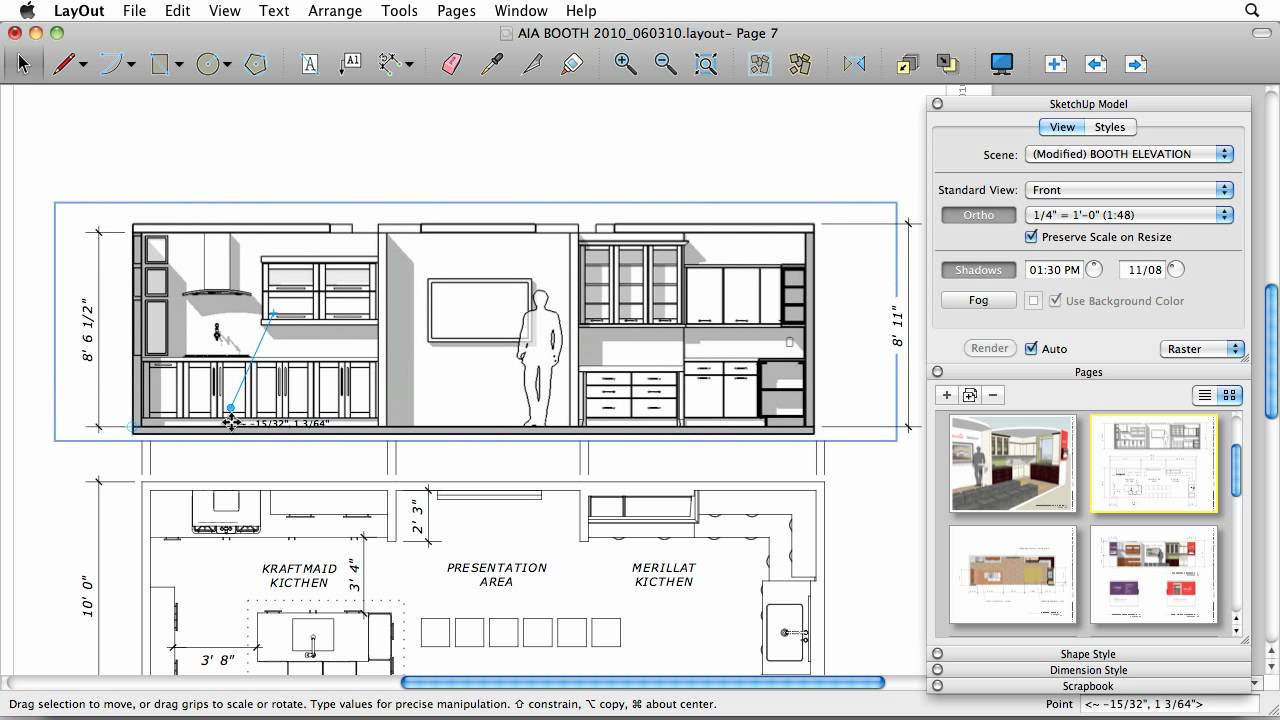
Open LayOut and access your SketchUp model by selecting File Insert. The key into using the scale tool correctly is in the scale grips. The length should measure 5 feet.
Your scaled plan is now finished in LayOut and youre all set to start dimensioning and annotating the important details. Take a look at this instructional video and learn how to use the scale tool in Google SketchUp. Quick simple and effective in most scenarios.
It can be raw geometry grouped geometry or. How To Draw An Ellipse In Sketchup Sketchup Car Tutorial Part 13 Blueprints - YouTube - As was mentioned you could draw a circle and scale it in one direction. Click pull click hold click pull release click.
To double-check the length of your line click on the tape measure tool to hit T on the keyboard. Use the Select tool to do this. Some basic shapes like a sphere a torus or an ellipse are not included in the default tools in sketchup.
Measure mode also acts as a means to scale your model. Click the Print Mode drop-down menu again and choose Print to Scale. In this video tutorial we cover how to scale an object to a specific size in sketchup without using mathArticle on proportions.
Activate the Scale tool by choosing ToolsScale. Making organic forms in Google SketchUp involves using the Scale tool in combination with a series of 2D profiles to create curvy lumpy distinctly un-boxy 3D shapes. January 29 2019.
How to mirror geometry in SketchUp using the Scale Tool. The scale tool is a great function in Sketchup allowing quick resizing of objects while retaining proportions. This method is a global resize.

How To Determine Scale Object Size In Sketchup Scale Object Sketchup Model

Sketchup 47 The Axes Tool Camera Drawing Paint Buckets Protractor

How To Draw A 2d Floor Plan To Scale In Sketchup From Field Dimensions Floor Plans How To Plan Flooring
Pin By Vesna Jovanovic Panariti On Sketchup Layout Interior Design Software Architectural Section

06 Sketchup Layout Construction Documents Annotations Youtube Architectural Section Architectural Materials Architecture Presentation Board

A Better Way To Print Full Scale In Sketchup Diy Tutorial Diy Tutorial Print Tutorial

Printing To Scale In Sketchup Make And Sketchup Pro 2013 Popular Woodworking Magazine Woodworking Software Woodworking Tools For Sale Sketchup Woodworking

Printing To Scale In Sketchup Sketchup Print To Scale Scale Drawing Prints Print

Scaling The Model Camera Drawing Model Scale

How To Re Scale Your Model In Sketchup Using The Tape Measure Tool To Adjust Scale The Sketchup Essentials Tape Measure Tape Woodworking Tutorials

Printing To Scale In Sketchup Make And Sketchup Pro 2013 Popular Woodworking Magazine Woodworking Magazine Popular Woodworking Woodworking Projects Diy

18 Sketchup Scale Komutu Youtube Education Scale Map Screenshot

Sketchup Skill Builder Printing To Scale With Sketchup Make Prints Scale Builder

Use The Move Scale Rotate Shear Distort Texture Mode In Sketchup To Move Scale Rotate Shear Or Distort Your Texture Surprised Shearing Texture Rotating

How To Create Your First 3d Model In Sketchup A Beginner Friendly Introduction 3d Printing Blog I Materialise 3d Model Tutorial Basic Drawing

Using The Scale Tool To Modify 2d Objects In Sketchup The Sketchup Essentials Objects Teaching Tools

Sketchup Techniques Components Mirror Mirror Techniques Sene

Sketchup Google Sketchup Norton Internet Security Tech Hacks
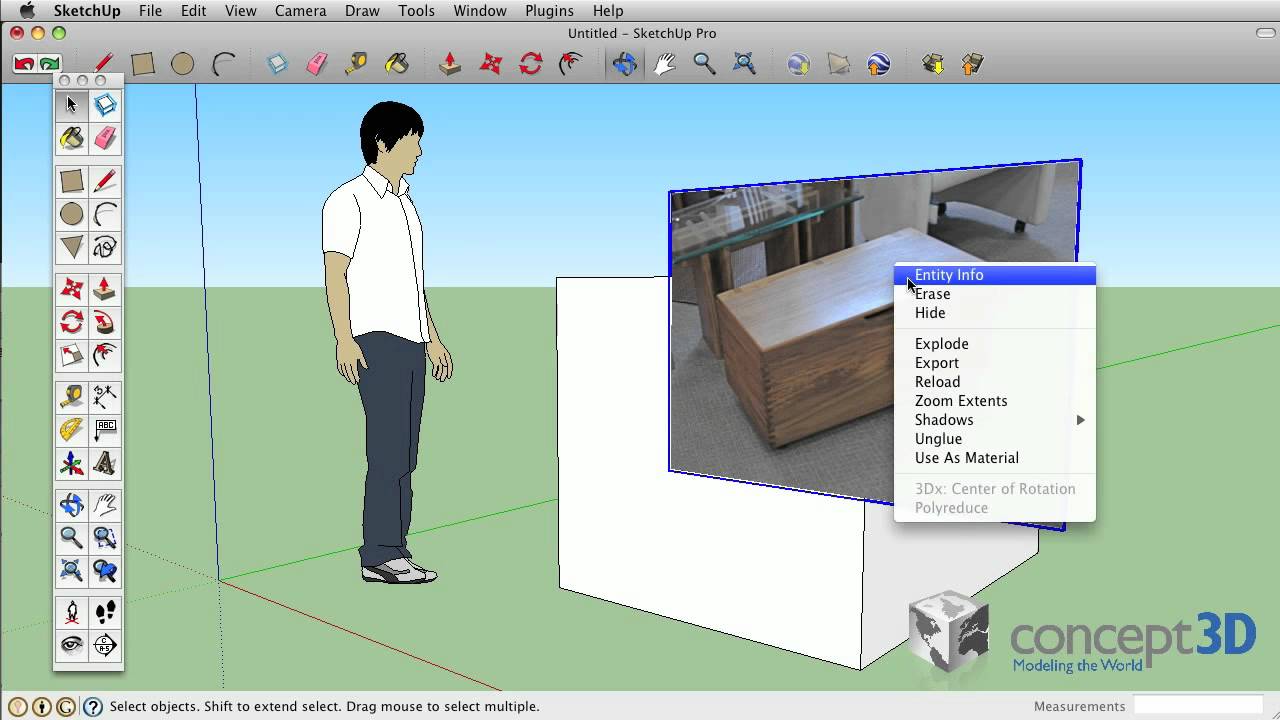
Sketchup Tips And Tricks Image Texture Matched Photo Import Options Youtube Enterier Design Sketch Up Architecture Camera Drawing


Posting Komentar untuk "How To Use Scale In Sketchup"