Why Can T I Use Animation In Powerpoint
The Animation Pane used to come up by default in PowerPoint when you added animation. Question I have enable ActivX etc in trust centre and Ive downloaded enable flash registry keys which worked for a day and now when opening a PowerPoint it says some controls on this presentation cannot be activated.

Learn The Basics Of Creating In Powerpoint And Be On Your Way To Creating Engaging Lesson For Your Students Powerpoint Lesson Engaging Lessons Teacher Support
You can keep it if you want To remove the bold effect use the dropdown arrow next to the animation in the list of animations.

Why can t i use animation in powerpoint. Now from the File menu click on Remove UserForm Name and click No. Select an animation effect that you want from the gallery. This free service makes it easy for PowerPoint Windows users to share their presentations online.
Select On Bookmark from the drop-down list. Click the Animations tab in the Ribbon. Depending on the size of your picture sometimes you can only sneak 6 pictures on a slide too before Designer stops working.
To reorder all you have to do is drag and drop them into the order you want. Move these items around in the list to re-sequence the PowerPoint animation. Whats more when the slideshow was started it didnt take up the whole screen but annoyingly played in a window and left the system tray icons at the bottom of the display.
By default the Change Font Style animation causes the font to change to Bold. I use boardworks flash animations in PowerPoint for teaching and I recently board a new surface pro 7 and now I cannot use them. Go to Tools select Macro and click Visual Basic Editor.
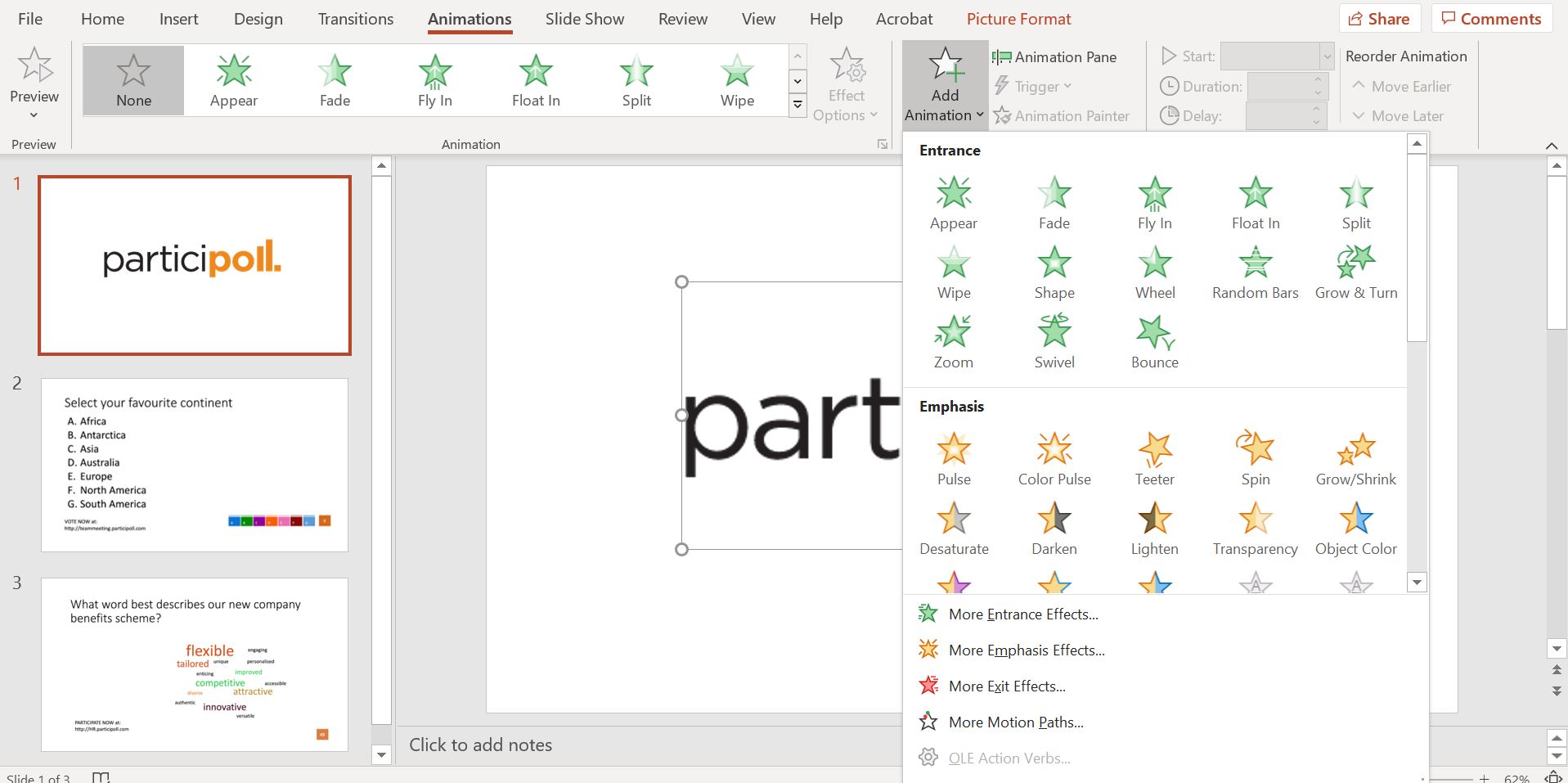
Download animated templates here. Create Animated Photo frame in PowerPoint. Go to the Animations tab in the top menu bar.
An attendee had an issue with a PowerPoint file and could not choose Use Presenter View as it was greyed out and disabled. Click Add Animation in the Advanced Animations group you must select Add Animation if you are adding more than one animation to an object. The Different Types of Animations In PowerPoint.
Its an add-in for PowerPoint that will break each animation out for you. That is the secret behind the animation effect. Animations are visual effects which make your texts images shapes or charts come alive They catch your audiences attention and helps them engage with you.
For Mac users youre going to have to skip this part. Why Wont My PowerPoint Animations PlayThis is a quick thing to check if you are having issues with your animations in PowerPoint not workingPowerPoint ani. Manage animations and effects.
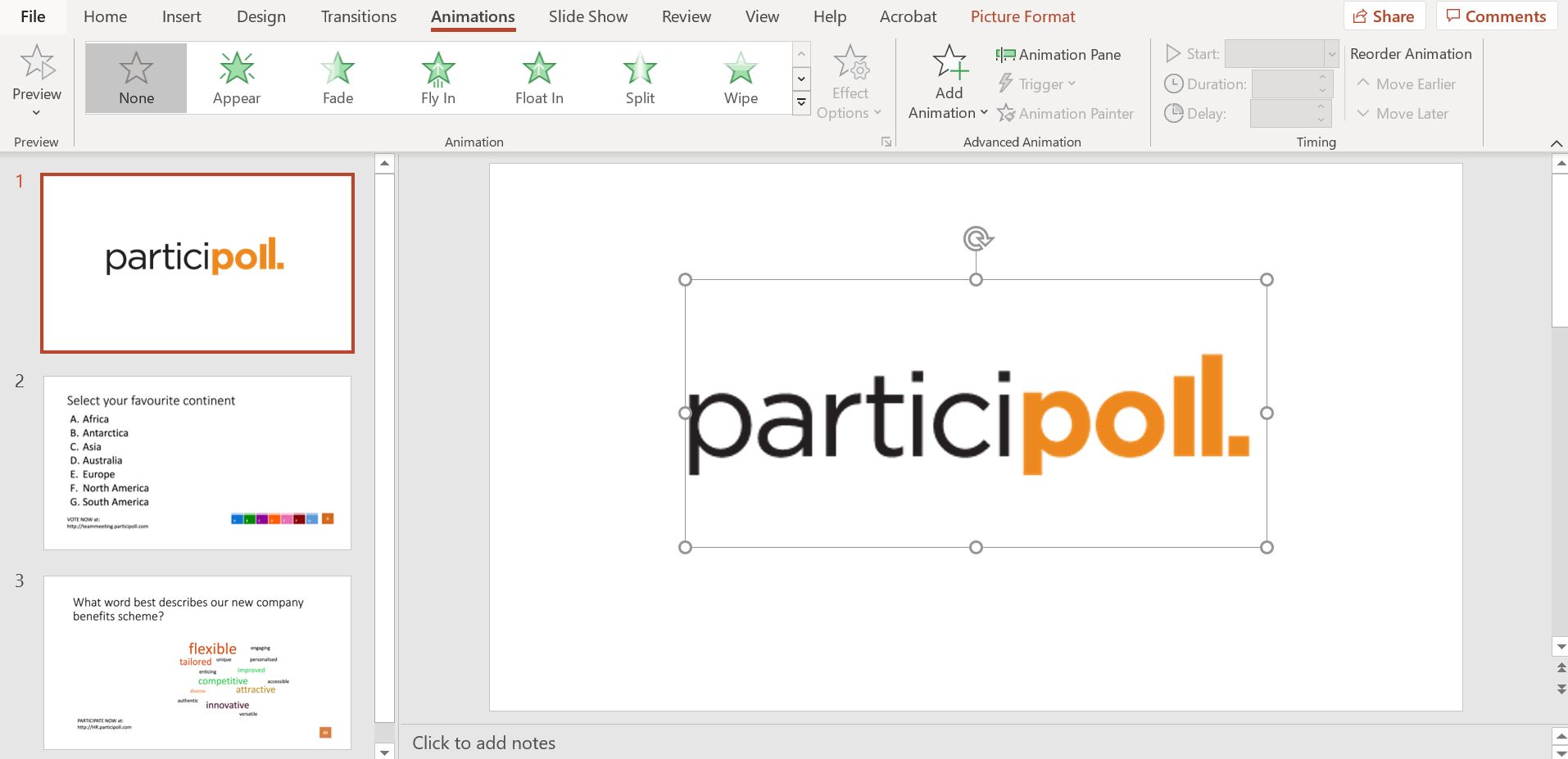
On the Animations tab look in the Advanced Animation group for the Animation. In the Animation tab you would see animate option. A drop-down menu appears.
Now you need to select the user form with Active Movie control. On another picture note if you are using lots of pictures in your. Click on the object you want to animate on any slide.
The animated PowerPoint Template used in this tutorial. Click on the Animation tab to open it. Variations of photo effect.
When applied to PowerPoint it means that animations should always complement the overall vision of a presentation. This gives me an opportunity to better explain how the slide master feature works in PowerPoint. Now you have to activate it.
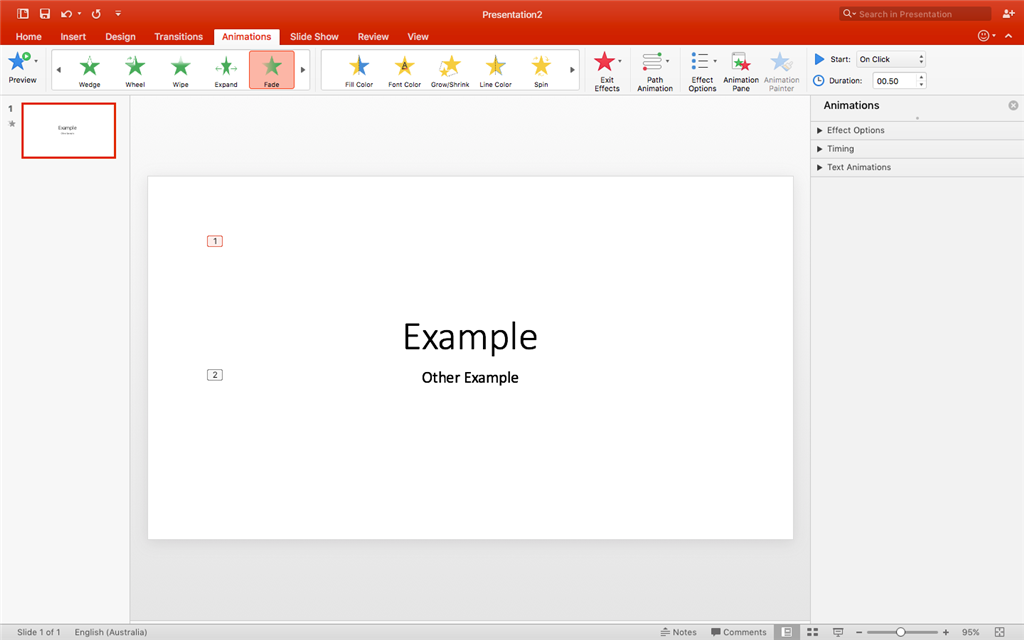
Add animation and effects to text pictures shapes and objects in your PowerPoint presentation. Try PowerPoint Splitter. This option would allow certain animation styles which.
In the After Animation dropdown select the color to change the font to. Add animations and effects. PowerPoint Presenter View Says No.
Here is an example showing an PowerPoint photo animation. Preview the new order by pressing Preview here on the ribbon. Once youve finished inputting all your content into a PowerPoint file begin adding your animations now.
Use the PPT Animation Pane to drag and drop your animation order. Open Tools Option and select Macro option to open Visual Basic Editor feature of Powerpoint. This is a quick thing to check if you are having issues with your animations in PowerPoint not working.
You can use the basic idea for a number of situations in your business presentations. Choose the bookmark you have. Click the Disappear exit animation in the Exit group.
Select Advanced Animation. Animating Text or Objects on Slide. Select Trigger under Advanced Animation.
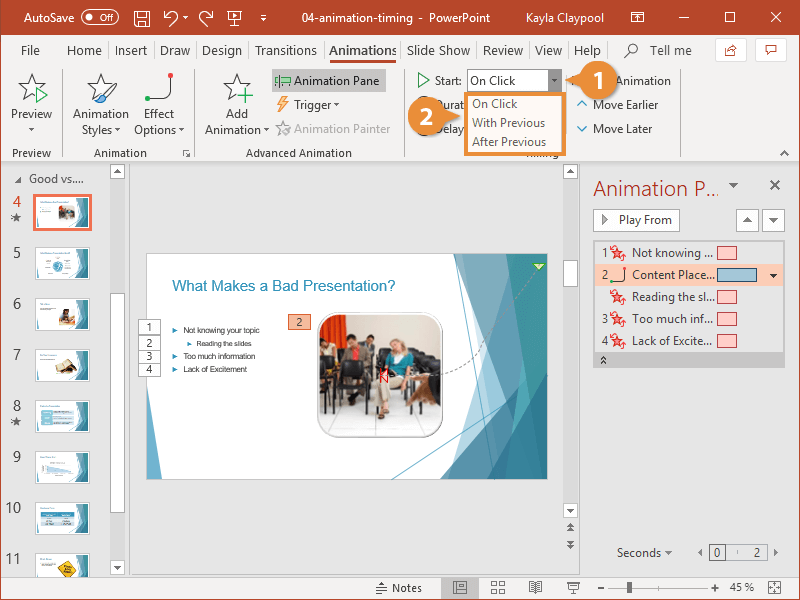
There are different ways to start animations in your presentation. Unfortunately the Office Presentation Service is only available on Windows computers at this particular point in time. Use Microsofts Office Presentation Service.
Still the design is another important aspect of your slide deck and adding animations to your PowerPoint without working on an overall design of the presentation will not cut it. The following tutorial applies to PowerPoint 2019 and 365 and addresses how to remove elements from PowerPoint Templates using Slide Master. Read on to learn how to add animations to your PowerPoint presentation.
Preview the New Animation Sequence Order. Presentation experts recommend using animations and sound effects sparingly. Select Animations and choose an animation.
Add Animation to PowerPoint. At Synapsis Creative were PowerPoint professionals who understand the value of well-crafted motion animations. Other common exit animations are Fly Out or Fade.
Select the object or text you want to animate. So thats another reason why your Design Ideas might not be working. Now navigating the upper section of the window you will see Animation tab.
You can also add sound to increase the intensity of your animation effects. Click Effect Options In the Font Style dropdown unselect Bold. Animation can be useful in making a presentation more dynamic and help to emphasize points but too much animation can be distracting.
Youre either not using the right type of content or youre using too many objects on your slide for it to properly work. Select an animation effect. Select Effect Options and choose an effect.
How To Create Animations In Microsoft Powerpoint Windows Mac

Animated Presentations Using Powtoon The Leading Powerpoint Alternative Learning Technology Instructional Technology Online Presentation

Powerpoint Animation Tips For Using Animation In Your Presentations Powerpoint Animation Animated Presentations Presentation

Why Can T I Add Mkv To Powerpoint For Presentation Read Here To Learn The Best Solution And More Tips Create Animated Gif Create Animation Powerpoint
How To Add Animations And Transitions In Powerpoint Tutorial

Making Avatars On Powerpoint Powerpoint Google Education Tech Integration

Make Your Own Animation It S So Easy Powtoon Blog Make Your Own Animation Animation Whiteboard Video Animation

3 Ways To Add Animation Effects In Microsoft Powerpoint Wikihow
How To Create Animations In Microsoft Powerpoint Windows Mac

3 Ways To Add Animation Effects In Microsoft Powerpoint Wikihow
Powerpoint Animation Timing Customguide

Animated Number Moving Animation Background Background Powerpoint Powerpoint Presentation
Animation Pane Doesn T Show Animations Microsoft Community

How To Convert Powerpoint Presentation To Video Powerpoint Tutorial Video Powerpoint Presentation Design Powerpoint Powerpoint Tutorial

How To Add Animations And Transitions In Powerpoint Tutorial

For Wizards The Template That Cannot Be Named In 2021 Free Powerpoint Presentations Powerpoint Animation Powerpoint Background Design

4 Segment Slide Of Block Diagram Powerpoint Powerpoint Slide Designs Building Blocks
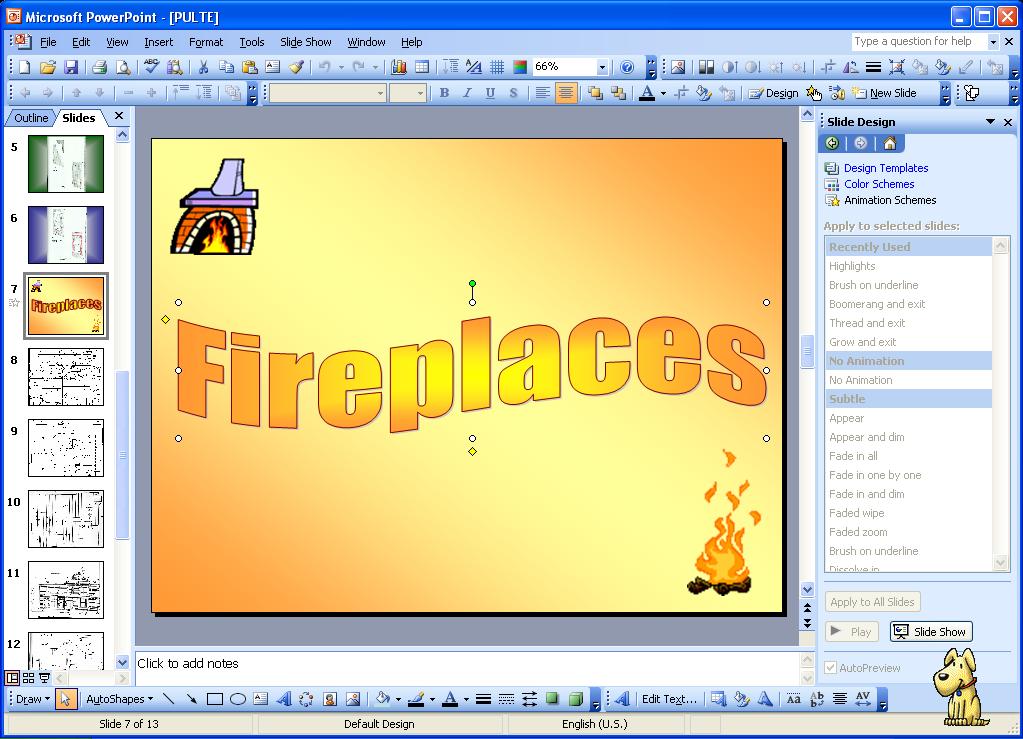
Powerpoint Animation Schemes Grayed Out

5 Fixes For Animation Won T Start In Powerpoint Vegaslide


Posting Komentar untuk "Why Can T I Use Animation In Powerpoint"