Libreoffice Recover Unsaved Document
Ljiljan July 31 2021 717am 2. LibreOffice doesnt officially have an unsaved document recovery in the same way that Office 2010 does but try looking in CUsersyourusernameAppDataRoamingLibreOffice 3user for any temporary files that might have unsaved work in.
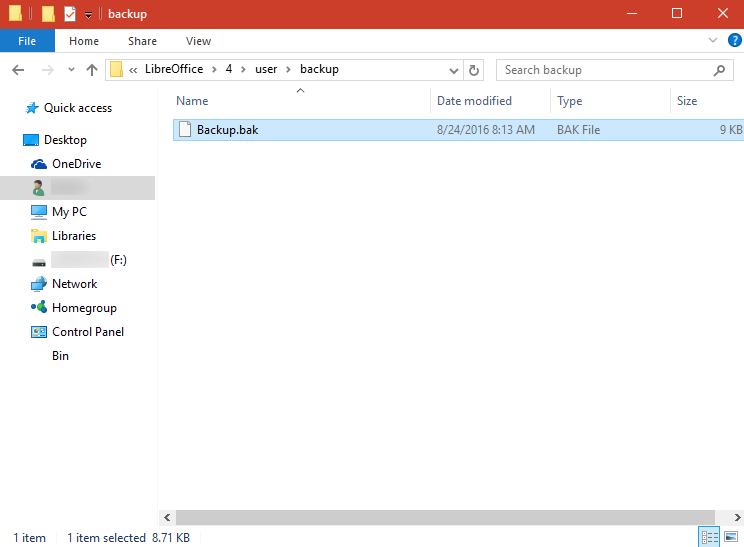
How To Recover Unsaved Documents Online File Conversion Blog
Hi there - I was working on a five page document and had not got round to saving it.
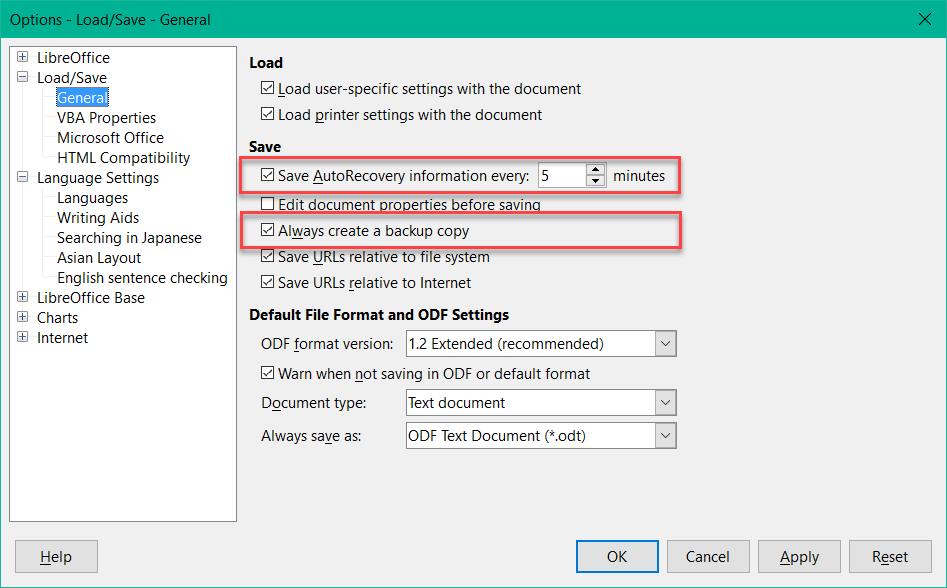
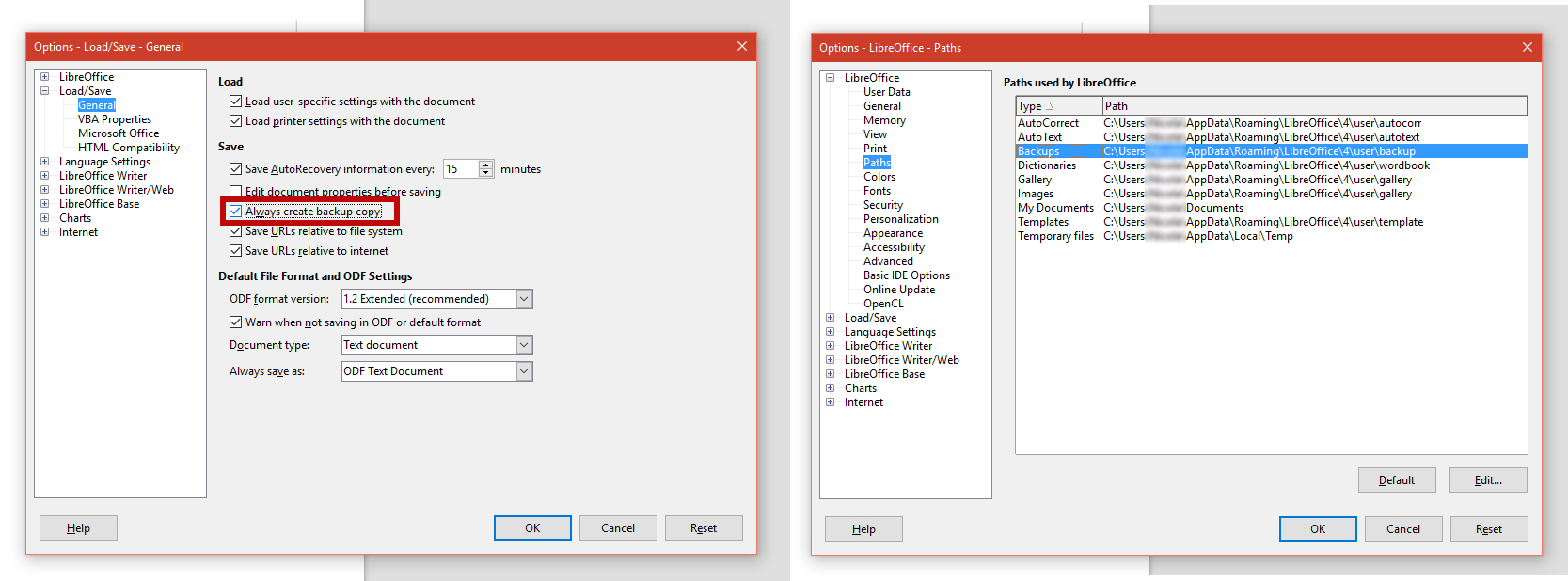
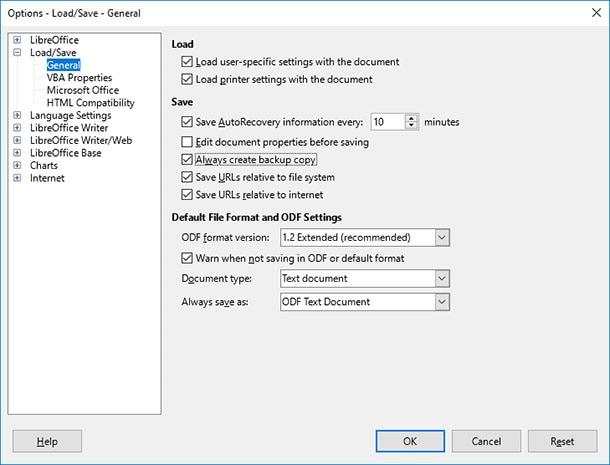
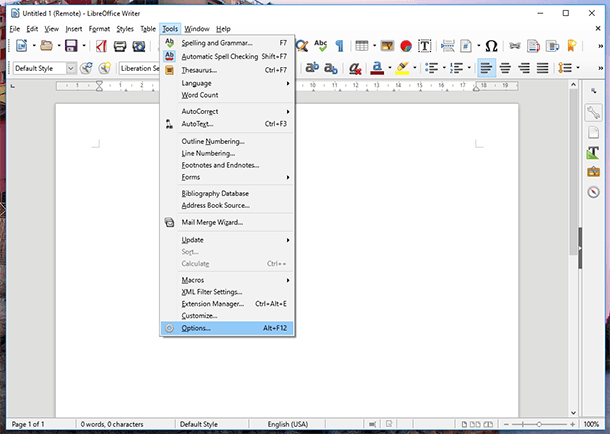
Libreoffice recover unsaved document. Open a blank file in OpenOffice. Then click on the Tools option and then choose Options by clicking on it. There are many file recovery tools available the best software we recommend is Recoverit Data Recovery.
Click the Next button. Follow the steps given below. In a new window you can use the On-the-fly filter or use the preview function to view a files content.
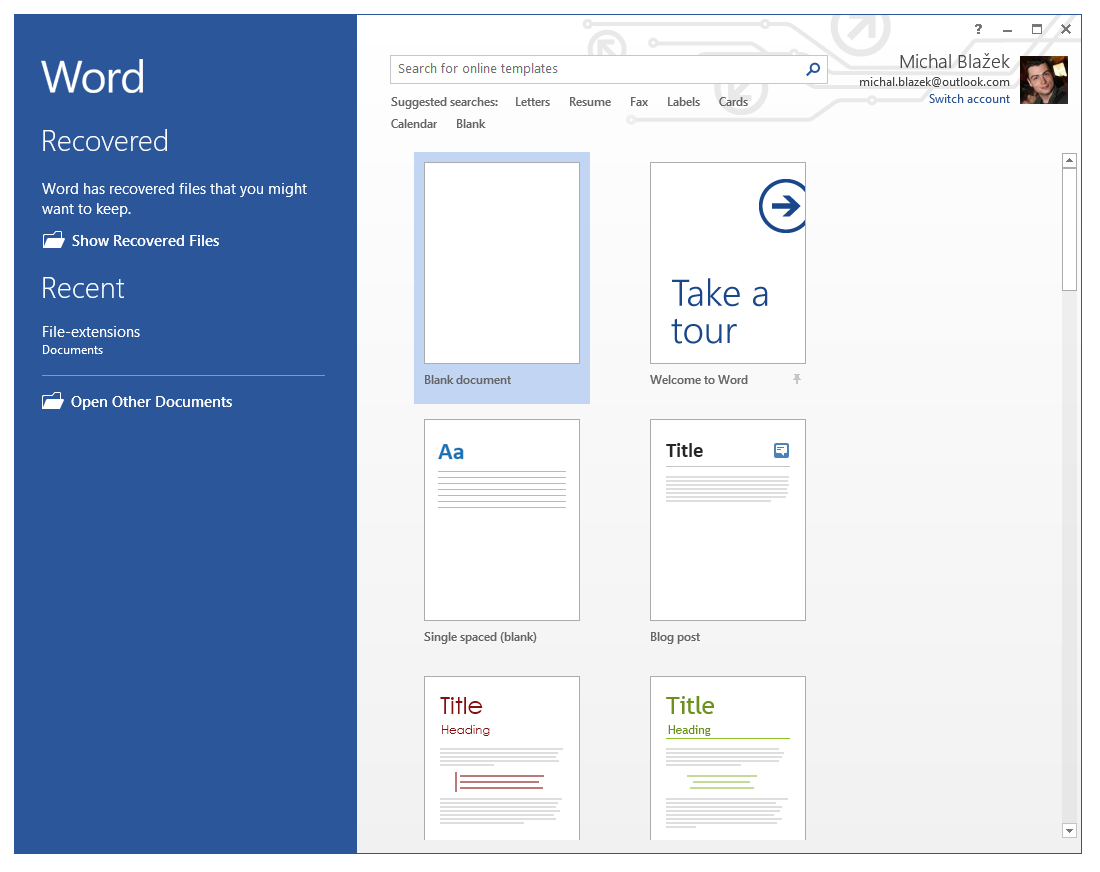
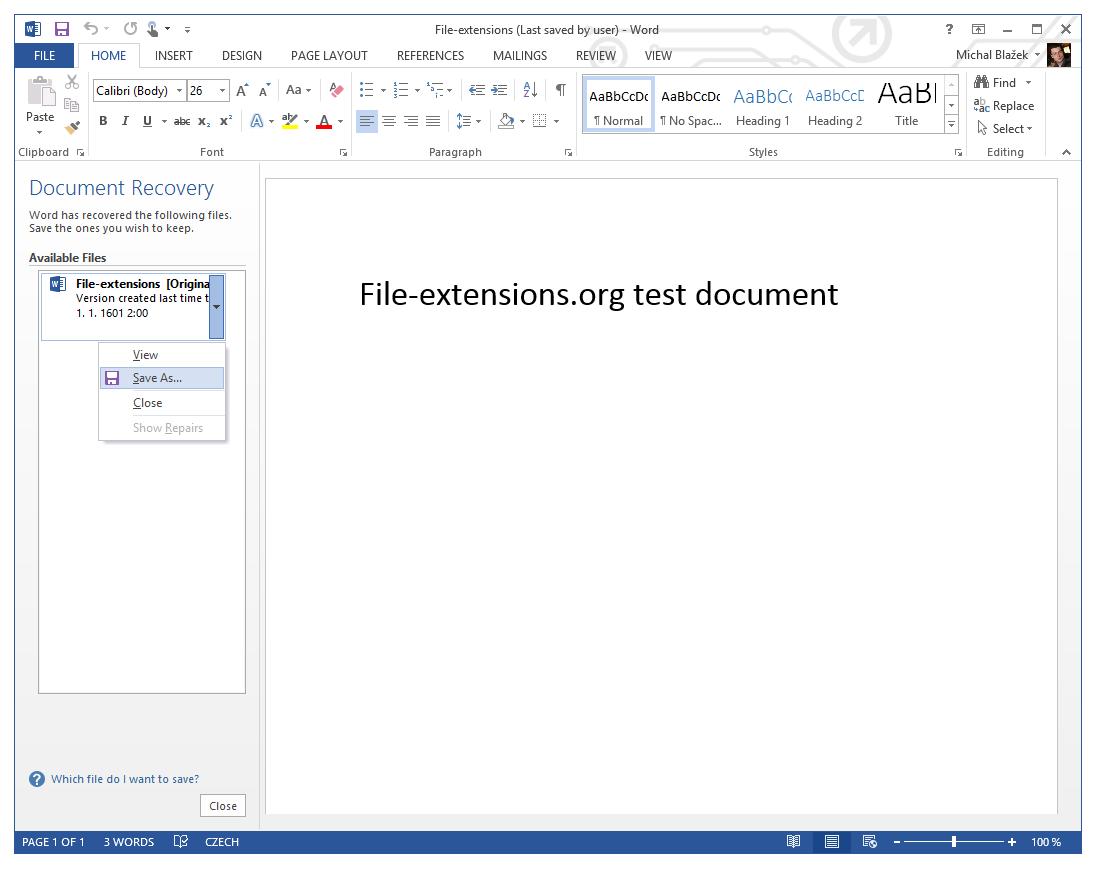
Now a window will open. Click the File tab. Scroll to the bottom of your Recent Documents Office 2013 only then click Recover Unsaved Documents if you are in Word Recover Unsaved Workbooks if you are in Excel or Recover Unsaved Presentations if you are in PowerPoint.
Is there any feasible way I can recover this document. How to recover an unsaved Excel file on Windows. Your saved drafts folder will open in a new window.
See Tutorial How to find and un-delete Writer temporary files for an explanation of why you will not be able to recover your file because you never saved it to disk. Under such situtions you need use a data recovery software to recover the deleted or lost LibreOffice file. Then use the left side bar to browse all the folders in which EaseUS Data Recovery Wizard has found recoverable files.
If you still havent found the file try manually searching for AutoRecover files. Retrieving data from corrupted document files. Recover Deleted ODT file with Backup Option Within LibreOffice.
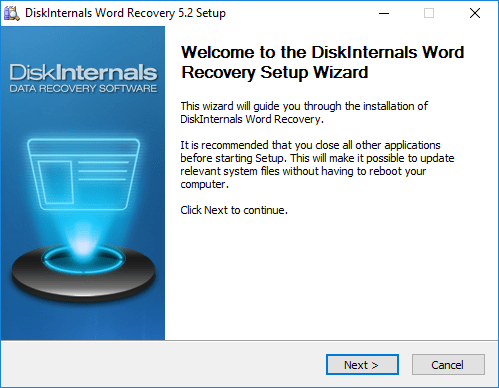
Install Word Recovery restore ODT files. If you need to recover an unsaved Excel file and you have a Windows PC this is the chapter of the tutorial that suits you best. If you dont find the missing file in these locations open Word and select File Info Manage Document Recover Unsaved Documents.
Open LibreOffice Writer or Calc or any LO program normally and cancel the recovery process. Once you have finished scanning to view only Word documents click on the Filter item at the top and choose the Documents option from the menu. Open the fake file s and the problem should be fixed.
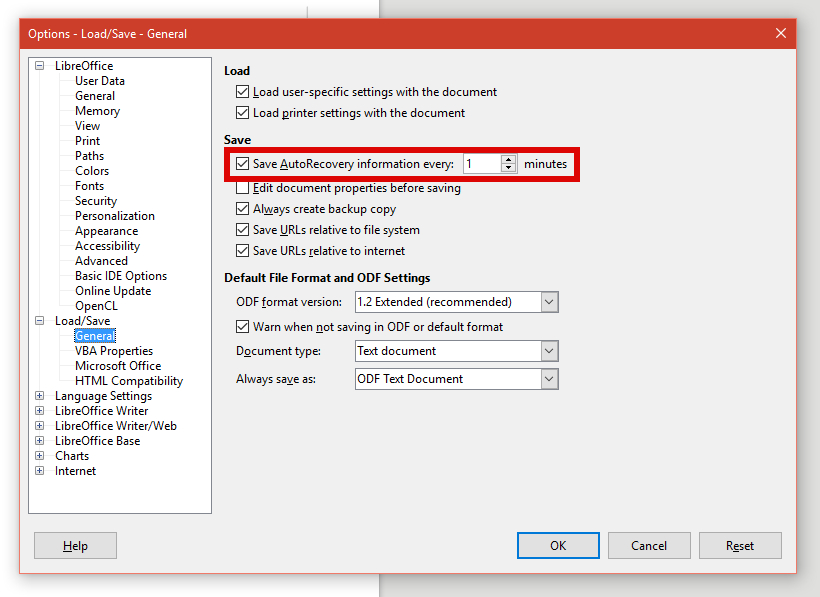
Libre Office prompts the user to recover the last saved or opened document even though there was no crash. In order to restore an unsaved LibreOffice document do the following. Automatic saving like manual saving overwrites the last saved state of the fi.
Write anything in the new document and save it with the exact name of the file LO is asking you to recover. If you see in the path used by LibreOffice. I absent-mindedly closed the page and when the option for saving came up I clicked on Close Without Saving.
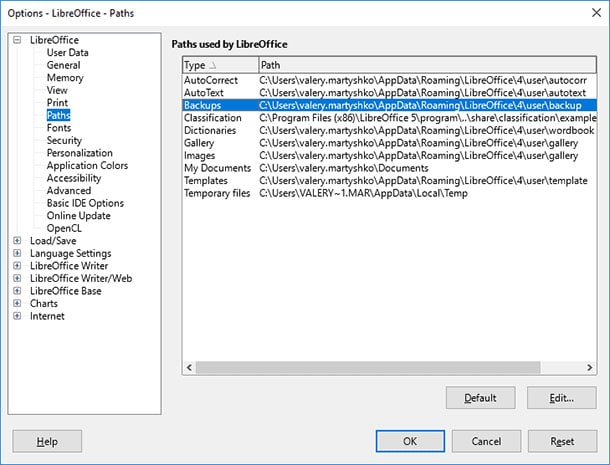
Go to the Insert - File menu and insert your corrupted file. LibreOffice should offer you to recover your document once you started LibreOffice after crash. You can check your recovery folder if you go to Tools Options LibreOffice Path.
After the scan is completed you will see search results. If you had saved it to disk or used AutoRecovery andor Save a backup file the instructions tell you how to identify these files and also how to un-delete the temporary files Writer wrote while you were editing the file and. By the by I have since went through the Options channels to autosave back-up all unsaved work but would really like this document retrieved.
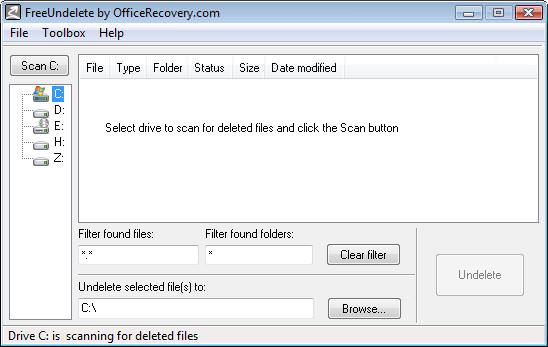
Just go there to see if anything is there. After opening the LibreOffice Writer or Calc document head towards the menu Tools Options. One of such programs is for example the FreeUndelete which is a great file recovery software for Windows.
The program should open. If you accidentally deleted your documents and have no backup you need to install some file recovery software and try to find deleted files. There is location of your backup and temporary files.
In this case you can recover the OpenOffice document from backup but if you still did not manage to find the document you are looking for then use the most powerful option use of free data recovery tool. Click Start and the document will be recovered. LibreOffice can save files automatically as part of the AutoRecovery feature.
Open the document which was closed without saving and the program will suggest recovering the unsaved document. For spreadsheet Calc or ODS documents instead use the Insert - Sheet from File menu option Browse to that location and see if your file is there. Once you will click on the menu Tools Options you can see a window opening in front of you.
First you have to open a LibreOffice Writer on your local machine. Below in fact I will explain you all the steps to recover an Excel workbook a LibreOffice Writer worksheet and finally to attempt a recovery through some specific. To do this select Start enter asd in the Search box then press Enter.
DiskInternals Word Recovery - select the storage where you need to recover ODT files. Fireebok Data Recovery is a highly recommanded software to recover deleted and lost files or partitions from your PC or Mac computer.

How To Recover Lost Unsaved Word Document In Windows 10 Words Documents Recover

How To Recover A Libreoffice Document
Libreoffice Mac Lost Document English Ask Libreoffice
Recover Unsaved Or Corrupted Documents
Solved Recover Unsaved Word Documents On Windows 10 Diskinternals

How To Recover A Libreoffice Document By Hetman Software Hetman Software Medium

Pin On Pdf Documents Powerpoint Ppt Presentations Online Powerpoint Slides
How To Recover Unsaved Documents Online File Conversion Blog

How To Recover A Libreoffice Document
How To Recover Unsaved Or Deleted Libreoffice Document 2021

How To Recover A Libreoffice Document
Recover Unsaved Or Corrupted Documents
How To Recover A Libreoffice Document
How To Recover Unsaved Or Deleted Libreoffice Document 2021

How To Recover A Libreoffice Document
How To Recover A Libreoffice Document
Recover Unsaved Or Corrupted Documents
How To Recover Unsaved Documents Online File Conversion Blog

Crowd Powerpoint Template Sample Powerpoint Presentation Ppt Sample Powerpoint Presentation Powerpoint Templates Powerpoint Presentation


Posting Komentar untuk "Libreoffice Recover Unsaved Document"