How To Wire A Phone Jack For Dsl Internet
Plug the other end of the wire into the jack on the rear of the DSL modem. To make the wire connections loosen.
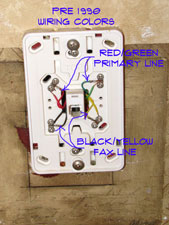
Fixing Phone Jack Wiring Wiring Electrical Repair Topics
White-with-blue-stripe wire to green terminal.
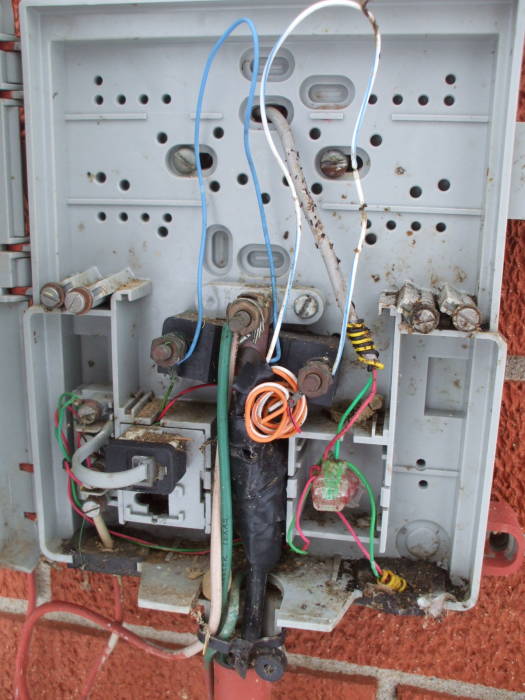
How to wire a phone jack for dsl internet. So the quite frequent answer is yes it does. Port and cover plate. In this episode of GetDomesticated I install a CAT 5e port.
Inside the house install a two-jack faceplate on the outlet you wish to connect your VoIP device to. We do not use the landline for the telephone just internet. How do you wire a phone jack for DSL.
Centurylink attributes slow download and upload speed to in-house wiring. Newer installations often use Ethernet cables which still use the same two frequencies but also have extra wires for forward compatibility. Plug one end of the phone cable into the DSL port on the back of the modem.
Plug the phone splitter into the wall jack. If not the structure wont work as it ought to be. Your phone company will normally include a bunch of filters with your DSL modemrouter one for each phone b.
Each component ought to be placed and linked to different parts in specific way. Connect the orange and orangewhite wires the DSL line to each phone jack. How to install your own DSL line.
Can I plug my DSL modem into any phone jack. That way your phones could continue to use your internal 1st-line wiring to connect to the ATA for internet phone service but your DSL modem could use the 2nd-line wiring to connect separately to the dry-loop DSL service. Orange wire to yellow terminal.
Line 2 secondary line. First strip back the outer jacket and separate the four wire pairs. Connect that to the same colors on the jack it the red and green if the jack had red green yellow and black.
You could connect the redgreen wires from the dry-loop DSL connection to the yellowblack 2nd-line wires of your inside wiring. Httpsamznto2YAk16MSome of the tools I own and loveKnipex Pliers Wrenc. This means you can plug a standard rj11 plug into a standard rj45 jack and you can then use theData Telephone wiring standardsWiring Diagrams and Schematics ATT.
Insert the modular plug at one end of a modular telephone cord into the modular socket on the telephone jack. A few supplies from an electronics shop are needed. Use a knife or stripper tool to gently cut the outer cables casing and strip the phone cable about 2 inches from the end.
If you also have POTS analog phone service not VoIP on the same pair as your DSL youll need low pass filters to keep the high frequency DSL signal out of your regular phones. White-with-orange-stripe wire to black terminal. Insert the DSLs power supply AC plug.
Install the faceplate then connect the phone jack on the VoIP device to the voice jack and connect your modem to the DSL jack. Plug the other end into one side of the splitter. Line 1 primary phone line.
Plug a telephone wire into one of the splitter jacks. It shows the components of the circuit as simplified shapes and the aptitude and signal links between the devices. Phone lines consist of four-strand wires including two transmit and two receive frequencies.
Wiring the Jacks. This might be a convenient time to re-wire other phone jacks and you might as well use Ethernet cabling for that. Install the faceplate then connect the phone jack on the VoIP device to the voice jack and connect your modem to the DSL jack.
Interference on any phone jack may impact DSL speeds or could cause DSL to stop functioning entirely. Using filters isolates the DSL service at each individual telephone jack but the DSL signal is present on all the jacks. Blue wire to red terminal.
Connect the orange and orangewhite wires the DSL line to each phone jack. You would be responsible for all the wiring from the NID outside your house to the jack where the RG plugs in. Place the DSL modem next to the computer that will be used to access the Internet.
Connect your modem to a wall phone jack Ethernet connection. Insert the Ethernet plug at one end of an Ethernet. A wiring diagram usually gives recommendation more or less the relative perspective and deal of devices.
Telephone Wiring Color Code. Cat-3 or Cat-5 cable. This is a nice diagram of the wire colors.
Dsl Phone Jack Wiring Diagram dsl phone jack wiring diagram dsl phone jack wiring diagram centurylink dsl wall jack wiring diagram Every electric arrangement is made up of various diverse components. You could always try to open the nid and see if the blue and blue-white are the colors being used. DSL wiring phone jack wiring connect to the phone companys The NID has been opened to attach the blue Ethernet cable.
With the screwdriver unscrew a screw on the jack just enough that the wire will fit in the groove. Wiring Cat6 Cable to Phone line for DSL Internet. A telephone line must be plugged into the DSL modem in order to send and receive online signals.
If its hooked up in the nid properly that should work. The wireing isnt too complex so you should be OK. A DSL jack is identical to a phone jack except that the extra transmit and receive wires are connected.
Plug your phones cable into a filter. To convert a phone jack into an Ethernet jack that can be connected to a computer install a DSL modem using the telephone jack in your home. Dsl Phone Jack Wiring Diagram wiring diagram is a simplified pleasing pictorial representation of an electrical circuit.
You need to run Ethernet cabling from the network interface to at least the one jack where the DSL modem and computer will be installed. Inside the house install a two- jack faceplate on the outlet you wish to connect your VoIP device to. Plug an Ethernet cable into the rear of the DSL modem and then plug the other end of the cable into an available Ethernet port on your computer.
Diagram dsl line wiring phone and how to perform a centurylink test install wire telephone jack diagrams schematics at t color code switching active 35 images about easystreet support for doityourself annoying noises on your att site network guide chapter 7 the nid box residential new internet zyxel c1100z modem user switch 6 flat trailer electronics behind. As I said it may get a little pricey if you have to call a tech out to fix it but as long as you know a little about wiring networks you should be perfectly fine. Thats an additional physical connection for each telephone device.

Telephone Wiring Diagram Telephone Telephone Jack Phone Jack

How To Wire A Phone Jack For Dsl Internet R Centurylink
Sonic Net Jack Wiring For 2 Line Dsl


How To Install A Residential Telephone Jack With Pictures

Can Hardwired Telephone Lines Be Used To Extend A Dsl Connection Super User
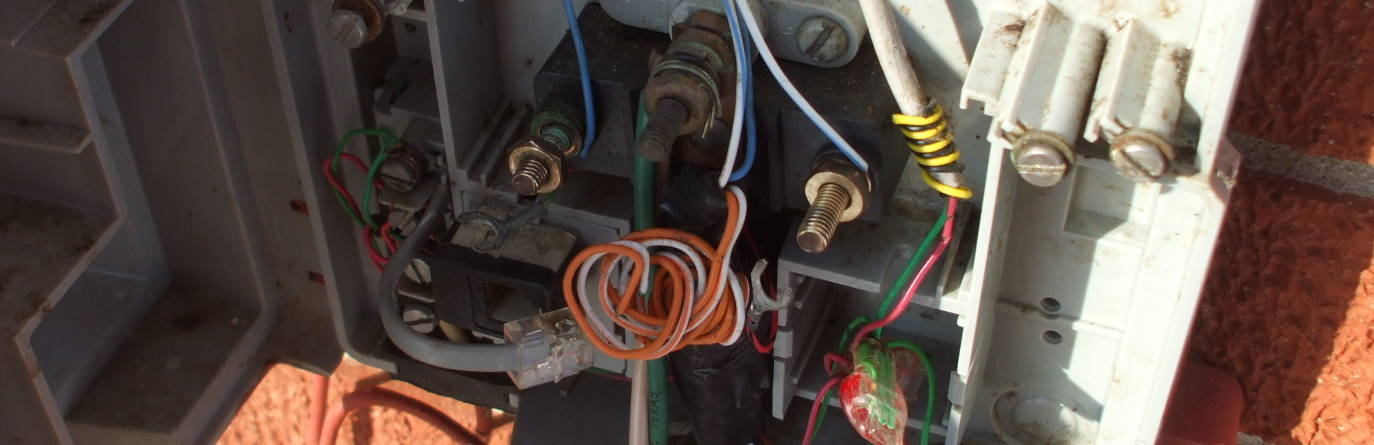
How To Install A Dsl Line

How To Install A Residential Telephone Jack With Pictures
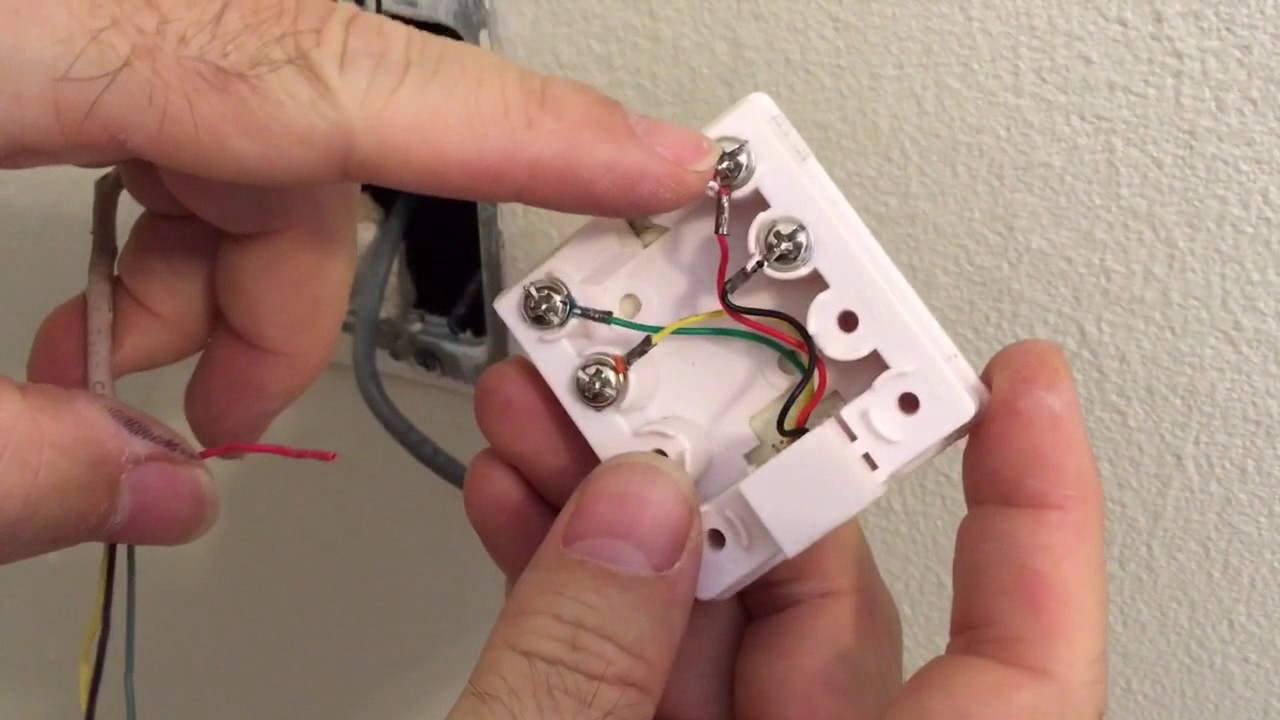
House Phone Line Wiring Youtube

Elegant Wiring Diagram Master Telephone Socket Diagrams Digramssample Diagramimages Wiringdiagramsample Wiringdiagram Check Mo Phone Diagram Chart Diagram
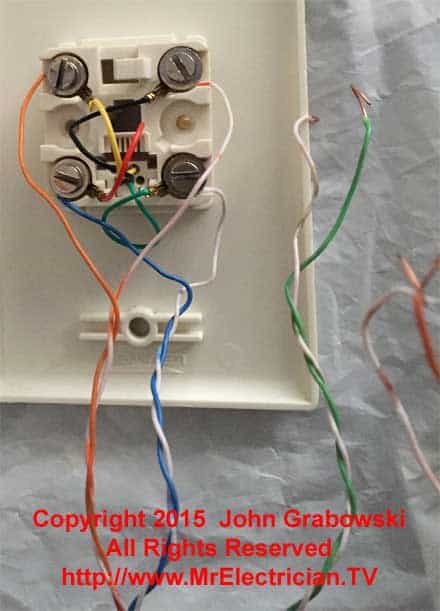
Telephone Wiring Color Code
How To Install A Dsl Line

Fixing Phone Jack Wiring Wiring Electrical Repair Topics

How To Wire A Dsl Jack Techwalla Telephone Jack Diy Electrical Phone Jack
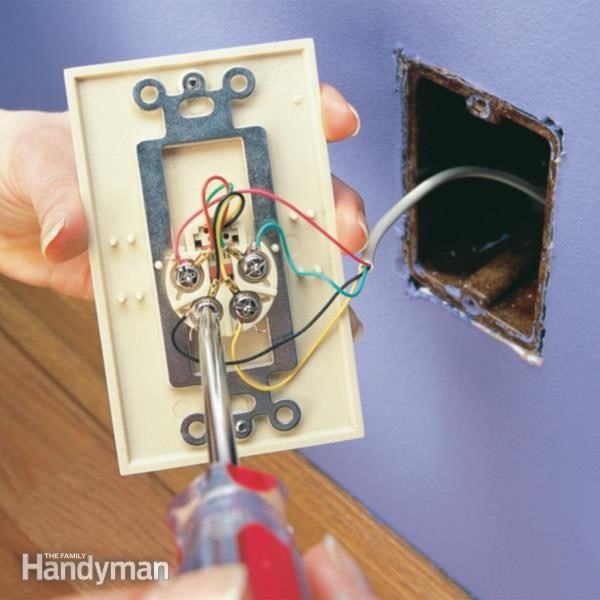
Replace A Phone Jack Diy Family Handyman
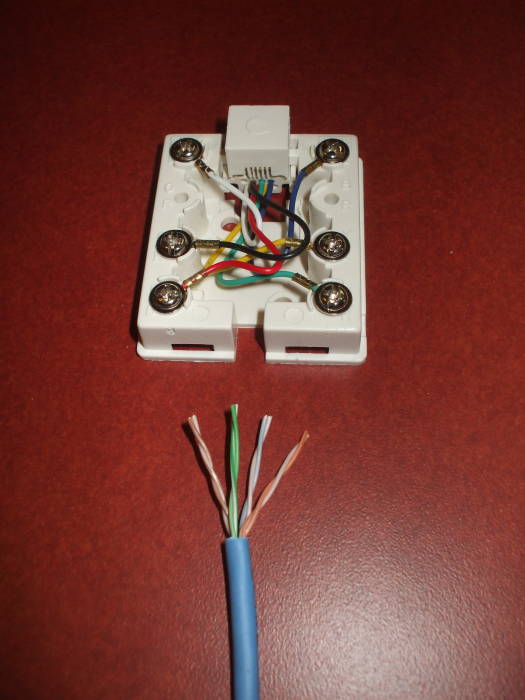
How To Install A Dsl Line

How To Wire A Phone Jack For Dsl Internet R Centurylink
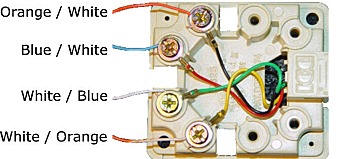
Phone Wiring

Diy Phone Jack Installation Dad Goes Round

Need Help Wiring Router To Phone Jack Allischalmers Forum


Posting Komentar untuk "How To Wire A Phone Jack For Dsl Internet"