Change Instagram Notification Sound
In the Settings look for something like Sound or Sound Vibration The name of the section will be different depending on the Android version and device manufacturer. 2021In this video I show you how to change instagram notifications sounds.

How To Change Instagram Notification Sound Youtube
Tap Apps and expand to see all apps.
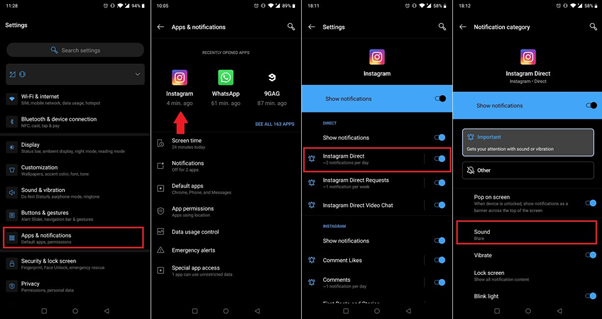
Change instagram notification sound. I couldnt find a setting for it to change it. But without further ado heres how to change the Instagram sound on any Android phone. Tap on Notifications - Instagram direct - Advanced - Sound We are using Instagram as an example here 5.
You can even select whether a particular notification should make a notification sound or it should be silent. Under the Sound option you are given the freedom to adjust the sound volume of Ringtones Media Notification and System. Forget the Messenger app.
Go to your phones Home screen and open your iPhones Settings. In a nutshell to change the notification tone of any app go to Settings Apps app name. Change Snapchat notification sound.
You are now on your iPhones sounds settings. Set the desired signal type. Some of the apps like WhatsApp allow you to change or disable the notifications from the app itself by going into its settings while some of the apps have no option for changing it inside the app.
Next look for Notification Sound or Default Notification Sound You might. Changing instagram notification sound So I just switched to an iPhone from android and my notification sound is different than what instagram notification sounds. Instagram doesnt support it AFAIK.
Its really simple. And its very hard to know from the notification as they all have the same sound. Tap on Chat and calls and then Ringtone to choose a tone when you receive a message or a call.
From your devices Settings scroll down to the middle part and tap on Sounds. Tap on the required SIM and go to Advanced Sound to change the notification tone. Learn How to Change Instagram Notification Sounds.
After that go to Notification Settings. Go to Settings and then Sound and notification. There select any section for which you want to change the notification sound.
If you want to change the notification sound follow the above steps and select the sound you like. Step 2 Change system notification sounds. Because my iPhone by default plays Tri-Tone sound for all my push notifications from third party apps.
Note that all the incoming notifications including Snapchat notifications on your phone will sound like the one you just set. Here you will see Sound section tap on it and select the tone you wish to set. 1021 I want to change the default sound for Instagram however when I change the main text tone to a custom one.
To set another message alert tone rather than the default message notification tone in Instagramclick on the profile page of Instagram and then click on set. Never got an audible notification. Under the sub-menu Sounds and Vibration Patterns select the type of notification you want to change the sound for lets use Text Tone as an.
Step 1 Adjust notification sound volume. Now open Instagram and then open Notifications. How to Customize iPhone Notification Sound.
This will change the default notification sound on your Android device. Im getting notifications from Instagram the only problem is theres no sound. Is there a way to change notification sound for apps other than system apps such Mail Text or Facebook etc.
This will be a short guide th. Go to the default sound library and from here you can select which notification sound to assign to Instagram. I did a little research and some people say that Instagram does not support push notifications sounds.
To set your personalized iPhone notification sound follow these steps. Open Android Settings and go to Notifications status bar App notifications Messenger. Long press on Instagram icon select app info select notifications.
Through the parameters find the list of installed programs. Can anyone confirm this. You can see each and every notification available in insta like Instagram direct like and comment new post etc and custom vibrations too for each of them.
IPhone 7 Plus iOS. You can now customize different notification sounds for different types of Messenger messages.
How To Customise Notification Sound In Io Apple Community

How To Change Instagram Notification Sound On Android Mobile Internist

Instagram Notification Sound How To Disable And Change On Iphone And Android
Everything You Need To Know About Instagram Notifications In 2021
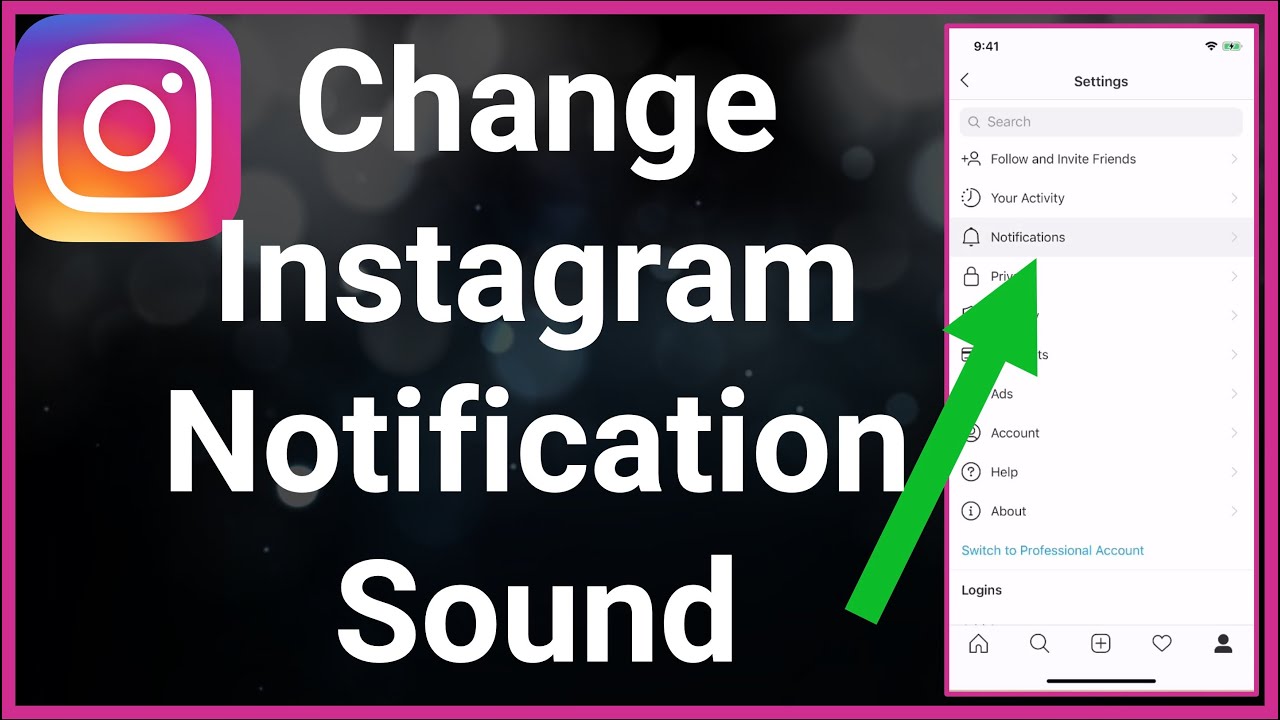
How To Change Instagram Notification Sound Youtube
How Can I Change My Instagram Notification Tone Samsung Members

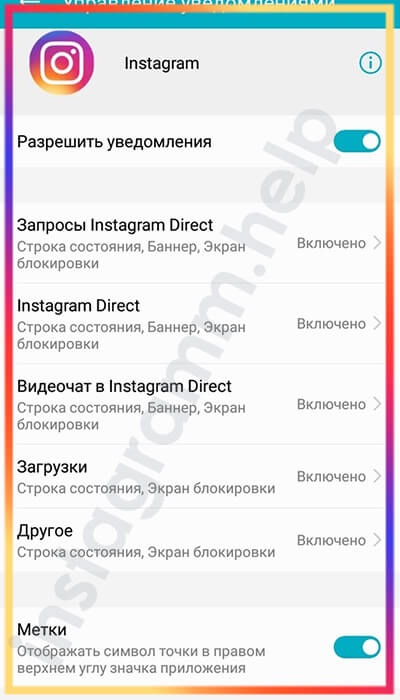
Instagram Notification Sound How To Disable And Change On Iphone And Android
How To Turn Off Instagram Notification Sounds Quora
How Can I Change My Instagram Notification Tone Samsung Members

Everything You Need To Know About Instagram Notifications In 2021
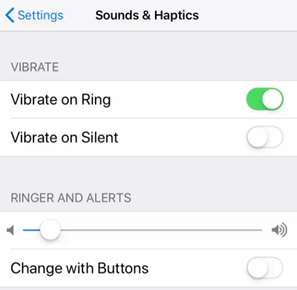

How To Change Instagram Notification Sound On Android Mobile Internist
How To Change Instagram Notification Sounds On Updated App Youtube

How To Turn Off Instagram Notification Sounds Quora
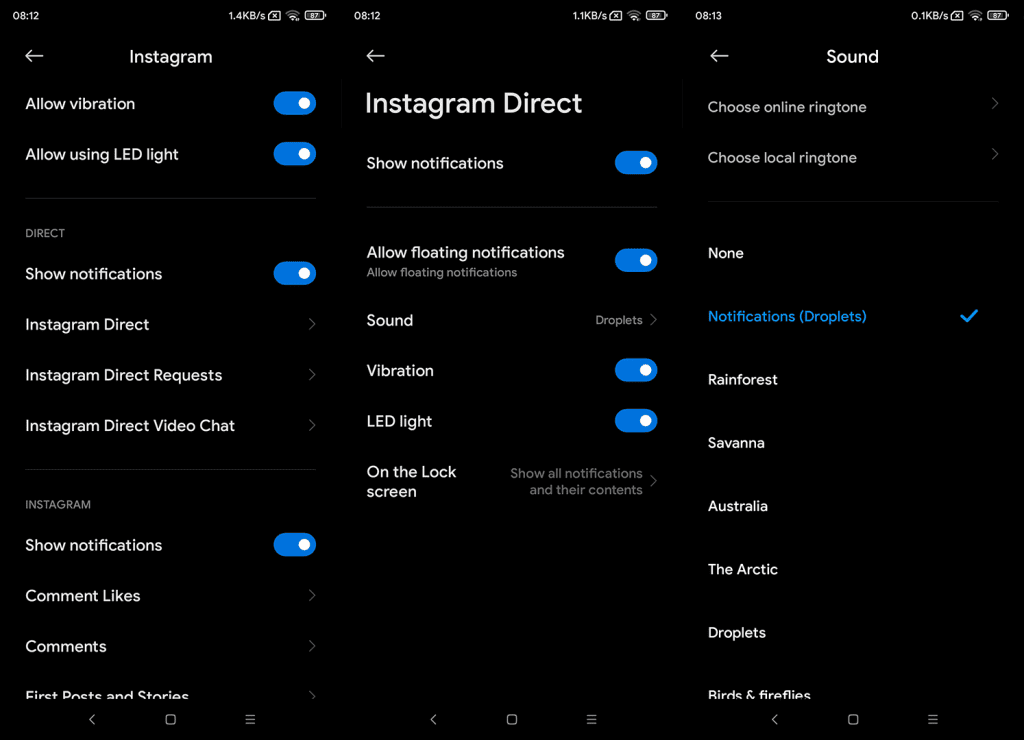
How To Change Instagram Notification Sound On Android Mobile Internist

How To Customize Samsung S Notification Sounds
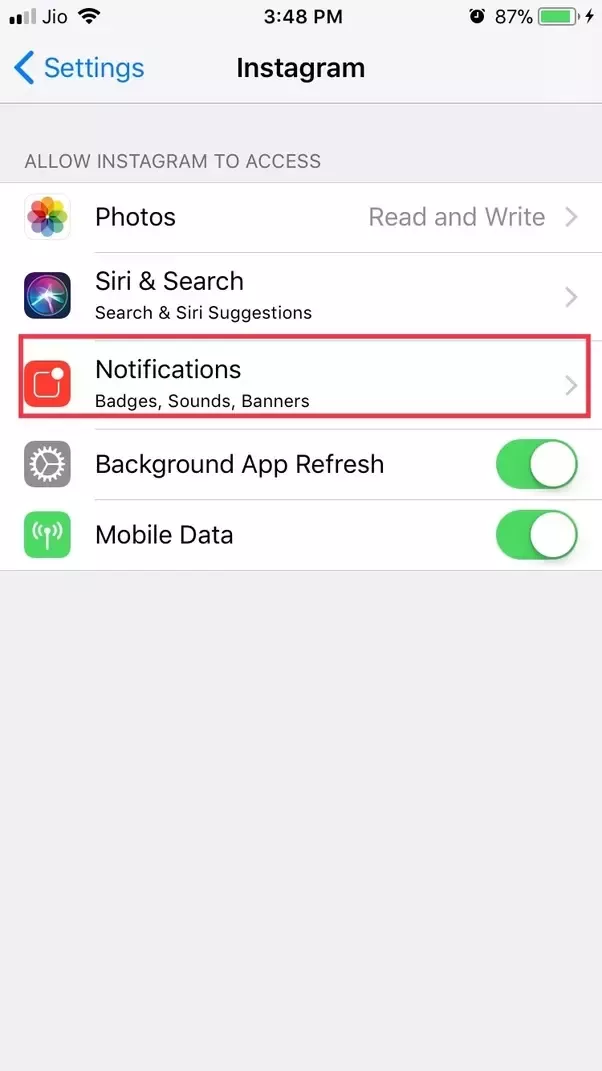
How To Turn Off Instagram Notification Sounds Quora

4 Ways To Turn Notifications On Or Off In Instagram Wikihow

How To Change Notification Sound On Android 11

How To Change Instagram Notification Sounds 2021 Youtube


Posting Komentar untuk "Change Instagram Notification Sound"