Bridge Export To Jpeg
Img2Go will start the conversion so you can download your new. Click the Settings icon to modify download or export settings.

Free Download Software Digikam In 2020 Software Support Mac Software Image File Formats
Check the file size of your JPG image to ensure the image quality will be.

Bridge export to jpeg. In the Options panel you can set your preferences for the information that appears in the Export Progress dialog. Upload your video document or video from your hard drive a cloud storage or even by using the link to an image from the internet. Use CTRLClick or CMDClick to select the assets that you want to download and export.
Or choose File then Export and Save for Web Legacy. How to convert files from PSD to JPG. With the Image Processor in Adobe Bridge users can batch convert TIFF to JPG in Photoshop easily.
Either process can be used to save CMYK RGB or grayscale images. Click the Download or Export button to download or export all assets with one click. Select your images for Export CMD-Click to add more.
There are four ways to export JPEG from Bridge. It seems you guys simply fucked up the path to imagemagicks convert function. A resolution of 300 dpi or more is required for printing.
Open CSV file in MS excel and remove second column renamed files basically are duplicates. Manually enter a desired value. The following menu will populate Each individual image to be exported will be indicated in the thumbnail preview.
Image Processor - you need the matching version of Photoshop installed. Through Bridge you can access your bespoke MetaHumans created in MetaHuman Creator as well as over 50 premade MetaHumans. In the Output Options dialog click the Save Files As dropdown arrow and choose JPEG or whatever format you want to Convert to.
How to Resize Save Files From Adobe Bridge Using Image Processor. First open Adobe Bridge and search for the image you wish to convert to PDF. Save your JPEG pictures in Photoshop using command Save For Web Follow FileExportSave for Web.
I couldnt even imagine and I cringe when I think about this taking hundreds and hundreds of photos and unloading them onto my computer only to say resize. Maximum number of export jobs to keep in job list. This tool allows you to convert many files to JPEG.
You can also choose. For example you can use this command to place a JPEG image into Adobe Illustrator. You can download and export multiple assets together.
The EXIF data of a JPEG photo contains information about date time and camera settings at the time the JPEG image. It would be great if BRIDGE export presets would have an option to choose the file format extension jpg NOT jpeg In BRIDGE when you go to TOOLS PHOTOSHOP IMAGE PROCESSOR it saves as jpg but if you use BRIDGE EXPORT FILE EXPORT TO it saves as jpeg i need it to be jpg. Choose File and select Save As.
Select the TIFF format and click Save. In the export window set up your parameters then click SAVE - this gives you a reusable process - available through the context menu right-click. With both UAssets and source assets available you can use Bridge to download and export your digital humans for direct use in Unreal Engine or further editing in Maya.
So JPEG format can be exported as jpg or jpeg Now its only jpeg. This does not save the EXIF information of your JPEG picture. Choose File and select Save As.
Well as much as possible. Launch Bridge and then select Open from the file menu to select the folder containing all the images you want to convert together. For the setting in the Output menu you are.
This is the powerful JPG converter of Img2Go. Under New Filename remove all options with the minus sign then leave current filename as only option 4. If you are importing images from your cell phone onto a computer chances are the images will appear in the new HEIC format.
In Bridge goto Tools - Batch Rename. When it comes to photo editing doing things in bulk is the way to go. Bridge export JPEG as JPG It would be great if Bridge export presets would have option to choose file format extension.
Run Adobe Bridge select all the TIFF files that you want to convert to JPG. Select photos needed within Bridge 2. I did not find a workarround so far.
HEIC is a raw equivalent of a p. This is what your screen should look like except with your images Next click on Output at the top of the Adobe Bridge window. To export these images access the Export for Screens menu by navigating to File Export Export for Screens or by pressing control alt e on your keyboard.
Navigate to Adobe Bridge Preferences Export Mac or Edit Preferences Export Win. Bridge Export not working - stuck on Converting Textures - MAC This is not an issue with the plugin for Unity or UE4. What happens in Bridge is that if you select all the RAWJPEG pairs in a folder and attempt to batch rename them with unique index numbers for example as used in my photo filing system it will automatically recognise that the RAWJPEG pairs are the same image and add the same index number the files still have unique filenames because the file extension is different.
In the TIFF Options dialog box make any additional selections. Image Processor Pro - third-party fork of Dr. Then check the box before Save as JPG and adjust the quality settings as needed.
The current version of Bridge is 81 be sure to update if you havent. The maximum number of job details in the job progress dialog defaults to a max value of 100. Select the file in Adobe Bridge and choose File Place followed by the name of the application.
Hit Export to CSV save file. Convert JPG format files to TIFF in a few simple steps. High enough as a TIFF.
Go to ToolsPhotoshopImage Processor. Export JPEG via Save for Web command. One will end with the jpg.
In this video viewers will learn how to export collections to JPEG from Adobe Bridge. Right-click any image and select Export. Now all you have to do is click on Convert.
This automatically converts the non-sRGB photos into sRGB JPEG without changing any information of the image. Depending on the file the document into which you want to place the file needs to be opened first. Make sure that the PDF button is highlight in the Output menu on the right side of the screen.
Drag a file from Adobe Bridge into the desired application.
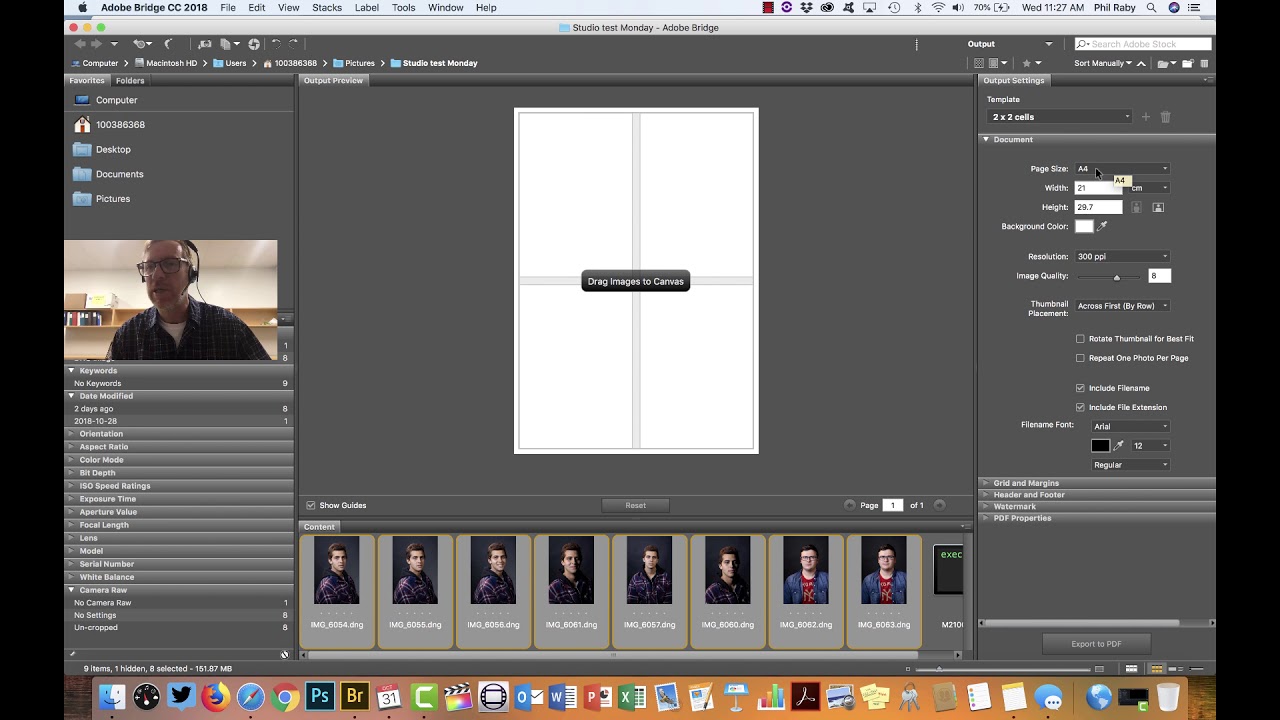
Creating A Contact Sheet In Adobe Bridge Cc 2018 Youtube

Dacon Game Icon Generator Icon Generator Game Icon Icon

How To Batch Convert Photos With Adobe Bridge

How To Batch Convert Photos With Adobe Bridge
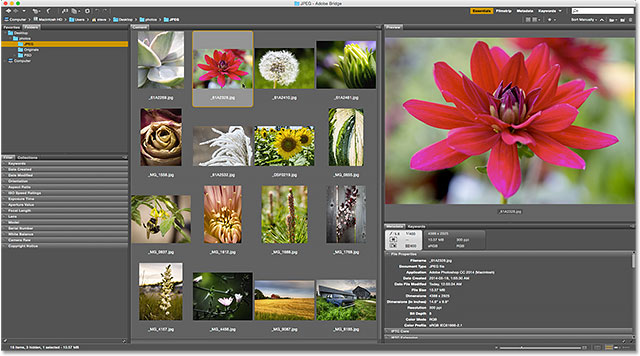
How To Use Adobe Bridge To Manage And Organize Your Images

Export Panel

Create A Pdf Contact Sheet In Output Workspace

Luxembourg City Luxembourg Watched I Know What You Did Last Summer With Subtitles Almost Got Into A Cities In Europe Luxembourg City Countries To Visit

How To Batch Convert Photos With Adobe Bridge
How To Batch Rename Raw Jpeg Pairs In Adobe Bridge Life After Photoshop

How To Batch Convert Photos With Adobe Bridge

Export Panel
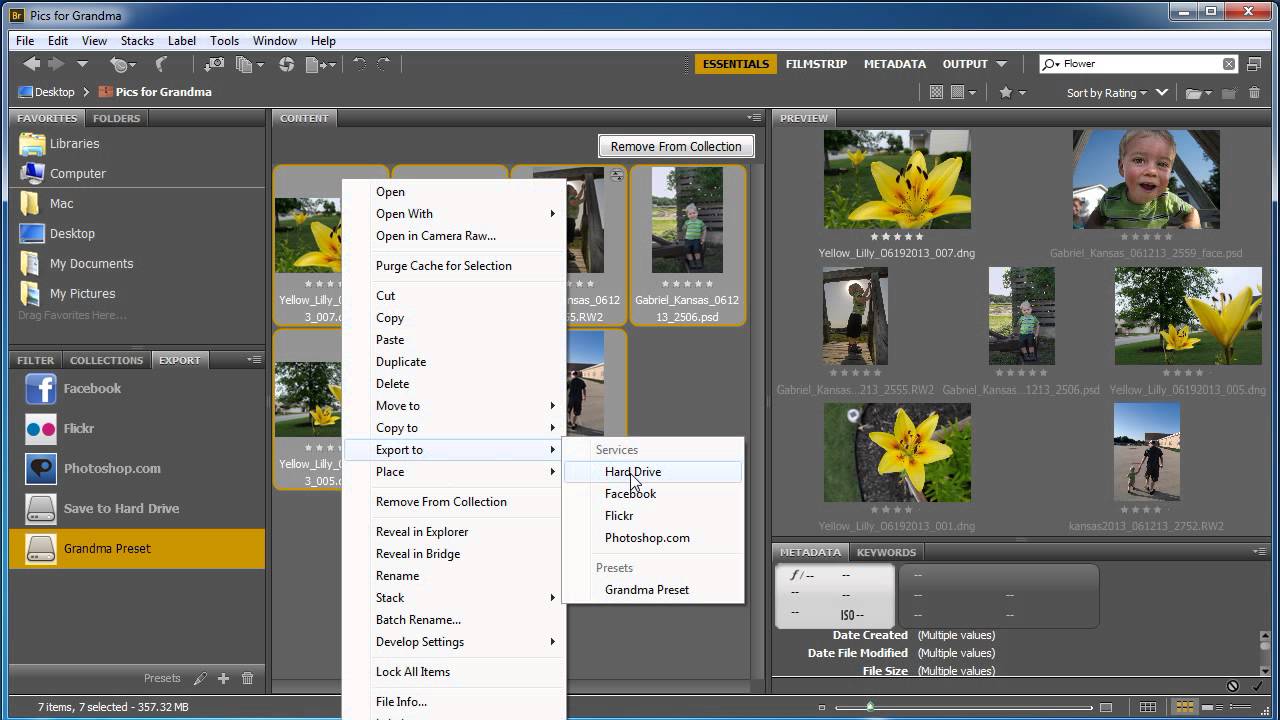
Bridge Exporting To Jpeg Youtube
How To Convert An Image To Pdf In Adobe Bridge Fresh View Concepts


Adobe Bridge Tutorial Alternative Vs Lightroom
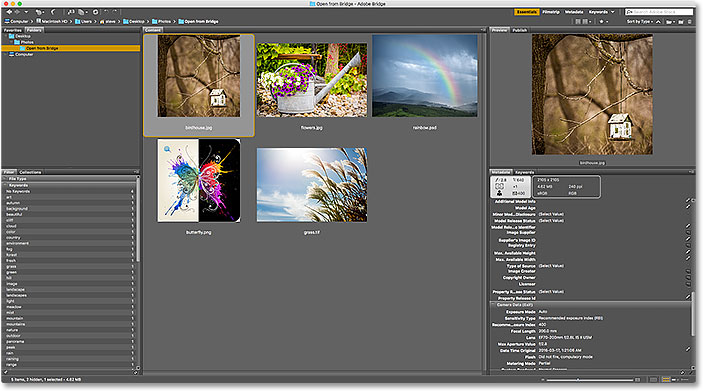
How To Change File Type Associations In Adobe Bridge

Draw Create Share Draw Drawing Pad Online Drawing

Export Panel
How To Convert An Image To Pdf In Adobe Bridge Fresh View Concepts


Posting Komentar untuk "Bridge Export To Jpeg"