Using Powerpoint With Gotomeeting
Collaborate With Your Team Anytime Anywhere. Remember it doesnt matter whether you are using WebEx GoToMeeting.

Quarterly Sales Performance Review Complete Powerpoint Deck With Slides Slide05 Sales Report Template Report Template Powerpoint
Click the Settings icon In the top menu.

Using powerpoint with gotomeeting. On a Windows machine it works fine and on an IOS device using Skype it. Ad Secure Easy to Use Online Meetings. Set up your GoToMeeting call and invite your participants as you would normally do.
Steps to use Vevox when hosting a GoToMeeting session. In the screen sharing pane use. Start your online meeting or class and welcome everyone.
Pick the Plan Thats Best for Your Business. In this case either via desktop or using the Powerpoint. Open the screen sharing service either by using a browser or by launching the desktop app and start the meeting.
Ad Secure Easy to Use Online Meetings. Webinar technology vendors use different methods to display PowerPoint slides to attendees. Log into your GoToMeeting account create your meeting invite and join your meeting.
Our full-feature app for Windows and Mac. Search for jobs related to Gotomeeting upload powerpoint or hire on the worlds largest freelancing marketplace with 19m jobs. Citrix GoToMeeting and GoToWebinar are probably the best.
By using a 2nd monitor and moving placing the Powerpoint Presentation window on it you can share it while still being able to view your slides and notes on the first monitor and have access to the GoToMeeting. Easy to Use Clear Audio Flawless HD video. Its free to sign up and bid on jobs.
In the Once your meeting is set up simply click on the share screen button below in GoToMeeting. Clickmeeting is compatible with interactive Powerpoint using the share screen feature. To show the pane click GoToMeeting at the top of.
Easy to Use Clear Audio Flawless HD video. You can change the blur level in the settings choose other filters or upload your own customized background. Individual and Corporate Plan Users.
Collaborate With Your Team Anytime Anywhere. All ParticiPoll features in your Powerpoint presentation remain and function the same as normal. Once your meeting is set up simply click on the share screen button below in GoToMeeting.
On the Slide Show tab in the Start Slide Show group choose one of the buttons From Beginning or From Current Slide see also how to create your own slide show. Once your meeting is set up simply click on the share screen button below in GoToMeeting. One strategy is screen sharing.
GoToMeeting Powerpoint presenter view how to use powerpoint presenter view in gotomeetin. For some Windows users the Drawing Tools pane is hidden by default this happens when your monitor display settings are not optimal for drawing tools. Your webcam background will automatically blur.
On the status bar click. For example you may see that PowerPoint is used for presenting online webinars or training employees remotely using TeamViewer GoView or GoToMeeting software but you can also use PowerPoint. Yes with GoToConnect you can share your Mac screen to attendees on any device.
Pick the Plan Thats Best for Your Business. Its as simple as on Windows when you are in a meeting click the screen icon in the toolbar. This user guideaddresses both individual GoToMeeting users and GoToMeeting corporate users.
The location of this feature is different depending on which service provider you use. Select the screen-sharing feature. Click the Camera icon in GoToMeeting.
In the Webcam drop-down menu click ChromaCam. Powerpoint in presentation mode using GotoMeeting or Zoom on a IOS device in my case a MacBookPro or an iMAC. Click on the button below to buy the video right now and within an hour youll be confidently preparing for your first of many successful web-based presentations.
Originally PowerPoint was intended to be used for presenting PowerPoint slideshows in a projector but time was changed and nowadays we can see other uses of PowerPoint presentations. See the sample screen shots below. About Press Copyright Contact us Creators Advertise Developers Terms Privacy Policy Safety How YouTube works Test new features Press Copyright Contact us Creators.
Here is a quick guide on how to share a Powerpoint presentation using GoToMeeting during a virtual meeting. Eg you can use a Web meeting application such as WebEx or GoToMeeting or present your PowerPoint presentation online using the Office Presentation Service to show your presentation to the audience. Here is a quick guide on how to share a Powerpoint presentation using GoToMeeting during a virtual meeting.
Using the GoToMeeting Organizer website. This will open a pop-up screen below where you can select how you wish to share your presentation.

Paper Infographics By Alexdndz On Envato Elements Infographic Envato Paper

Share Your Screen To Share Your Powerpoint Screen Powerpoint Presentation
Gotomeeting Techniques To Improve Presentation Skills Year 100 Working Presentation Skills Learn Internet Marketing Presentation

Sap Cpi Introduction Sap Hci Introduction Sap Hci And Cpi Training Cpi Training Cloud Platform Sap

The Best Way To Hold A Web Conference With 100 200 Participants Online Conference Brochure Design Inspiration Web Conferencing
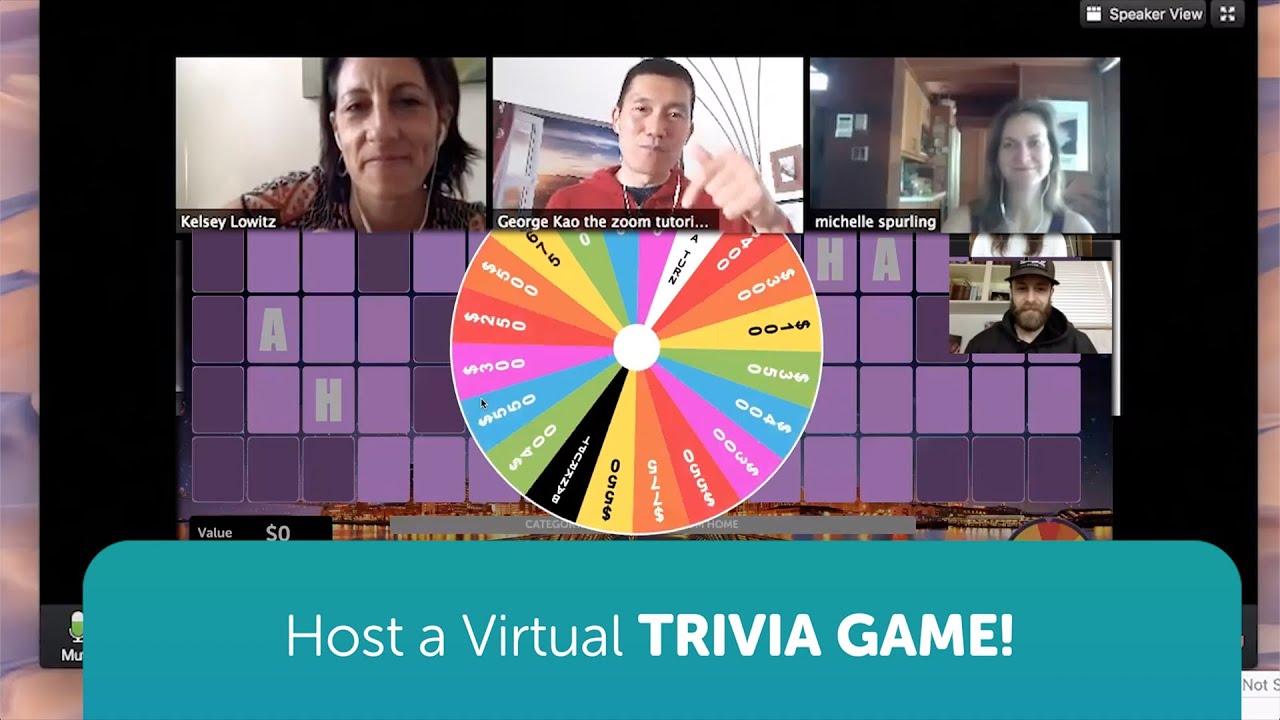
Using Zoom Skype To Host Virtual Trivia Games Gotomeeting Join Me Webex Google Hangouts Chat Youtube Meeting Games Trivia Games Trivia

Recruitment Process Presentation Visuals Slide01 Recruitment Presentation Templates

How To Record A Gotomeeting Session Records Met Online Session

How To Talk About Your Competitive Landscape In Your Investor Pitch How To Memorize Things One Note Microsoft Business Communication

Sales Strategy Plan Sales Strategy Sales Strategy Template Marketing Strategy Template

This Is A Group Of 10 Powerpoint Presentations On The Following Topics 1 Computer Repair Investigation 5 S Internet Dating Napster Dating Relationships

Project Timeline V5 Powerpoint Template Templatemonster Powerpoint Templates Powerpoint Presentation Templates Powerpoint

How To Insert Links Hyperlinks Or Mail Links Into The Powerpoint Slide Powerpoint Slide Powerpoint Powerpoint Presentation

Pin By Ginger Juhl On Work Tips Webinar Presentation Deck Housekeeping

Citrix Gotomeeting Free Screenshot Words Room Sign Free

Catalyst Strategies Brand Positioning Framework Competitive Analysis Essay Analysis

Logmein Accounts Powerpoint Presentation Templates Presentation Template Free Presentation Templates

Pin On Vr

Powerpoint Timeline Gantt Chart Template Gantt Chart Powerpoint Charts Gantt Chart Templates


Posting Komentar untuk "Using Powerpoint With Gotomeeting"