Task Scheduler Windows 10 Display Message
Macbook Air 2018 OS. Click on the Create Basic Task link at the right side of the Task Scheduler window.
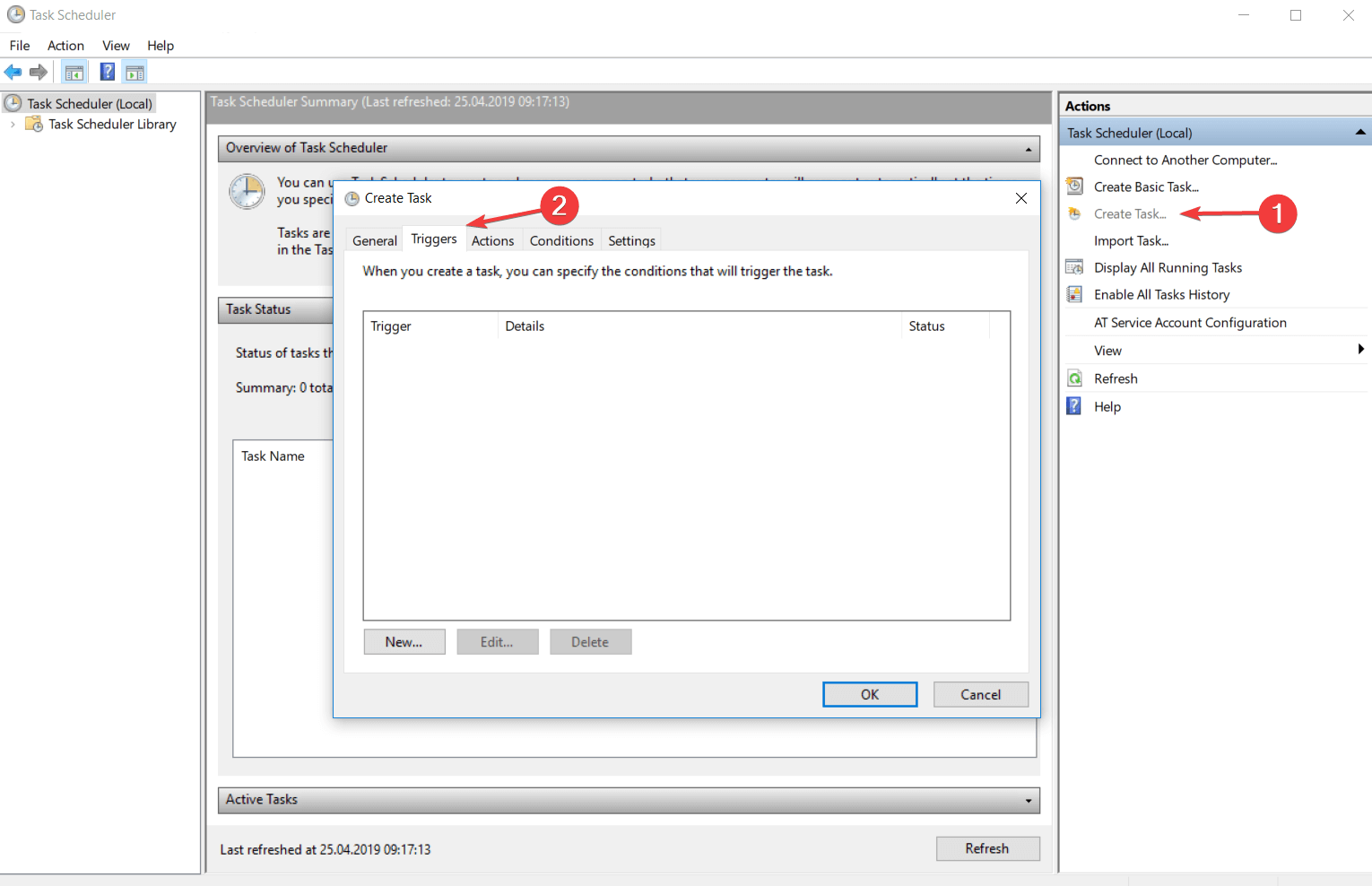
How To Use Task Scheduler In Windows 10 Full Guide
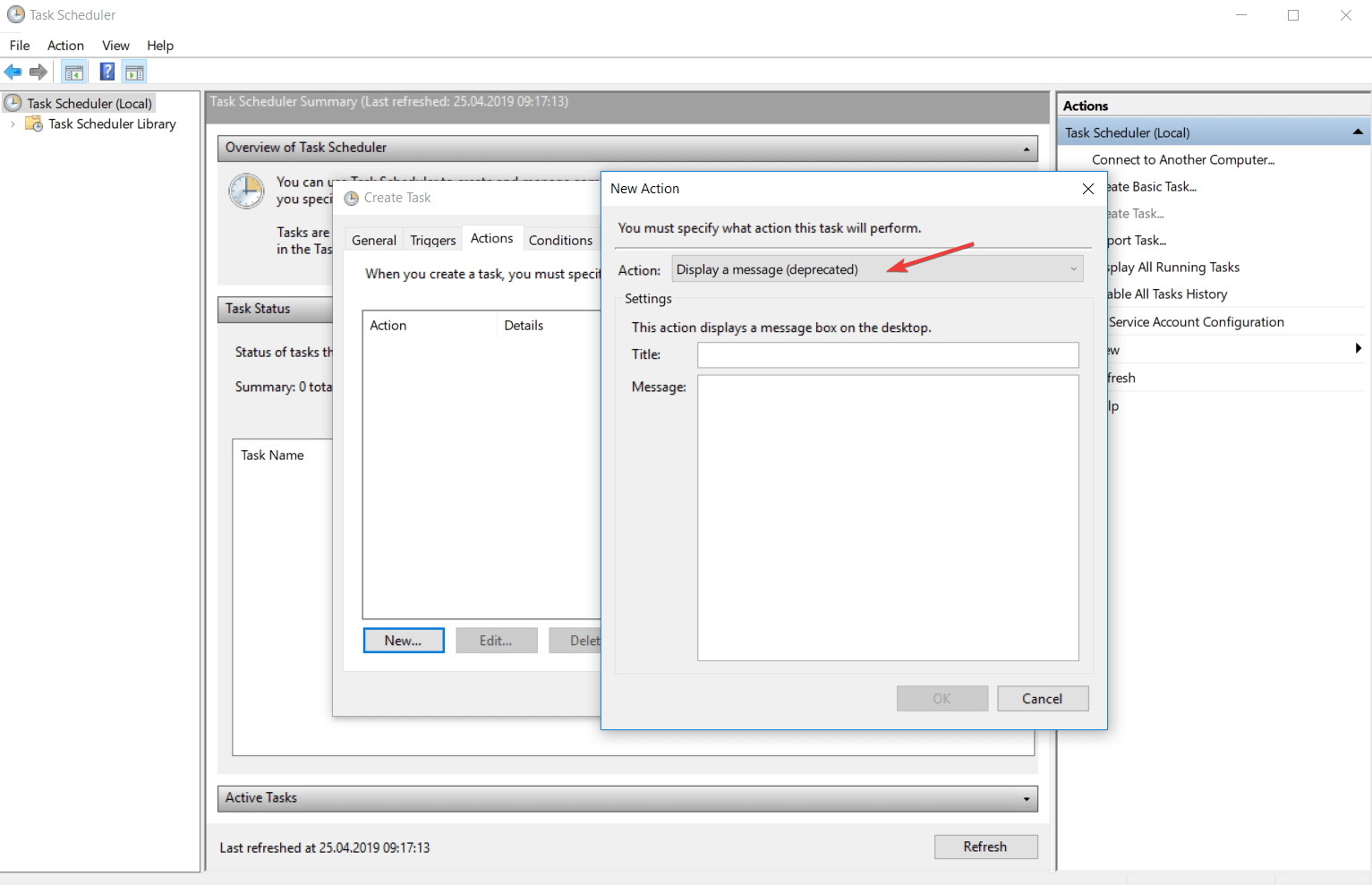
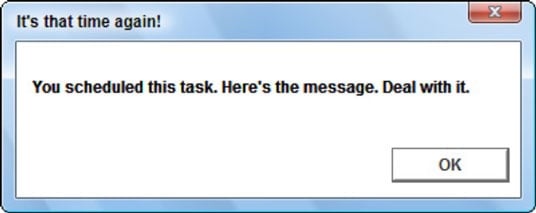
In Windows 7 task scheduler has a neat feature called Display a Message.
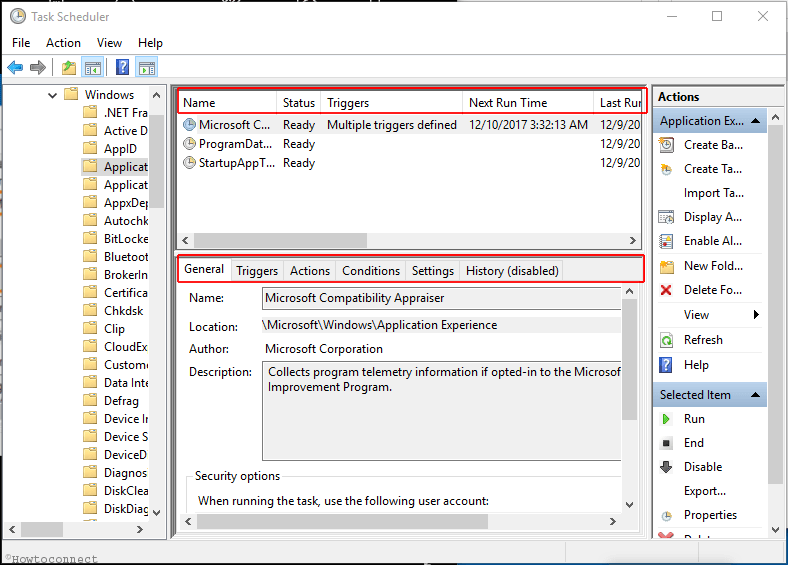
Task scheduler windows 10 display message. To set the task scheduler action to display a message using Command Prompt. The best option is using Windows Run with a shortcut key. Open it in the Start Menu.
Just write this command into Notepad Save it and then change the txt extension to bat then set Windows Task Scheduler to run the BAT file at the scheduled time. So lets create a new task. Type taskschdmsc on the Run and press enter to open the Task Scheduler.
START max EXAMPLE TASK. How To Open Task Scheduler In Windows 10. 25 Jun 2019 4.
Using task scheduler you can display timely messages using pop-up windows. Type msg in Programscript text box and. These popup messages are useful for quick alerts and information.
Using this feature you can make the task scheduler to show a message using a simple pop-up. Here is a list. Turn on Task Scheduler via Search.
Here are links for reference. One of the easiest ways to open Task Scheduler in Windows 10 is using Start menu. Click the lower-left Start button enter schedule in the empty box and select Schedule tasks from the results.
Give a Name and Description for the task. It allows you as well as a user to create and manage tasks so that Windows does things you want when specific conditions are met. Tap the Search button on the taskbar type schedule in the blank box and choose Schedule tasks.
When importing the AppLocker Popup Alert Task into Windows 2019 Task Scheduler the task as designed doesnt work because the Action type of Display a message has been deprecated. To set the task scheduler action to display a message using Command Prompt. Edit Test_Message with your message that you.
Another easy and fast way to open Task Scheduler is by using the Run utility. You create and schedule tasks using the Task Scheduler user interface or programmatically using PowerShell or the Net framework. Got to Actions tab.
This will open up a new easy to use wizard for creating the required task. Follow the below steps to know how to display popup message in Windows 10. Here is how to do it.
A Windows Task is a group of actions that automate system management and maintenance procedures. You can do the following instead now to provide popup information. What is the Task Scheduler in Windows.
I wanted to have it popup a window every time I logged into Windows but it. Things were going along well until I tried to chose a trigger. It is the main page of the Windows task scheduler.
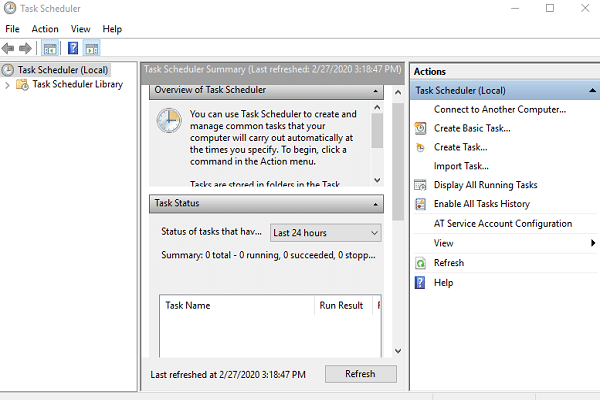
Launch Task Scheduler by typing Task Scheduler in the Start menu. This feature has been removed since Windows 8. This guide applies to Windows 10 Windows 81 and Windows 7.
Such as installing patches auditing backing up storage media or dealing with security issues. To set the task action to display a message go to Actions tab click on New button or click on Edit button if you are editing the imported task and type msg in Programscript textbox and in Add arguments textbox paste following string. How to fix the Task Scheduler 0x1 error on the last run result As I mention in this tutorial it seems to be more likely to appear if the option Run only wh.
BAT file contains. Type Task Scheduler in the Start menu search box. Select the top result to open the Task scheduler.
Whats New in Task Scheduler. If you want to make a schedule task to send e-mail or send message I am afraid it is not available. Past following string on Add arguments Test_Message.
Type msg in Programscript text box and. Click on Edit button to edit an existing task. Click on Edit button to edit an existing task.
Got to Actions tab. Theres something I need to remind myself of every time I log into Windows 10 on my work desktop. You can simply create a new task or manage predefined tasks.
Task Scheduler automates tasks and it provides Windows and the apps installed with the ability to react and adapt to changes. By clicking on Create Task you can have advanced options. You could try getting task scheduller to run a batch file that then runs the message task in full screen.
Intel i5 16 Ghz. As a work around we could try to achieve this with powershell command line. 13 Best Free Task Scheduler for Windows 10 in 2019.
On Windows 10 Task Scheduler is a tool that allows you to create and run virtually any task automaticallyTypically the system and certain apps use the scheduler. Past following string on Add arguments Test_Message. Action Start a program Programscript msg Add arguments Message to pop up.
Click on New button or. Today I got into Task Scheduler to create a task to remind me of this every time I logged into Windows. Click on New button or.

Windows 10 Task Scheduler Access Functions Operation Summary
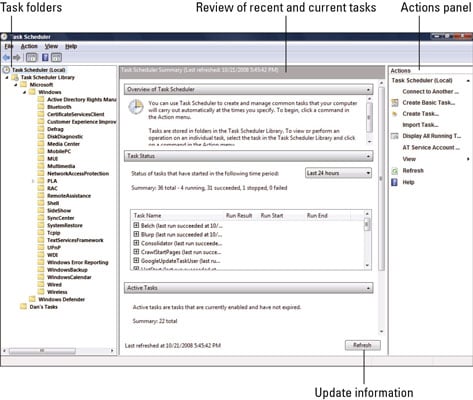
Create A Task To Display A Pop Up Message In Windows Task Scheduler Dummies

How To Use Task Scheduler In Windows 10 Full Guide
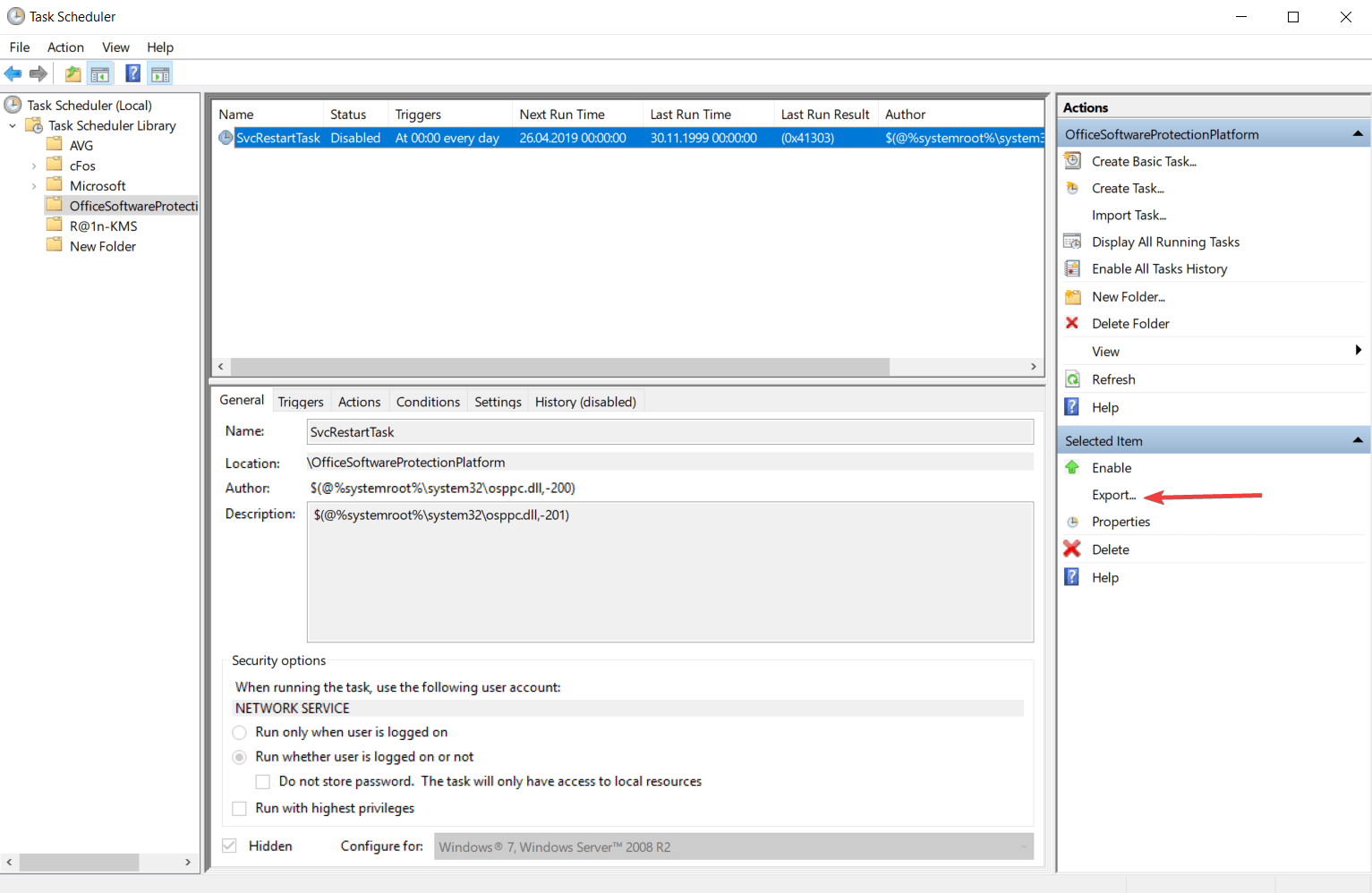
How To Use Task Scheduler In Windows 10 Full Guide
Task Scheduler Asking For Password Microsoft Community
Automate Tasks On Windows 10 Using Task Scheduler
How To Use Task Scheduler In Windows 10 Full Guide

Windows 10 Task Scheduler Access Functions Operation Summary

Task Scheduler Says Task Is Running But It S Not Stack Overflow

How To Get Windows 10 To Understand Scheduled Tasks Super User
Create A Task To Display A Pop Up Message In Windows Task Scheduler Dummies
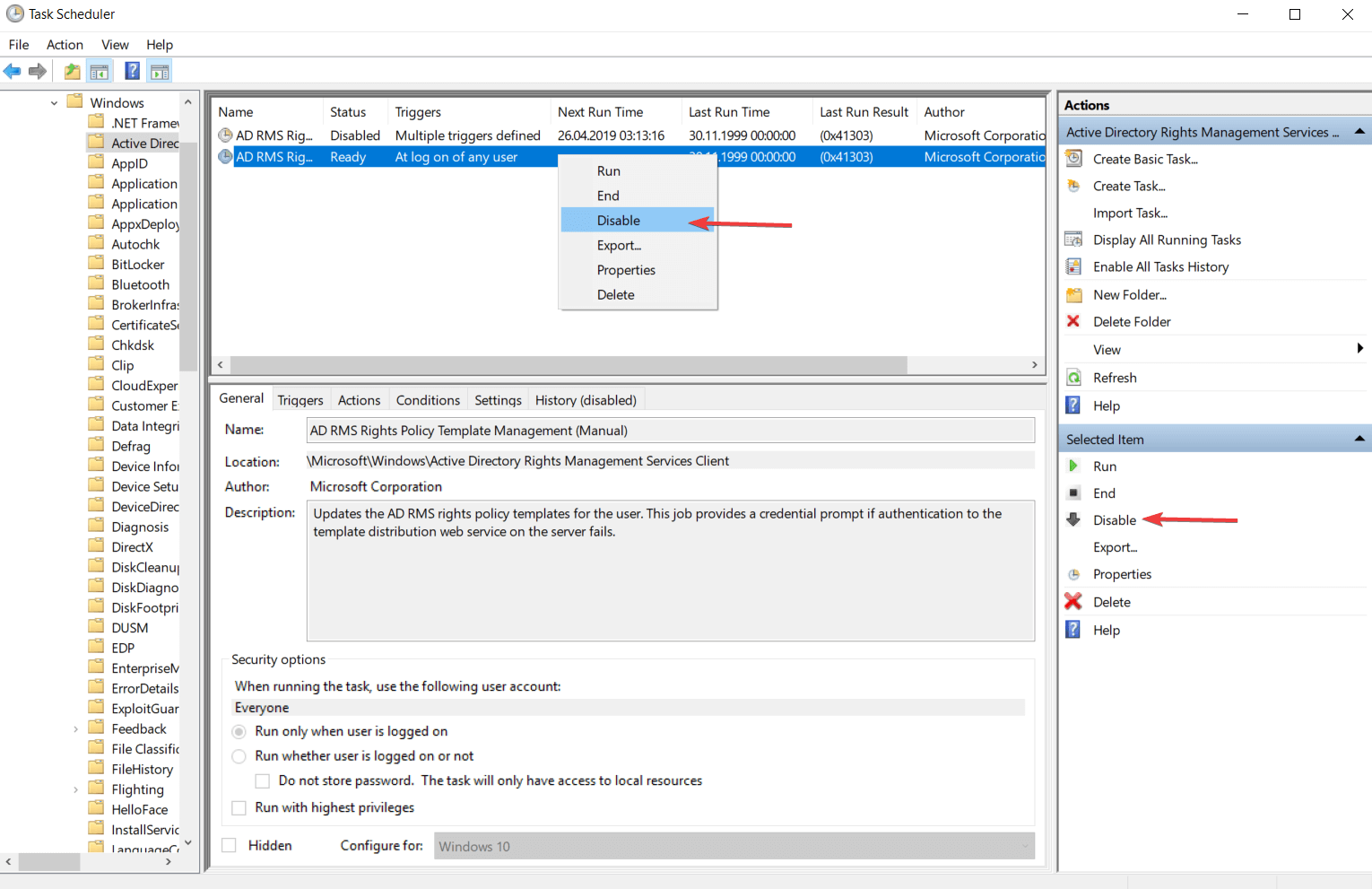
How To Use Task Scheduler In Windows 10 Full Guide

How To Use Task Scheduler To Create A Repeating Alarm During The Day In Windows 7 Nextofwindows Com

How To Enable Or Disable Scheduled Task In Windows 10 Tutorials
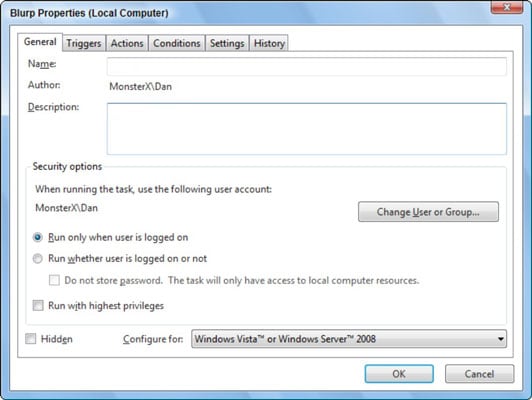
Create A Task To Display A Pop Up Message In Windows Task Scheduler Dummies
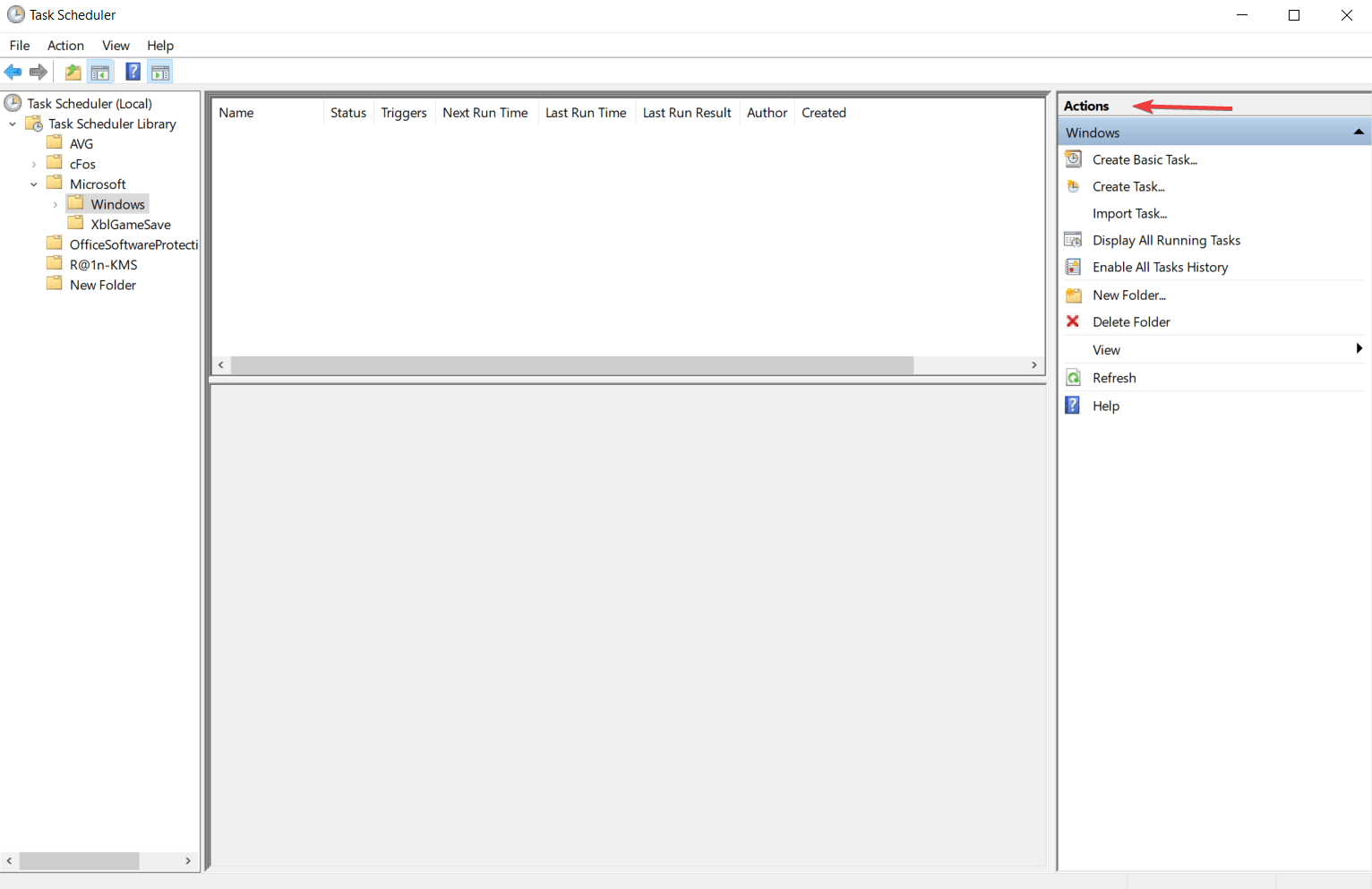
How To Use Task Scheduler In Windows 10 Full Guide
Windows 10 Task Scheduler Access Functions Operation Summary

How To Create A Scheduled Task In Windows 10 Osstuff
Create A Task To Display A Pop Up Message In Windows Task Scheduler Dummies


Posting Komentar untuk "Task Scheduler Windows 10 Display Message"