Keyboard Freezes Windows 7
Expand the Keyboard option and right click on Standard PS2 Keyboard and choose Uninstall. Press and hold the Power button on the computer until the computer shuts down about 5 seconds.

Manually Locking Your Computer Screen
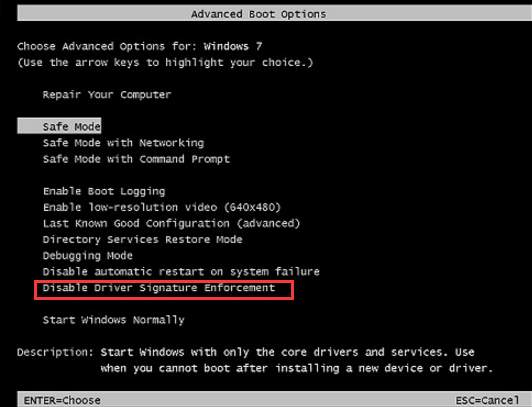
The Windows desktop opens and Safe Mode displays in.

Keyboard freezes windows 7. Mouse and keyboard freeze windows 7 64bit hey guys i have this problem that started 23 weeks ago when i us my pc the keyboard and mouse freezes sometimes on firefoxgames using MS programs i know its not my RAM or CPU but i cannot figure out what is causing it. While this keyboard freeze would happen my mouse cursor would also freeze in place and then teleport across the screen once the freeze stops. I am using Windows 7 Ultimate.
A Bizarre problem which is reminiscent of the old Memory overload days. I am running Windows 7 Ultimate x86 and have never had any problems. Display drivers Bluetooth drivers network drivers and motherboard drivers can all contribute to temporary freezing of the system.
Exit All Current Programs. Driver for keyboard and mouse also update BIOS to. I tried to go to startup mode everything works fine and then on the safe mode splash screen the same freeze if the mouse and keyboard happen and I have to reset the computer.
Out everything one at a time and no change. From the Windows Advanced Options Menu select Safe Mode and then press Enter. I-7 2600 34Ghz 16 MB Ram 4 SATA or E-SATA drives Nvidia 550TI ASUS.
I never once had this issue on Windows 7 so at first I thought it was something to do with Windows 10 but that was ruled out after I down graded back to Windows 7 by doing another fresh install. Download now 500k one-click install KeyFreeze is a FREE Windows application that blocks your keyboard and mouse without locking the screen. Under the Ease of Access Center option select Change how your keyboard works.
Space limitations on the system drive in Windows Server 2008. The computer does not appear to be loading anything. Even the power button will not reboot the computers rebooting requires unplugging and re-plugging the power cord.
Turn on the computer and then press the F8 key repeatedly. Solutions For My Laptop Keeps Freezing And Not Responding Windows 7 Disable All Other Services Except Microsoft Services. You may see Windows freezing periodically if there is an issue with an important driver on your system.
Keyboard and Mouse Freezes at Login Screen After BIOS Update to 218 on XPS 8900 Hi I am desperately in need of some HELP. Despite its Win7 there could be some hardware in conflict. So your kids can safely watch a cartoon or have a videochat with their grandparents and bang the keyboard all they want.
When you start your Laptop a few not-needed programs start. Random keyboard freezing stuttering typing and typing delays - posted in Windows 10 Support. Windows 7 was an.
No mouse or keyboard activity. Touchpad Keyboard Freezing Jul 29 2009. I cannot move the mouse cursor or type or use any keyboard keys.
The memory dump process occurs by pressing the RIGHT CTRL SCROLL LOCK SCROLL LOCK keyboard combination thats described in Method 1 and on the Citrix site. 3 rows Windows 7 Forums is the largest help and support community providing friendly help and advice. Really dont think its a hardware problem since both computers are.
Block keyboard and mouse while your toddler is watching something on a computer. Keyboard Mouse Windows 7 mouse freezing. On Windows Server 2008 you may not have enough free disk space to generate a complete memory dump file on the system volume.
Randomly the mouse and keyboard will freeze on both computers. I tried using our Microsoft WDS server and it looks to install the image but when it reboots it just freezes. 3 days ago I performed a series of updates sent out by Dell on my XPS 8900 Desktop including updating the BIOS from version 213 to 218.
As you scroll down make sure the Turn off Filter Keys is clear. It always seems to happen upon a mouse clickin Firefox chrome and Lightroom. The mouse and keyboard both stop working.
Remove your PC from the power source take out any discs and exit all software. Hello Im using windows 7 Ultimate x64 not updated at all and the wifi service wlan autoconfig is causing my keyboard mouse to freeze for about 3 secs then back to normal. Windows 7 Keyboard and Mouse freeze randomly - must reboot.
Archived Forums Windows 7 Performance. Reinstall drivers of the keyboard. Assuming you can use the mouse can you navigate to Device Manager click show hidden devices and report if there are any flagged devices particularly the keyboard andor mouse.
I plugged in my USB mouse from my PC and the laptop. Right click on Start button and choose Device Manager. M910 freezes when attempting to Image or Install Windows 7 x64.
Latest Windows 7 Update Disabled Keyboard Touchpad Oct 15 2011. Try thisfor windows 7-go to control panel-power option-change plan settings-change advanced power settings-expand USB in that USB suspended setting change it to Disable Default is Enable. Folks We purchased some M910 desktops 10MM002RUS and are attempting to install Windows 7 x64.
Also try thisfor windows 7-Right click on my computer-manage-device manager-expand USB-right click on listed usb-in that power management tab-UNCHECK allow the computer to turnoff this. Typing with the keyboard. I didnt think it.
I dont know what the latest update was but it updated when I was shutting down my laptop Compaq CQ60. Beep and mouse freezes for 2 sec swapped out mth bd and now the beep freezes the mouse. About 2 weeks ago my personal pc started randomly freezing up or at least that is what seems to be happening a couple times a day.

3 Ways To Change Keyboard Layouts On Windows 7 Wikihow
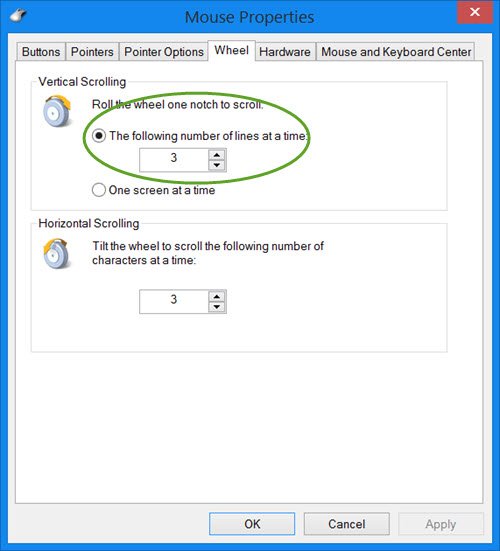
Mouse Pointer Lags Stutters Or Freezes On Windows 11 10

Solved Computer Running Very Slow And Freezing Driver Easy

How To Fix A Laptop Keyboard When Locked Hp Tech Takes

Manually Locking Your Computer Screen
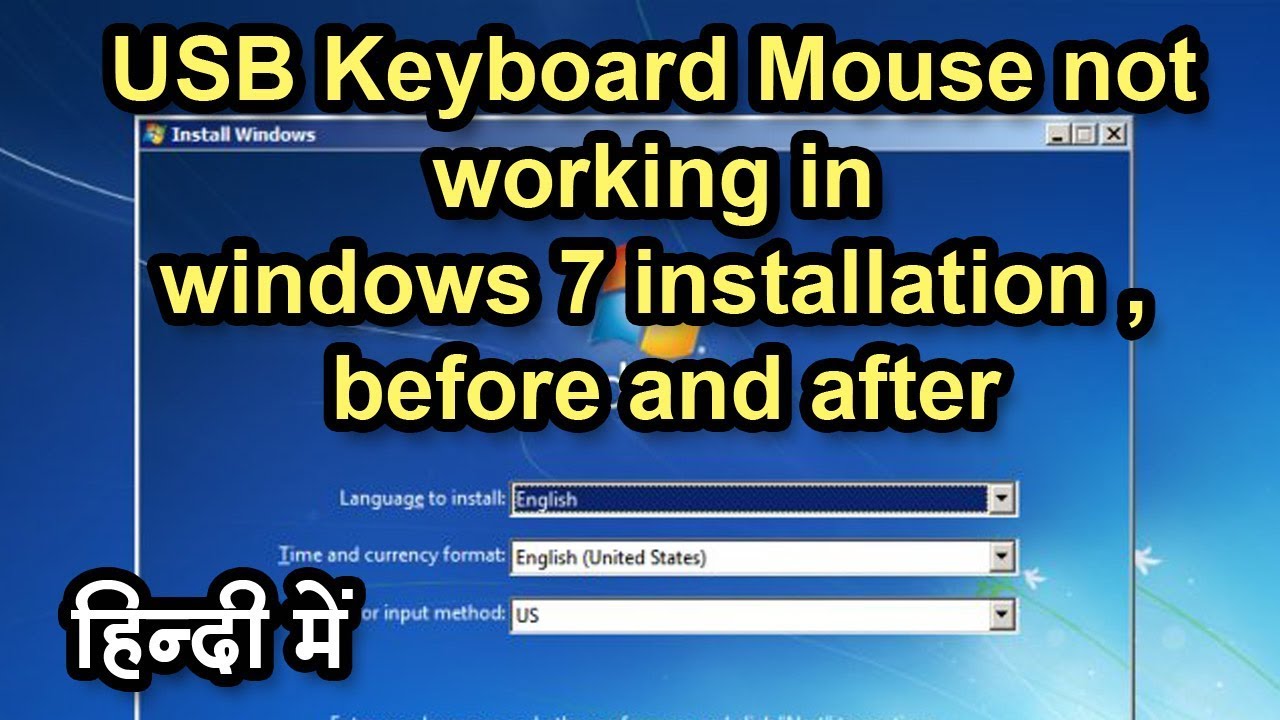
Usb Keyboard Mouse Not Working In Windows 7 Installation Before And After Logicalmindmaker Youtube
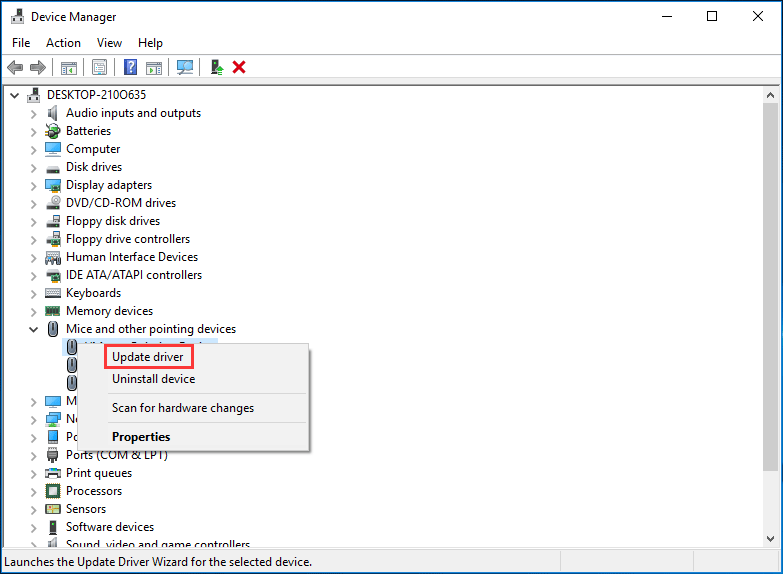
Mouse Keeps Freezing In Windows 7 8 10 Here S How To Fix It
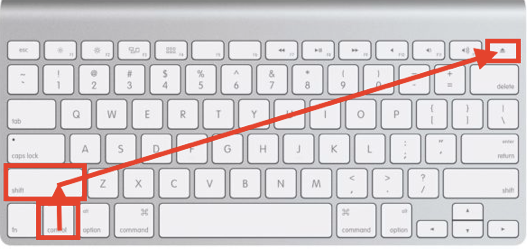
Manually Locking Your Computer Screen
3 Ways To Close A Program That Is Not Responding In Windows 7
Fix Usb Mouse And Keyboard Stop Working Issue In Windows 7 Driver Easy

How To Fix A Mouse That Freezes Hangs And Powers Off In The Middle Of Use Youtube
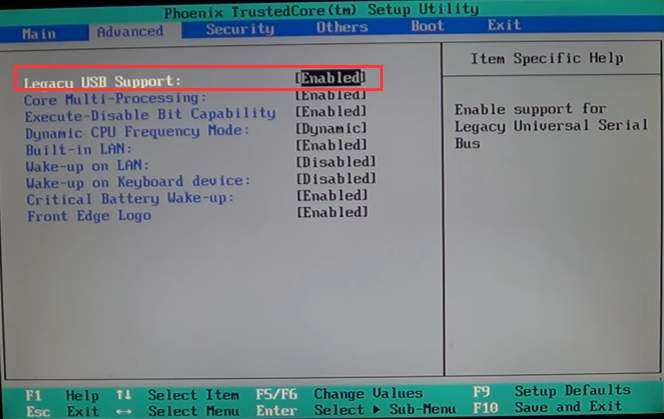
Fix Usb Mouse And Keyboard Stop Working Issue In Windows 7 Driver Easy
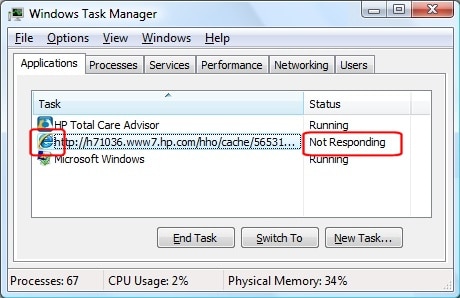
Hp Pcs Computer Locks Up Or Freezes Windows 7 Hp Customer Support
How To Fix Computer Freezing Driver Easy

Mac Keyboard Shortcuts For When Your Mac Freezes
Keyboard Not Working Windows 7 100 Fix Fix Keyboard Problem Youtube
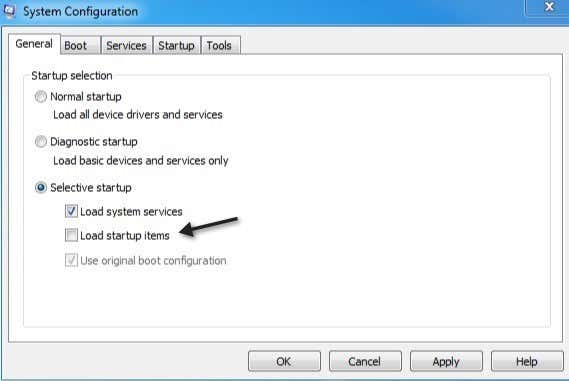
Ultimate Troubleshooting Guide For Windows 7 Hanging Issues

3 Ways To Change Keyboard Layouts On Windows 7 Wikihow

3 Ways To Close A Program That Is Not Responding In Windows 7


Posting Komentar untuk "Keyboard Freezes Windows 7"