How To Make A Powerpoint Uneditable
Making a powerpoint uneditable the Outline tab and the Notes pane. The area you will first see about the side of the blank slide is known as the Outline tab and this is the ideal starting place to produce any content.

Pin By Alfredleo22 On How To Find Out In 2021 How To Find Out System On A Chip System Restore
You can make a PDF form non-editable by either using Document Permissions Method 1 below or by flattening the form fields Method 2 below.
How to make a powerpoint uneditable. You read it right. It takes a bit of adjusting but its so worth it. Think about when you insert a picture into word it always has a mind of its own on where it wants to go regardless of whether you make it in line with next or in front of text In PowerPoint if you want it in a certain spot you can put it there and it wont grow little feet.
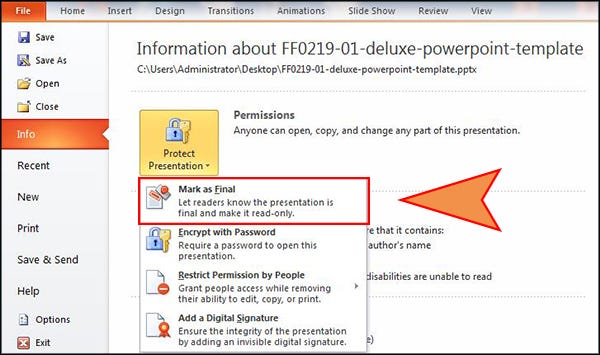
Securing PDF using MS PowerPoint. Method 1 Mark the Presentation as Final Step-1. If youre new to using Microsoft PowerPoint 2010 you might feel a little overwhelmed with the decision of views available when you start a blank slide.
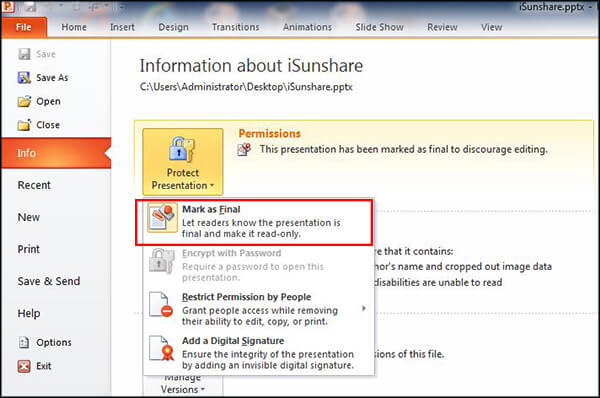
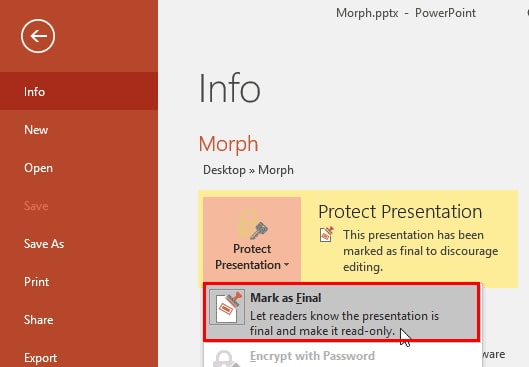
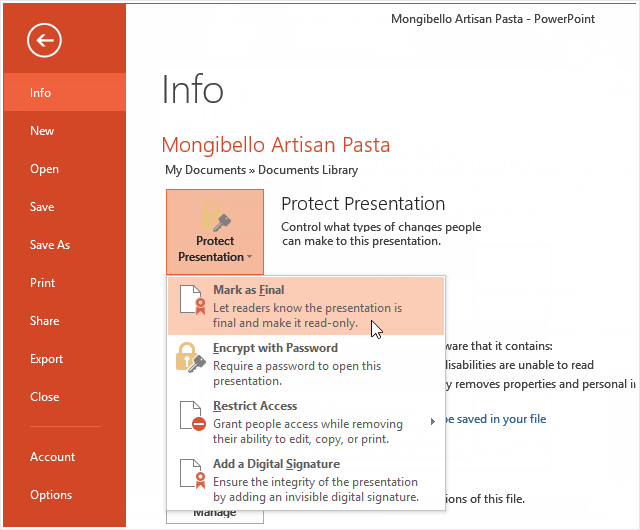
Click the Mark as Final option. Go to File - Document Properties. This is available on the save menu generation options.
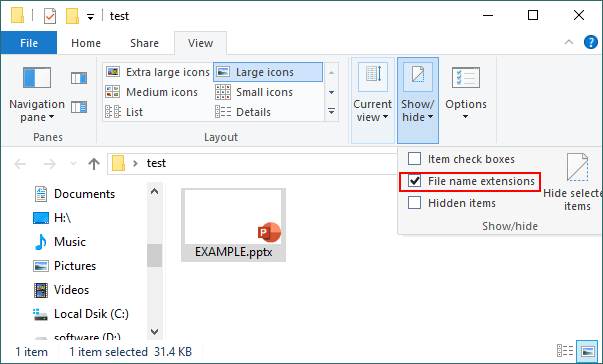
Click on the File tab. Navigate to the View Tab. Making A Powerpoint Uneditable.
How to make PowerPoint. Step 1 Download Passper for PowerPoint and install it on your computer. How do I enable editing in PowerPoint 2020.
Open the restricted PowerPoint presentation and then click File. Do one of the following. Go to Finder and get your PowerPoint presentation right click and choose Get Info.
Open the program and then click on Recover Passwords to begin the process. Step 2 Then click on Add to browse for the PowerPoint file you want to unlock and then choose the right attack mode to. How do I password protect a PowerPoint for editing.
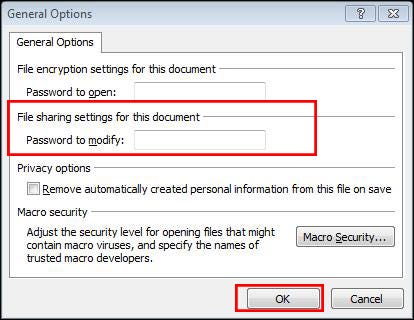
Once all of the text is highlighted click Restrict Editing in. To require a password for opening a presentation type a password in the Password to open box and then click OK. To open up your slide master in PowerPoint simply.
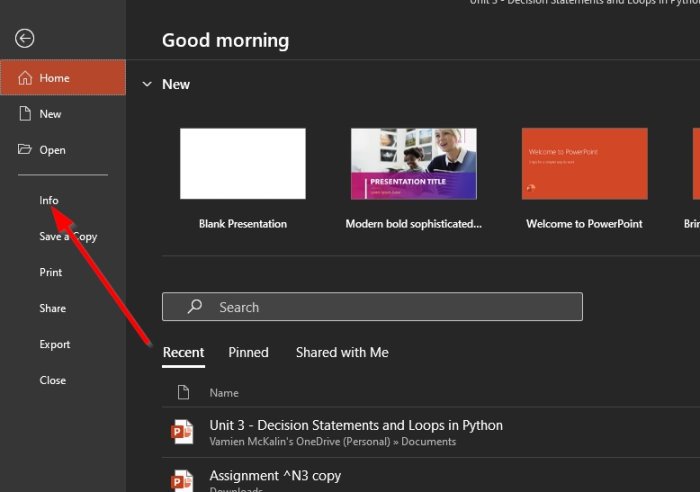
You cannot edit powerpoint sl. Select the Info option. In the Slide Master view youll see that the left pane contains two distinctly different elements.
Launch PowerPoint and open a presentation youd like to make uneditable. How to correct unchangeable elements on your slide 1. After that you can save the changes and the PowerPoint is unlocked.
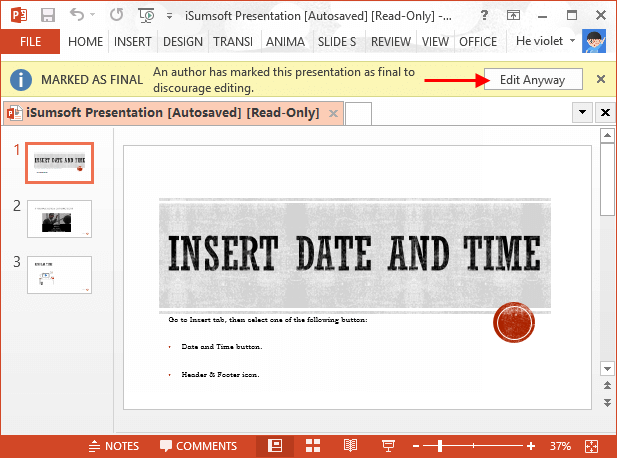
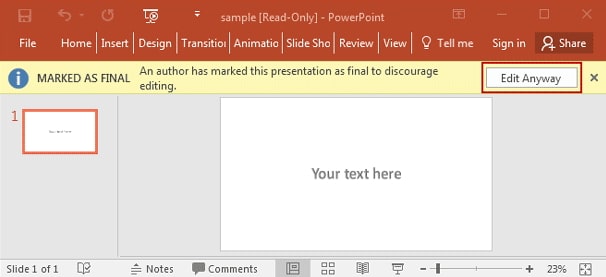
You can unlock a read-only PowerPoint presentation by removing the Mark as Final from the file. You can also jump to your slide master by holding the Shift key and clicking the Normal Icon at the bottom of your PowerPoint work space a hidden PowerPoint shortcut. Youll now see a Protect Presentation section which lets you to an extent protect against any editing of your presentation.
This essentially means that the presentation can be viewed but not editable. Read only power point slides properties makes your slides uneditable. You can protect a presentation with a password but once the password has been entered the presentation is editable.
How to Make PowerPoint Presentation File Read-Only Uneditable on Windows Hindi-UrduOn Windows How to Make PowerPoint Presentation File Read-Only Uneditab. Im posting this information because it genuinely is a feature that offers a solution to your question. After creating a Microsoft PowerPoint presentation that is designed for sharing with others you will likely want to make sure no one can alter your work.
PowerPoint will open the Slide Master tab and will. Is there a way to make an interactive PDF form non-editable and make sure that fields data on the form can not be changed. The first step of the process is to click on the File tab which is the first.
On the Tools menu click Options and then click the Security tab. To make a document un-editable first select all the text in the document by pressing CtrlA. After you have accessed the File tab select the Info option which is the 4 th.
Click File then Info to view information about the presentation. Any receiver of the Mark as Final presentation can edit the file by simply removing the read-only status. Then go to Sharing Permission to change every Privilege to Read Write.
Here are the steps to convert PowerPoint PDF file to noneditable file. Click the Protect Presentation to view a menu containing options. Make PowerPoint Editable on Windows.
Open the presentation that you want to create a password for. But remember if you forget your password even you would not be able to regain access. You can always make the presentation password-protected to modify.
This video describes you how to make powerpoint readonly. Yes you can protect your PDF files of PPT using Microsoft PowerPoint. Require a password to modify a presentation.
The easiest way to make sure your work is safe is to send the document in a Read-only form. Answer 1 of 6. Use Document Security and Set Permissions on the PDF Form.
To see this hidden Slide Master jump shortcut in action click here. On the View tab in the Master Views group select Slide Master. To protect your PDF files of PowerPoint Presentation.
PowerPoint doesnt have a lock objects feature to prevent editing but PPT Productivity add-in for PowerPoint has the object locking feature note that I work at PPT Productivity. Its by no means un-editable. This is a very primitive option.
Open the presentation that you want to make read-only then click the File tab. Uncheck the locked option under General settings. Only it saves as the regular PPT file to ppt or pptx extension which you can use it as a backup file.
Also to know how do I make my PowerPoint Uneditable permanently. Next in the left-hand pane select Info.
How To Remove Or Disable Read Only In Powerpoint Presentation
Top 5 Methods To Make Powerpoint Read Only

Powerpoint Hack Save As In 2020 Powerpoint Going Back To School Save
3 Ways To Protect Powerpoint Presentation From Editing And Modifying
4 Options To Protect A Powerpoint Presentation From Editing By Jenney Medium

Powerpoint In 2021 Powerpoint Microsoft Powerpoint Powerpoint Presentation
3 Ways To Protect Powerpoint Presentation From Editing And Modifying
Top 5 Methods To Make Powerpoint Read Only
How To Make Powerpoint Read Only And Uneditable
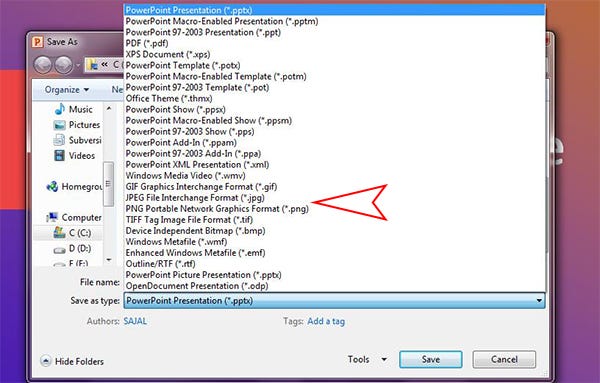
4 Options To Protect A Powerpoint Presentation From Editing By Jenney Medium
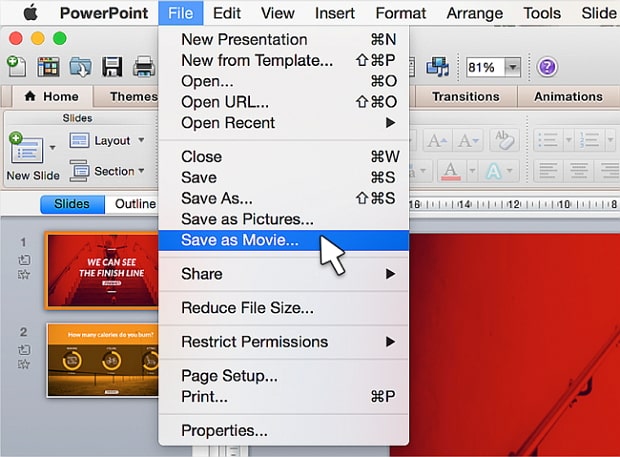
Top 5 Methods To Make Powerpoint Read Only
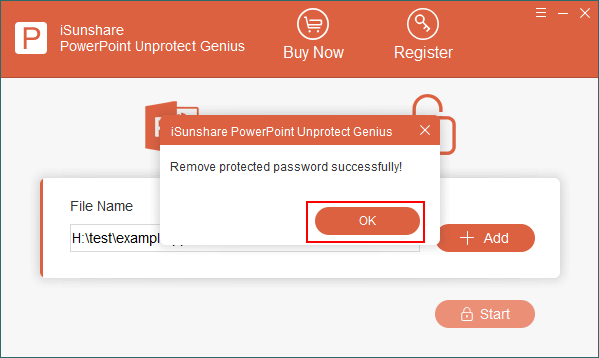
How To Change Powerpoint Presentations From Read Only To Edit
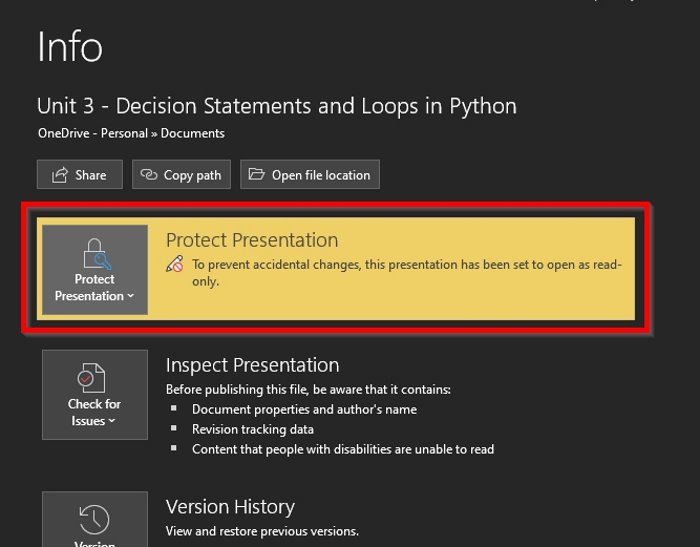
How To Make Powerpoint Read Only And Uneditable
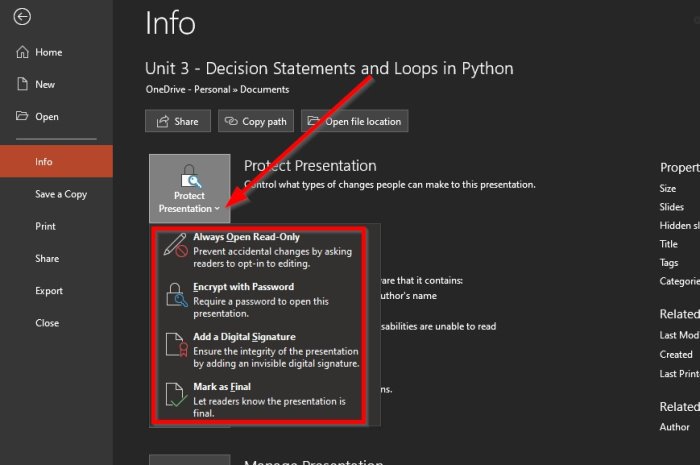
How To Make Powerpoint Read Only And Uneditable
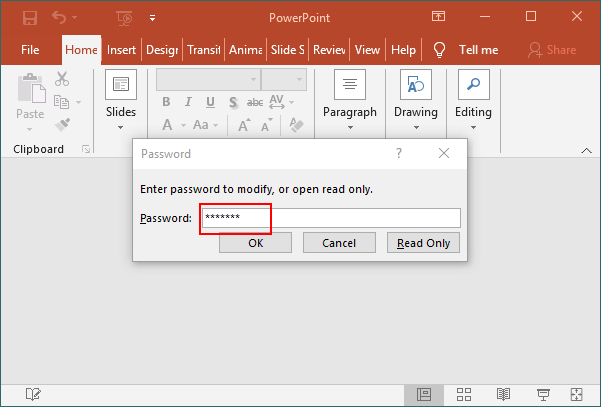
How To Change Powerpoint Presentations From Read Only To Edit
4 Options To Protect A Powerpoint Presentation From Editing By Jenney Medium
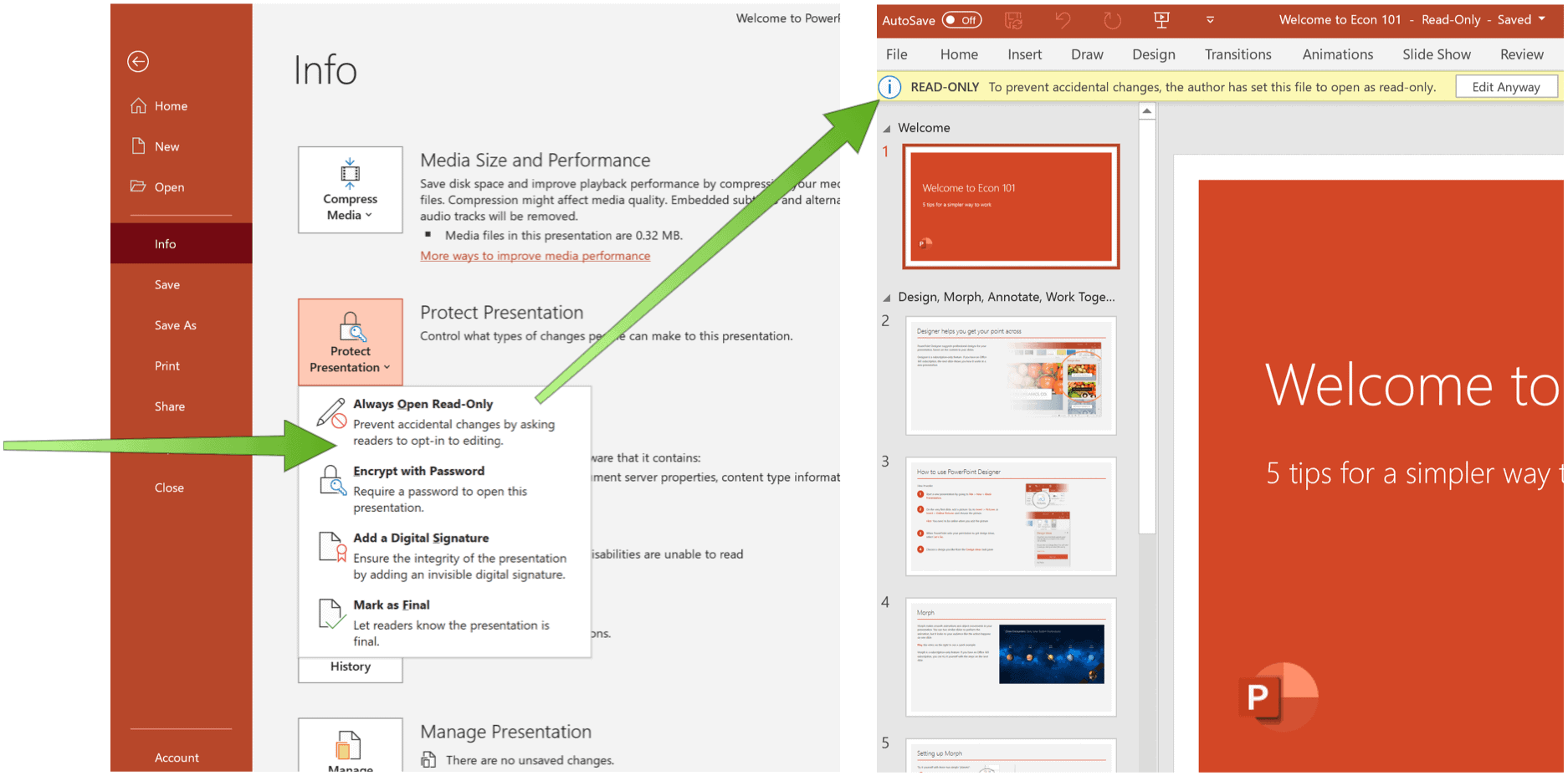
How To Make A Microsoft Powerpoint Presentation Read Only
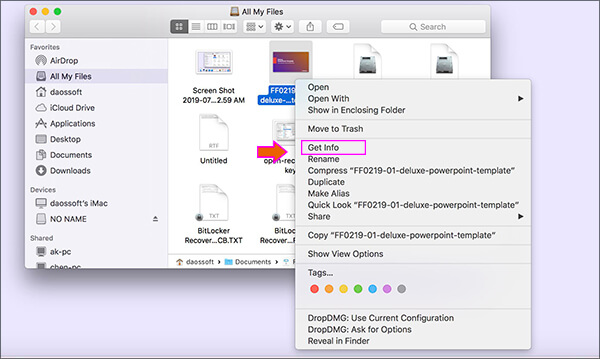
How To Make A Powerpoint Presentation Read Only Or Edit On Mac Os
How To Change Powerpoint Presentations From Read Only To Edit


Posting Komentar untuk "How To Make A Powerpoint Uneditable"