How To Block Someone On Android Zte
Tap the Menu icon three dots in the top right corner. Open the dialer app on your phone.

How To Block Calls On Zte Blade X Youtube
Showing over your screen while youre doing something else turn on Block when screen is on.
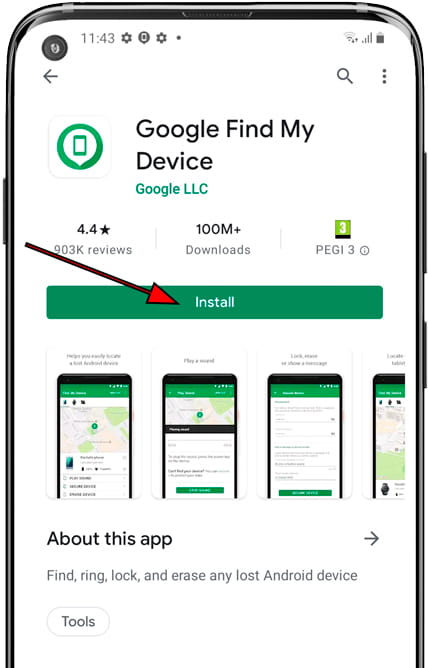
How to block someone on android zte. How to block calls on the ZTE Blade III. Open the Messages app. Follow these steps to block a number from calling you.
A drop-down menu may appear with additional options. Tap a call from the number you want to block. Tap Block report spam.
Youll find Call blocking or Call rejection listed here and you can manage the numbers on your Block list or Auto reject list. Block a number on your ZTE Blade L110 with Android 50 Lollipop right from the call log. Using a text or picture message from the spam number.
From any Home screen tap the All apps icon. Tap the i button next to a contactnumber. If you have a new android smartphone and would like to use it to stream videos play music or surf the web you may be wondering what happens when you block someone on Android.
Answer 1 of 3. People made mistakes or misunderstanding. Heres how to block calls from private numbers in Android.
To prevent notifications from. Tap to clear the check box next to the number you want to temporarily remove from auto reject. Tap Block number in.
Tap Sound Do Not Disturb preferences Block visual disturbances. Select the Phone icon on the home screen tap More at the top right and then tap Settings. Follow these steps to block a number from texting you.
To block any incoming call that is not added to the reject list touch the incoming call Phone icon and drag it to the left. In case your contacts app. Tap the name of the contact you want to block.
Open the Phone app. Tap the 3 dots icon and select Settings. Block a number on your ZTE Axon 7 mini with Android 60 Marshmallow right from the call log.
Click the phone app of your ZTE Axon 7 mini. The easiest method. Touch and hold on the conversation thread from the number you want to block.
In this video we will discuss how to block and unblock someone on the WhatsApp application for your android or IOS. Head over to Reject calls from. Go to Settings Call settings Call barring.
Click the phone app on your ZTE Blade L110. From the contact page for the caller or contact scroll to the bottom of the page and tap Block This Caller. Block Someone From Seeing Your WhatsApp Status Android Follow the steps below to Hide WhatsApp Status Updates from someone or from selected Contacts.
Select Settings and Set rules. Tap on Block calls. If you follow these steps and are not successful please reach back so.
Almost all the Android devices have blacklist feature in the stock that comes pre installed with the device contacts app so you can block the contacts from there. Alternatively you can select the contact from your contacts app go to settings and block the contact. While most people use their smartphones for these purposes blocking a person can be dangerous if you dont know what you are doing.
If the number is in your Contacts list open that contacts page in the Contacts app. Lets discover the first method by way of the incorporated options of Android. Click on the three dots on the right up side of the screen.
Tap Auto reject list. Tap and hold the phone number you want to block. To block the call but provide a message drag up.
Select the 3-dot More button. Head over to the three dots on the right up side of the screen. Tap the More icon.
Set the restriction of specific types of calls from your phone. Open the Phone app. As you said you are using an Android device it is very easy to block any phone number.
Tap More Call history. Open your Phone app. You can also set up automatic Call-reject messages if you want to.
Select the two dot menu icon in the top right. To block incoming text or picture messages SMS or MMS or mark them as spam on ZTE FTV Phone follow the steps below. Open the conversation with the person you want to block.
From the ZTE FTV Phone Home screen Click Messaging. Open WhatsApp on your Android phone. Start the Phone app view your recent calls.
Click on Reject calls from.

How To Block Numbers Calls On Zte Blade A602

Best Buy Tracfone Tracfone Zte Citrine 4g Lte With 8gb Memory Prepaid Cell Phone Black Tfzez716bg3p4p
How To Block Numbers Calls On Zte Blade L110

Zte Debuts Blade V9 And Its First Android Go Phone Tempo Go Digital Trends

How To Block Numbers Calls On Zte Blade A310
How To Locate Or Track A Zte Blade A5 2020
How To Block Numbers Calls On Zte Blade A520

Zte Debuts Blade V9 And Its First Android Go Phone Tempo Go Digital Trends
How To Block Numbers Calls On Zte Blade A6
How To Block Numbers Calls On Zte Blade L5

T Mobile Suspends Zte Zmax Sales Because People Are Idiots Pcmag

Zte Zmax Pro 2 News Rumors Specs And More Digital Trends

How To Reset Zte Phone To Factory Settings How To Open Locked Android Phone Zte Reset Easy Youtube

How To Block Calls On Zte Grand X4 Doinghow Com

How To Block Numbers Calls On Zte Blade V6
See How To Open Locked Android Phone Zte Reset How To Reset Zte Phone To Factory Settings Easy Fix Youtube

Zte Launches Two Inexpensive Android Phones At Ces 2016 The Verge

Zte Blade T2 Lite Review Android Phone On A Cheap Price

Zte Zmax Pro How To Block Number From Call Texting You Youtube


Posting Komentar untuk "How To Block Someone On Android Zte"