Can You Delete Pagefile Sys Windows 7
Its where Windows juggles and keeps track of demands for a lot of memory. If its not visible in your Start menu you can unhide it as follows.

Is It Safe To Delete Hiberfil Sys And Pagefile Sys Raymond Cc Page 2
Hope this tutorial helps you to move delete or disable pagefilesys from your Windows 78 Operating system.
Can you delete pagefile sys windows 7. After you disable hibernate mode restart your PC and then youll need to manually delete the hiberfilsys file. You need to disable the page file feature to delete the pagefilesys file. While buying a new hard disk can be a permanent solution it may turn out expensive and thats when you can try deleting the Hiberfilsys and Pagefilesys files.
Just like in Windows 10 you start from the Start menu if you want to disable hiberfilsys via the registry. But instead of using the search bar use the Run function. Basically pagefilesys is a Virtu.
In the following Ill explain how to safely disable the required settings and how to safely remove both pagefile and hiberfil. Since the file is being used by Windows even when its not actively paging memory you cant just delete it. If your pagefile is particularly large the system may have to delete it immediately without sending it to the Recycle Bin.
That is disabling the page file feature will automatically delete the pagefilesys file. To set this up youll be making changes to the Windows registry. These are two hidden files in the C drive and often deleting them can help free up the hard drive space considerably.
This shouldnt negatively impact performance and could even speed up certain processes as the page file doesnt need to be backed up when the primary drive is replicated. How to Relocate Pagefilesys to Another Drive Windows 10. For example if youre trying to make space on an SSD move pagefilesys to a hard drive if you have one.
The hiberfilsys hidden system file is located in the root folder of the drive where the operating system is installed. And yes the pagefilesys and hiberfilsys are automatically deleted after turning it off no reboot. Read all the above mentioned conditions or warnings before moving or deleting the file from your system.
Deleting hiberfilsys via the registry in Windows 7 and 8. This is called a hard delete - it will bypass the Recycle Bin. In the Power Options properties window switch to the Hibernate tab and disable the Enable hibernation option.
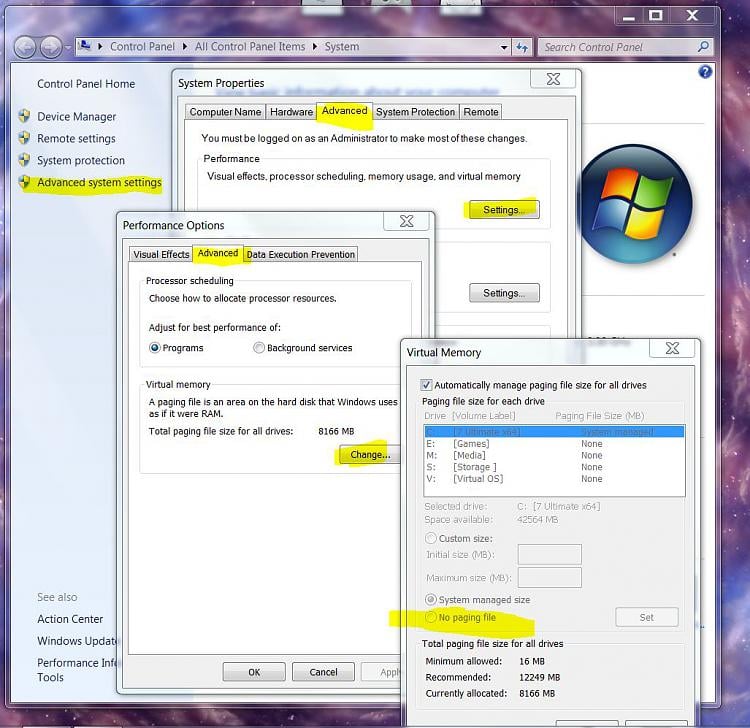
Under Performance select Settings. Right-click the task bar. Open the tab Advanced.
Note that pagefilesys is a system file. Steps to delete the pagefilesys file in Windows 7. Have a look at the gallery below for step-by-step screenshots.
For Pagefilesys file taking up a lot of space we need to relocate or move it to another volume. Force the pagefile to remain one size. The paging file pagefilesys may be completely unknown to many users since Windows creates it internally and we are hardly going to deal with it.
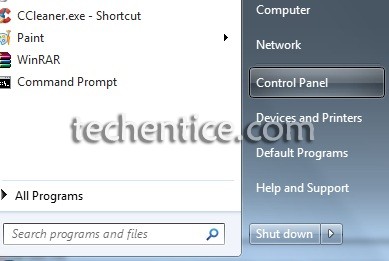
There are a couple of things you can do though. I just want to delete those files refresh before defragmenting my drive again much love and respect for helping me out with your informations and tips. First of all go to the start option and click on Control Panel.
Become 3D Expert - httpsanimfxincoursesblender-expert-course-in-hindiHow to delete pagefile in windows 7Learn Animation vfx courses in hindi - htt. Like other system files you cannot delete the pagefilesys file directly from Windows Explorer. Right click on pagefilesys and choose Delete.
If you set the pagefile to delete with shutdown you will save some hard drive space in exchange for slightly prolonging your shutdown time. How to delete the pagefilesys file in Windows 10. In the event that we have a PC with a small hard disk with a problem that it often fills up we may be interested in dispensing with the use of this file or changing its size or.
You can use Windows Explorer -- locate cpagefilesys RIGHT-click on the file press hold the left SHIFT key down while clicking on DELETE. A hard-delete is preferred as the page file may be too large for the Recycle Bin or in cases of low hard disk space. Click on the settings button under the performance menu.
In the sidebar click on Advanced system settings. This is the process of moving pagefilesys from one drive to other and completely deleting it from your computer. Accept the changes and this will free up disk space.
Save space on your HDD or SSD by deleting the Pagefilesys file. If you want to go ahead a delete. In order to see the file in Windows File Explorer the option to Show hidden files and folders must be enabled and Hide protected operating system files must be disabled.
After you set your Virtual memory to zero Windows will not use the pagefilesys file anymore and then you can delete the file. Here is one way you can get the system to automatically delete the pagefilesys on shutdown in Windows 10. After that go to the System and Security option for delete pagefilesys windows 7.
Click on System and Security. Click Set and OK to save changes then reboot your computer to take effect. Deactivate the option Automatically manage paging file size for all devices by unchecking the box.
Open Control Panel then click the. How to remove pagefilesys and hiberfilsys. Have a look at these steps to know properly about how to remove pagefilesys.
The size of this file is approximately equal to how much random access memory RAM is installed on the computer. Go to start and click on control panel. And then input 0 both into the box next to Initial size MB and Maximum size MB.
Open File Explorer and right-click Computer. First head to Control Panel Power Options. Open the tab Advanced again and select Change.
Open the advanced system settings Control panel - System - Advanced system settings. If your answer is no you can easily go ahead and deactivate the hibernation mode. To see what your current paging file settings are follow these steps.
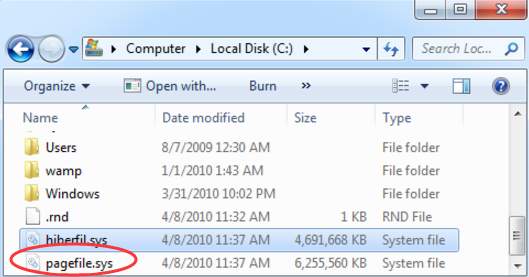
Open drive C you may see pagefilesys as the image below. Hibernate mode use the hiberfilsys file to store the current state memory of the PC and since its managed by Windows you cant delete the file. Select Custom size.
How to Delete PagefileSys in Windows 10 TutorialThis tutorial aims to show you how to delete pagefilesys in windows 10. To remove your pagefilesys altogether just make sure the No paging file box is ticked. Click on System link.
One is to move the file to another drive.
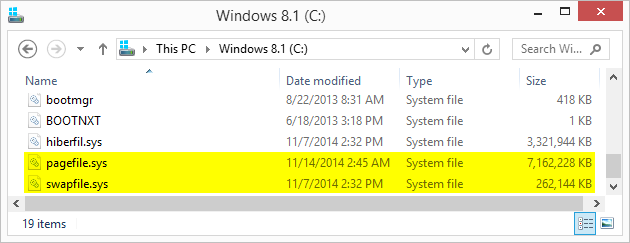
Page File And Swap File Explained How To Delete Pagefile Sys And Swapfile Sys In Windows 8 Or 10

Is It Safe To Delete Hiberfil Sys And Pagefile Sys Raymond Cc Page 2

Is It Safe To Delete Hiberfil Sys And Pagefile Sys Raymond Cc Page 2

How To Move Delete Or Disable Pagefile Sys On Windows 8 7 Os
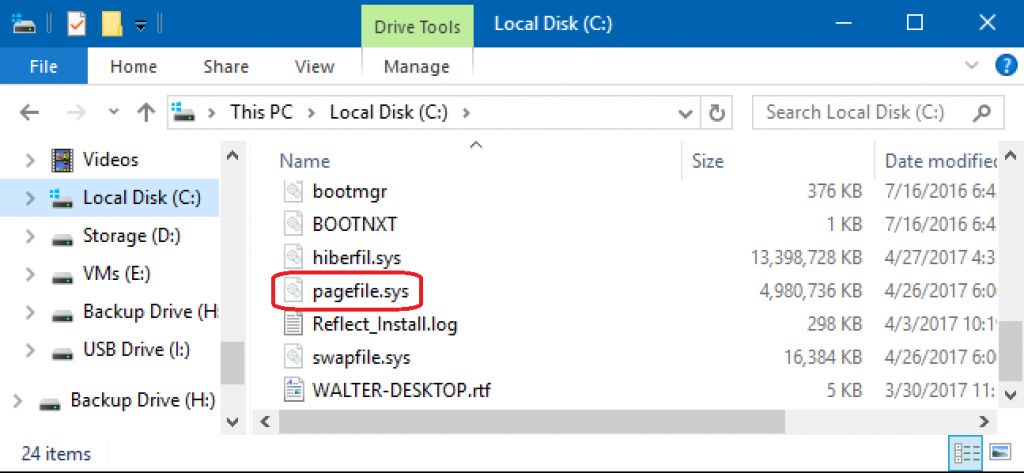
How To Set Windows To Automatically Delete Pagefile Sys Upon Shutdown

Is It Safe To Delete Hiberfil Sys And Pagefile Sys Raymond Cc

How To Remove A Huge Pagefile Sys Or Resize It Channel Pro
What To Do To Fix Pagefile Sys Huge Issue Driver Easy

Solved Pagefile Sys Hiberfil Sys Delete Safe Windows 10 Forums

How To Delete Pagefile Sys In Windows 10

Is It Safe To Delete Hiberfil Sys And Pagefile Sys Raymond Cc Page 2

What Is Pagefile Sys And Can It Be Deleted Ticswipe Com

What Is Hiberfil Sys And How To Delete In Windows 7 Free Up Hard Drive Space Nextofwindows Com
How To Clear Pagefile Sys At Shutdown In Windows 10 8 7 Windows Os Hub


How To Delete Hiberfil Sys Pagefile Sys File Free Up Lots Of Hard Drive Space Youtube
How To Delete Pagefile Sys In Windows 7 Tech Entice

What Is Pagefile Sys Can I Delete It Newyork City Voices
Solved Pagefile Sys Hiberfil Sys Delete Safe Windows 10 Forums
How To Delete Pagefile Sys In Windows 7 Tech Entice


Posting Komentar untuk "Can You Delete Pagefile Sys Windows 7"