How To Factory Reset Acer Laptop Windows 10 Without Cd
Then a window will pop up asking for continue or not. The first thing you need to do is switch off your Acer laptop by going to the power option or holding the Power Key for five seconds.
How To Factory Reset Acer Laptop Top Methods In 2021
So if you possess a Windows installation disk then you can boot from that disk or if you dont have the disk then.
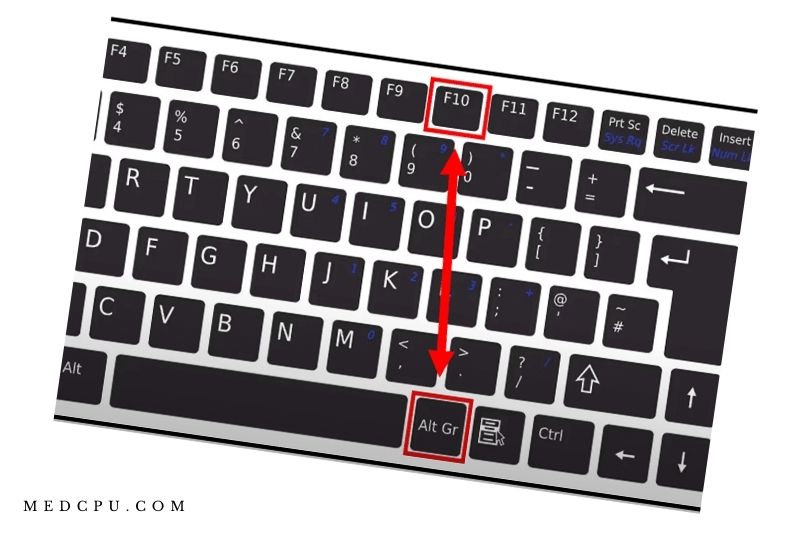
How to factory reset acer laptop windows 10 without cd. Press the Alt and F10 keys at the same time when the Acer logo appears on the screen. Now it will bring your laptop to factory default and takes about 1 hour. Once your system starts and the Acer logo pops up on the screen.
Out of the possible options that pop up select Acer Recovery Management. Restart your Acer laptop and press Alt key and F10 key when you see the Acer logo. With Windows 810 the traditional BIOS is replaced by UEFI.
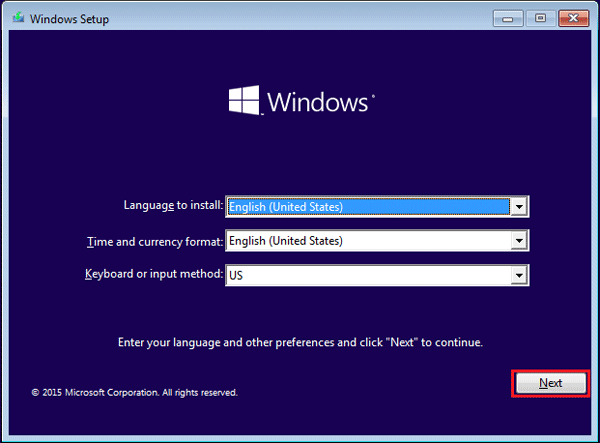
This video will show you how to a full factory reset reinstall reinstallation of your Windows 7 8 10 Vista XP operating system OS default on most of your A. Select to start the Acer laptop from the installation disk. Step 1 Restart your Acer laptop and click Windows and Q keys at the same time to arise the search box.
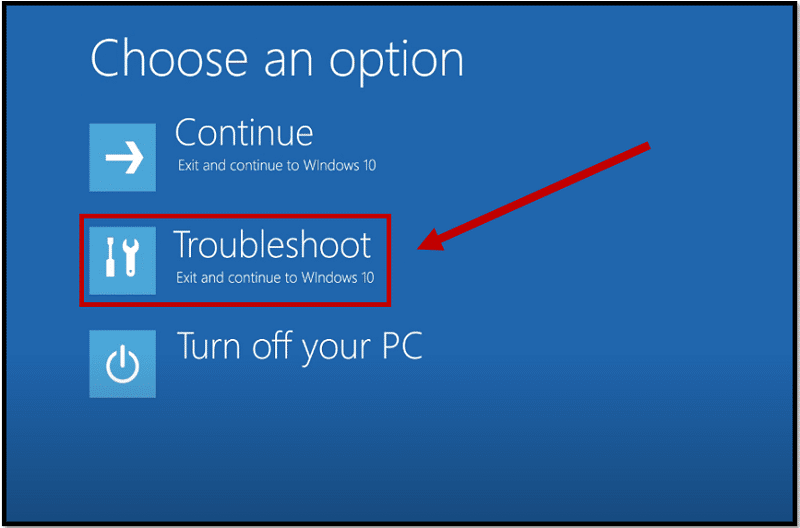
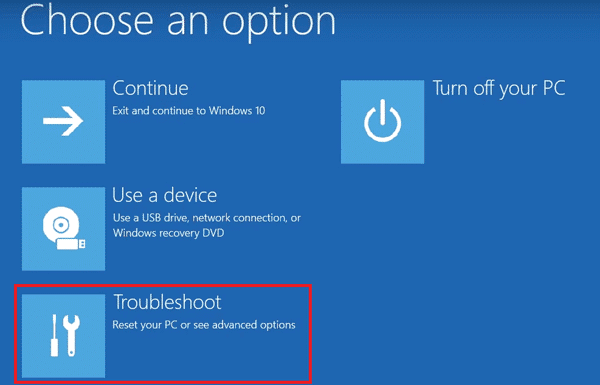
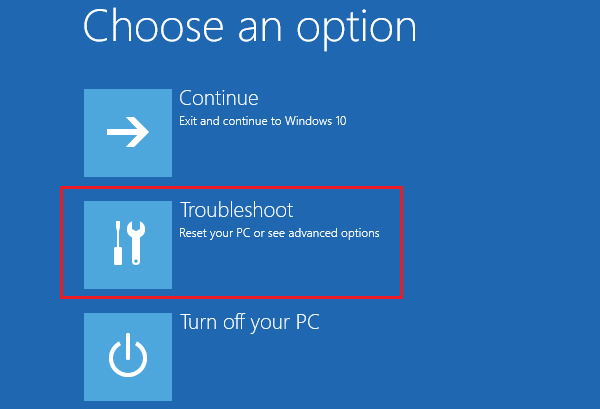
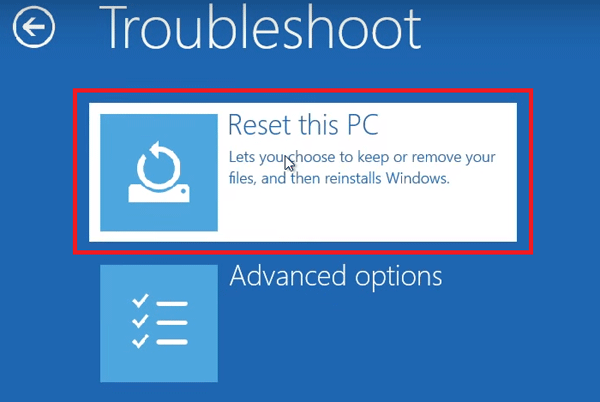
To begin with type Acer recovery on Search box and select Acer Recovery Management. Restore using System Recovery Options. Click on Troubleshoot option.
Now your PC will restart and the different option will be displayed on your screen. Its time to reinstall Windows 10 without losing data. Create a Windows Installation Disk to Reinstall.
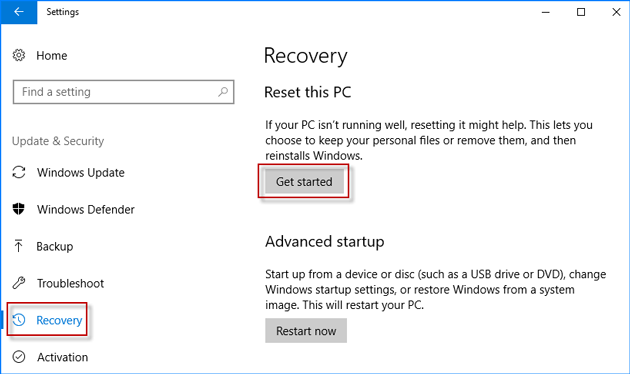
Open Start menu tap the power button. Acer Care Center will be launched ask whether to reset your Acer. You will be taken to Acer Care Center where you should select Get started an option that enables you to Reset your PC.
On the Acer eRecovery Management Click on the Restore System to Factory Default. Click on Restore and then choose an option from Completely Restore System to Factory Defaults Restore Operating System and Retain User Data or Reinstall Drivers or Applications. Thus you cannot reset Acer Aspire laptop back to factory settings like above method.
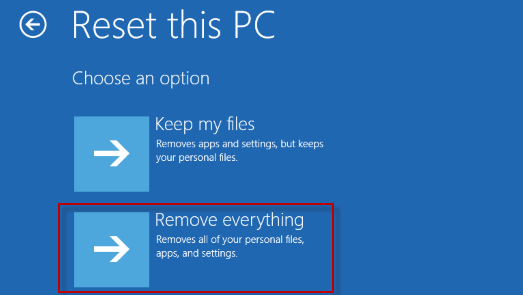
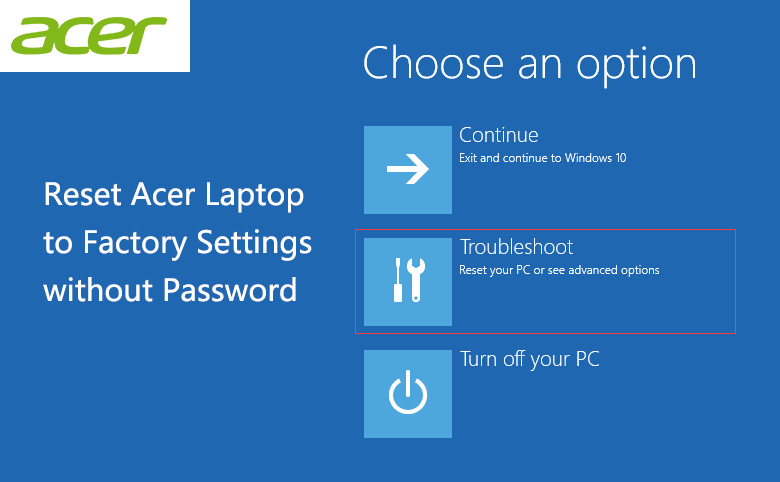
Your system should boot to a blue screen that says Choose an option. Allow the app running. Turn on the Acer laptop by pressing the power key.
If you have Acer Care Center installed in your laptop you can follow the steps below to reset Acer laptop. Use the following steps to reset your PC to factory default settings using the Acer Care Center. How to Back up and restore Windows 10 programs user accounts and data.
In the main window of Acer eRecovery Management choose Restore Completely Restore System to Factory Defaults. Press the Power key to turn on the computer. Click the Start menu and select the gear icon in the lower left to open up the Settings window.
Power off your Acer laptop. Click on Acer Recovery Management. Then you can access the recovery software.
Take Acer Windows 10 as an example. Now select Reset this PC option. This is an excellent way to factory reset your Acer laptop without having to access Windows 10.
Press and hold the Power key for about 5 seconds to completely power off the system. Now start the laptop again by pressing the power key. Its also the best solution if youre wondering how to reset Acer laptop to factory settings without password.
Factory reset Acer laptop Windows 10 from logging in. Acer Switch 10 Laptop Reinstall Windows with USB - Restore Windows to Factory Settings Without CDPNY 128GB Flash Drive. On your Acer laptop go to the search box and input Recovery.
Press the Power button Alt F10 keys simultaneously. This method only applies to Windows 10818. Insert the installation CD into the locked Acer laptop.
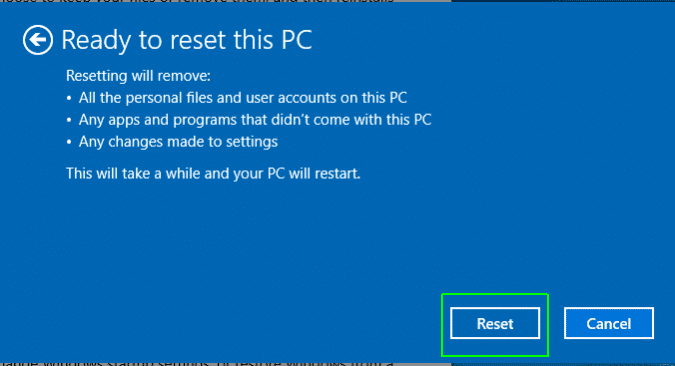
In the following sections you will learn how to reinstall Windows 10 without CD in three ways. Steps to Factory reset Acer laptop with Alt F10 Follow the below-mentioned steps. This method will delete everything on the primary disk including the file and login password and only supports Windows 10881.
Follow the on-screen instructions to start the restore. How do I force a factory Reset on Windows 10. Factory Reset Acer laptop Windows 10 by Alt F10 This will allow you to factory reset your Acer laptop without needing to log in to Windows 10.
Reset Computer to Reinstall Windows 10 Without CD. Turn on your computer and Press F10 Key repeatedly when the Acer logo appears on the screen. For Windows 810 Acer laptop.
Instead you can sue Acer Care Center adding the premise that you can login to Acer with password. You can also select the Settings app from the app list. Type Acer Care Center in the search box.
Input recovery to locate the Acer Recovery Management. Click Reset your PC. You can mill reset your Acer notebook by logging in in the event the Alt F10 keys do not work to your Acer notebook or in the event you must log in to Windows 10 to back up your essential files before factory reset.
Shut down your laptop then remove all external devices keyboard USBs printers mouse. Now press and hold the shift key and click on Restart option. Select Yes and click Start.
You can easily reset your Acer Laptop to Factory Settings with Windows installation but this procedure only applies to Windows 10 and Windows 881. You will enter a bootup window that reads Choose an Option. Click on get started right to reset your PC.
Click on Remove everything.

2 Ways To Factory Reset Acer Laptop Windows 10 Without Password Or Disc
How To Restore Acer Laptop To Factory Settings Without Password Windows Password Reset
2 Ways To Factory Reset Acer Laptop Windows 10 Without Password Or Disc

3 Ways To Reset Acer Laptop To Factory Settings Without Password
3 Ways To Reset Acer Laptop To Factory Settings Without Password
How To Factory Reset Acer Laptop Without Password Or Cd Wincope

How To Reset Acer Laptop To Factory Settings Without Password Rank Laptop
2 Ways To Factory Reset Acer Laptop Windows 10 Without Password Or Disc

How To Factory Reset Acer Laptop Youtube

How To Reset Acer Laptop And Back To The Factory Settings
How To Restore Acer Laptop To Factory Settings Without Password Windows Password Reset

2 Ways To Factory Reset Acer Laptop Windows 10 Without Password Or Disc
3 Ways To Reset Acer Laptop To Factory Settings Without Password

How To Factory Reset Acer Laptop 2021 Top Full Guide Gone App

How To Reset Acer Laptop To Factory Settings Without Password A Guide For You

2 Ways To Factory Reset Acer Laptop Windows 10 Without Password Or Disc
3 Ways To Reset Acer Laptop To Factory Settings Without Password

How To Restore Acer Laptop To Factory Settings Without Password Windows Password Reset
3 Ways To Reset Acer Laptop To Factory Settings Without Password


Posting Komentar untuk "How To Factory Reset Acer Laptop Windows 10 Without Cd"