Kaspersky Loading The Application Slow
Download and run the AppRemover executable and wait for the results of the system scan. Fix Error Kaspersky Loading the Application Stuck.

Kaspersky Safe Kids Control On The App Store
My internet speed is solid even here while I am on vacation around 20mbit download and 5mbit upload.

Kaspersky loading the application slow. Any standard software like MS-office and adobe acrobat reader have to run by Kaspersky app control and it take about a minute to open these files. Suppose you format your system and reinstall OS then install the Kaspersky antivirus program so in this case you need to update the program again from beginning. Kaspersky tries to block everything I do and did before I was hacked.
When asked about computer slow-downs some security vendors would claim that their products are not responsible. When Kaspersky Anti-Virus is running the computer or individual programs may slow down due to the lack of system resources. Select the check box Automatically disable some Kaspersky Internet Security functionality such as notifications when applications are launched in full-screen mode.
It doesnt like iTunes or games or the internet and it frequently limits my activities on such programs. It just sits there incrementing percent complete painfully slow. Thankfully a program called AppRemover is able to detect and remove leftover data from many security applications including the most popular of Norton McAfee Bitdefender Eset AVG Avira Avast and of course Kaspersky.
Kaspersky makes browser load pages slow and give CPU spikes when typing in text boxes. Even outlook express and IE take more than aminute to load. This is very important option.
Kaspersky slow updating Solved Closed Both Kaspersky total security and kaspersky free which i use update very slow the databases. Load up Event Viewer so you can look at the programs that are loading during startup and how long they take. Kaspersky makes browser load pages slow and give CPU spikes when typing in text boxes.
Critical Fix 1 version 810831 for Kaspersky Endpoint Security 8 for Windows Workstations version 810646. Kaspersky Endpoint Security 10 installation is very slow on some computers when pushed from the server. It didnt look like memory or disk io mattered as it was fast on some slower machines.
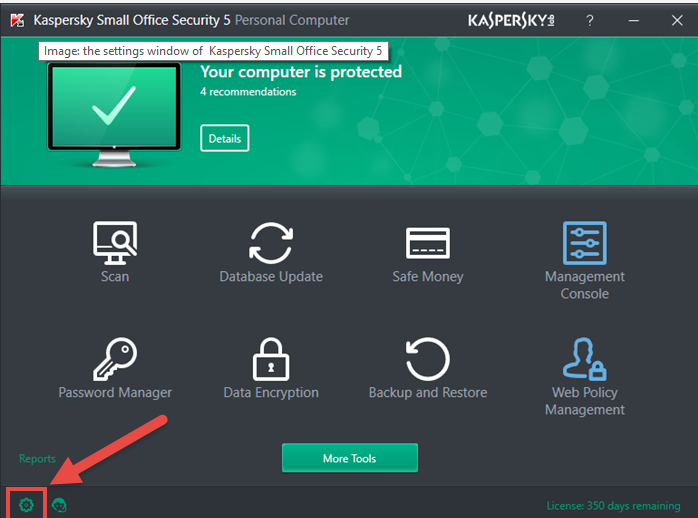
A handful of your daily computer-related issues may potentially be fixed without too much. Open the settings of Kaspersky Anti-Virus by clicking the gear icon in the lower-left corner of the main window. Computers are local to the Administration server.
To fix this problem reinstall the application. I am using Kaspersky Internet Security 2010 as AV. The usual suspects that cause a computer to run slowly include obsolete hardware an outdated operating system fragmented disk space and old software applications.
It starts downloading and just stops and sometimes doesnt even update if i dont manually stop and restart. Click on the search bar. Download the installer from the Kaspersky website.
Concede resources to operating system when computer starts. I noticed that copying files to the target computer. Go to the Start button.
If playback doesnt begin shortly try restarting your device. Kaspersky Antivirus KAV Kaspersky Internet Security KIS Kaspersky Pure. Up to 20 cash back Kaspersky.
Yes Antiviruses and Security Products Have Impact on Computer Performance. I like the increased protection but I would prefer to be able to use iTunes and play games without Kaspersky slowing me down which by the way it slows my internet. To increase your computer speed.
Did you giys run or apply the patch from May which fix many things and should also the slow performance which is related to enabled System Watcher that is taking up resources. Kaspersky Security Cloud Family Personal or Free. Kaspersky loading the application stuck How to update Kaspersky Internet Security 2017 Kaspersky Antivirus 2016exe.
Event Viewer is an integral part of Windows software and it can be called up from the Run menu Windows key and r. Up to 20 cash back The first thing to do is to find out whats going wrong. Clicking on the Performance tab will lead you to the Battery Saving and Gaming Profile screen.
Error Kaspersky loading the application slow happens in the following version. Select all the files and folders. Overall Kasperskys antivirus engine is really good it has a 100 perfect detection rate with several types of scans to choose from excellent real-time protection and it doesnt slow down a system during a full system scan.
To increase your computer speed. The start-up takes about 5 minutes. Posted by10 months ago.
If you are sure about the slowdown process of your computer you can enable both the features to power up the performance. Open Kaspersky antivirus and go to Settings. If you have poor internet connecting then it will be very time consuming task as the complete updates are more than 90MB and updating speed is very slow.
Select the check box Postpone computer scan tasks when the CPU and disk systems are at high load. An April 2015 endurance test by AV-Test showed that common tasks such as copying files. How can I fix Loading the application Kaspersky error.
Hi When Kaspersky Anti-Virus is running the computer or individual programs may slow down due to the lack of system resources. Answer 1 of 2. Kaspersky Now a new application that has been developed to support Microsofts new Kaspersky Antivirus 2016 Trial Shop Staples for great deals on Kaspersky Total Security 2018 5-User 1-Year.
If any security software leftovers. Open the settings of Kaspersky Anti-Virus by clicking the gear icon in the lower-left corner of the main window. Delete the Temp folders and files.
Independent antivirus testing labs however beg to differ. I find it slows down my laptop quite a bit. To load a page that used to take less than a second with Kasperskys firewall enabled or without Kaspersky at all.
If Kaspersky application window does not open it means that protection is not working or is working incorrectly. If I decide to disable Kaspersky firewall and switch back to Win firewall my Chrome browsingpage loading increases to upwards of 4 seconds. Type eventvwrmsc into the dialog box and click OK.
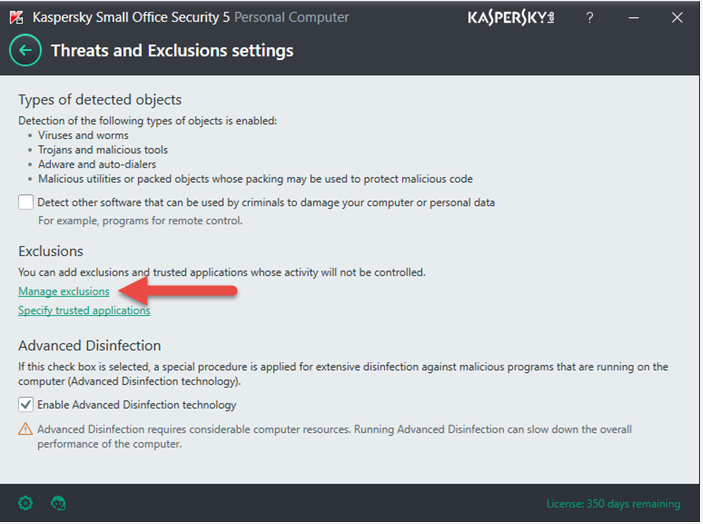
Kaspersky Antivirus Public Documents 1099 Pro Wiki

Kaspersky 2021 Anti Banner Is Causing Issue With Jupyterlab Fixed In 2021mr2 Kaspersky Community

Can T Send Emails Since I Ve Installed Kts From Outlook 2016 Unless I Run Into A Secure Connection Kaspersky Community

2wqzezmayqk43m
Avast Free Antivirus Review Tom S Guide

Kaspersky 2021 Anti Banner Is Causing Issue With Jupyterlab Fixed In 2021mr2 Kaspersky Community

Uj94a 7w Bv7m

Kaspersky 2021 Anti Banner Is Causing Issue With Jupyterlab Fixed In 2021mr2 Kaspersky Community

Kaspersky Antivirus Review 2019 Antivirus Best
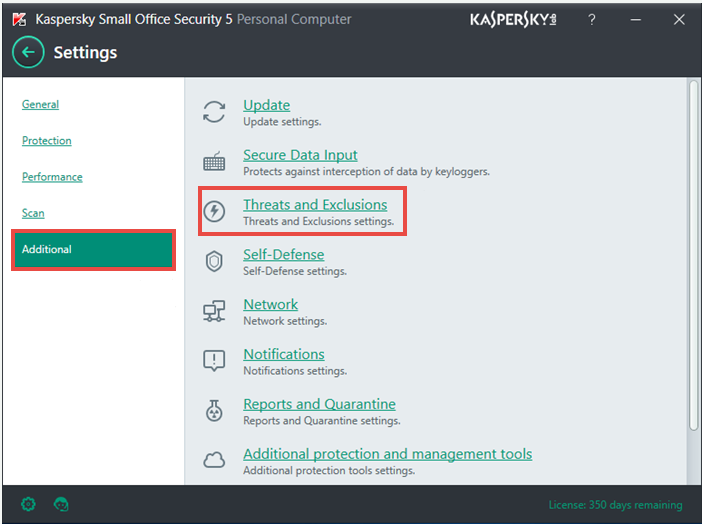
Kaspersky Antivirus Public Documents 1099 Pro Wiki

Kaspersky Safe Kids Control On The App Store

Kaspersky 2021 Anti Banner Is Causing Issue With Jupyterlab Fixed In 2021mr2 Kaspersky Community
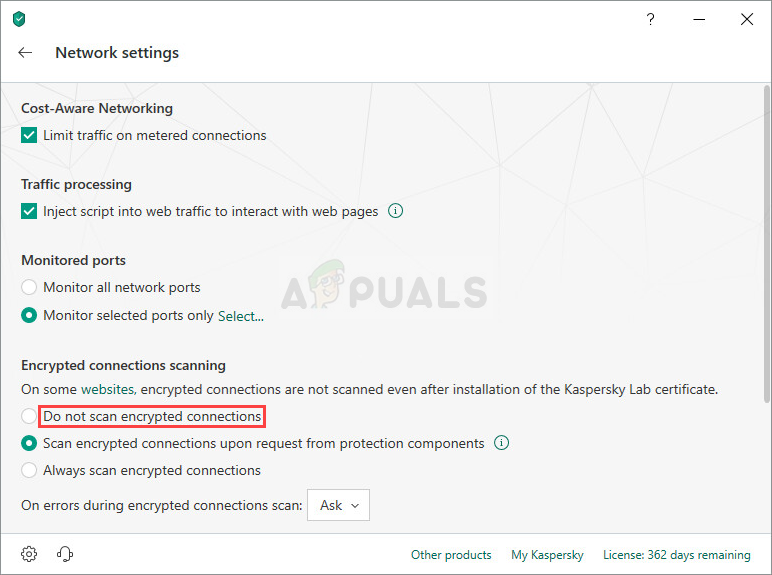
How To Fix The Performing A Tls Handshake Error In Mozilla Firefox For Windows Appuals Com
Kaspersky 2021 Anti Banner Is Causing Issue With Jupyterlab Fixed In 2021mr2 Kaspersky Community
Kaspersky Antivirus Public Documents 1099 Pro Wiki

Kaspersky Safe Kids Control On The App Store

Connectivity Issues With Roblox Kaspersky Community

Kaspersky Safe Kids Control On The App Store

Uj94a 7w Bv7m


Posting Komentar untuk "Kaspersky Loading The Application Slow"