After Effects Audio Noise Reduction
Go to the E ffects tab and click on Noise Reduction. Noise Reduction in After Effects.

How To Change Volume Levels In After Effects Tutorial Youtube
Ad Download WavePad to remove noise and hiss free from audio recordings.

After effects audio noise reduction. How to Remove Noise with Audacity. In the properties panel you can adjust how sensitive the noise reduction effect is with the Sensitivity slider and the amount of noise to remove with the Reduction slider. Ad Download 100s of Video Templates Graphic Assets Stock Footage More.
This noise reduction software is a leading name in sound editing field. Speed Up Your Workflow. Remove Noise Using Adobe After Effects.
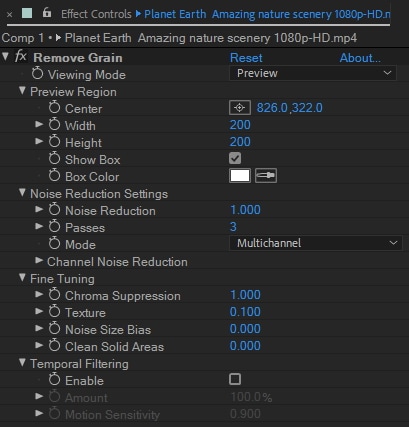
The Remove Grain Effect. When you increase your gain or ISO settings you make your sensor more sensitive to light which can help you properly expose your footage when there isnt enough light hitting your sensor. Click Audio Effects and drag the Remove Noise effect to the audio track on your timeline.
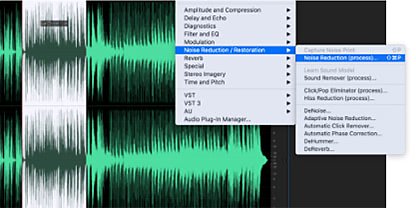
It worked wonderfully except even after playing with the settings I get a slight tinnyecho-y sound from the vocal. Choose Effects Noise ReductionRestoration Noise Reduction. Sample your hiss audio and Capture Noise Floor in the dialog box.
Lets start off with some grainy footage. Select a part on the clip that doesnt feature any dialogue. There is also an upgrade path 99 if you own previous versions of.
However you can also remove noise directly in Adobe After Effects using the inbuilt Remove Grain effect. Buy Once Use Forever. To select noise in a specific frequency range use the Marquee Selection tool.
A break of a few seconds is perfect. See Select spectral ranges Choose Effects Noise ReductionRestoration Capture Noise Print. With a versatile tool like VEED removing background noise from your digital content is easier than ever.
When there is no possibility of overwriting you can remove these noises with the help of available tools. The clients are happy with the result but Im. 60-Day Money Back Guarantee.
Neat Video 99 The nice thing about Neat Video is that it can operate not only within Premiere Pro and After Effects but also across a wide array of other VFX software like Nuke HitFilm Vegas Catalyst and moreJust make sure you purchase the version you need specific to your program of choice. Simply upload your audio open Settings click on the Clean Audio button and voila - the background noise will disappear automatically. Every once in a while youll get some images that look a bit blotchy and unnatural.
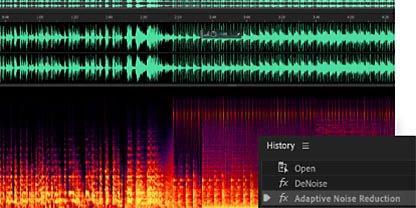
I followed a tutorial about using the Noise Reduction filter in Audition CS 6 to remove background noise from an interview. Clean up and reduce noise in audio with easy-to-use audio editing software. A brief 9 minute demonstration of how to use the combination of Adobe After Effects and Adobe Audition to eliminate background audio noiseIf this was helpfu.
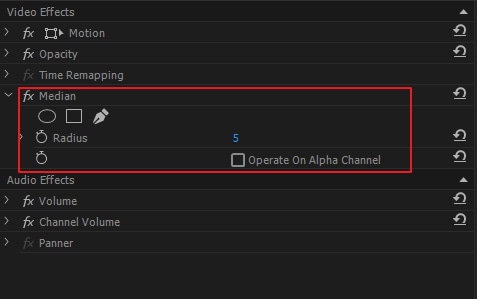
However this usually means there were some pretty serious noise problems in your footage to begin with. Here s an After Effects Tutorial for Removing Noise from your Videos. Noise Reduction in After Effects - Adobe Support Community - 9942383.
And I think that happens because its a really complex thing to do and most of these developers go well hey we got some pretty. However by increasing your sensors sensitivity to light you can create noise and grain in your image. Not always a musical composition or any recording is obtained clean without the presence of extraneous noise.
Click anywhere else in the timeline and go to Effects Noise Reduction Noise Reduction process Adjust the Noise Reduction and Reduce By sliders and click Apply. If you are after a quick fix your best option might be paid 3rd party plugins like Red Giant Denoiser or ABSoft Neat Video. There is nothing difficult in removing noise especially if they are not very pronounced or are found only in small.
In the Editor panel select the range from which you want to remove noise. July 14 2015 at 443 pm. Red Giants Denoiser III 199 Denoiser III is the latest iteration of Red Giants.
To record sound simply open the software and click on the Record Button. The full version of this plugin is 199 but that will get you access to the plugin in After Effects Premiere Pro and Final Cut Pro X. Find out how to clean up your audio tracks by reducing hiss and background noise with Adobe Audition.
After editing you can easily download your updated audio file to your device. Go to Effects Noise Reduction Capture Noise Print. Ad Get 1000 Liquid FX Elements for After Effects at a 40 Discount.
After the recording is finished begin with noise cancellation. - But video noise reduction tools are still not all that common. Open your audio file in Audition and click on Effects Noise Reduction Restoration Hiss Reduction.
Check Output Hiss Only to hear hiss and reduce with slider controls.

Reduce Audio Noise In Recordings Adobe
How To Reduce Noise In Premiere Pro Easily 2021
Reduce Audio Noise In Recordings Adobe
How To Reduce Noise In Premiere Pro Easily 2021
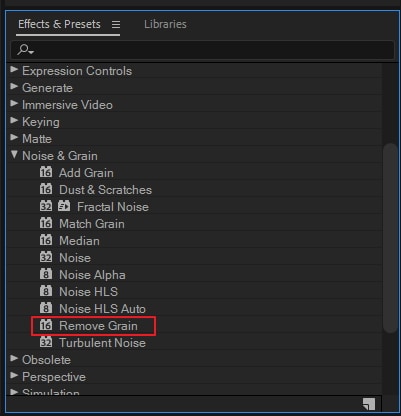
How To Reduce Noise In Premiere Pro Easily 2021
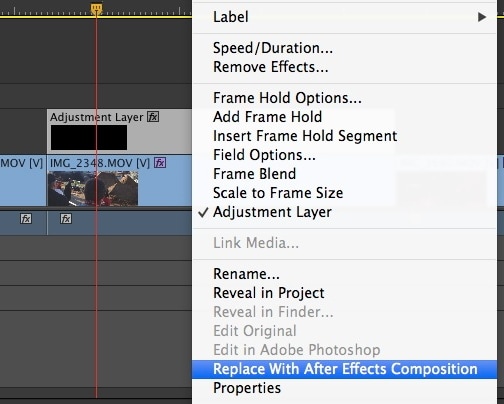
How To Reduce Noise In Premiere Pro Easily 2021
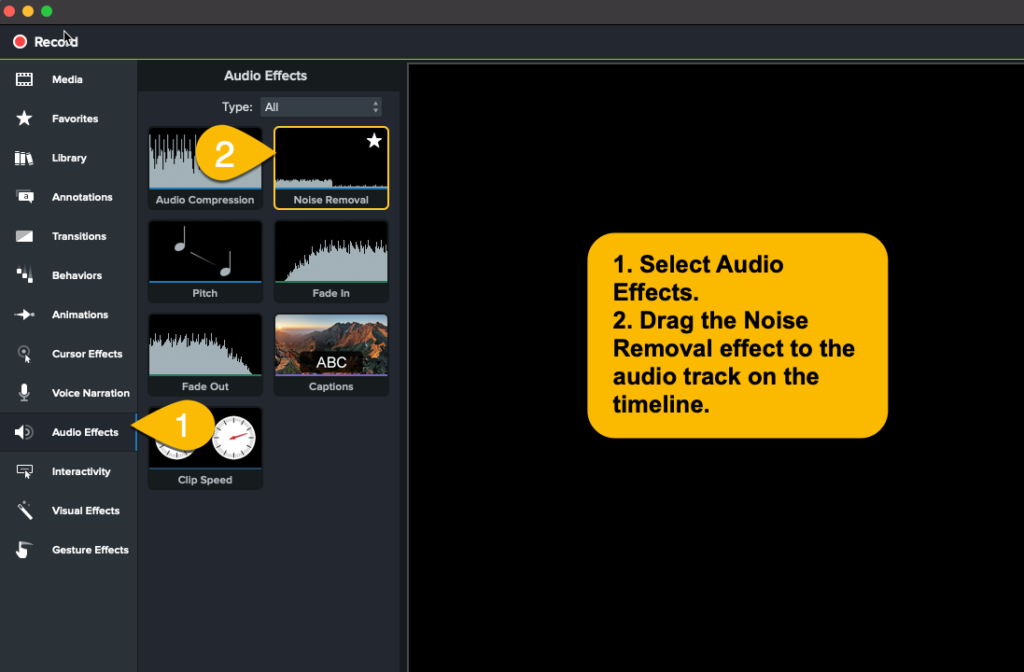
How To Reduce Audio Noise In Your Recordings Techsmith Tutorials
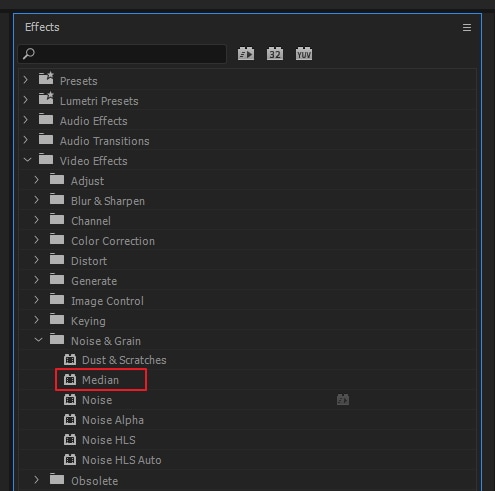
How To Reduce Noise In Premiere Pro Easily 2021

Essential Sound Panel
How To Reduce Audio Noise In Your Recordings Techsmith Tutorials
How To Eliminate Adobe After Effect Background Audio Noise In Audition Youtube
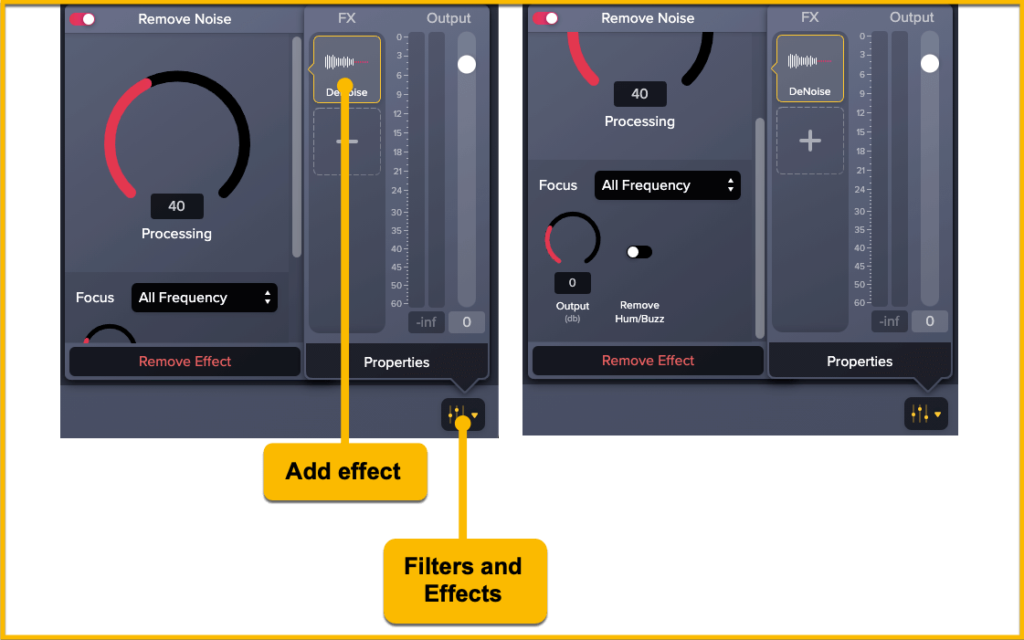
How To Reduce Audio Noise In Your Recordings Techsmith Tutorials

Noise Reduction Adobe Audition Cc Tutorial Youtube Adobe Audition Audition Tutorial
Reduce Audio Noise In Recordings Adobe
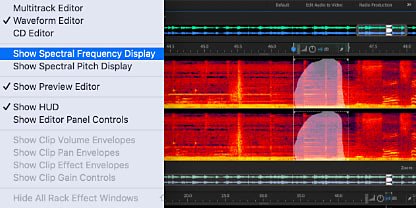
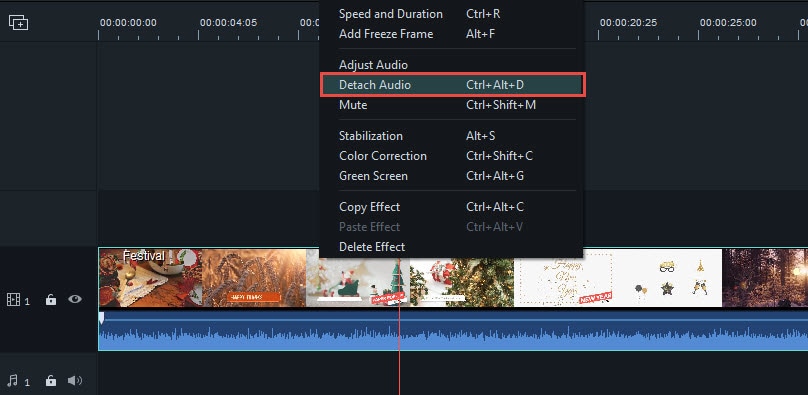
How To Remove Background Noise From Video 3 Easy Ways

How To Remove Noise Wind Noise Mouth Clicks Background Noise Static Adobe Audition Tutorial Youtube

Noise Reduction Audacity Manual

How To Remove Noise From Video In After Effects No Plugins Youtube


Posting Komentar untuk "After Effects Audio Noise Reduction"