Print Preview Microsoft Word 2013
This shortcut Key opens print preview. After clicking the Print button at left bar you will see the Print Preview.

Eps17 4 Fastest Ways To Clear Formatting In Microsoft Word 2013 2016 Shortcut Way All Ways To Remove It No O Words Microsoft Word 2007 Learning Microsoft
Klik tombol File kemudian pilih opsi Print atau klik ikon Print Preview.

Print preview microsoft word 2013. If you examine a document in Print Preview then display the Print dialog box and choose a different printer before printing then the output to the printer may be different than what you saw in Print Preview. Instead click on the File tab then on Print from the left menu. In MS word You can open printer preview by pressing Ctrl P or Ctrl F2.
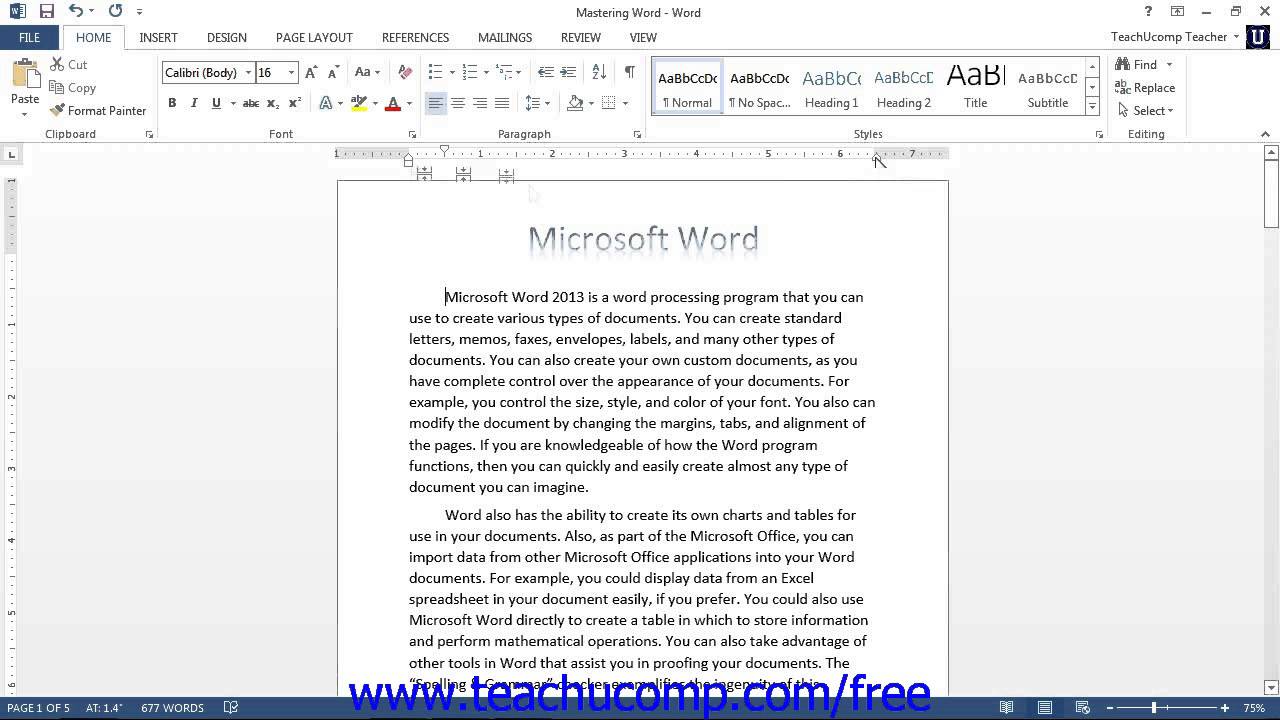
Click the arrow at the end of the Quick Access Toolbar and then choose More Commands. Make sure the Ruler is displayed in the Print Preview mode. Author and talk show host Robert McMillen shows you how to do a print preview in Microsoft Word 2013.
Click Advanced on the left and then at the right pane scroll down to find the Print section. Choose the number of copies and any other options you want and click the Print button. If after unchecking the Scale content option you still receive a wrong print output try the following.
The Print Preview Tab in Word 2007 - Word 2019365 The menu versions of Word had a view available under the File menu called Print Preview. The following picture shows its position as clear as possible. CtrlO Opens a document.
View your document using Print Preview as normal. To preview each page click the forward and backward arrows at the bottom of the page. Print Preview is a feature that allows users to view an actual view of the print version of any document before printing a hard copy.
This saves both time and paper. When you display Print Preview in Word 2007 youll notice at the top of the screen in the Zoom group buttons for one page and two pages. CtrlMinus-Numblock An en dash CtrlM Indents a paragraph from the left.
Cara untuk melakukan Print Preview adalah sebagai berikut. You can also click once on it and choose Add but double-clicking saves a step. As shown in Figure 1.
It is so fast to get the Print Preview button in the toolbars. After click on Print Preview. On File menu move to Print Preview in the drop down menu.
Print Preview allows you to view exactly what your document will look like before you print it. To see your document click on Office button then bring your mouse pointer to Print and lastly click on Print Preview command. Missing page numbers blank pages screwy headers and other jaw-dropping blunders for example.
CtrlP Switches in or out of print preview. And also before printing you can change the Printer options number of copies and all page related settings. If the text is too small to read use the zoom slider at the bottom of the page to enlarge it.
To preview what youre about to print have a look just to the right of the printer settings area. To print your file without checking or changing the properties for your printer click Quick Print. It does not matter which printer or whether driver is updated.
You should see some settings for your installed printer appear. With Classic Menu for Word 20072010201320162019 installed you can click Menus tab to get back the classic style interface. CtrlK Inserts a hyperlink.
By using Print Preview you can find any errors that may exist or fix the layout before printing. Before you print a Word 2013 document preview the look of the final document. Click File Print.
You can do this by clicking on the View Ruler button on the toolbar the Show Ruler check box on the toolbar or by choosing Ruler from the View menu. Selanjutnya tampil halaman dokumen akan menjadi seperti gambar berikut. Open Word and from the File menu select Options.
CtrlL Left aligns a paragraph. How Print Preview works depends on the version of Word you are using. In newer versions of Word there is no Print Preview tab.
Click OK and try to print a document. You should see your document. For example you can delete a header in Word 2013 by manually adjusting the size of the header on the vertical ruler in the Print Layout.
Print preview command is use when you want to see your document that how it look when I will print it. Microsoft Word 2010 training video on how to print your documents as well as use the Print Preview to help prepare your document to print accurately. Choose Print Preview Tab from the list of options and then double-click on Shrink One Page.
I have Windows365 Word 2013 on an 81 OS. To make Print Layout the default view in Microsoft Word 2013 go to Word then File and then Options. The print current page used to work in Word now it only prints page 1.
CtrlN Creates a new document. Preview and print a report. Double-click on Print Preview Full Screen to add it to your Quick Access Toolbar.
In the General tab uncheck the box next to Open e-mail attachments and other editable files in reading view. Print Preview button in Word Excel PowerPoint Project and Publisher 20072010201320162019 Ribbon Click the File tab. To go back to your file and make changes before you print it click the File tab again.
Demikian artikel cara mudah print preview pada microsoft word 2013 semoga bermanfaat. I am still waiting as well. The Show group on the View tab in Microsoft Word 2013 also has options that allow you to display gridlines and a navigation panel.
At my case that was the solution to the wrong print output problem. Uncheck the Scale content for A4 or 85x11 paper sizes option. Yeah even though your document is supposed to look the same on the screen as it does on paper you may still see surprises.
The latter simply provides easier access to the Backstage View on the File menu. Click OK to close the Excel Options dialog box. To preview your file click Print Preview.
To print your file and check or change the properties for your printer click Print. CtrlJ Switches a paragraph between justified and left-aligned. Note that its important to choose Print Preview Full Screen as opposed to Print Preview and Print.
The specified page only used to print from Access now nothing prints. Navigate to the Word Options menu. In Word 2007 this was continued in Backstage what you get with the Office or Pizza button.
CtrlArrow-Left Moves one word to the left.

How To Remove Formatting In Word And Google Docs Intense Quotes Words Texts

How To Create Booklets Using Microsoft Word 2013 Booklet Template Good Resume Examples Word Template

Word 2013 Getting To Know Word Full Page Words Business Etiquette Knowledge Management

Mail Merge Envelopes In Word 2007 Or Word 2010 Regarding Word 2013 Envelope Template Cumed Org Mail Merge Microsoft Word Resume Template Templates

Microsoft Word 2013 Lecture Two Office Word Microsoft Office Word Microsoft Word

Word 2013 Is The Word Processing Application In Microsoft S New Office 2013 Learn How To Use Wor Teaching Computers Microsoft Excel Tutorial Computer Lessons
So Glad I Found This Youtube Video Series Word 2013 Tutorial Indenting Paragraphs Microsoft Training Lesson 6 2 Microsoft Open Educational Resources Ms Word

Where Is Format Menu In Office 2007 2010 2013 And 365 Microsoft Word 2010 Words Starting Small Business

How To Create A Form In Ms Word 2013 Write A Writing Palabras Microsoft Word Leer

Microsoft Word 2013 Lesson Activities Microsoft Word Lessons Teaching Computers Computer Basics

Where Is The Ruler In Microsoft Word 2007 2010 2013 And 2016 Microsoft Word 2007 Word 2007 Words

Microsoft Word 2013 Pictures Tutorial Words W Words Text Features

Command Match For Ms Word Grades 3 8 Teaching Computers Computer Lab Lessons School Computer Lab

10 Fonctionnalites Microsoft Office Peu Connues A Connaitre Microsoft Office Microsoft Words

Microsoft Word Tutorial How To Print A Booklet Lynda Regarding Booklet Template Microsoft Word 2007 Cumed Org Booklet Template Brochure Template Booklet

How To List References And Citations In Microsoft Word 2013 Words Writing Skills Computer Skills

Word 2013 Terminology Worksheet Motivational Activities Worksheets Words

The Wonderful Two Ways To Generate A List Of Tables In A Word Document Inside Microsoft Word Tab Table Of Contents Template Word Template Table Of Content Word
Using The File Menu In Ms Word 2003 Invoice Template Word Words Ms Word 2003


Posting Komentar untuk "Print Preview Microsoft Word 2013"